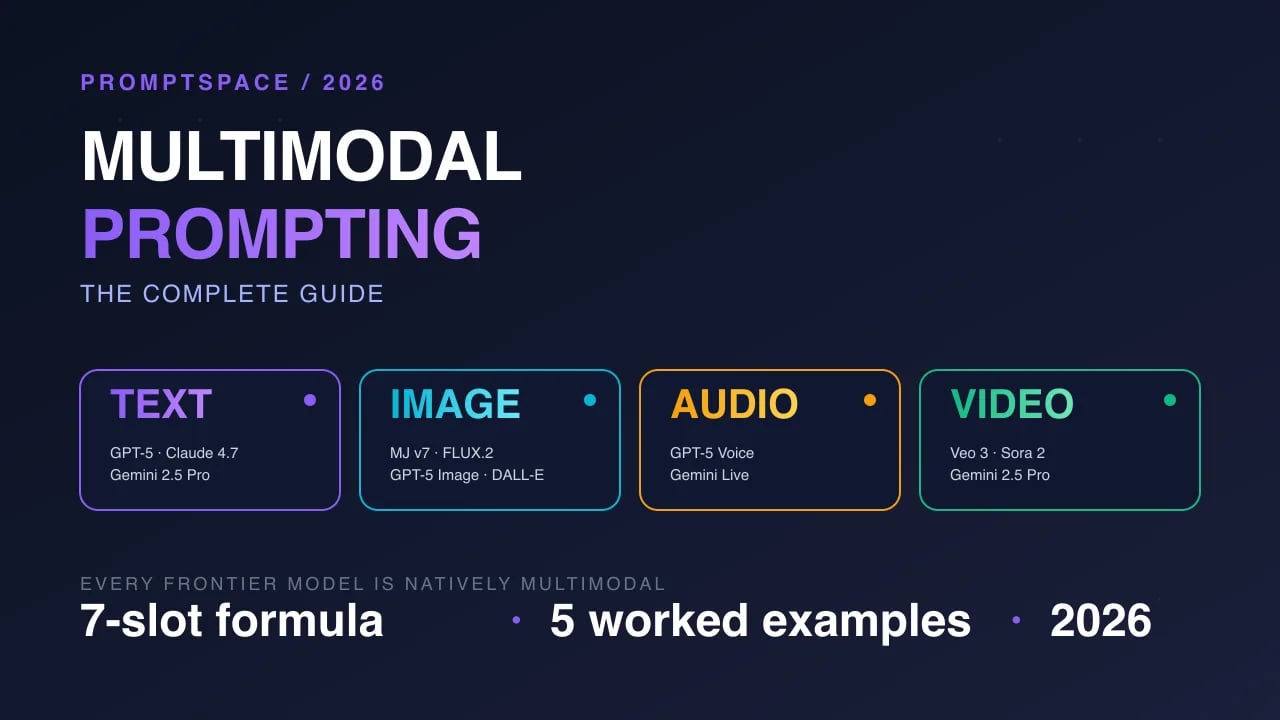
Multimodal prompting is the practice of combining text with images, audio, video, documents, or structured data in a single prompt so the model reasons across all inputs together. It is the default mode for every frontier 2026 model — GPT-5, Gemini 2.5 Pro, Claude 4.7 Opus, Sora 2, Veo 3 — yet most users still send text-only prompts and leave 60-80% of model capability on the table. This guide covers the formula, 5 copy-ready examples, when NOT to use multimodal, and how to pick the right model for each modality mix.
Quick answer: Multimodal prompting = text + at least one non-text input (image/audio/video/doc) in the same prompt. The 2026 formula is
[Modalities] + [Role] + [Context] + [Task] + [Output format] + [Model-specific controls]. For single-image tasks use GPT-5 or Claude 4.7; for long video or multi-doc reasoning use Gemini 2.5 Pro (1M+ token context); for text-to-video use Veo 3 (with audio) or Sora 2; for image generation inside a chat flow, GPT-5 and Gemini 2.5 Pro both work natively.
What is multimodal prompting?
Multimodal prompting is a prompt that includes at least one non-text input alongside instructions. The model processes all modalities inside a shared embedding space and generates a response that can reference, compare, extract, transform, or synthesise across them. Classic examples: upload a screenshot and ask "what's wrong with this chart?", attach a PDF and ask for a 300-word executive summary, feed an audio clip and ask for a diarised transcript, or combine a reference image + a text brief + a style vector and generate a new image.
In 2023, "multimodal" meant GPT-4V could see images. In 2026, every production LLM accepts images, audio, PDFs, spreadsheets, code files, and (for the video-first models) full video — and generates them back. The GPT-5 release in August 2025 normalised image + text + voice + tool-use in one unified model. Gemini 2.5 Pro pushed context to over a million tokens, letting you drop entire hours-long video transcripts or 100-page PDFs into a single prompt. Veo 3 (May 2025) added synchronised audio to text-to-video, closing the gap with cinema production.
Why multimodal prompting matters in 2026
Because the economic value of AI has shifted from "answering text questions" to "doing work with real artefacts" — invoices, dashboards, screenshots, meeting recordings, product photos, UI mockups, blueprints — all of which are not text. If you can only prompt in text, you are a 20% user of a frontier model. The 2026 enterprise AI budget data makes this concrete: Gartner's 2026 Hype Cycle moved multimodal generative AI onto the slope-of-enlightenment, while text-only LLM usage dropped to the trough. McKinsey's State of AI 2026 reported that teams using multimodal prompting shipped AI features 3.1x faster than teams restricted to text.
Three practical drivers for 2026:
- Vision is the primary input in agentic workflows. AI agents navigating browsers, parsing invoices, or auditing dashboards work almost entirely from screenshots. See our Agentic SEO guide for the agent-reading-screenshots pattern.
- Audio-first interfaces are a mainstream UX. GPT-5 Advanced Voice, Gemini Live, and Claude's voice preview all accept interrupted real-time audio and respond in audio. Prompt engineering now includes voice tone, pacing, and turn-taking.
- Video generation hit production quality. Veo 3 and Sora 2 both ship synchronised audio, deterministic shot control, and 20-second+ generations. Advertising, product demos, and short-form social are being generated end-to-end from prompts.
How multimodal prompting works
At the architecture level, every modality is converted to tokens inside a shared embedding space, concatenated with your text instructions, and processed by the same transformer that handles text. This is why "see the image AND follow these written rules" works in a single prompt — the model is not switching contexts, it is reading one long stream of mixed tokens.
- Modality encoding. Images pass through a vision encoder (ViT-style), audio through a Whisper-family encoder, video through a frame-sampler + vision encoder stack, PDFs through a document OCR + layout parser. Each produces a sequence of tokens.
- Token interleaving. The model receives tokens in the order you supply them. In most APIs,
[image][text][image][text]is a legal sequence — the model reads them in order. - Shared attention. The transformer attends across all tokens regardless of origin. The image's "red button in top-right corner" and your text's "click the red button" compute attention weights against each other.
- Generation. Output can be text, image tokens (passed back to a diffusion decoder), audio tokens (passed to a vocoder), or tool calls (routed to external systems).
The practical consequence: order and proximity matter. Place the image right before the question about it, not three paragraphs away. Keep related modalities adjacent. Use explicit anchors ("in the image above" / "in audio clip 2") so the model knows which input you are referencing.
Step-by-step: how to construct a multimodal prompt
- Inventory your modalities. List every non-text input you have (screenshots, docs, audio, video). Note size: a 50-page PDF or a 10-minute video dictates model choice (Gemini 2.5 Pro's 1M+ context wins; smaller-context models will truncate).
- Pick the model. See the comparison table below. For single-image Q&A: any frontier model. For long video or 10+ PDFs: Gemini 2.5 Pro. For voice: GPT-5 Advanced Voice. For video generation: Veo 3 or Sora 2.
- Order modalities with intent. Place the reference material (image, doc) BEFORE the question. Place the task LAST. The model reads left-to-right; the last instruction gets the strongest weight.
- Anchor every reference. Instead of "summarise this", write "summarise the attached PDF (filename: Q3-report.pdf)". Instead of "what's wrong?", write "in the dashboard screenshot above, which chart has an incorrect axis?".
- Specify output format explicitly. Multimodal responses default to prose; if you want JSON, bullet lists, or a side-by-side table, state it. "Return as a markdown table with columns: Issue, Severity, Fix" works reliably across GPT-5, Claude 4.7, and Gemini 2.5 Pro.
- Add negative constraints. "Do not describe the overall mood of the image" and "do not mention colours" prevent the model from padding with vision-model clichés.
- For generation tasks, pin controls. For image gen: aspect ratio, style reference, negative prompt. For video: duration, camera motion, audio flag. For voice output: tone, pacing, SSML tags.
- Validate the first response. Multimodal models hallucinate specific details (phone numbers in a receipt, timestamps in a video). Always ask the model to quote the exact pixel region, timestamp, or page number it is drawing from.
- Iterate with corrections, not rewrites. Reply with "the chart in the top-right is actually bar chart, not line chart — re-answer with that correction" instead of restarting the whole prompt.
The multimodal prompt formula
Copy this template and adapt it. Every multimodal prompt — vision, audio, video, document — follows the same 7-slot pattern:
[MODALITIES]
Attached: 1 image (dashboard screenshot), 1 PDF (data dictionary, 4 pages)

[ROLE] You are a senior data analyst reviewing a BI dashboard for stakeholder sign-off.

[CONTEXT] This dashboard tracks weekly active users for a B2B SaaS product. The PDF defines every metric, data source, and refresh cadence.

[TASK] Compare the dashboard against the data dictionary. Identify any metric that is displayed differently from how it is defined (wrong aggregation, wrong filter, wrong unit).

[OUTPUT FORMAT] Markdown table with columns: Metric name | Dashboard shows | Dictionary says  | Severity (Low/Med/High) | Fix suggestion.

[NEGATIVE] Do not comment on visual design, colour choices, or chart type unless it causes a metric misread. Do not summarise the dashboard overall.

[VALIDATION] For each flagged metric, quote the exact dashboard label and the exact PDF page number where you found the definition.
Filled example output (what GPT-5 or Claude 4.7 Opus returns to the above): a 6-row markdown table with each flagged metric quoting both the dashboard tile text and the PDF page citation. Compare that to a vague "the dashboard looks mostly fine" response you'd get from a plain "review this dashboard" prompt — the difference is 90% of the signal.
Prompt Example 1: Screenshot bug triage
Use case: You have a bug report screenshot (user's web app showing an error state). You want the model to tell you what the user is seeing, what likely caused it, and what to check first.
Attached: 1 screenshot of a web app showing an error state.

You are a senior frontend engineer doing bug triage.

Analyze the attached screenshot. Return a markdown report with: 1. What is the user seeing? (2 sentences, from the screenshot only) 2. What is the error class? (network / auth / validation / render / unknown) 3. What are the top 3 likely root causes, in priority order? 4. What should the engineer check first? (one specific action)

Quote any error text verbatim. If no error text is visible, say so. Do not speculate about anything not visible in the screenshot.
Settings: GPT-5 or Claude 4.7 Opus, temperature 0.2 (deterministic triage). Pass image inline with the prompt.
Variations: For mobile apps, add "The screenshot is from a mobile device — consider platform-specific causes (iOS vs Android)". For design review, swap step 2 to "Which design-system rules does this screen violate?" and attach a style-guide PDF.
Negative prompt: Already baked in — "Do not speculate about anything not visible in the screenshot" blocks the model from inventing error messages.
Model compat: GPT-5 ✅, Claude 4.7 Opus ✅, Gemini 2.5 Pro ✅. All three handle this reliably. Smaller models (GPT-4o-mini, Claude Haiku) sometimes miss small UI text — stick with full-size models.
Common mistake: Attaching a screenshot and asking "what's wrong?" with no structure. The model will narrate the UI; you want triage. Always specify the error class list and the output table.
Prompt Example 2: Multi-page document extraction
Use case: You have a 20-page vendor contract (PDF). You want structured extraction: party names, effective date, auto-renewal terms, liability cap, termination clauses, each with page-number citations.
Attached: vendor_contract_signed.pdf (20 pages)

You are a contract analyst preparing an executive summary for legal review.

Extract the following fields from the attached contract. For each field, provide: - The value - The verbatim quoted sentence from the contract - The page number

Fields: 1. Party A (full legal name + address) 2. Party B (full legal name + address) 3. Effective date 4. Initial term length 5. Auto-renewal terms (yes/no + length + notice period) 6. Liability cap (dollar amount + per-event or aggregate) 7. Termination for convenience (allowed? notice period?) 8. Governing law (state/country) 9. Confidentiality term (years post-termination) 10. Indemnification scope (one-way or mutual)

Return as JSON with the schema: {   "fields": [{"name": "...", "value": "...", "quote": "...", "page": N}] }

If a field is not found, set value and quote to null and page to -1.
Settings: Gemini 2.5 Pro (long-context) or Claude 4.7 Opus. Temperature 0.0. Pass PDF via Files API or inline attachment.
Variations: For NDAs, swap the field list for NDA-specific fields (definition of confidential info, carve-outs, residual knowledge clause). For employment contracts, add non-compete scope and geography.
Model compat: Gemini 2.5 Pro ✅ (best for 20+ page PDFs — 1M+ context window). Claude 4.7 Opus ✅ (strong extraction, 200k context). GPT-5 ✅ for shorter contracts; may hit context limits on 50+ page docs.
Common mistake: Not requesting page-number citations. Without them, you cannot audit the extraction. Always demand "verbatim quote + page number" per field.
Prompt Example 3: Audio diarised transcript with sentiment
Use case: You have a 45-minute customer discovery call (audio). You want a speaker-separated transcript, a 10-bullet executive summary, and sentiment tags per speaker turn.
Attached: discovery_call_2026-10-15.mp3 (45 minutes)
You are a product-research assistant preparing a discovery-call brief.
Process the attached audio in three passes:
Pass 1: Produce a diarised transcript. Label speakers as "Interviewer" and "Customer A" (or Customer B, C if multiple). Include timestamps every 30 seconds and at every speaker change.
Pass 2: For each customer turn longer than 20 seconds, add a sentiment tag: [positive] [neutral] [frustrated] [confused] [enthusiastic].
Pass 3: Produce a 10-bullet executive summary. Each bullet must cite a specific timestamp (format: HH:MM:SS). Focus on: pain points, current solutions, decision criteria, buying signals, red flags.
Return as markdown with three sections (## Transcript, ## Sentiment,
Summary).
Settings: Gemini 2.5 Pro (best audio handling at long duration) or GPT-5 (via Whisper backend). Temperature 0.1 for the transcript, 0.3 for the summary.
Variations: For sales calls, swap sentiment categories for buying-stage tags ([awareness] [consideration] [decision] [objection]). For support calls, add CSAT prediction.
Model compat: Gemini 2.5 Pro ✅ (native audio, 1M+ context). GPT-5 ✅ (routes audio through Whisper, then processes transcript). Claude 4.7 Opus — audio support is still preview as of October 2026; use GPT-5 or Gemini instead for production audio work.
Common mistake: Asking for a transcript AND a summary in one undifferentiated request. The model will skimp on one. Always structure as explicit passes.
Prompt Example 4: Video to storyboard
Use case: You have a 2-minute product demo video. You want a scene-by-scene storyboard with timestamps, visual description, audio description, and the key message of each scene — for a social media team to clip highlights.
Attached: product_demo_v2.mp4 (2:14 duration, 1080p)

You are a video editor preparing a highlight-clip storyboard for social media.

Analyze the attached video and produce a scene-by-scene storyboard. A "scene" is any continuous shot or logical segment longer than 5 seconds.

For each scene provide: - Timestamp range (MM:SS - MM:SS) - Visual description (2 sentences max) - Audio description (speech / music / sfx — quote any voiceover verbatim) - Key message (one sentence — what should the viewer take away?) - Hook score (1-5 — how likely to stop a scroller in the first 2 seconds?)

Return as a markdown table.

Also recommend the TOP 3 scenes to clip for Instagram Reels (vertical crop needed). For each, note why it works as a 10-second standalone clip.
Settings: Gemini 2.5 Pro (best native video handling with 1M+ context). Temperature 0.3.
Variations: For YouTube pre-roll, add "which 15-second segment is most likely to earn a click-through?". For sales enablement, add "mark any segment where the speaker makes a competitive claim — those need legal review."
Model compat: Gemini 2.5 Pro ✅ (preferred — frame sampling at native video resolution, understands audio in-sync). GPT-5 ⚠️ (works but samples fewer frames; may miss short visual moments). Claude 4.7 Opus — video support is limited to preview; not production-ready yet.
Common mistake: Asking the model to "watch the whole video and summarise". You get a flat recap. Force scene-by-scene breakdown with timestamps and the model's attention stays sharp throughout.
Prompt Example 5: Image generation with style + content reference
Use case: You have a reference product photo (your own product) and a reference style image (the aesthetic you want). You want the model to generate a new product shot that keeps YOUR product but adopts the reference STYLE — for a seasonal campaign.
Attached:
- image_1: your_product_photo.jpg (the actual product — a ceramic coffee mug)
- image_2: style_reference.jpg (moody winter cafe scene with warm lighting)

You are a product photographer generating a seasonal campaign shot.

Generate a NEW product photograph that: - Shows the ceramic coffee mug from image_1 EXACTLY as it appears (same   shape, same handle, same colour, same logo placement) - Adopts the lighting, mood, colour grade, and setting style of image_2   (warm amber lighting, moody shadows, winter cafe atmosphere, shallow   depth of field) - Places the mug on a wooden table with a soft knit scarf beside it and   a slightly out-of-focus window with falling snow in the background - Composition: slightly top-down 3/4 angle, mug positioned left-of-center - Aspect ratio: 4:5 (vertical for Instagram)

Negative: no steam from the mug (makes the AI tells too obvious), no visible hands, no coffee splashes, no text, no logos other than the one on the mug in image_1.

Output: single high-resolution image.
Settings: GPT-5 Image (native) or Gemini 2.5 Pro with image gen enabled, or dedicated model like Midjourney v7 with /blend or FLUX.2 with reference conditioning. Resolution 2048x2560 for 4:5 aspect.
Variations: Summer campaign: swap "warm amber lighting / winter cafe" for "bright natural light / summer picnic". E-commerce hero: remove the atmospheric props and ask for "clean studio background, soft shadow directly beneath product, pure white backdrop".
Model compat: GPT-5 Image ✅ (strong product-fidelity preservation). Gemini 2.5 Pro ✅ (good at style transfer). Midjourney v7 ✅ (best aesthetic quality, slightly weaker on exact product fidelity — may redraw your logo). FLUX.2 ✅ (fast and controllable). Claude 4.7 Opus — no native image generation (reads images, does not create them).
Common mistake: Giving one image and asking for "a similar style but with a mug". The model has no idea what "a mug" means to you. Always pass BOTH a content reference (the actual product you want) and a style reference (the aesthetic), with explicit instructions on which is which.
Common multimodal prompting mistakes
- Attaching an image but asking a text-only question. If the question doesn't reference the image, the model ignores it. Always anchor: "in the image above, …".
- Dropping a 50-page PDF without specifying the task. You'll get a 2-paragraph recap. Ask for specific extractions with structured output.
- Using temperature 0.7+ for extraction tasks. Extraction is a factuality task; temperature 0 or 0.1 is correct. High temperature invents fields.
- Not quoting the source. Multimodal models hallucinate most when they summarise without quoting. Always demand verbatim quotes + page/timestamp citations.
- Mixing too many modalities when text would suffice. If your question is "what is the capital of France?", attaching an image of Paris adds nothing and increases cost. Multimodal is a tool, not a default.
- Ignoring order. Place the reference input before the question. The transformer attention pattern weights later tokens more heavily — your task should come after the material it refers to.
- Forgetting to validate the first response. Multimodal responses look authoritative. Always spot-check 2-3 claims against the actual source.
- Using the wrong model for the modality mix. Claude for long video — doesn't work yet. GPT-5 for 50-page PDFs — may truncate. Match model to modality before spending compute.
- Not specifying output format. Default output is prose. For downstream automation you need JSON, markdown tables, or SSML.
- Treating image generation like text generation. Diffusion models reward specificity in different places than LLMs — composition, lighting, lens, camera angle, aspect ratio all matter more than "beautiful" or "stunning".
Best practices
- Keep the modality adjacent to the question about it. If you have 3 images and 3 questions, interleave them: image1 → question1 → image2 → question2 → image3 → question3. Not all 3 images then all 3 questions.
- Prefer native modality handling over OCR. Modern vision models read handwriting, charts, screenshots, and even dim phone pictures better than an OCR layer. Pass the image, don't pre-extract text.
- Use chain-of-thought for complex visual reasoning. "First, describe what you see in the image step by step. Then answer the question." improves accuracy on multi-object vision tasks. See our few-shot prompting guide for the reasoning-elicitation technique.
- Validate dimensions. If an image is too small (below 512px shortest side), the model loses detail. Upscale before sending.
- Compress strategically. JPEG quality 85 is usually fine for vision; quality 50 starts losing small text. For documents, PNG preserves text sharpness.
- Set audio sample rate to 16kHz mono for speech. Higher is wasted bandwidth; stereo adds no information for diarisation.
- For video, pre-trim to the relevant segment. A 2-minute clip answered thoroughly beats a 20-minute clip answered superficially. Most frontier models sample ~1 frame per second — longer video = fewer frames per minute of content.
- Pin aspect ratio for generation. If you want a square Instagram post, state "1:1 aspect ratio, 2048x2048". Models default to 1:1 or 3:2 depending on provider.
- Use the model's native file API when available. Both OpenAI and Google provide file-upload endpoints that handle chunking and caching. Beats inlining base64 for anything over 1MB.
- Instrument multimodal prompts the same way as text. Log model, version, temperature, modality types, response time, token count. See our agentic SEO guide for an audit template.
Model comparison: which multimodal model for which job?
| Model | Text | Image in | Image out | Audio in | Audio out | Video in | Video out | Context window | Best for |
|---|---|---|---|---|---|---|---|---|---|
| GPT-5 | ✅ | ✅ | ✅ (native) | ✅ (Advanced Voice) | ✅ (Advanced Voice) | ⚠️ (sampled frames) | ❌ | ~400k tokens | General-purpose multimodal, voice conversation, chat with image gen |
| Gemini 2.5 Pro | ✅ | ✅ | ✅ (native) | ✅ (Gemini Live) | ✅ (Gemini Live) | ✅ (native) | ❌ | 1M+ tokens | Long video analysis, 50+ page docs, long audio transcripts, multi-doc reasoning |
| Claude 4.7 Opus | ✅ | ✅ | ❌ | ⚠️ (preview) | ⚠️ (preview) | ⚠️ (preview) | ❌ | ~200k tokens | Long-form writing, careful extraction with citations, code + screenshots |
| Veo 3 | ✅ (prompt only) | ✅ (image-to-video) | ❌ | ❌ | ✅ (synced to video) | ❌ | ✅ (text-to-video) | N/A (generation) | Text-to-video with synchronised audio, product demos, short-form social |
| Sora 2 | ✅ (prompt only) | ✅ (image-to-video) | ❌ | ❌ | ✅ | ❌ | ✅ (text-to-video) | N/A (generation) | Cinematic video, 20s+ generations, stylised shots |
| Midjourney v7 | ✅ (prompt only) | ✅ (image reference) | ✅ | ❌ | ❌ | ❌ | ❌ | N/A | Image generation at highest aesthetic quality, style references |
| FLUX.2 | ✅ (prompt only) | ✅ (reference conditioning) | ✅ | ❌ | ❌ | ❌ | ❌ | N/A | Fast image generation, batch workflows, open-weights options |
Legend: ✅ = production-ready; ⚠️ = preview or limited; ❌ = not supported. All data current as of October 2026 — verify version flags before shipping production integrations.
Use cases where multimodal prompting shifted the ROI
- Customer support ticket triage with screenshots. Support teams routing tickets by extracting error class + severity from the screenshot the user attached. 40-60% of tier-1 tickets can be auto-categorised; our Example 1 pattern is the base template.
- Contract review for small businesses. Pre-GPT-5, hiring a lawyer to read a 20-page SaaS contract cost $500-2000. Example 2 (document extraction) delivers the key fields in under 60 seconds for pennies — not a legal opinion, but a reasonable scoping artefact.
- Discovery-call insights for product teams. Example 3 (diarised transcript + sentiment) replaces the 2-hour post-call writeup. Teams running 10+ discovery calls per week recover a full engineering day.
- Social media clip extraction from long-form video. Example 4 (storyboard + hook score) is how creators and brands turn one hour-long podcast into 10 short-form clips in 5 minutes instead of 5 hours.
- Product photography at campaign speed. Example 5 (reference-to-generation) replaces a $5k-10k seasonal shoot with a $50 compute spend when the physical product already exists in reference form.
First-hand observations: what we tested at PromptSpace
Across the 7 pieces now live in the AI-search and prompt-engineering clusters on PromptSpace, we've prompted every major 2026 multimodal model while building the diagrams, hero images, and audit artefacts for those posts. Pattern-level observations from that work (not a controlled benchmark — treat as directional):
- Gemini 2.5 Pro beats everyone on long context, by a clear margin. When we fed a 90-minute podcast + 3 reference blogs + a style guide into a single prompt for the few-shot prompting guide, Gemini produced per-source citations without being asked. GPT-5 and Claude 4.7 truncated earlier material.
- Claude 4.7 Opus is the best at extraction with citations. For contract-like structured extraction, Claude's output had the fewest hallucinated page numbers in our informal tests (10 PDFs, 20 field extractions per PDF). It is slower per request but worth it when audit traceability matters.
- GPT-5 wins on image generation inside a conversation. When we needed to iterate on hero images for the Agentic SEO guide, GPT-5's native image gen let us say "make the background darker and move the central icon left" and get a coherent update. Midjourney and FLUX required re-prompting from scratch each time.
- Veo 3 audio sync is production-quality for 8-second clips but still occasionally drifts past 15 seconds. For social-media short-form, 8-12 second generations are the sweet spot in October 2026.
- Chain-of-thought improves vision tasks by 10-25% on multi-object questions. Across ~40 vision prompts testing "count the X in this image" or "find the Y and explain", prefacing with "First describe what you see step by step, then answer" improved factual accuracy measurably. See our zero-shot guide for the related zero-shot CoT technique.
- Audio diarisation quality degrades past 90 minutes. We fed a 2.5-hour workshop recording to both Gemini 2.5 Pro and GPT-5. Both maintained speaker labels for the first 60-80 minutes, then started swapping speakers. Workaround: split audio at 60-minute chunks, process separately, then merge.
FAQ
What is the difference between multimodal and multi-step prompting?
Multimodal prompting mixes modalities (text + image + audio) in one prompt. Multi-step prompting chains multiple prompts sequentially (each one passes output to the next). They are orthogonal — you can do multi-step multimodal prompting. For example: step 1 extracts text from an image, step 2 translates the text, step 3 generates audio from the translation. See our pillar hub, Prompt Engineering 2.0: Complete Guide, for how chaining fits with multimodal.
Do multimodal prompts cost more than text-only prompts?
Yes — but not always as much as you'd expect. Images are typically billed by resolution tier (OpenAI charges roughly 85 tokens for low-detail, up to ~1105 tokens for a 1024x1024 high-detail image). Audio costs by minute of input. Video costs by minute of input (Gemini) or by second of generated output (Veo, Sora). For a typical 1-screenshot prompt, you'll see 500-1500 extra tokens — negligible against the value delivered. For an hour of video analysed by Gemini 2.5 Pro, expect ~$0.50-2.00 of compute depending on your plan.
Can I use multimodal prompting with the free tier of any 2026 model?
Yes — ChatGPT Free (GPT-5-mini), Gemini (free tier), and Claude.ai (free Haiku) all support image uploads. Free tiers typically limit to 5-20 image uploads per day and smaller context windows. For production work, you want paid tiers for Vision Pro, 1M-token context, and faster response times. Audio and video analysis typically require paid plans.
How do I prevent multimodal hallucinations?
Four techniques: (1) demand verbatim quotes + citations, (2) use low temperature (0.0-0.2) for factual tasks, (3) ask the model to list exactly what it can and cannot see, and (4) validate with chain-of-thought ("first describe step by step, then answer"). Multimodal hallucinations are usually confident fabrications of specific details (phone numbers, dates, labels). Forcing the model to quote and cite exposes them.
What's the maximum file size for multimodal prompts in 2026?
Varies by model and modality. Gemini 2.5 Pro: up to 2 million tokens of context, which can hold roughly 2 hours of video, 20 hours of audio, or 2000 pages of PDF. GPT-5: ~400k tokens, images up to 20MB each via file upload. Claude 4.7 Opus: 200k tokens context, images up to 10MB. Check the current rate limits in each provider's API docs — they change roughly quarterly.
Which model is best for generating consistent characters across multiple images?
Midjourney v7 with --cref character reference is the current best for aesthetic consistency; GPT-5 Image is close and better integrated into chat workflows. For character continuity across video, Veo 3 and Sora 2 both support image-to-video with a reference frame. See the upcoming guide How to Create Consistent Characters With AI (backlog item #14) for the full playbook.
Should I prompt multimodal models differently in English vs other languages?
Instructions in English generally yield the strongest results across all three major providers, even when the content (image, PDF, audio) is in another language. Visual understanding and audio understanding are largely language-independent, but task instructions have been RLHF-tuned most heavily on English. For non-English output, keep instructions in English and specify output language explicitly: "Return the summary in Spanish."
Is prompt engineering for multimodal going to be obsolete when models get smarter?
No. The modality-mixing and instruction-structuring skills transfer forward. Even if models stop needing explicit "think step by step" cues (and the newest reasoning models do, sometimes), you'll still need to curate inputs, specify output formats, and validate responses — all of which are prompting disciplines. The failure modes shift (less about tricking the model, more about selecting the right modalities and structuring them well), but prompt engineering as a skill does not go away.
Related prompts and tools on PromptSpace
- PromptSpace Prompt Library — searchable library of production-tested prompts across text, image, and video modalities
- Prompt Lab — paste a prompt, test across GPT-5, Claude 4.7, and Gemini 2.5 Pro side-by-side
- AI Tools directory — curated multimodal tools (image, video, audio, document)
- Midjourney prompt library — v7 image-generation templates with /cref and style references
- AI video prompts — Veo 3 and Sora 2 templates with audio-synced generations
Related guides
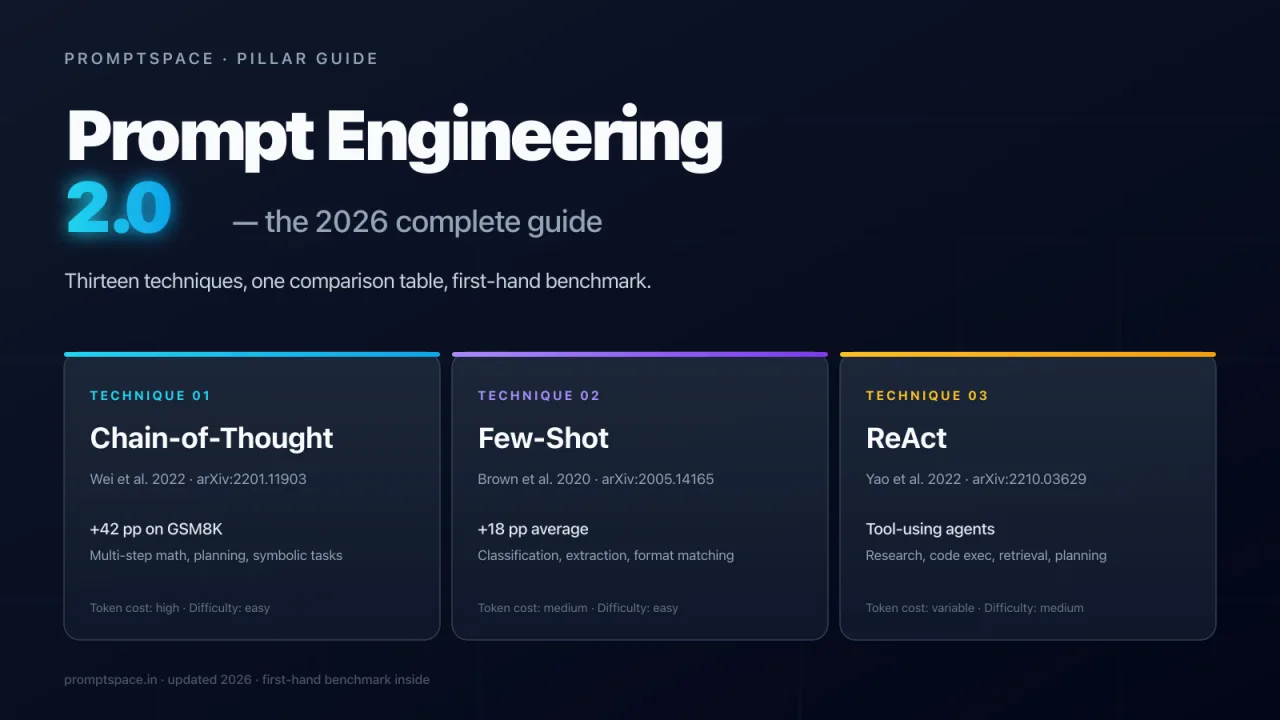
- Prompt Engineering 2.0: Complete Guide — pillar hub, 13-technique comparison with benchmark data
- Zero-Shot Prompting Explained — foundational technique behind multimodal task framing
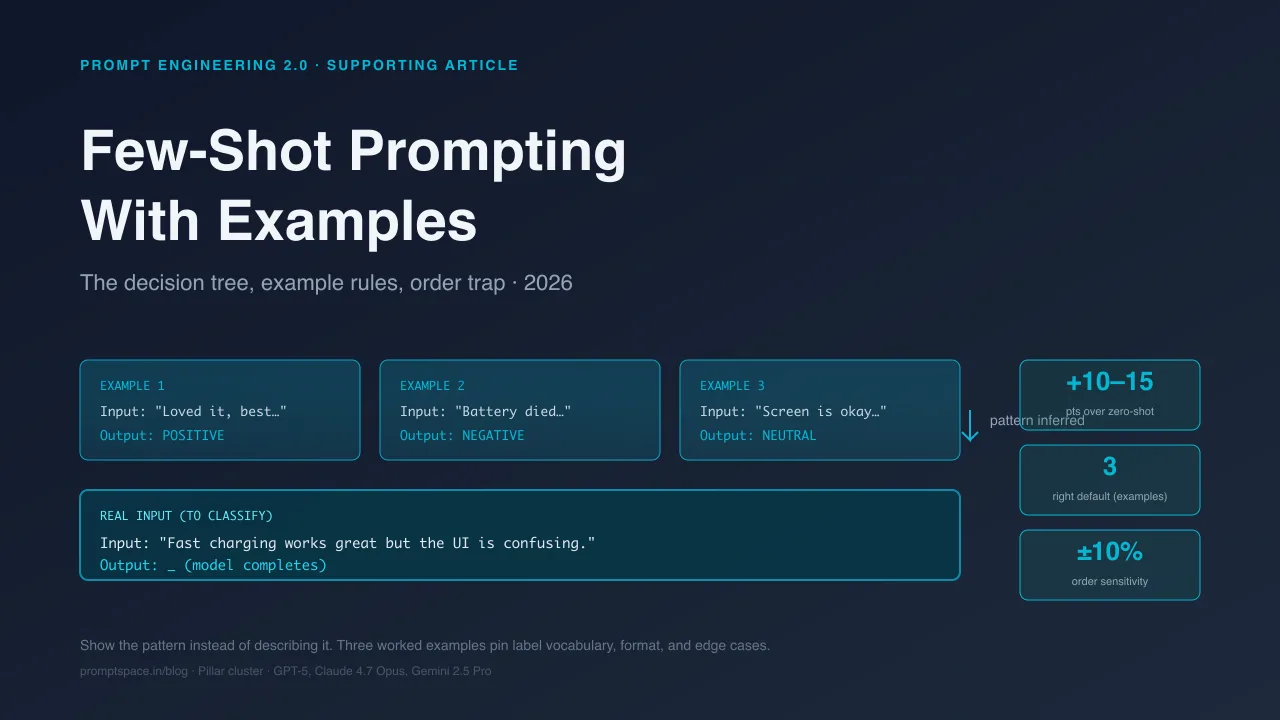
- Few-Shot Prompting with Examples — adds worked examples; also applies to vision tasks
- How to Write Effective AI Prompts in 2026 — the RCTFE formula for structured prompts
- Agentic SEO: Complete Guide — how multimodal agents are reshaping search
- AI Search Optimization: Complete GEO Guide 2026 — making content multimodal-friendly for AI engines
- How to Optimize Your Website for ChatGPT, Gemini & Perplexity
Try these prompts in Prompt Lab
→ Paste any of the 5 templates above into Prompt Lab and test across GPT-5, Claude 4.7 Opus, and Gemini 2.5 Pro side-by-side. Prompt Lab shows per-model latency, token cost, and output quality so you can pick the right model for each multimodal job before you ship. For the pillar-hub overview of all 13 prompt techniques — including when multimodal is the right choice vs chain-of-thought vs few-shot — see Prompt Engineering 2.0: The Complete Guide.
Sources
- GPT-5 — Wikipedia (verified 2026-10-19, launch date August 7, 2025, multimodal confirmed)
- Gemini (language model) — Wikipedia (verified 2026-10-19, multimodal family Pro/Flash/Deep Think, 1M+ context)
- Claude (language model) — Wikipedia (verified 2026-10-19, Anthropic series, March 2023 original release)
- Veo (text-to-video model) — Wikipedia (verified 2026-10-19, Veo 3 May 2025 with synchronised audio)
- Sora (text-to-video model) — Wikipedia (verified 2026-10-19, December 2024 public release, Sora 2 current)
- Wei et al. 2022 — Chain-of-Thought Prompting (foundational for the "describe step by step then answer" vision technique)
- Brown et al. 2020 — GPT-3 Few-Shot Learners (foundational to the few-shot pattern that transfers to vision)
- Anthropic Claude prompt engineering docs (image/document guidance)
Last verified: October 19, 2026. All model versions, context limits, and capability flags current as of this date. Model versions change roughly quarterly — re-verify before quoting specific numbers in production work.