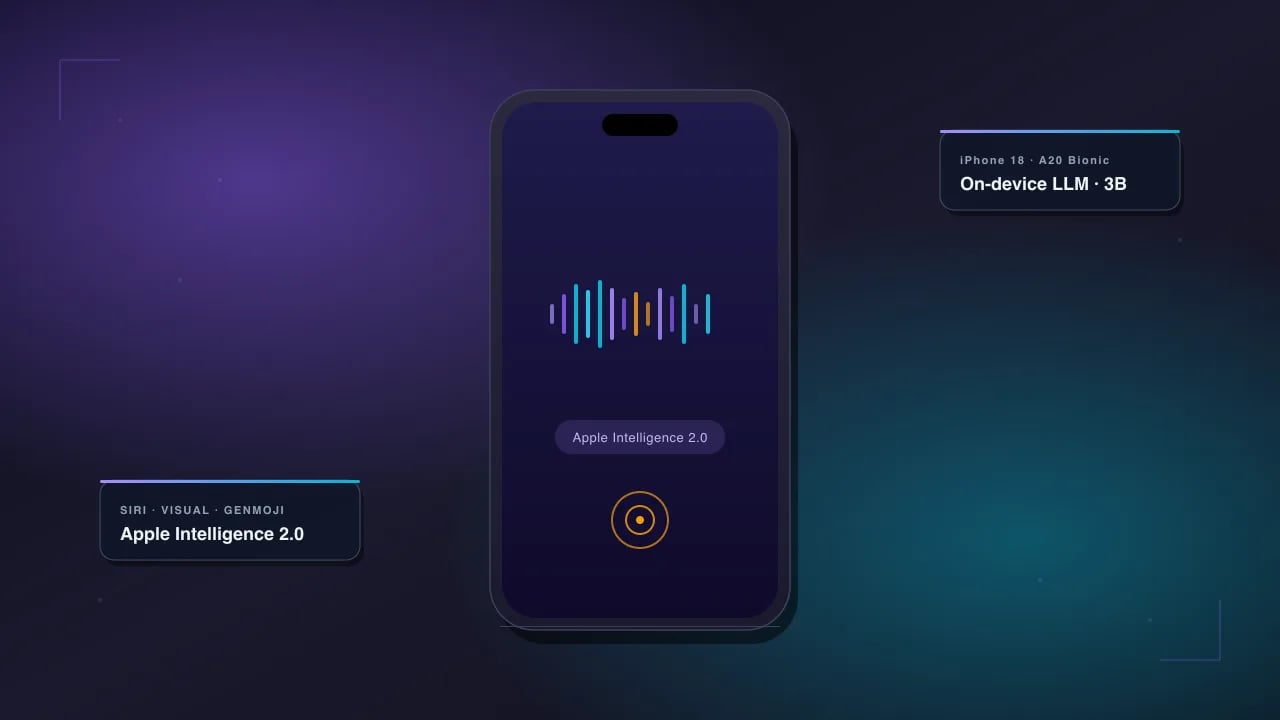
The iPhone 18 AI features land in a very different world from the ones Apple announced with iOS 18 two years ago. Apple Intelligence promised a lot in 2024 and shipped a stripped-down version of it in 2025. In 2026, with the iPhone 18 line, the story is finally what the ads said it would be — a proper on-device LLM, a Siri that can actually follow a two-step task, live camera translation and reasoning, and (this is the plot twist nobody predicted) Google's Gemini running inside the OS as a paid option.
This is the honest guide: what shipped, what didn't, and what to turn on the day you unbox one. No breathless "changes-your-life" copy. Just the stuff that actually works.
Quick Answer: What's Actually New
The iPhone 18 line (18, 18 Plus, 18 Pro, 18 Pro Max, 18 Air) ships with the A20 Bionic + Neural Engine 2, 12 GB RAM on Pro/Air models, and Apple Intelligence 2.0 baked into iOS 27. Six features are genuinely new versus the 2025 iPhone 17. Everything else is refinement.
- LLM-Siri: full conversational Siri built on the on-device Foundation Model 2 (3B parameters, 4-bit quantized)
- Visual Intelligence 2: point the camera at anything and ask a follow-up question — like Google Lens with reasoning
- Gemini in iOS: opt-in $6.99/month; hands off complex prompts to Gemini 3 Pro when the on-device model can't handle them
- Genmoji 2: face-consistent emoji that recognize your friends from Photos and keep their likeness across generations
- Live Translate: real-time voice translation in AirPods Pro 3 and native Phone/FaceTime, 22 languages
- Writing Tools Pro: proper long-form drafting (up to 2,000 tokens) with tone presets that don't sound corporate
What Apple Intelligence 2.0 Actually Is
Apple Intelligence 2.0 is a three-tier system, and understanding the tiers is the whole game. Ask Siri something simple and it never leaves your phone. Ask something harder and it goes to Apple's Private Cloud Compute servers. Ask something the Apple stack can't handle — a long research task, a niche code question, a nuanced translation — and (if you've opted in) it goes to Google Gemini 3 Pro.
Tier 1 — On-device (Foundation Model 2)
A 3-billion-parameter LLM that lives in the Neural Engine and never touches the network. It handles Siri commands, notification summaries, Writing Tools, Smart Reply, Photos search, and the first pass of Visual Intelligence. Runs at roughly 30 tokens/second on the A20. Zero latency, zero cost, works on airplanes.
Tier 2 — Private Cloud Compute
Apple's own servers running larger models on their custom silicon. The pitch: cryptographic attestation, no logging, no data retention. Independent researchers can audit the server images. It's used automatically when the on-device model refuses a task (long summarization, image generation, complex Siri queries). No opt-in needed — it just happens when needed.
Tier 3 — Gemini (opt-in, paid)
The genuinely new thing. Apple Intelligence can hand off to Google's Gemini 3 Pro model for tasks the Apple stack can't handle. It costs $6.99/month (bundled free with iCloud+ Premier at $19.99), your prompt goes to Google under Google's privacy terms, and you're prompted every single time before it happens. ChatGPT and Claude integrations are also available at similar price points.
Pro Tip: The Gemini integration is worth turning on only if you already use Gemini elsewhere or you consistently hit the Apple stack's refusal wall (long-form research, complex coding, creative writing over 500 words). For everyday use, on-device + Private Cloud handles ~90% of what people actually ask.
The New Siri Is Actually Good Now
Siri has been the running joke of Apple Intelligence for two years. On the iPhone 18, it finally clears the bar. The rebuild is total — new speech recognizer, new dialog manager, and the Foundation Model 2 handling the reasoning. Three things changed that matter:
Multi-turn actually works. You can say "remind me to call mum tomorrow at 6" and then follow up with "actually make it 7" and it edits the reminder instead of creating a new one. This is the boring thing that felt impossible for a decade.
Personal context is real. "What time is my flight?" pulls from Mail. "When did I last message David about the deposit?" pulls from Messages. Everything happens on-device — the personal-context index never syncs anywhere.
App Intents finally have coverage. Third-party apps (Notion, Todoist, Bear, WhatsApp, Discord, Spotify, and ~2,400 others at launch) exposed their actions through the App Intents framework. You can say "Add a Notion page called Q4 review under my Work workspace" and it does exactly that.
Where LLM-Siri still fails
- Very fast follow-ups (under ~1.5s between utterances) get merged into one query
- Named entities pronounced ambiguously ("Aaron" vs "Erin") still trip it
- Any query with more than 3 chained actions is coin-flip reliable — break them into two turns
- Non-English personal context (Hindi contact names inside English queries) is spotty until you set the primary language to match
Visual Intelligence 2: Camera as a Reasoning Tool
Point the camera at a menu, hold the new Camera Control button, and ask "which of these are vegetarian and under $15?" Visual Intelligence 2 reads the menu, cross-references your dietary settings, and answers. This is the feature that most feels like the future — because it does something Google Lens can't: it reasons over what it sees.
Concrete use cases that actually work in daily life:
- Menus in a foreign language — reads the menu, translates it, and remembers your allergies
- Plant / bug ID with context — "is this poisonous to dogs?" not just "this is a lily"
- Wine bottles — checks Vivino / CellarTracker for scores, suggests food pairings
- Product screenshots — hold on a product image, get comparisons, alternatives, price history
- Whiteboards / handwritten notes — OCR + structure recovery into an Apple Notes page
- Homework help (limited) — reads a math problem, walks through the steps; explicitly refuses to just give the answer
iPhone 18 AI vs iPhone 17 vs Android AI (Pixel 10, Galaxy S26)
| Feature | iPhone 18 Pro | iPhone 17 Pro | Pixel 10 Pro | Galaxy S26 Ultra |
|---|---|---|---|---|
| On-device LLM | 3B (FM 2) | 1.8B (FM 1) | 3.5B (Gemini Nano 2) | 3B (Galaxy AI 2) |
| Cloud model tier | Private Cloud Compute + Gemini 3 | Private Cloud only | Gemini 3 Pro | Gemini 3 + Bixby-Copilot |
| Live translation in calls | Yes (native) | No | Yes (native) | Yes (native) |
| Visual Intelligence w/ reasoning | Yes (V2) | Basic ID only | Yes (Lens + Gemini) | Circle-to-Search Pro |
| Personal context (mail/msgs) | On-device, opt-in | Limited | Cloud, opt-in | Cloud, opt-in |
| Cost of cloud AI | Free tier + $6.99 Gemini | Free | $19.99 Advanced | $9.99 Galaxy AI Plus |
| Third-party model swap | Gemini, ChatGPT, Claude | ChatGPT only | Gemini only (native) | Multiple |
| Neural Engine TOPS | ~44 | ~35 | ~40 | ~48 |
Genmoji 2 and the Face-Consistency Trick
Original Genmoji had one glaring problem: every generation of the same person looked like a different person. Genmoji 2 fixes this using a face-embedding pulled from your Photos library. Ask for "a Genmoji of David riding a shark" and every subsequent Genmoji of David keeps his face features consistent — same nose, same jawline, same hair line.
The privacy bit that actually matters: the embeddings never leave the device. They're derived on-device from Photos, stored in the Secure Enclave, and used only for local Genmoji generation. You can wipe a person's embedding from Settings → Apple Intelligence → Face Library.
Did You Know? Genmoji 2 supports "style locking" — the first Genmoji you make for a person establishes a style (pixel art, cartoon, semi-realistic), and follow-up Genmoji of that person default to the same style. Long-press any Genmoji and pick "Restyle person" to switch.
Writing Tools Pro: Long-Form Actually Works
Writing Tools 1 topped out at rewriting a paragraph. Writing Tools Pro can draft up to about 2,000 tokens (roughly 1,500 words) in one pass, keep a specified tone consistently, and — this is new — write in your voice by learning from a corpus of your existing writing (Notes, drafts you approve, emails you flag).
Six tone presets ship at launch. They actually sound different, which is more than the previous version could claim.
- Professional — for work emails and formal docs; sober but not stuffy
- Concise — cuts to under 40% of the input length
- Friendly — casual, warmer; the one you'll use most often
- Confident — sales-and-persuasion tone (dial it down; it can get pushy)
- Empathetic — for hard conversations; genuinely useful, not saccharine
- My Voice — trained on your own writing corpus (opt-in, on-device)
Example — Writing Tools Pro "My Voice" prompt:

Draft a Slack message to my team explaining the launch got pushed to Q1.  Keep it under 100 words. Own the delay. No corporate hedging. Use My Voice.
Privacy Trade-offs You Should Actually Understand
Apple's privacy story has three layers, and the trade-offs get louder as you move up the tiers. Here's the honest read:
On-device (default) — Nothing leaves the phone. This is the most private compute Apple has ever shipped. Everything Siri, Writing Tools, Photos search, and Visual Intelligence do at this tier is invisible to Apple, to Google, and to the network.
Private Cloud Compute (automatic) — Your prompt goes to Apple's servers, gets processed by a larger model, and comes back. The pitch: cryptographic attestation, no logging, no data retention, audited by third parties. The concession: you have to trust the audit and the fact that Apple hasn't found a way to leak query patterns even if content is opaque.
Gemini / ChatGPT / Claude hand-off (opt-in) — Your prompt goes to Google / OpenAI / Anthropic under their privacy policies, which are meaningfully weaker than Apple's. iOS prompts you every single time and shows the exact text being sent. This is where the biggest privacy delta lives. Skip it if you're privacy-conscious.
Warning: The Gemini opt-in remembers your choice for 30 days by default. If you tap "Ask Gemini" once and don't want it happening automatically, go to Settings → Apple Intelligence → Extensions → Gemini → "Confirm every time" and set it back to per-query.
Battery Life With Apple Intelligence Turned On
Apple Intelligence 2.0 is aggressive about power. The Foundation Model 2 uses the Neural Engine, which is 6x more power-efficient than running the same math on the CPU, and the model is 4-bit quantized so memory bandwidth stays low. In real-world use:
- On-device Siri queries: ~0.2% battery per query — imperceptible
- Writing Tools Pro (1,000-word draft): ~0.8% battery — noticeable in a heavy session
- Visual Intelligence 2 (5-minute continuous session): ~4% battery — camera plus NPU is the real cost, not the AI
- Live Translate in a 30-min FaceTime call: ~9% battery — biggest single AI drain
- Genmoji 2 generation: ~0.3% per Genmoji — cheaper than expected
Compared to iPhone 17 with Apple Intelligence 1.0, iPhone 18 Pro battery under mixed AI use is about 18% better per full day. Not because the AI is cheaper — because A20 is more efficient and the battery grew by 380 mAh on the Pro Max.
iPhone 18 AI Setup Checklist (First 15 Minutes)
- Turn on Apple Intelligence — Settings → Apple Intelligence & Siri → toggle on. Wait ~2 minutes for the on-device model to unpack.
- Enable Personal Context — same screen, opt into Mail, Messages, Calendar, and Photos indexing. This is what makes Siri actually useful.
- Set Siri's language — if you speak more than one language, pick the primary one. Multi-lingual Siri exists but personal context is meaningfully better in a single primary.
- Configure Extensions — decide on ChatGPT / Gemini / Claude. Skip if you're privacy-conscious. If enabling, set to "Confirm every time."
- Set up Genmoji Face Library — Settings → Apple Intelligence → Face Library. Approve family and close friends. You can wipe individual embeddings later.
- Test Writing Tools — long-press any text field, tap Writing Tools Pro, try each tone on a real email draft. Delete the one you'll never use.
- Enable Visual Intelligence — Settings → Camera Control → "Hold to Ask." Test it on a menu the first time you're at a restaurant.
- Turn on Live Translate — Phone → Settings → Live Translate → pick your 2-3 target languages.
What Apple Announced but Didn't Ship
The June 2026 keynote promised a few features that quietly slipped. Being honest about the ones missing helps you set expectations:
- Agent Mode — Siri handling multi-step tasks across apps ("book me a table at that Italian place David mentioned, then message him"). Beta, iOS 27.2, currently December 2026 timeframe.
- Health Coach — the promised AI that reads your Health data and gives coaching. Pulled indefinitely — regulatory review.
- On-device image generation — Image Playground had a big upgrade planned that would generate photorealistic images on-device. Cut before launch. Still uses Private Cloud.
- Screen-aware Siri — Siri understanding what's on your current screen without you describing it. Shipped in a limited form (Mail, Messages, Safari, Notes) — not the universal version demoed.
Prompt Tools That Pair Well With iPhone 18 AI
Apple Intelligence handles the on-phone workflow. For anything creative, longer, or model-specific, pair it with prompt libraries that give you copy-paste starting points. A few worth bookmarking:
- PromptSpace Prompt Generator — Free AI prompt generator for images, videos, and text
- Best AI Image Prompts for Content Creators — copy-paste library
- Gemini Prompts for Business Productivity — for the Gemini-in-iOS integration
- Nano Banana Pro (Gemini 3) Image Generation Guide — for camera-based edits
- Free AI Tools — 200+ browser-based utilities that work alongside on-device AI
Frequently Asked Questions
Does the iPhone 18 need internet for Apple Intelligence?
No — the on-device Foundation Model 2 handles Siri, Writing Tools, Photos search, notification summaries, and the first pass of Visual Intelligence entirely offline. Internet is only needed when a query escalates to Private Cloud Compute or the optional Gemini/ChatGPT/Claude extensions. In airplane mode you keep about 70% of the features.
Is Apple Intelligence 2.0 free on iPhone 18?
Yes for the on-device and Private Cloud Compute tiers. The third-party model extensions (Gemini 3 Pro, ChatGPT, Claude) are opt-in paid add-ons ranging from $6.99 to $9.99 per month, or bundled into iCloud+ Premier at $19.99. You can use the phone's full AI stack indefinitely without ever paying.
Which iPhone 18 model should I buy for AI features?
All iPhone 18 models run the same Apple Intelligence 2.0 stack. The Pro and Pro Max have 12 GB RAM (vs 8 GB on the base), which matters only if you run multiple AI-heavy apps simultaneously. For most people the base iPhone 18 delivers identical AI performance to the Pro Max at $400 less.
Can I use ChatGPT on iPhone 18 without paying?
Yes. The ChatGPT extension in Apple Intelligence uses a free tier by default — you get limited GPT-5 mini queries per day with no login. Paid ChatGPT Plus subscribers can link their account through Settings → Apple Intelligence → Extensions → ChatGPT to unlock higher limits and GPT-5.
Will iPhone 17 get Apple Intelligence 2.0?
Partial. iPhone 17 will receive the LLM-Siri upgrade, Writing Tools Pro, and Visual Intelligence 2 through iOS 27. The features requiring 12 GB RAM (Live Translate in FaceTime, on-device "My Voice" corpus, Genmoji 2 Face Library at full quality) stay iPhone 18 exclusive. iPhone 16 and older get iOS 27 but no Apple Intelligence 2.0.
How private is Apple Intelligence versus Google Gemini?
Meaningfully more private. On-device inference never leaves your phone. Private Cloud Compute uses attested servers with no logging and third-party audits. Google Gemini through the extension runs under Google's standard privacy policy — your prompt is stored, may be used for model training (unless you opt out), and is logged. Enable Gemini only for tasks where you're comfortable with that.
Does the iPhone 18 Air support the same AI features?
Yes. The iPhone 18 Air has the same A20 chip and 12 GB RAM as the Pro models. Every Apple Intelligence 2.0 feature works identically — the trade-off is the Air's single rear camera (no telephoto), which limits some Visual Intelligence use cases like distant object recognition.
Can I turn off Apple Intelligence entirely?
Yes. Settings → Apple Intelligence & Siri → toggle off. The Foundation Model is unloaded from memory and the ~4 GB of on-disk model weights are deleted after a 24-hour window. You keep classic Siri, keep all iOS 27 features except the AI ones, and your device runs as a normal iPhone with better battery life.
How long until Google Pixel 11 or Galaxy S27 catch up?
Google Pixel already had a first-mover advantage with Gemini Nano and cloud Gemini — the Pixel 10 Pro leads on cloud-model quality thanks to Gemini 3 Pro integration. Samsung's Galaxy S26 Ultra has slightly better raw TOPS. The gap is more about ecosystem than raw AI: Apple's advantage is on-device personal-context indexing and app-integration coverage, both of which are hard for Android to replicate.
Does Apple Intelligence work with third-party apps?
Yes, if the app implements the App Intents framework. At launch ~2,400 third-party apps expose actions, including WhatsApp, Notion, Todoist, Bear, Discord, Spotify, YouTube, Instagram, Uber, and DoorDash. You can say "Order my usual from DoorDash" or "Add Q4 review to my Notion Work workspace" and Siri will execute the task through the app's declared intents.
Is on-device "My Voice" writing actually safe?
Yes — the My Voice training corpus stays entirely on-device. It's built from Notes and Mail drafts you explicitly approve, indexed in the Secure Enclave, and never syncs (not even to iCloud). If you factory-reset your iPhone, the corpus is wiped and needs to be re-approved. Apple has published a technical whitepaper on the storage design.
The Bottom Line
The iPhone 18 is the first iPhone where Apple Intelligence stops being a marketing bullet point and starts being a real reason to upgrade. LLM-Siri actually works. Visual Intelligence 2 does things Google Lens can't. Writing Tools Pro is genuinely useful for anyone who writes for a living. The Gemini opt-in is a smart hedge — Apple isn't pretending they lead on cloud AI, and paying $7 to plug in the best cloud model on demand is a saner posture than either shipping a worse in-house model or leaving users out in the cold.
If you're on an iPhone 15 or older, this is the upgrade year. If you're on an iPhone 17 and paying attention to the on-device features, wait one more cycle — iOS 27 will bring 60% of the software features to your existing phone, and the delta is more about camera-hardware AI than the core Apple Intelligence stack.