The Complete Free AI Tools Stack for Content Creators in 2026 (Video + Image + Voice + Text)
Three years ago, a professional content creator needed Premiere Pro ($55/month), Adobe Stock ($30/month), ElevenLabs ($22/month), Midjourney ($10/month), and a camera setup that cost $2,000+. Today you can replace most of that with free AI tools and a phone. This guide covers the exact stack — every tool, what it does, and when to use it.The Full Stack at a Glance
| Category | Free Tool | What It Replaces | Paid Alternative | |----------|-----------|------------------|-----------------| | AI Video | PromptSpace AI Video Generator | Stock video ($30/mo) | Runway ($15/mo) | | AI Reels | PromptSpace AI Reel Generator | Videography ($200+/shoot) | Kling AI ($10/mo) | | AI Images | PromptSpace AI Image Generator | Stock photos ($30/mo) | Midjourney ($10/mo) | | Image Upscaling | PromptSpace AI Upscaler | Topaz Gigapixel ($99) | Topaz ($99) | | AI Voice | PromptSpace AI Voice | ElevenLabs ($22/mo) | ElevenLabs Pro | | AI Stickers | PromptSpace Sticker Gen | Fiverr sticker pack ($50) | Custom design | | AI Logo | PromptSpace Logo Gen | Fiverr logo ($100+) | Looka ($65) | | Prompt Writing | PromptSpace Generator | Prompt coaching ($50/hr) | Premium prompts | | Editing | CapCut (free app) | Premiere Pro ($55/mo) | Final Cut Pro | | Captions | CapCut Auto Captions | Rev ($29/hr) | Descript ($24/mo) |Total cost: $0 vs roughly $300–500/month for the equivalent paid stack.
AI Video Generation (Free, No Watermark)
PromptSpace's AI Video Generator runs Wan 2.2 and LTX Video 2.3 — two of the strongest open-source text-to-video models in 2026. No signup, no watermark, unlimited generations.Best for: - Atmospheric B-roll for Reels and Shorts - Product showcase clips - Abstract and artistic motion content - Animating still AI images (image-to-video mode)
Limitations to know: Clips are 2–5 seconds. Human movement is inconsistent (use for atmosphere, not action). For longer videos, generate multiple clips and stitch in CapCut.
The Instagram Reel workflow: Use the AI Reel Generator specifically — it defaults to 9:16 portrait format and comes preloaded with reel-optimized prompt templates.
AI Image Generation (Free, FLUX.1 Schnell)
PromptSpace's AI Image Generator uses FLUX.1 Schnell — the fastest open-source image model in 2026. Generates 1024×1024 images in ~10 seconds. No signup, no watermark.Use cases for content creators: - Blog post hero images (no stock photo license needed) - Instagram carousel slide visuals - YouTube thumbnail concepts - Pinterest pin graphics - Product mockup backgrounds - Reel thumbnail frames
Prompt tip for social media images: Always specify aspect ratio in your prompt. For Instagram square: `1:1 aspect ratio, centered composition`. For Reels thumbnail: `9:16 vertical, subject centered in upper third`. For YouTube thumbnail: `16:9 horizontal, bold visual, face or dramatic scene in foreground`.
AI Image Upscaling (Free, 4K Output)
AI images at 1024×1024 look sharp on most screens. But for print, large monitors, or YouTube thumbnails that need to pop, upscaling to 4K makes a visible difference. PromptSpace's AI Upscaler uses Real-ESRGAN to enhance images up to 4× — turning a 1024×1024 image into 4096×4096 with AI-generated detail added, not just pixel stretching.When to upscale: - YouTube thumbnails (need to be sharp at both mobile and desktop sizes) - Instagram carousel images (AMOLED screens reveal low-resolution artifacts) - Print-on-demand products (t-shirts, mugs, posters need 300 DPI minimum) - Any AI image you plan to crop heavily
AI Voice Generation (Free, 230+ Voices)
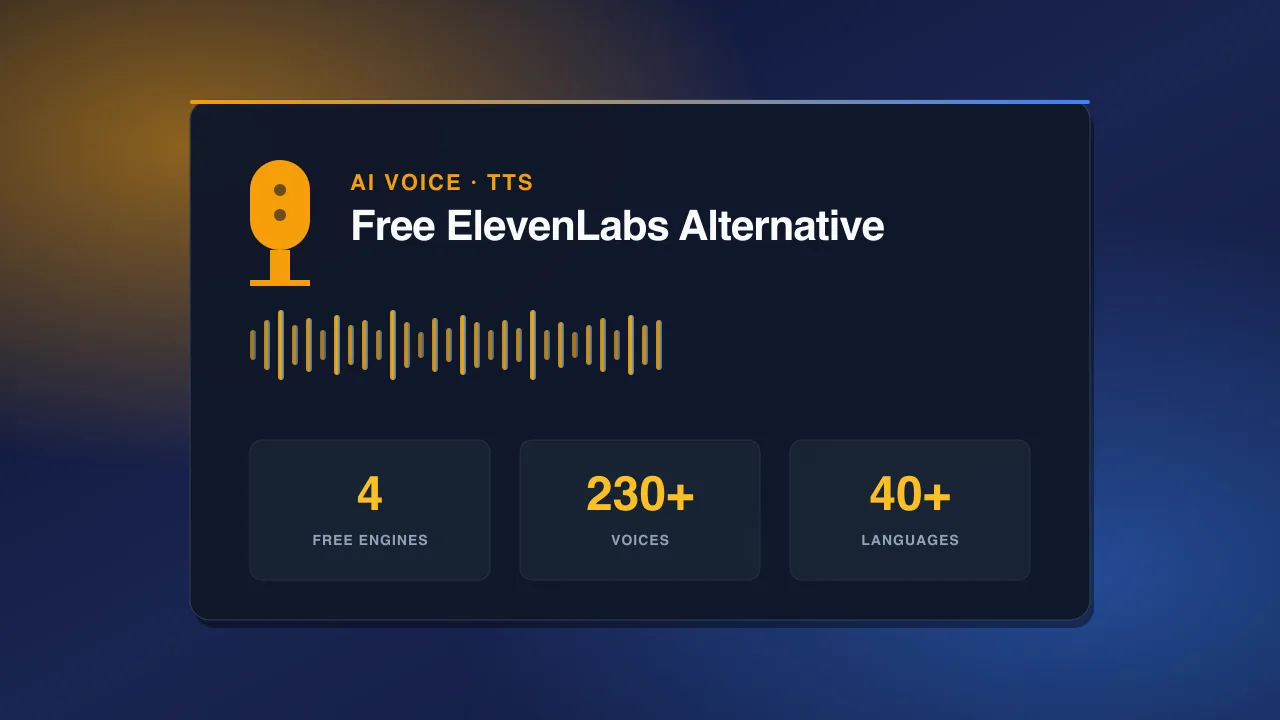
PromptSpace's AI Voice Generator offers 230+ voices across 40+ languages, powered by Kokoro, Qwen3, and ElevenLabs-class models. Free, no signup, no watermark, no export cap.Best voice picks by use case: - Reels voiceover (warm female): Kokoro Bella, Kokoro Emma - YouTube narration (authoritative): Qwen3 River, ElevenLabs Aria - Shorts (energetic, young): Qwen3 Cherry, Kokoro Sky - Podcast-style (professional male): Qwen3 Cove, Kokoro Adam - Hindi content: Kokoro Prabha, Qwen3 Hindi voices
The reel voiceover formula: ``` [3-second hook]: Bold claim or surprising question [15-second value]: One actionable tip, clearly explained [3-second CTA]: Save this / Follow for more / Comment below ``` Keep total script under 120 words for a 30-second reel at natural speaking pace.
Editing: CapCut (Free, Professional Results)
CapCut is the de facto free editing tool for short-form video in 2026. Available on iOS, Android, and desktop. The AI features that save creators the most time:Auto Captions — 95%+ accuracy, one click. Captions increase average view duration by ~40% on mobile because people often watch without sound.
AI Remove Background — remove video backgrounds without a green screen. Useful for talking head segments where you want to place yourself over B-roll.
Beat Sync — automatically cuts clips to the beat of your audio track. Pairs perfectly with AI-generated clips for satisfying rhythm.
AI Color Match — match the color grade of all your clips to a reference image. Use an AI-generated image with your desired aesthetic as the reference.
CapCut Templates — browse trending templates and swap in your own footage. Fastest path from raw clips to posted reel.
AI for Written Content (Prompts, Captions, Scripts)
The PromptSpace Prompt Generator is primarily for generating AI image prompts, but the same prompt-writing discipline applies to captions and scripts:Caption writing with AI: Feed ChatGPT or Claude this template: ``` Write an Instagram Reel caption for a video about [topic]. Voice: [conversational/authoritative/inspirational] Hook: Start with a bold statement or surprising question. Body: 2-3 lines of value or insight. CTA: End with a reason to save, share, or comment. Hashtags: 5-8 relevant tags (2 broad, 3 medium, 3 niche). Max 150 words. ```
For prompt ideas by category, the PromptSpace library has 5,000+ tested prompts for images, videos, captions, and more — all free, all copy-paste ready.
The Weekly Content Calendar on $0
Here's a realistic weekly schedule for a creator using this free stack:Monday (30 min) — Generate assets - AI Reel Generator: 5 clips (3 variations each = 15 total, pick best 5) - AI Image Generator: 10 images for carousels and thumbnails - AI Voice: Record 3 voiceovers from pre-written scripts
Tuesday (45 min) — Edit - Assemble 3 Reels in CapCut (AI clips + voiceover + auto captions + trending audio) - Design 2 carousels in Canva (using AI images)
Wednesday–Friday — Post - 1 Reel/day at peak times (6–9 AM or 7–9 PM) - 1 carousel mid-week - Stories daily using AI image assets
Weekend (20 min) — Analyze and plan - Check which Reel performed best - Note what prompt/style it used - Plan next week's content around the winner
Total active time: ~95 minutes per week. 5 Reels, 2 carousels, daily Stories. That's a professional posting cadence for $0.