Insurance agents in 2026 aren't losing to competitors. They're losing to insurance agents who quietly automated the boring 60% of their day. After watching dozens of independent agents adopt AI tools over the past year, the pattern is obvious — the top producers spend maybe 15 minutes on quote follow-ups, generate policy summaries in the time it takes to sip coffee, and let AI handle the underwriting paperwork that used to eat their Saturdays. This guide covers the exact tools that made that shift possible, most of them free.
TL;DR — Quick Answer
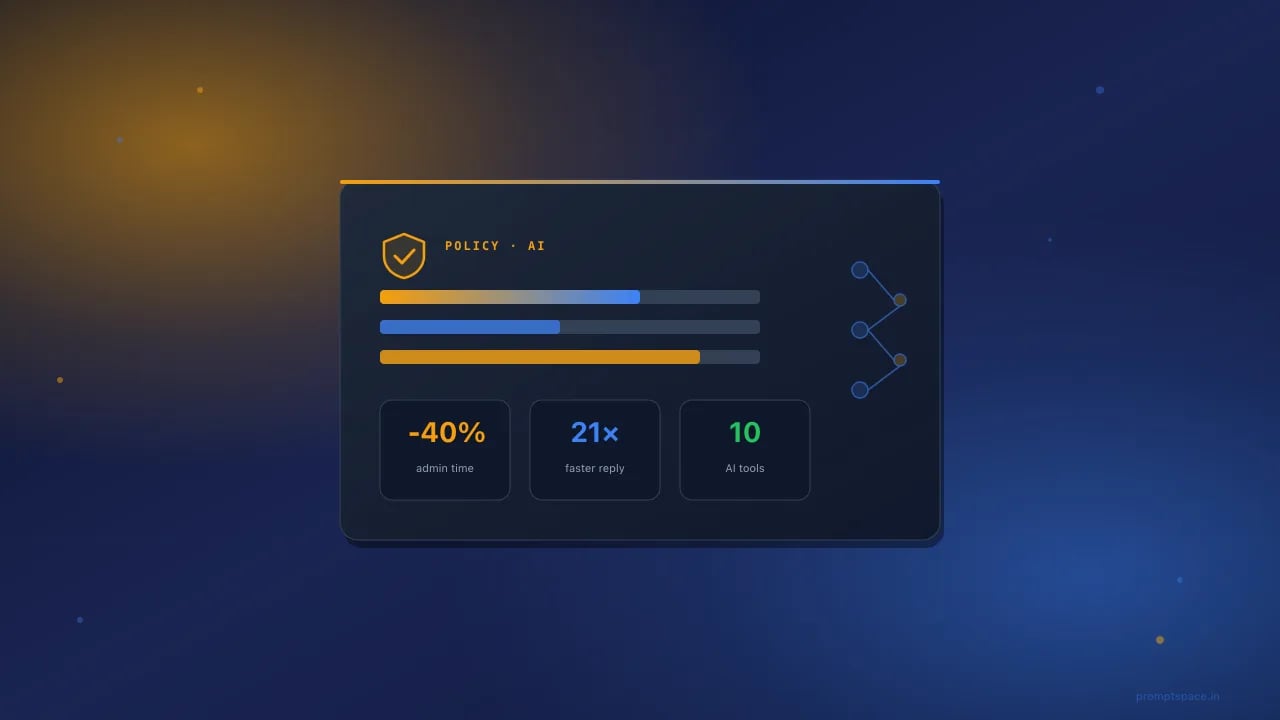
Quick answer: The best AI tools for insurance agents in 2026 combine ChatGPT for client communication, Fathom or Otter for call summarization, Claude for policy document analysis, Zia (built into Zoho CRM) for lead scoring, and Perplexity for underwriting research. Together they cut administrative time by roughly 40% for independent agents. Everything on this list has a free tier or a genuinely useful trial.
Table of Contents
Why insurance agents actually need AI in 2026
The average P&C agent spends between 30% and 45% of their week on paperwork, quote comparisons, and follow-up emails. That's not new. What's new is that a solo agent using AI tools can now match the output of a two-person office from 2023 — while charging the same commissions.
Three shifts made this possible:
- Foundation models got good at long-form document summarization (a 45-page policy PDF becomes a two-paragraph summary in about eight seconds).
- Voice tools now transcribe client calls with 98%+ accuracy and auto-extract the coverage requirements the agent mentioned.
- Free tiers of tools like Claude, ChatGPT, and Perplexity finally cover 90% of what a small agency needs — no enterprise contract required.
Agents who ignored this in 2024 spent 2025 wondering why their close rate dropped. The ones who adopted it are running lean and closing faster.
The 10 best AI tools for insurance agents (2026)
1. ChatGPT (Free + Plus) — Client communication and quote follow-ups
Every insurance agent should have ChatGPT open in a tab. Not because it's magical, but because it turns a 15-minute follow-up email into 45 seconds of editing. The free tier is enough to start. Plus ($20/month) unlocks longer context windows for reviewing full policy documents.
What it's genuinely good at:
- Rewriting stiff policy jargon into plain English for clients
- Drafting personalized follow-up emails after a quote
- Creating comparison charts between three carrier options
- Explaining coverage exclusions in a way clients actually read
What it's not: a compliance advisor. Never paste a client's SSN, DOB, or full policy number into ChatGPT. Ever.
2. Claude (Free + Pro) — Policy document analysis
Claude by Anthropic handles long documents better than any other consumer AI tool available in 2026. Drop a 60-page commercial general liability policy in, ask "what are the top five exclusions a plumbing contractor should know about?", and get a genuinely useful answer.
The free tier lets you upload PDFs up to about 200 pages. Pro ($20/month) removes usage caps and gives you Projects — persistent context for a specific client or carrier.
See our Claude prompt engineering guide for the exact prompt structures that get the best results from long documents.
3. Fathom (Free) — Automatic call summaries
Fathom joins your Zoom, Google Meet, or Teams call, transcribes it, and produces a summary with action items. For an insurance agent doing 10+ client calls a week, this alone saves two hours. The free tier is unlimited on Zoom.
Best use: after a discovery call, Fathom's summary tells you exactly what coverage the client asked about, what their pain points were, and what to include in the follow-up quote. No more scrambling to reconstruct a conversation from memory.
4. Otter.ai (Free tier) — In-person client meeting transcription
For face-to-face meetings — commercial site visits, in-office reviews — Otter's mobile app captures the audio and produces a searchable transcript. Free tier gives 300 minutes/month, which covers most independent agents.
5. Perplexity (Free) — Underwriting and market research
Perplexity is a search engine wrapped in an AI. For questions like "what's the current wind mitigation credit for a 2015-built home in Broward County, Florida?", it pulls current sources with citations. That matters — underwriting facts change quarterly, and stale ChatGPT answers can cost you a bind.
Free tier is more than enough for daily agent research.
6. Zia (Zoho CRM AI) — Lead scoring for solo agents
If you're already on Zoho CRM (popular with independent agents because it's cheap), Zia is included. It scores leads based on engagement, predicts which quotes are likely to bind, and flags policyholders at renewal risk. Not free-standing, but if you're a Zoho user, you already have it.
7. Grammarly (Free) — Client email polish
Not exactly cutting-edge, but Grammarly's tone detector catches emails that read as too aggressive or too passive — both of which kill close rates in insurance. Free version does the job.
8. Gamma (Free) — Client presentation generator
For agents pitching commercial accounts, Gamma turns a rough outline into a polished slide deck in about two minutes. Free tier gives you 400 AI credits, enough for maybe 10 decks.
9. Applied Epic AI Assistant (Enterprise) — Agency management
Not free, and only relevant if your agency runs on Applied Epic. But worth mentioning — the AI Assistant handles renewal reminders, endorsement processing, and basic underwriting queries. If your agency has 5+ producers, the ROI is real.
10. Midjourney or ChatGPT Image Generator — Marketing content
For social posts, blog headers, and email banners. A local agent posting to Instagram three times a week doesn't need a graphic designer anymore. See our ChatGPT image generation guide for the current best prompt patterns.
Comparison table — free vs paid AI tools for insurance agents
| Tool | Free tier? | Best for | Paid tier | Compliance friendly? |
|---|---|---|---|---|
| ChatGPT | Yes (limited GPT-4) | Client emails, quote comparisons | $20/mo Plus | OK for anonymized content only |
| Claude | Yes (200-page uploads) | Policy document analysis | $20/mo Pro | OK for anonymized content only |
| Fathom | Yes (unlimited Zoom) | Call summaries | $29/mo Team | Yes — SOC 2 Type II |
| Otter.ai | Yes (300 min/mo) | In-person meetings | $16.99/mo Pro | Yes — HIPAA available on Enterprise |
| Perplexity | Yes (unlimited basic) | Underwriting research | $20/mo Pro | Yes — no PII processed |
| Zoho Zia | Included with CRM | Lead scoring | From $14/user/mo | Yes — SOC 2, GDPR, HIPAA |
| Grammarly | Yes | Email polish | $12/mo Premium | OK — enterprise plan for PII |
| Gamma | 400 credits | Client decks | $10/mo Plus | OK — no PII |
Copy-paste prompts for insurance agents
These are the prompts that actually work — tested against ChatGPT, Claude, and Gemini. Copy, paste, edit the bracketed parts.
Prompt 1: Explain a policy exclusion in plain English
You are an insurance educator writing for a small business owner with no insurance background. In 3 short paragraphs, explain this policy exclusion:
[PASTE EXCLUSION LANGUAGE HERE]
Write at a 7th-grade reading level. Use one concrete example of a claim this exclusion would deny. End with one question the client should ask their agent.
Prompt 2: Compare three carrier quotes
Compare these three commercial general liability quotes for a [BUSINESS TYPE] with [X] employees and $[REVENUE] annual revenue.
Quote A: [PASTE DETAILS] Quote B: [PASTE DETAILS] Quote C: [PASTE DETAILS]
Format as a table showing: limits, deductible, key exclusions, annual premium, and one plain-English recommendation. Do not include the client's name or address.
Prompt 3: Follow-up email after a quote
Write a follow-up email to a prospect I quoted 4 days ago. They have not responded. Tone: helpful, not pushy. Length: under 100 words.
Details: - Business: [TYPE] - Coverage discussed: [COVERAGE] - Their main concern from the call: [CONCERN] - One value point I forgot to mention: [POINT]
End with an open question that invites a reply, not a yes/no.
Prompt 4: Renewal risk assessment
I have a personal auto client renewing in 30 days. Their premium is increasing 18% due to two comprehensive claims (hail) in the past 18 months. Write a proactive renewal call script that:
1. Acknowledges the increase upfront (no burying the lead) 2. Explains why comprehensive claims impact rates 3. Offers two options: higher deductible, or shopping the market 4. Positions me as their advocate
Length: 90 seconds spoken.
Prompt 5: Summarize a 40-page policy
Summarize this commercial policy PDF for the client. Focus on:
1. Coverage limits by section 2. The 5 most important exclusions 3. Any endorsements that modify the base form 4. Sub-limits the client should know about (e.g., cyber, EPLI)
Format as a one-page client summary. No legalese. If any section is unclear, list it under "Questions to clarify with the carrier."
Daily workflows that save 2 hours a day
The tools above are useful individually. Combined into a workflow, they compound.
Morning workflow (30 minutes → 10 minutes)
- Perplexity: check overnight underwriting bulletins from your appointed carriers
- ChatGPT: draft 3 renewal reminder emails from your CRM export
- Claude: review one pending policy PDF and generate a summary for the underwriter
After-client-call workflow (20 minutes → 5 minutes)
- Fathom transcript arrives in your inbox 2 minutes after the call ends
- Copy the summary into ChatGPT with a prompt like "turn this into a discovery-call recap email for the client"
- Send, log in CRM
End-of-day workflow (45 minutes → 15 minutes)
- ChatGPT: batch-draft tomorrow's follow-ups from today's activity log
- Gamma: create the commercial presentation for tomorrow's 10am meeting
- Grammarly: run through drafts for tone
Total time saved: roughly 90 minutes to 2 hours per day for an active agent. Over a year, that's 400+ hours you can either spend on new business, family, or actual sleep.
A compliance warning most agents miss
Read this section twice.
The moment you paste a client's name, DOB, SSN, driver's license number, VIN, or policy number into a public AI tool, you've likely created a compliance violation. Most state insurance commissioners now treat this as a data breach if the tool retains the data. ChatGPT, Claude, and Gemini all retain conversation history by default on free tiers.
What to do:
- Anonymize everything before pasting. Replace names with "Client A," addresses with "5-digit ZIP only," policy numbers with "XXX."
- Use enterprise tiers if available — Claude Enterprise and ChatGPT Enterprise don't train on your data
- Keep a written AI use policy for your agency (required in many states under NAIC Model Bulletin adoption)
- Never use AI to make final coverage recommendations — the E&O implications are unclear
For a broader look at compliance for professional service providers using AI, see our guide on AI tools for financial advisors and accountants — similar rules apply.
What AI won't fix for insurance agents
Pure-positive tool guides read as marketing. Here's what these tools genuinely don't do:
- They don't replace relationships. The client picks the agent they trust. AI polishes the follow-up but doesn't build the trust.
- They don't handle claims advocacy. When a claim gets denied, the client needs a human voice on the phone with the adjuster. AI can draft the appeal letter, but the phone call matters more.
- They don't fix a bad book of business. Losing $2M in premium doesn't get fixed by ChatGPT. It gets fixed by better prospecting.
- They can be confidently wrong. An AI-generated coverage recommendation that misses a critical exclusion is worse than no recommendation. Always verify against the actual policy.
- They don't work well for specialty lines. Cyber, marine, aviation, and complex commercial umbrella policies have too much nuance. Use AI for summaries, not decisions.
FAQ — Insurance agent AI questions
Is it legal for insurance agents to use ChatGPT with client data?
Not for identifiable client data. Most state insurance departments treat pasting PII into a public AI tool as a data handling violation. Anonymize everything, or use enterprise tiers that don't train on your data. When in doubt, check with your state DOI and your E&O carrier.
What's the single best free AI tool for a solo insurance agent?
Fathom for call summaries, if you're doing 5+ client calls a week. The time savings are immediate and the free tier on Zoom is unlimited. If you're mostly doing email follow-ups instead of calls, ChatGPT free tier is the better start.
Can AI actually help me close more business, or is this just admin savings?
Both. Faster response times close more business — agents who respond to a lead within 5 minutes are 21x more likely to convert than those who wait 30 minutes. AI-drafted follow-ups let you match that speed. On admin, expect 30-40% reduction in paperwork time for a typical P&C agent.
Do I need a written AI use policy for my agency?
If your state has adopted the NAIC Model Bulletin on Artificial Intelligence (most have by 2026), yes. Even solo agents should document what tools they use, what data those tools access, and how PII is handled. A one-page policy is enough for most independent agencies.
Will AI replace insurance agents by 2030?
Not for advice-based lines. Life, disability, commercial, and complex personal lines all require a human agent to explain trade-offs and advocate at claims time. Direct-response auto and simple homeowners policies will keep shifting online, but agents who use AI to serve more clients better won't be replaced — they'll consolidate share.
Is Claude better than ChatGPT for insurance work?
Claude is generally better for long policy documents (up to 200 pages) and for compliance-adjacent tasks where nuance matters. ChatGPT is faster for short emails and quote comparisons. Most productive agents use both — Claude for reading, ChatGPT for writing.
Can AI help me generate insurance leads?
Yes, but indirectly. AI is great for creating content (blog posts, social videos, email newsletters) that attracts leads, and for writing personalized outreach at scale. It's not a replacement for referral partnerships or paid media, but it lowers the cost of content marketing dramatically.
What about specialty lines like cyber or D&O?
Use AI for summarizing quotes and drafting client communications, but never for final coverage recommendations on specialty lines. The policies are too nuanced and the E&O exposure is too high. Talk to the underwriter directly for anything material.
How do I train my producers to use AI tools consistently?
Build a shared prompt library (5-10 templated prompts for the most common tasks) and require producers to use them. Consistency in client communication matters more than any individual prompt. Review the prompts quarterly and update based on what's working.
What's the ROI of paying for ChatGPT Plus vs sticking with free?
For agents doing 20+ client interactions a week, Plus pays for itself in the first week through longer context windows and file uploads. For occasional users, free tier is enough. The $20/month is trivial compared to the time saved.
Key Takeaways
- Start with one tool — probably Fathom or ChatGPT — before adding more
- Anonymize all client data before pasting into public AI tools
- Build a shared prompt library so your agency communicates consistently
- Use Claude for reading long policy documents, ChatGPT for writing client emails
- Document an AI use policy — most states now expect it under NAIC guidance
- AI won't replace the relationship, but it will free the 90 minutes a day you spend on paperwork
Keep exploring
If you're a licensed professional adopting AI, you'll want the neighboring guides in this cluster:
- ChatGPT prompts for financial advisors and accountants
- Best AI tools for real estate agents 2026
- AI tools for HR managers and hiring 2026
- Best AI tools for financial planning US 2026
- ChatGPT prompts for small business owners 2026
Bookmark this page — we update the tool comparisons every quarter as new features ship and pricing changes.