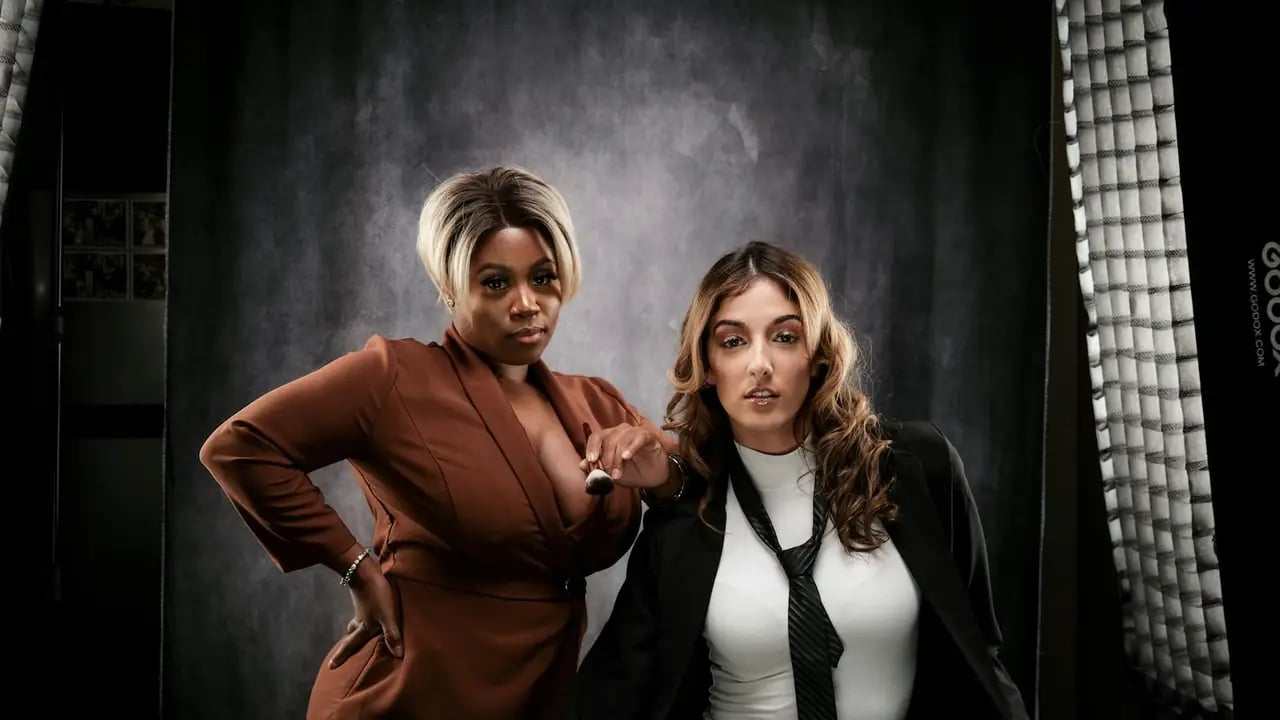
Studio-quality portraits used to mean $300 photoshoots with awkward posing. Now it's a text prompt and knowing which lighting terms to use. Here's exactly how to get professional results from Nano Banana Pro.
Nano Banana Pro Guide: Mastering Professional Portrait Photography Creating stunning professional portraits used to require expensive equipment, years of training, and access to professional models. Not anymore.
With Nano Banana Pro, you can generate breathtaking portrait photography that rivals studio-quality shots - all from a simple text prompt. But like any powerful tool, the results you get depend entirely on how you use it.
In this comprehensive guide, you'll learn the exact techniques professional prompt engineers use to create stunning portraits with Nano Banana Pro. By the end, you'll understand how to control lighting, composition, mood, and style to get exactly the results you want.
What Makes Nano Banana Pro Different?
Nano Banana Pro isn't just another AI image generator. It's specifically optimized for:- Photorealistic portraits with accurate skin tones and details
- Professional lighting that mimics studio setups
- Consistent character generation across multiple images
- High-resolution output suitable for print and digital use
Understanding these strengths helps you write better prompts.
The Perfect Portrait Prompt Formula
After analyzing thousands of successful Nano Banana Pro portraits, here's the structure that works consistently:[Subject] + [Pose/Expression] + [Lighting Setup] + [Background] + [Camera Settings] + [Quality Parameters]
1. Subject (Be Specific)
Start with detailed subject description:❌ Bad: "A woman" ✅ Good: "Professional headshot of a confident businesswoman in her 30s, wearing a navy blazer, subtle makeup, warm smile"
2. Pose and Expression
Control the mood with pose descriptors:- "Looking directly at camera, confident expression"
- "Three-quarter profile, contemplative gaze"
- "Slight head tilt, genuine smile, approachable"
3. Lighting Setup (Crucial!)
This is where Nano Banana Pro shines. Specify your lighting:Studio Lighting:
- "Rembrandt lighting, soft shadows"
- "Butterfly lighting, even illumination"
- "Split lighting, dramatic contrast"
- "Ring light, catchlights in eyes"
Natural Lighting:
- "Golden hour sunlight, warm tones"
- "Overcast softbox effect, even lighting"
- "Window light, natural shadows"
4. Background
Control the context:- "Clean white studio background" - Classic headshot
- "Blurred office background, bokeh effect" - Environmental portrait
- "Neutral gray backdrop" - Professional corporate
- "Natural outdoor setting, softly blurred" - Lifestyle portrait
5. Camera Settings (Add Authenticity)
Include technical specifications:- "85mm lens, f/1.8 aperture, shallow depth of field"
- "50mm lens, f/2.8, professional portrait"
- "Shot on Canon EOS R5, 8k resolution"
6. Quality Parameters
End with quality markers:- "8k, photorealistic, highly detailed"
- "Professional photography, sharp focus"
- "Vogue editorial style, polished"
Professional Headshots
Corporate Executive:Professional headshot of a middle-aged male CEO, wearing charcoal suit, confident smile, Rembrandt lighting, clean white background, 85mm lens, f/1.8, shallow depth of field, 8k, photorealistic, highly detailed
Creative Professional:
Portrait of a young female designer, casual smart attire, creative studio background with soft bokeh, natural window light, genuine smile, 50mm lens, warm color grading, professional photography
Medical Professional:
Professional portrait of a female doctor, white coat, stethoscope, approachable expression, soft studio lighting, clean medical office background, trustworthy demeanor, 85mm lens, f/2.0, high resolution
Creative Portraits
Artist Portrait:Portrait of a bearded male artist, paint-stained hands, dramatic side lighting, creative studio background, intense gaze, moody atmosphere, chiaroscuro lighting style, professional photography, 8k
Musician Portrait:
Portrait of a jazz musician, holding saxophone, smoky atmosphere, warm amber lighting, vintage club background, soulful expression, cinematic color grading, professional portrait photography
Fashion Editorial:
High fashion portrait, androgynous model, avant-garde styling, dramatic studio lighting, bold makeup, Vogue editorial style, clean background, sharp focus, professional fashion photography, 8k
Lifestyle Portraits
Outdoor Portrait:Natural light portrait of a young woman, golden hour sunlight, outdoor park setting, wind in hair, joyful expression, 85mm lens, f/1.4, beautiful bokeh, warm tones, lifestyle photography
Environmental Portrait:
Portrait of a craftsman in his workshop, natural lighting from windows, tools in background, focused expression, storytelling composition, documentary style photography, authentic, detailed
Candid Style:
Candid lifestyle portrait, laughing woman, coffee shop setting, natural window light, authentic moment, shallow depth of field, warm and inviting atmosphere, professional lifestyle photography
Specialized Portraits
Actor Headshot:Theatrical headshot, versatile expression, dramatic lighting, neutral gray background, showing range and emotion, professional actor portfolio photo, 8k, sharp focus, cinematic quality
LinkedIn Professional:
LinkedIn profile photo, business professional, approachable smile, professional attire, clean background, even lighting, trustworthy appearance, corporate headshot style, high quality
Author Portrait:
Author portrait, intellectual appearance, book-filled library background, warm reading light, thoughtful expression, professional book jacket photography, distinguished look, 8k
Controlling Skin Texture
Add specific skin descriptors:- "Natural skin texture, realistic pores" - Photorealistic
- "Flawless skin, beauty retouching" - Magazine style
- "Aged gracefully, character lines" - Mature subjects
Eye Details (The Windows to the Soul)
Specify catchlights and eye detail:- "Sharp focus on eyes, detailed iris"
- "Catchlights in eyes from window"
- "Intense eye contact, piercing gaze"
Hair Details
Control hair appearance:- "Individual hair strands visible, windblown"
- "Professional hairstyle, sleek and polished"
- "Natural curly hair texture, detailed"
Clothing and Textures
Add fabric details:- "Wool suit texture visible, detailed fabric"
- "Silk blouse, soft sheen, elegant drape"
- "Denim jacket, worn texture, casual style"
Mistake 1: Ignoring Lighting Direction
❌ Bad: "Portrait of a person with good lighting" ✅ Fixed: "Portrait with Rembrandt lighting, soft shadows on left side, professional studio setup"Mistake 2: Overly Complex Backgrounds
❌ Bad: "Portrait with busy street, lots of people, cars, buildings" ✅ Fixed: "Portrait with blurred urban background, bokeh lights, subject in sharp focus"Mistake 3: Missing Focus Point
❌ Bad: "Sharp portrait of a woman" ✅ Fixed: "Portrait with sharp focus on eyes, shallow depth of field, soft background blur"Mistake 4: Unrealistic Skin
❌ Bad: "Perfect skin, no imperfections, plastic look" ✅ Fixed: "Natural skin texture, subtle freckles, realistic appearance, professional retouching"Post-Generation Tips
Even with perfect prompts, you might want to refine your results:- Use Upscaling - Nano Banana Pro can increase resolution while maintaining detail
- Adjust Colors - Slight color grading can dramatically change mood
- Crop Thoughtfully - Rule of thirds for more dynamic compositions
- Add Vignette - Draws attention to the subject
Your Next Steps
Now you have the formula and examples. Here's how to practice:- Pick One Prompt - Start with a simple professional headshot
- Change One Variable - Modify the lighting or background
- Compare Results - See how each change affects the output
- Build Your Library - Save prompts that work well
Remember: The best portraits come from understanding how Nano Banana Pro interprets your words. The more specific you are about lighting, composition, and mood, the better your results.
Want More? Browse Our Library
This guide gives you the foundation. But great portrait prompting is about having a massive vocabulary of lighting terms, poses, and style descriptors.promptspace.in features hundreds of tested Nano Banana Pro prompts, including:
- Industry-specific portraits
- Seasonal and themed portraits
- Multi-subject compositions
- Advanced lighting setups
Browse the full portrait prompt library →
FAQ
Q: Can I create portraits of specific people? A: Nano Banana Pro creates unique individuals. For specific likenesses, use reference images with the image-to-image feature.Q: What's the best aspect ratio for portraits? A: 2:3 for full portraits, 4:5 for headshots, 1:1 for profile photos.
Q: How do I get consistent characters across multiple images? A: Use seed numbers and consistent descriptions. Some versions support character reference features.
Q: Can I use these for commercial purposes? A: Check Nano Banana Pro's current license terms. Generally, AI-generated images have specific usage rights.
Final Thoughts
Mastering portrait photography with Nano Banana Pro isn't about finding magic words - it's about learning to describe what you want with precision.Every great portrait starts with understanding:
- Who you're photographing (subject)
- How they're lit (lighting setup)
- Where they are (background/context)
- What equipment is used (camera settings)
Start with one prompt from this guide. Modify it. Make it yours. The stunning portraits you create are limited only by your imagination.
Happy creating!
*Found this guide helpful? Share it with someone exploring AI portrait photography. And don't forget to bookmark this page - we update it regularly with new techniques and examples.*
*Want more prompts like these? Browse our library of tested portrait prompts →*
Share this article:
Copy linkXFacebookLinkedIn