AI Product Photography: Create Professional Photos Without a Studio
AI product photography is revolutionizing how businesses create professional product images. What once required expensive studio setups, professional photographers, lighting equipment, and hours of post-production can now be achieved in minutes using AI-powered tools. Whether you're an ecommerce entrepreneur launching your first product, a small business owner updating your Shopify store, or a marketing team needing fresh visuals for campaigns, AI product photography delivers studio-quality results at zero cost.
In this comprehensive guide, you'll find over 30 ready-to-use prompts for every product category — from jewelry and cosmetics to electronics and food. We'll cover the techniques professional photographers use and show you how to replicate them with AI. Start creating stunning product photos right now with PromptSpace's free AI Image Generator, and browse the image gallery for inspiration from thousands of professional-quality AI-generated product shots.
Why AI Product Photography Is a Game-Changer
Cost Savings That Transform Your Business
Traditional product photography costs anywhere from $25 to $500+ per image when you factor in studio rental, photographer fees, props, and post-production editing. For an ecommerce store with 50-100 products, each needing 5-8 images, the bill can easily reach $10,000-$50,000. AI product photography eliminates virtually all of these costs. With tools like PromptSpace's AI Image Generator, you can create unlimited professional product images for free.
Speed: From Days to Minutes
A traditional product photography shoot takes days to plan, hours to execute, and more days for editing and retouching. With AI, you can generate a complete set of product images in under 30 minutes. Need to test different backgrounds, lighting styles, or compositions? Generate variations instantly instead of rebooking a studio session.
Consistency Across Your Catalog
One of the biggest challenges in product photography is maintaining visual consistency across hundreds of products. Different shooting days, different lighting conditions, and sometimes different photographers create an inconsistent look. AI gives you perfect consistency — once you find a prompt and style that works, you can apply it across your entire product line for a cohesive, professional catalog.
Unlimited Creative Exploration
Want to see your product on a marble surface? In a tropical setting? On a minimalist white background? In a luxury lifestyle scene? With AI, you can explore dozens of creative directions in the time it would take to set up one traditional shot. This creative freedom lets you A/B test different visual approaches and find what converts best.
Best AI Tools for Product Photography
PromptSpace AI Image Generator
PromptSpace's free AI Image Generator is an excellent starting point for product photography. It generates high-quality images with no watermarks, supports custom aspect ratios, and requires no account. Its prompt generator can help you craft the perfect product photography prompt if you're not sure where to start.
Midjourney
Midjourney excels at creating editorial-style and lifestyle product photography. Its v6 model produces incredibly realistic lighting, textures, and compositions that rival actual studio photography. Best for: luxury products, fashion, cosmetics, and lifestyle scenes. Pricing starts at $10/month.
DALL-E 3
DALL-E 3 through ChatGPT is particularly good at following specific composition instructions and generating clean, commercial-ready product shots. It understands concepts like "hero shot," "flat lay," and "lifestyle photography" very well. Available through ChatGPT Plus.
Stable Diffusion + Product Photography Models
For maximum control, Stable Diffusion with specialized product photography LoRA models can produce remarkably realistic results. You can train custom models on your actual products for AI-generated images that look identical to real studio photos. Best for: technical accuracy and volume production.
Flair AI and Booth AI
These specialized tools are designed specifically for AI product photography. You upload an image of your real product, and they place it in professional scenes, on different backgrounds, and in lifestyle contexts. Great when you already have product cutouts and need environmental shots.
📸 White Background Product Photography Prompts
Clean white backgrounds are the gold standard for ecommerce listings (Amazon, Shopify, eBay). Here are prompts optimized for commercial product photography:
Prompt 1: Clean eCommerce White Background
Copy this prompt:
"Professional product photography of [your product] on a pure white background, clean ecommerce style, soft even studio lighting with no harsh shadows, centered composition, product fills 80% of frame, sharp focus on every detail, high-key lighting, color-accurate, commercial catalog style, shot with 100mm macro lens, 4K ultra-detailed"
Prompt 2: White Background with Soft Shadow
Copy this prompt:
"Studio product photograph of [your product] on white seamless background with subtle soft drop shadow for depth, professional three-point lighting setup, slightly elevated camera angle at 15 degrees, crisp sharp details, commercial photography for online store listing, neutral color temperature, no reflections or color cast, product in perfect condition, 4K resolution"
Prompt 3: Multiple Angle Product Grid
Copy this prompt:
"Professional product photography grid showing [your product] from four angles: front view, side view, back view, and 45-degree angle view. Clean white background, consistent soft studio lighting across all views, same scale and positioning, ecommerce catalog style, commercially accurate colors, suitable for Amazon or Shopify product listing, ultra-detailed"
💎 Jewelry & Accessories Photography Prompts
Prompt 4: Luxury Jewelry on Dark Velvet
Copy this prompt:
"Luxury jewelry product photography of [describe jewelry: gold ring with diamond, silver necklace, etc.] displayed on dark black velvet surface, dramatic spotlight lighting creating sparkling reflections on gemstones, shallow depth of field, extreme macro detail showing metal texture and stone facets, dark moody background with subtle gradient, luxury brand advertising style, Cartier campaign aesthetic, 4K ultra-detailed"
Prompt 5: Jewelry Lifestyle Shot
Copy this prompt:
"Elegant lifestyle product photography of [describe jewelry] being worn, close-up on the jewelry piece with soft-focus background, golden hour warm lighting, the wearer's hand or neck elegantly posed, bokeh background suggesting an upscale environment, Vogue jewelry editorial style, rich warm color tones, romantic and aspirational mood, professional fashion photography, ultra-detailed"
Prompt 6: Jewelry Flat Lay Arrangement
Copy this prompt:
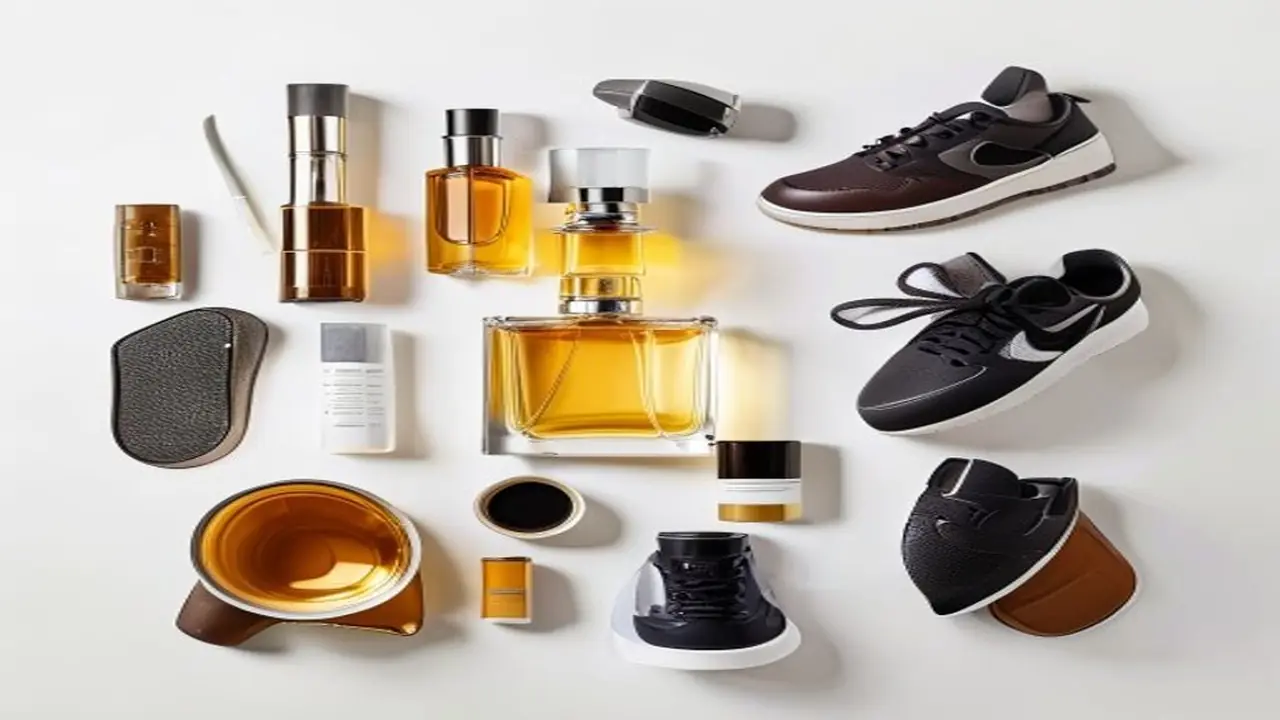
"Luxurious flat lay arrangement of [describe jewelry collection: rings, bracelets, earrings, necklaces], artfully arranged on a polished marble surface with fresh flowers and a small perfume bottle as props, overhead camera angle, soft natural window light from the left, editorial styling, Instagram-worthy composition, neutral color palette with gold accents, aspirational luxury brand aesthetic, 4K"
👗 Fashion & Clothing Photography Prompts
Prompt 7: Clothing on Invisible Mannequin
Copy this prompt:
"Professional ghost mannequin product photography of [describe clothing item: black leather jacket, white cotton dress, denim jeans, etc.], invisible mannequin technique showing the garment's shape and fit as if worn by an invisible person, clean white background, even studio lighting highlighting fabric texture and stitching details, commercial ecommerce style, color-accurate, wrinkle-free, 4K"
Prompt 8: Fashion Lifestyle Campaign
Copy this prompt:
"Fashion editorial product photography of [describe clothing item] worn by a model in an urban setting, natural daylight, candid lifestyle pose, modern street style context, shallow depth of field with blurred city background, magazine advertisement quality, Zara or H&M campaign style, authentic and aspirational, warm color grading, professional fashion photography, 4K resolution"
Prompt 9: Clothing Flat Lay Styled
Copy this prompt:
"Styled fashion flat lay of [describe clothing item] arranged with complementary accessories — sunglasses, watch, shoes, and a leather bag. Placed on a light wooden floor, overhead view, soft natural lighting, organized yet effortless arrangement, each item slightly angled for visual interest, Instagram fashion blogger aesthetic, clean and aspirational, 4K resolution"
📱 Electronics & Tech Photography Prompts
Prompt 10: Premium Tech Product Hero Shot
Copy this prompt:
"Premium technology product photography of [describe tech product: wireless earbuds, smartwatch, phone case, etc.], Apple-style hero shot on a clean gradient background transitioning from dark gray to black, dramatic side lighting creating a subtle rim light effect on the product edges, product floating with soft shadow beneath, ultra-clean minimalist composition, sharp focus on every surface detail, 4K resolution, luxury tech advertising style"
Prompt 11: Tech Product in Context
Copy this prompt:
"Lifestyle technology product photography of [describe tech product] being used in a modern minimalist workspace, clean white desk with a MacBook in the background, soft natural window light, the product is the clear hero of the image, bokeh background with plants and modern decor, authentic tech reviewer photography style, warm neutral tones, the product should look premium and desirable, 4K ultra-detailed"
Prompt 12: Tech Product Exploded View
Copy this prompt:
"Technical exploded view product photography of [describe tech product] showing internal components floating in alignment, each part slightly separated to reveal the engineering, clean dark background, studio lighting highlighting each component, technical illustration meets photography style, labels pointing to key features, premium brand teardown aesthetic, iFixit or Apple-style internal reveal, ultra-detailed 4K"
🍕 Food & Beverage Photography Prompts
Prompt 13: Overhead Food Flat Lay
Copy this prompt:
"Professional overhead food photography flat lay of [describe food item: artisan pizza, sushi platter, gourmet burger, etc.], arranged on a rustic wooden table with complementary ingredients scattered around — fresh herbs, spices, linen napkin, vintage cutlery, olive oil drizzle, soft natural daylight from a window to the left creating gentle shadows, food styling with steam visible, Bon Appetit magazine editorial quality, 4K"
Prompt 14: Beverage Hero Shot
Copy this prompt:
"Commercial beverage photography of [describe drink: craft beer, specialty coffee, smoothie, cocktail, etc.], dramatic lighting highlighting condensation droplets on the glass, a perfect pour moment or splash frozen in time, garnish details visible, complementary props suggesting the flavor profile, dark moody background with warm accent lighting, beverage advertising campaign quality, sharp focus, water droplets glistening, 4K ultra-detailed"
Prompt 15: Restaurant Menu Item
Copy this prompt:
"Appetizing restaurant-quality food photography of [describe dish], plated on elegant white ceramic, 45-degree angle shot, professional food styling with sauce artfully drizzled, fresh garnish, steam rising suggesting freshly prepared, shallow depth of field with bokeh background suggesting a fine dining restaurant, warm inviting lighting, Michelin-star presentation, food magazine cover quality, 4K"
💄 Cosmetics & Beauty Photography Prompts
Prompt 16: Luxury Skincare Product
Copy this prompt:
"Luxury skincare product photography of [describe product: serum bottle, moisturizer jar, face cream tube, etc.], placed on a polished surface with water droplets scattered around suggesting freshness, soft studio lighting creating beautiful reflections on the packaging, a single fresh ingredient (rose petal, aloe leaf, citrus slice) as prop, clean minimal composition, premium beauty brand advertising style like Glossier or Drunk Elephant, dewy and fresh aesthetic, 4K"
Prompt 17: Makeup Product Collection
Copy this prompt:
"Editorial beauty product photography of [describe makeup products: lipstick collection, eyeshadow palette, foundation bottles], arranged in an artful grouping with color-coordinated swatches nearby, luxurious marble or rose gold surface, soft diffused lighting, Sephora catalog style, each product clearly visible and identifiable, premium packaging details in sharp focus, beauty magazine editorial quality, 4K resolution"
Prompt 18: Beauty Product Texture Shot
Copy this prompt:
"Extreme macro beauty texture photography of [describe product: lipstick tip, cream texture, powder shimmer], filling the frame with the product's texture, smooth creamy consistency visible in extreme detail, satisfying swirl or swipe pattern, color-accurate, soft lighting revealing the texture dimensionally, abstract beauty photography style, luxurious and tactile, ASMR-satisfying visual, 4K ultra-macro detail"
🏠 Home & Furniture Photography Prompts
Prompt 19: Furniture in Styled Room
Copy this prompt:
"Interior design product photography of [describe furniture: mid-century modern sofa, minimalist dining table, Scandinavian bookshelf, etc.] styled in a beautifully decorated living space, natural window light flooding the room, complementary decor items (plants, throw pillows, art), the furniture piece is the hero element, warm and inviting atmosphere, Architectural Digest or West Elm catalog style, aspirational yet achievable interior, 4K"
Prompt 20: Home Decor Close-Up
Copy this prompt:
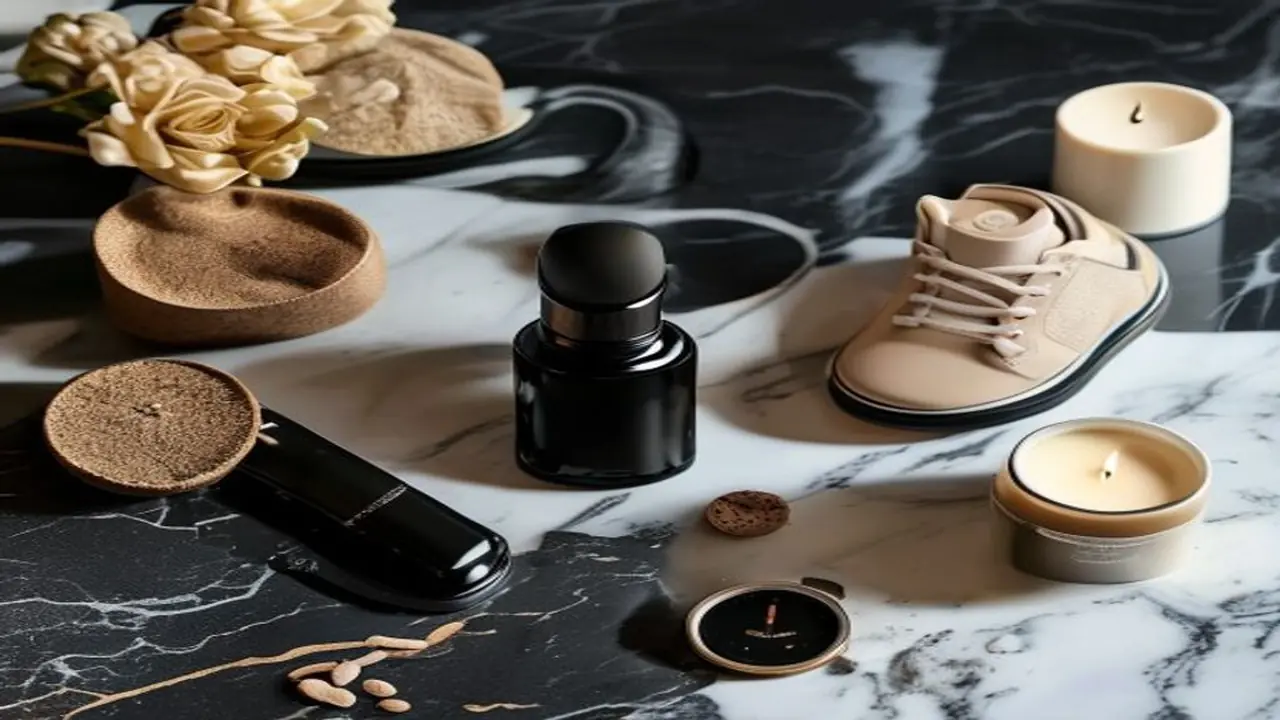
"Close-up product photography of [describe home decor item: ceramic vase, scented candle, decorative throw, etc.], artfully styled on a console table with complementary items, shallow depth of field drawing attention to the product, warm afternoon golden hour light from a nearby window, cozy lifestyle context, the kind of image you'd pin on Pinterest, editorial interior styling, 4K resolution"
🎁 General Product Photography Prompts
Prompt 21: Premium Unboxing Experience
Copy this prompt:
"Premium unboxing experience product photography of [describe product and packaging], showing the box partially open with the product emerging, tissue paper and branded elements visible, overhead angle, clean surface, suggesting a luxury gift-opening moment, premium packaging details in focus — embossed logo, ribbon, magnetic closure, aspirational and gift-worthy aesthetic, warm lighting, 4K"
Prompt 22: Product with Ingredients/Materials
Copy this prompt:
"Product photography of [describe product] surrounded by its key ingredients or raw materials artfully arranged, suggesting natural/quality sourcing, for example: a honey jar surrounded by honeycomb, lavender sprigs, and bee pollen. The product centered with ingredients radiating outward, overhead view, natural daylight, organic and authentic aesthetic, farm-to-table or artisan brand style, 4K"
Prompt 23: Scale and Size Context Shot
Copy this prompt:
"Product photography showing [describe product] in context with a human hand for scale reference, the product being naturally held or interacted with, clean background, soft studio lighting, focus on the product while the hand provides natural size context, genuine and authentic interaction, ecommerce supplementary image style, helps online shoppers understand the actual product size, 4K"
Prompt 24: Seasonal/Holiday Themed Product
Copy this prompt:
"Seasonal holiday-themed product photography of [describe product] styled for [season: Christmas, Valentine's Day, Summer, etc.], surrounded by season-appropriate props and decorations — for Christmas: pine branches, fairy lights, ribbon, gold ornaments; for summer: tropical leaves, seashells, linen — the product remains the hero element, festive but not cluttered, commercial holiday campaign quality, 4K"
Prompt 25: Product Comparison/Lineup
Copy this prompt:
"Clean product lineup photography of [describe product variants: 3 sizes, 4 colors, different flavors, etc.] arranged in a row on a clean surface, consistent lighting across all items, the differences between variants clearly visible, professional catalog style, each product equally lit and sized, allows the customer to compare options at a glance, commercial product family shot, 4K"
🌅 Lifestyle & Context Photography Prompts
Prompt 26: Morning Routine Lifestyle
Copy this prompt:
"Authentic morning routine lifestyle photography featuring [describe product] naturally integrated into a morning scene — a sunlit bedside table, fresh coffee, soft linen, morning light streaming through curtains. The product is present but not overly staged, as if captured in a real moment. Warm, soft color palette, editorial lifestyle photography, Instagram-worthy but genuine, 4K"
Prompt 27: Outdoor Adventure Context
Copy this prompt:
"Adventure lifestyle product photography of [describe product: water bottle, backpack, sunglasses, hiking boots, etc.] in an outdoor natural setting — mountain trail, beach, forest, desert, or campsite. The product in use during an active moment, natural daylight, dynamic composition suggesting movement and energy, aspirational outdoor brand advertising style like Patagonia or North Face, authentic and rugged, 4K"
Prompt 28: Work-From-Home Desk Setup
Copy this prompt:
"Modern work-from-home desk setup photography featuring [describe product] as the central element on a clean, organized desk. Minimalist aesthetic with a laptop, plant, coffee mug, and notebook as supporting props. Soft natural light from a window, clean Scandinavian-inspired workspace, productivity and calm aesthetic, the product naturally integrated into a productive environment, 4K"
Advanced AI Product Photography Techniques
Prompt Stacking for Better Results
For the best AI product photography results, stack multiple descriptive layers in your prompt. Start with the product description, add the setting/background, specify the lighting, describe the camera angle and lens, and finish with the mood and quality keywords. Each layer adds specificity that helps the AI generate exactly what you envision. Explore more advanced prompt techniques with PromptSpace's prompt generator.
Lighting Terminology That Works
AI models understand professional photography lighting terms. Use these for precise control:
- Rim lighting — creates a glowing edge around the product, great for dark backgrounds
- Soft box lighting — even, diffused light that eliminates harsh shadows (classic ecommerce look)
- Three-point lighting — key light, fill light, and backlight for professional dimensionality
- Golden hour lighting — warm, natural, and flattering for lifestyle shots
- High-key lighting — bright, even, shadowless lighting for clean white backgrounds
- Low-key lighting — dramatic, moody, with deep shadows for luxury products
- Backlighting — light from behind creating transparency effects, great for beverages and glass products
Camera Angle and Lens References
Specifying camera angles and lenses in your prompts dramatically improves results:
- "Shot with 100mm macro lens" — tight, detailed product close-ups
- "50mm lens, f/1.8" — beautiful bokeh (background blur) for lifestyle shots
- "24mm wide angle" — shows product in context with more environment visible
- "Overhead shot, 90-degree angle" — perfect for flat lays
- "45-degree angle" — classic product photography angle showing top and front
- "Eye level shot" — straight-on, authoritative view
- "Low angle hero shot" — makes products look powerful and impressive
Background Styles for Different Products
Choose your background based on your product category and brand positioning:
- Pure white (#FFFFFF) — ecommerce standard, Amazon-required, clean and universal
- Light gray gradient — adds subtle depth while keeping the focus on the product
- Natural marble/stone — luxury skincare, jewelry, premium brands
- Rustic wood — artisan products, organic food, handmade goods
- Dark/black background — tech products, luxury items, dramatic impact
- Lifestyle context — the product in a real-world setting (kitchen, desk, outdoors)
- Textured fabric (linen, velvet) — fashion, accessories, premium goods
AI Product Photography Workflow for eCommerce
Step 1: Define Your Visual Standards
Before generating images, define your brand's visual style guide: primary background style, lighting preference, color palette, and composition rules. This ensures consistency across your entire product catalog. Write down 2-3 "master prompts" that capture your brand's look.
Step 2: Generate Primary Product Images
Start with clean, standard product images — white background from multiple angles. These are your bread-and-butter images for product listings. Use the ecommerce-specific prompts above and generate 4-6 angles per product.
Step 3: Create Lifestyle and Context Images
Next, generate lifestyle images showing your product in use or in an aspirational context. These images help customers visualize owning the product and typically improve conversion rates by 20-30%. Use the lifestyle prompts as starting points.
Step 4: Generate Detail and Feature Shots
Create close-up shots highlighting key features, textures, and quality details. These images answer customer questions and reduce returns by setting accurate expectations.
Step 5: A/B Test Visual Approaches
The beauty of AI is that you can quickly test different visual approaches. Generate multiple versions of your hero image — different backgrounds, lighting, compositions — and use them in A/B tests on your product pages to find what converts best. Use PromptSpace's AI Image Generator to rapidly prototype different visual directions.
Step 6: Create Video Content
Extend your AI product photography into video with PromptSpace's AI Video Generator. Animated product reveals, 360-degree spins, and lifestyle video clips can all be generated from your product photos, giving you a complete visual content package for your product listings.
Industry-Specific AI Product Photography Tips
For Amazon Sellers
Amazon has strict image requirements: the main image must have a pure white background (RGB 255, 255, 255), the product must fill 85% of the frame, no text overlays or watermarks, and the product must be accurately represented. Use the white background prompts from this guide for your main listing image. For your secondary images (you get up to 9), use lifestyle prompts to show the product in use, infographic-style images highlighting features, and comparison images showing size and scale. Amazon's A+ Content pages benefit from lifestyle imagery that AI excels at generating.
For Shopify and DTC Brands
Direct-to-consumer brands have more creative freedom than marketplace sellers. Your product page is your brand story. Use a mix of clean white-background shots for product clarity and rich lifestyle images for emotional connection. Generate hero images showing your product in aspirational settings that match your brand identity. Create consistent visual themes across your entire catalog by reusing the same prompt template with only the product description changed. Explore PromptSpace's gallery for DTC brand photography inspiration.
For Social Media Marketing
Social media product images need to stop the scroll. They should be more dynamic, colorful, and emotionally engaging than standard ecommerce photos. Use lifestyle prompts with trending aesthetics — the "clean girl" aesthetic for beauty, "dark academia" for leather goods and stationery, "cottagecore" for handmade and natural products. Generate images in platform-specific aspect ratios: 1:1 for Instagram grid, 9:16 for Stories and Reels, 16:9 for Twitter/X. Create matching sets so your social feed has a cohesive visual identity. Use PromptSpace's AI Video Generator to animate your product images for Reels and TikTok.
For Food and Beverage Brands
Food photography demands special attention to making the product look appetizing. Include terms like "food styling," "appetizing," "steam rising," "glistening," and "fresh" in your prompts. Specify the plating style: rustic for farm-to-table brands, minimalist for health brands, indulgent for comfort food. Always include complementary props that suggest the flavor profile — fresh herbs for a pesto product, citrus slices for a beverage, cinnamon sticks for a seasonal item. The key word to add to food prompts: "mouthwatering."
For Handmade and Artisan Products
Handmade products benefit from photography that emphasizes craft and authenticity. Use prompts that include: natural materials as backgrounds (raw wood, linen, stone), hands interacting with the product suggesting craftsmanship, workshop or studio settings with tools visible, and warm natural lighting that feels organic rather than corporate. The "imperfect perfection" aesthetic — beautifully styled but with human touches — works better than overly polished commercial photography for artisan brands.
Common Mistakes in AI Product Photography
Being Too Vague in Prompts
The most common mistake is writing prompts that are too vague. "A photo of a watch" will give you generic results. Instead, describe everything: the watch style, band material, dial color, the surface it's on, the lighting direction, the camera angle, and the mood. The more specific your prompt, the more professional the result.
Ignoring Consistency
If every product in your store has a different photography style, your brand looks amateur. Pick a style and stick to it. Create template prompts where you only swap out the product description while keeping everything else (lighting, background, composition) the same.
Forgetting Mobile Optimization
Over 70% of ecommerce browsing happens on mobile. Make sure your AI-generated product images look great on small screens. Keep compositions simple, make products large within the frame, and avoid tiny details that get lost on phone displays.
Over-Styling Lifestyle Shots
While props and context are important, the product must remain the clear hero of every image. Too many props, too busy a background, or too stylized a scene pulls attention away from what you're selling. Keep supporting elements simple and ensure the product is always the brightest, sharpest, most prominent element in the frame.
Frequently Asked Questions About AI Product Photography
Can AI product photography replace traditional studio photography entirely?
For many businesses, especially small to medium ecommerce stores, yes — AI product photography can completely replace traditional studio shoots. The quality of AI-generated product images in 2026 is remarkable, and for standard ecommerce listings, the difference is virtually undetectable. However, for high-end luxury brands or products where exact color accuracy is legally required (like paint colors or fabric swatches), traditional photography may still be needed for the final production images, with AI being used for mockups and creative exploration.
How do I make AI-generated product images look like they feature my actual product?
The most effective approach is to describe your product in extreme detail in the prompt — materials, colors, dimensions, branding elements, and distinctive features. For even better results, use tools like Flair AI or Booth AI that allow you to upload a cutout of your real product and place it in AI-generated scenes. You can also use Stable Diffusion with ControlNet to guide the AI using an image of your actual product as a reference. Visit PromptSpace's gallery for examples of highly accurate product photography prompts.
What resolution should AI product images be for ecommerce?
Most ecommerce platforms recommend product images between 1000×1000 and 2000×2000 pixels. Amazon requires at least 1000 pixels on the longest side and recommends 2000+ pixels for zoom functionality. Shopify performs best with 2048×2048 square images. Generate your AI images at the highest resolution available, then resize to meet platform requirements. Use AI upscaling tools if your generator outputs below your target resolution.
Do Amazon and other platforms allow AI-generated product photos?
Amazon and most major ecommerce platforms allow AI-generated product images as long as they accurately represent the product being sold. The key requirement is that the images must not be misleading — the AI-generated photo should accurately show the product's appearance, size, color, and features. For the main/hero image on Amazon, a clean white background with the actual product (or a perfect AI representation) is required. Supplementary images can be more creative with lifestyle scenes and styled settings.
How can I ensure color accuracy in AI-generated product photos?
Color accuracy is one of the trickiest aspects of AI product photography. To improve it: be extremely specific about colors in your prompt (use color names and hex codes if the tool supports them), include "color-accurate" and "true to life colors" in your prompts, generate multiple variations and pick the most accurate one, and do final color correction in a free tool like GIMP or Canva to match your real product. For critical color accuracy, photograph your product once with a color reference card and use that as a guide for AI-generated variations.