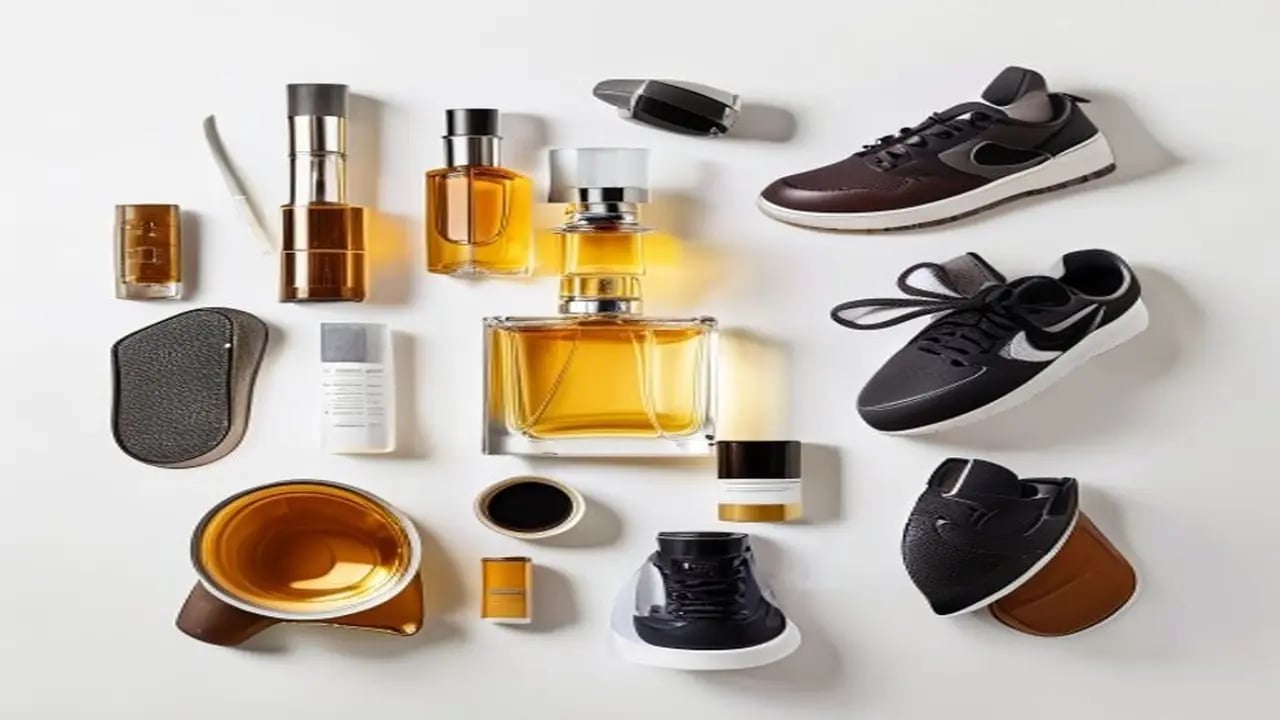
Product photography is expensive. A single professional product shoot costs $200-2,000 depending on the photographer and complexity. AI-generated product images using DALL-E 3 can produce studio-quality results for free — and you can iterate until the image is exactly right. This collection at https://www.promptspace.in/images?category=product gives you 100 tested prompts specifically for e-commerce product photography.
How to use DALL-E 3 product prompts: open ChatGPT (requires Plus subscription for best results) or use DALL-E 3 via the OpenAI API. Paste the prompt and generate. For cleanest white backgrounds, add 'product photograph, pure white background, no shadows' to every prompt. DALL-E 3 follows instructions more literally than Midjourney — detailed descriptions produce accurate results.
DALL-E 3 has a key advantage for product photography: it follows composition instructions precisely. You can specify 'product centred in frame with 30% padding on each side' and it complies. Midjourney interprets these as suggestions. For e-commerce where consistent framing across a product catalogue is essential, DALL-E 3 is the better choice.
Prompt 1 — Skincare bottle: Professional product photograph of a sleek white glass serum bottle with gold metallic cap, minimalist label reading 'PURE', on pure white background, studio three-point lighting, soft shadows, 45-degree angle view, high-end cosmetics brand aesthetic, Amazon listing quality. Tip: replace the label text with your actual product name to prototype packaging.
Prompt 2 — Electronics: Product photograph of wireless Bluetooth earbuds in an open charging case, matte black finish, subtle gradient lighting from above, white background, technical product shot showing product and accessories together, Apple-style minimalism, isolated on white with soft floor reflection. Tip: add 'open in front of charging case' or 'one earbud outside case' for variety.
Prompt 3 — Food/beverage: Clean product photograph of a craft coffee bag, brown kraft paper with handwritten-style label, positioned at slight angle, white background, soft natural window light simulation, morning lifestyle product photography, packaging design mockup quality, premium coffee brand aesthetic.
Prompt 4 — Apparel (flat lay): Flat lay product photograph of a folded olive green t-shirt, centered on pure white background, perfectly ironed, subtle shadows around edges, overhead 90-degree angle, e-commerce product listing format, clean retail photography, matching the aesthetic of ASOS or Zara product listings.
Prompt 5 — Shoes: Professional shoe product photography of a white leather sneaker, three-quarter view angle, white background with very subtle gradient, shoe laces perfectly arranged, clean presentation, street-wear brand catalogue quality, sharp focus on texture and sole details, lifestyle athletic product photography.
Key settings for DALL-E 3 product photography: always specify the background explicitly ('pure white background' or 'light grey gradient background'). Specify the lighting ('studio lighting', 'soft box lighting', 'natural window light'). Include the viewing angle ('45-degree angle', 'front view', 'three-quarter view'). Include quality markers ('professional product photography', 'e-commerce listing quality', 'Amazon product image').
Fixing common DALL-E 3 product issues: if the product has incorrect text on the label, provide the exact text in quotes and say 'label reads [exact text]'. If proportions are wrong, add 'anatomically correct proportions' and specify dimensions. If the background isn't pure white, add 'pure white background, high key lighting, overexposed background' to your prompt.
Using generated images in listings: DALL-E 3's terms allow commercial use for images generated through ChatGPT Plus and the API. Always verify the current terms before building a commercial catalogue around AI-generated images. For important products, use AI images during the design phase and commission professional photography for final listings.
Can I generate packaging mockups with text? Yes. DALL-E 3 is exceptionally good at rendering text in images compared to other AI models. Specify the exact text in quotes and it renders it accurately most of the time. Always double-check spelling in the output — occasionally a letter is substituted.
Browse product photography prompts and more at https://www.promptspace.in. Related guides: AI Midjourney Prompts for Logo Design at https://www.promptspace.in/blog/75-midjourney-prompts-logo-design-2026 and AI Product Image Ideas at https://www.promptspace.in/blog/ai-headshot-prompts-linkedin-profile-photos.
These prompts are effective because they are designed to highlight the product clearly against a clean, white background, ensuring the focus remains on the item itself. They use precise language to guide DALL-E 3 in generating high-quality, professional-looking images that emphasize details, texture, and lighting. By specifying elements like angle, lighting style, and composition, these prompts help produce consistent and visually appealing product photos suitable for e-commerce and marketing.
To customize these prompts for different results, consider adjusting the lighting conditions, camera angles, or adding descriptive adjectives related to the product's material or style. You can also experiment with the level of detail or include specific props to create a unique context while maintaining the white background. Tailoring the prompts to your brand’s aesthetic or the product’s features will help generate images that better match your vision.
A common mistake when using these prompts is being too vague or overly complex, which can confuse the AI and lead to inconsistent results. Avoid adding conflicting instructions or unnecessary elements that distract from the product itself. Additionally, not specifying the white background clearly can result in images with unwanted colors or textures that reduce the product's visual impact.
For advanced variations, try combining multiple prompt elements like different lighting setups, camera lenses, or post-processing styles to create more dynamic images. You can also instruct DALL-E 3 to simulate professional photography techniques such as shallow depth of field or soft shadows to enhance realism. Experimenting with these techniques can help you produce standout product photos that elevate your brand’s presentation.
Another technique is to use iterative prompting, where you generate an image, identify what could be improved, and refine the prompt accordingly. This approach allows you to progressively enhance the output until it matches your expectations. Incorporating feedback loops and subtle adjustments can lead to more polished and customized product photography results.
Remember to keep your prompts clear and focused on the product’s key features while maintaining the white background to ensure consistency. Using descriptive language about texture, shape, and lighting will help DALL-E 3 understand the desired outcome better. Also, balancing creativity with clarity is essential to avoid generating images that stray from your intended style.
By avoiding common pitfalls like vague instructions or conflicting details, you can maximize the effectiveness of these prompts. Always review generated images critically and adjust your prompts to correct any issues such as poor lighting or unwanted shadows. Consistent evaluation and refinement will help you achieve professional-grade product photos.
In summary, these prompts provide a solid foundation for creating stunning product photography with DALL-E 3, but the real power lies in experimentation. Don’t hesitate to tweak and combine different elements to discover what works best for your products. With practice and creativity, you can unlock endless possibilities and produce images that truly showcase your products in the best light.