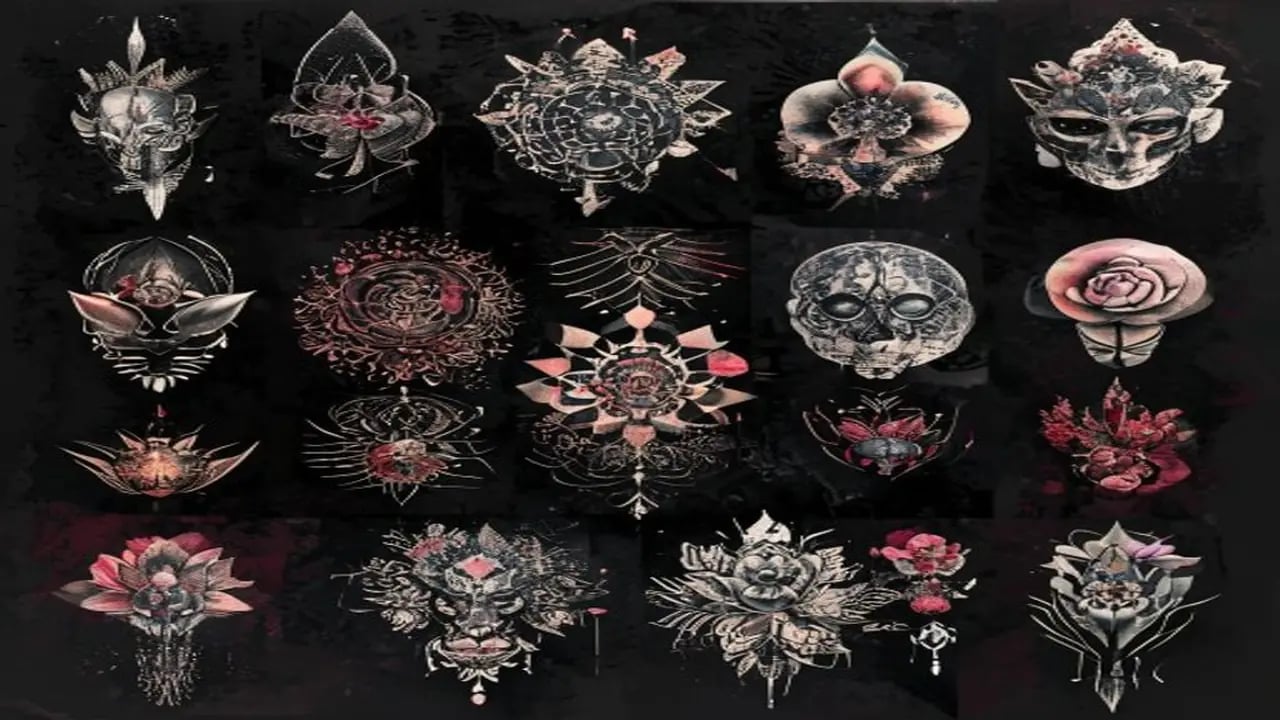
AI image generators have become essential tools for tattoo artists and clients in the design concepting phase. Instead of relying on flash sheets or waiting days for an artist consultation sketch, you can generate dozens of design concepts in minutes. This collection at https://www.promptspace.in/images?category=tattoo gives you 50 prompts across all major tattoo styles for Midjourney and DALL-E.
How to use AI tattoo prompts: for Midjourney, add --style raw to get a flat design-like output suitable for stencil conversion. Add --ar 1:1 for square format suitable for most body placements. Add 'black ink only, tattoo stencil style' if you want a clean black outline suitable for tracing. For DALL-E, specify 'tattoo design illustration, clean black outlines, white background' for clear stencil-ready output.
Important context: AI-generated tattoo designs are starting points for the tattoo process, not finished stencils. A professional tattoo artist will redraw your chosen concept, adjust it for your body placement, refine the line weights for longevity, and adapt it to their technique. Use these images for ideation and inspiration, then work with your artist to create the final design.
Prompt 1 — Japanese traditional sleeve: Japanese irezumi tattoo design, koi fish ascending a waterfall surrounded by peonies and maple leaves, traditional Japanese woodblock print style, bold outlines, flat colour fills with red and blue, designed to wrap around a forearm, clean black outlines on white background, tattoo stencil quality.
Prompt 2 — Geometric blackwork: Sacred geometry tattoo design, intricate mandala combining Sri Yantra and Metatron's cube, blackwork style, perfect geometric precision, suitable for upper back placement, symmetrical composition, fine line work and solid fill elements combined, tattoo flash sheet quality on white background.
Prompt 3 — Watercolour style: Watercolour tattoo design of a hummingbird hovering over tropical flowers, bright purple and green colour splash with soft bleed edges, no black outlines (intentional watercolour effect), painted in the style of Amanda Wachob, suitable for shoulder or ribcage placement, high detail wing feathers.
Prompt 4 — Minimalist fine line: Ultra-fine line tattoo design of a mountain range silhouette transitioning into a constellation map with star dots connected by thin lines, single needle fine line style, microscopic detail, suitable for wrist or ankle placement, black ink only on white background, negative space used artfully.
Prompt 5 — Neo-traditional wolf: Neo-traditional wolf head tattoo design, bold outlines with ornamental floral fill, rich deep blacks and bold colour work, designed for chest panel placement, American traditional influence with modern shading gradients, highly detailed fur texture within the bold lines, tattoo flash art style.
Style-specific prompt additions: for American Traditional, add 'bold outlines, flat primary colours, iconic bold style, sailor jerry aesthetic'. For Blackwork/Dotwork, add 'intricate dotwork shading, no colour, geometric and organic patterns combined'. For Realism, add 'photorealistic tattoo design, hyperrealistic pencil sketch quality, suitable for black and grey tattoo'. For Neotraditional, add 'neo-traditional illustration style, bold outlines, ornamental elements, jewel-tone colours'.
Using AI designs with your tattoo artist: save several variations you like (AI generates many options quickly). Show your artist 3-5 saved images and describe what you like from each. Most tattoo artists appreciate clients who come with references because it dramatically reduces back-and-forth. A client who says 'I want something like THIS but with THIS element from THIS other image' is much easier to work with than 'just surprise me'.
Body placement considerations when prompting: always specify where the tattoo goes ('forearm sleeve', 'upper back panel', 'ribcage', 'behind the ear'). Midjourney and DALL-E can adjust the composition for the placement. Long and thin designs suit sleeves and ribs. Circular compositions suit shoulders and calves. Detailed fine-line designs need large placements (forearm, thigh) to hold the detail over time.
Can I use AI tattoo designs commercially? If you're a tattoo artist using these as inspiration references (not direct copying), there are no legal issues — the same as using any other reference image. If you're selling prints of AI tattoo art, check the terms of service for the specific AI model you used. Most paid-tier accounts allow commercial use.
More tattoo design prompts and AI art at https://www.promptspace.in. Related: AI Logo Design Prompts at https://www.promptspace.in/blog/75-midjourney-prompts-logo-design-2026 and Midjourney Style Guide at https://www.promptspace.in/blog/midjourney-art-styles-complete-guide.
These prompts are effective because they combine clear, descriptive language with creative elements that inspire unique tattoo designs. By specifying styles, themes, and artistic influences, they guide AI tools like Midjourney and DALL-E to generate visually compelling and personalized artwork. The balance between specificity and openness allows for both targeted results and creative exploration.
To customize these prompts for different results, try adjusting the style descriptors or adding specific cultural or symbolic references that resonate with you. Experiment with varying the level of detail, color schemes, or artistic periods mentioned in the prompt to influence the mood and complexity of the design. Including emotions or abstract concepts can also help generate more meaningful and unique tattoo ideas.
A common mistake when using these prompts is being either too vague or overly complex, which can confuse the AI and produce less coherent images. Avoid using contradictory style terms or excessive jargon that might dilute the prompt's clarity. Additionally, not specifying important elements like composition or focal points can lead to generic or unfocused designs.
For advanced variations, try combining multiple artistic styles or eras within a single prompt to create hybrid designs that stand out. Use modifiers like 'hyper-realistic,' 'minimalist,' or 'surreal' to push the AI toward specific aesthetics. Layering prompts by generating initial images and then refining them with additional descriptive inputs can also enhance detail and personalization.
Another technique is to incorporate references to famous tattoo artists or iconic tattoo styles, which can help the AI mimic those particular aesthetics. Playing with lighting, texture, and perspective in your prompts can add depth and dynamism to the generated designs. Using negative prompts to exclude unwanted elements can further refine the output.
Remember to keep a flexible mindset when working with AI-generated tattoo prompts, as the results can sometimes surprise you in unexpected and delightful ways. Don’t hesitate to iterate on your prompts based on the outputs you receive, tweaking keywords and styles to better align with your vision. Combining your own artistic judgment with AI creativity often yields the best results.
Avoid relying solely on the AI-generated images without considering how they will translate into a tattoo on skin. Some designs might look great digitally but could be challenging to tattoo or maintain over time. Consulting with a professional tattoo artist to adapt and refine AI-generated ideas ensures the final design is both beautiful and practical.
In summary, these prompts offer a powerful starting point for exploring tattoo design possibilities with AI tools. By experimenting with customization, avoiding common pitfalls, and applying advanced techniques, you can unlock a vast range of creative outcomes. Embrace the process, have fun, and let your imagination guide you toward the perfect tattoo design.