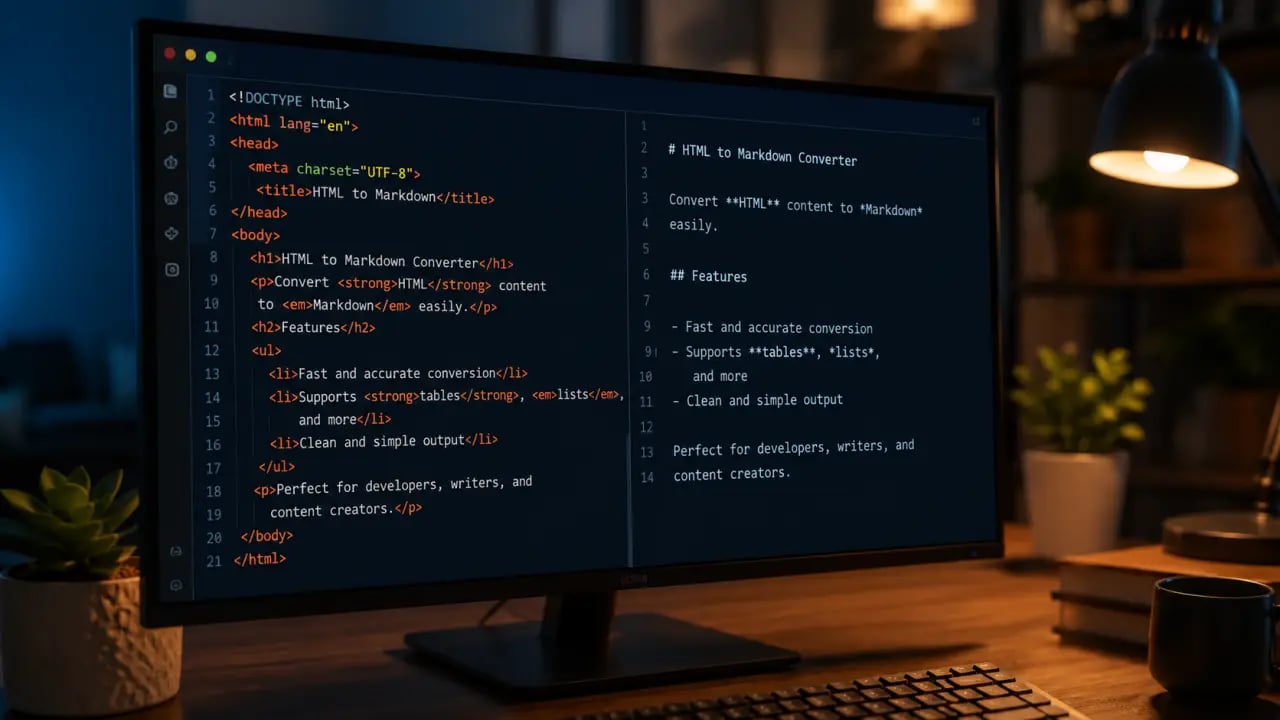
If you work with content management systems, documentation, static site generators, or any writing tool that uses Markdown, you will constantly encounter HTML that needs to be converted to clean Markdown format. Web scraping, copying from browsers, migrating from WordPress, converting blog posts for documentation — all of these workflows require HTML-to-Markdown conversion. PromptSpace's free, browser-based HTML to Markdown converter handles this instantly without any signup or file upload, making it easy and fast to get clean Markdown output every time.
Why Convert HTML to Markdown?
HTML is the language of the web. Markdown is a lightweight markup language that is human-readable in its raw form and is widely used for documentation, blog posts, README files, static site generators (Next.js, Hugo, Jekyll), and content management systems. You need HTML to Markdown conversion for: migrating blog content to a new platform (WordPress to Next.js requires converting HTML to Markdown); working with scraped web content (scraping gives you HTML, Markdown is cleaner to edit); copying formatted content from browsers; and documentation workflows where technical writers receive HTML from help desks or CMS exports. Converting HTML to Markdown simplifies editing and makes content portable across many platforms that prefer Markdown syntax. Markdown files are easier to version control, review, and maintain, especially for developers and content creators who want readable source files without HTML noise.How HTML to Markdown Conversion Works
HTML and Markdown represent the same semantic structures differently. A converter maps HTML tags to Markdown: `Title
` becomes `# Title`, `bold` becomes `bold`, `italic` becomes `*italic*`, `text` becomes `text`, and lists like `- Item
Step-by-Step Guide: Using PromptSpace's HTML to Markdown Converter
1. Open the PromptSpace HTML to Markdown converter in your browser — no installation or signup required. 2. Paste your HTML code or content into the input box. 3. Click the convert button to instantly see the Markdown output. 4. Copy the Markdown text and use it in your preferred Markdown editor, static site generator, or CMS.This simple workflow saves time and effort compared to manual conversion or unreliable tools.
Practical Tips for Better Conversion Results
- Ensure that your input HTML is well-formed; malformed HTML can cause unexpected output. - Use the converter for snippets or full documents — it handles both efficiently. - After conversion, review the Markdown for any custom HTML elements that may need manual adjustment. - For repeated workflows, bookmark the converter or integrate similar tools into your content pipeline.Real-World Use Cases
Content Migration: When moving your blog from WordPress to a static site generator like Hugo or Jekyll, you often export content as HTML. Converting these posts to Markdown allows you to easily manage and edit your content in the new platform.Documentation: Technical writers frequently receive HTML exports from software help desks or CMSs. Converting to Markdown lets them maintain documentation in version control systems like Git, collaborate more effectively, and generate static documentation sites.
Web Scraping: Data scientists and content creators scraping websites get HTML output. Converting this to Markdown cleans up the content, making it easier to repurpose or analyze.
Note Taking and Writing: Writers copying content from web pages can convert HTML snippets into Markdown to keep their notes clean and consistent across different Markdown-friendly apps.
Why Choose PromptSpace's Converter?
PromptSpace's HTML to Markdown converter is completely free and browser-based, which means no software installation, no signups, and no privacy concerns from uploading files to third-party servers. It supports all standard HTML tags, handles nested elements correctly, and outputs clean Markdown that you can trust for professional workflows.Conclusion
Converting HTML to Markdown is a vital step in many content workflows, from blogging and documentation to web scraping and static site generation. With PromptSpace's free online converter, you can transform HTML into clean, readable Markdown in seconds — all without hassle. Save time, keep your content portable, and streamline your writing process with this handy tool. Try it today and experience seamless HTML to Markdown conversion right in your browser.Frequently Asked Questions
Is this tool completely free? Yes — this is a free browser-based tool. No signup, no installation, no credit card required. Everything runs in your browser.Does this tool store my data? No. Your data never leaves your browser. All processing is done locally — nothing is sent to any server.
Does it work on mobile? Yes — fully responsive and works on any modern browser including mobile Safari and Chrome.
Is there a file size limit? The tool handles most common file sizes efficiently. For very large files (100MB+), processing may take a few extra seconds.