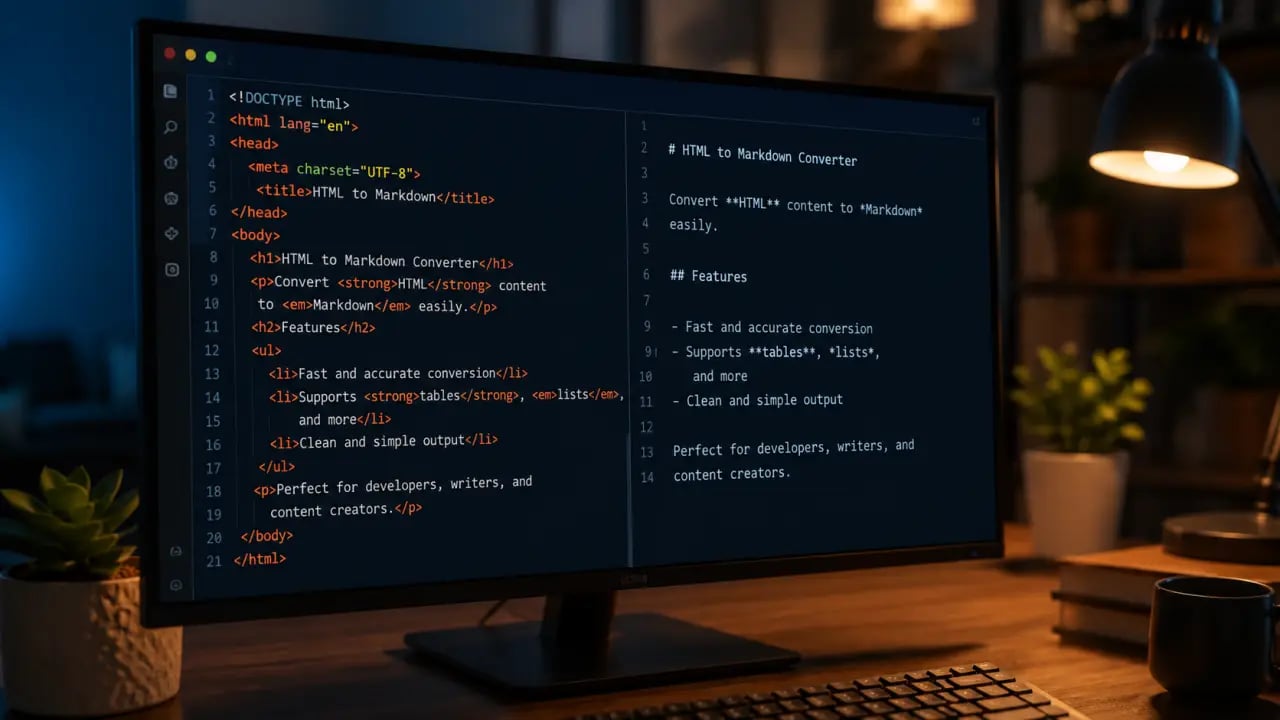
Need to convert HTML to Markdown? PromptSpace has a free, instant HTML to Markdown converter that runs entirely in your browser — no file upload, no account, no waiting.
👉 Try the free HTML to Markdown converter →
This guide covers how the conversion works, common use cases, and answers the most frequent questions about HTML to Markdown conversion.
What Is an HTML to Markdown Converter?
An HTML to Markdown converter takes HTML code (the markup language used to build web pages) and transforms it into Markdown — a lightweight text formatting syntax that's widely used in documentation, README files, blogs, and content management systems.
HTML uses tags like <h2>, <strong>, and <a href="">. Markdown uses simpler syntax: ##, bold, and text. The result is much more readable as plain text and easier to version control.
When Do You Need HTML to Markdown Conversion?
- Migrating website content to a Markdown-based CMS (Ghost, Jekyll, Hugo, Next.js)
- Converting HTML emails to Markdown for documentation
- Extracting content from web pages for use in wikis (Notion, Confluence, GitHub)
- Converting rich text editor output to Markdown
- Cleaning up HTML for use in README files or developer documentation
- Preparing content for AI models that prefer plain text over HTML
How to Convert HTML to Markdown Online (Step by Step)
Using the PromptSpace HTML to Markdown converter:
- Open the tool at promptspace.in/tools/html-to-markdown — no signup required.
- Paste your HTML into the input field.
- See the Markdown output instantly in the right panel.
- Copy the Markdown to your clipboard or continue editing.
Example
Input HTML:
<h2>Getting Started</h2>
<p>This is a <strong>simple</strong> example with a <a href="https://example.com">link</a>.</p>
<ul>
<li>Item one</li>
<li>Item two</li>
</ul>
Output Markdown:
## Getting Started
This is a simple example with a link.
- Item one
- Item two
HTML vs Markdown: Key Differences
| HTML | Markdown equivalent |
|---|---|
<h1>Title</h1> | # Title |
<h2>Subtitle</h2> | ## Subtitle |
<strong>bold</strong> | bold |
<em>italic</em> | *italic* |
<a href="url">text</a> | text |
<ul><li>item</li></ul> | - item |
<ol><li>item</li></ol> | 1. item |
<code>code</code> | \ |
<blockquote>text</blockquote> | > text |
<img src="url" alt="text"> | !text |
Markdown is a subset of HTML — it covers the most common formatting needs but doesn't support everything HTML can do (tables are limited, no custom styles, no spans with classes). For complex formatting, some Markdown extensions (like GFM — GitHub Flavored Markdown) add support for tables, task lists, and syntax highlighting.
Common HTML-to-Markdown Conversion Issues
Complex tables
HTML tables with merged cells (colspan, rowspan) don't have a clean Markdown equivalent. Standard Markdown tables require equal columns in every row. For complex tables, the converter will produce a simplified table or fall back to a list. Consider restructuring complex tables as descriptive text or multiple simpler tables.
Inline styles and CSS classes
HTML attributes like style="color: red" and class="highlight" don't translate to Markdown — there's no Markdown syntax for text color or custom styling. The converter strips these and keeps only the text content. If styling is important, keep the HTML or use a Markdown extension that supports raw HTML passthrough.
HTML entities
HTML entities like &, <, and are converted to their actual characters (&, <, non-breaking space) in the Markdown output. This is usually what you want, but watch for characters which can appear as invisible spaces in Markdown output.
Nested lists
HTML supports deeply nested lists. Markdown nests by indentation — each level adds 2 or 4 spaces. Deep nesting (4+ levels) can be inconsistent across Markdown parsers. The converter handles standard 2-level nesting well; for deeper nesting, you may need to adjust indentation manually.
Why Use PromptSpace's HTML to Markdown Converter?
- 100% free — no account, no subscription, no usage limits
- Browser-based — your HTML never leaves your device. Safe for confidential or proprietary content
- Instant real-time conversion — see the Markdown output as you type or paste
- Handles common HTML elements — headings, paragraphs, lists, links, images, bold, italic, code blocks, blockquotes, and tables
- Clean output — removes unnecessary whitespace and produces well-formatted Markdown
👉 Convert HTML to Markdown for free →
Related Free Tools
- Markdown to HTML Converter — reverse the conversion
- Markdown Editor & Live Preview — write and preview Markdown
- HTML Minifier — reduce HTML file size
- HTML to Text — strip all HTML tags to plain text
Frequently Asked Questions
Is this HTML to Markdown converter really free?
Yes, completely free. No account, no credit card, no usage limits. Just open the page and start converting.
Does it upload my HTML?
No. The converter runs entirely in your browser using JavaScript. Your HTML code never leaves your device — nothing is sent to any server.
What HTML elements are supported?
All common HTML elements: headings (h1-h6), paragraphs, bold, italic, strikethrough, links, images, ordered and unordered lists, code (inline and block), blockquotes, horizontal rules, and tables. Unsupported elements (custom components, script tags, style tags) are stripped or converted to plain text.
Can it convert full web pages?
Yes — paste the HTML source of a web page and the converter will produce Markdown for the entire content. For best results, paste only the main content section rather than the full page HTML (which includes navigation, headers, footers, and scripts that don't convert meaningfully to Markdown).
What Markdown flavor does it output?
The output follows GitHub Flavored Markdown (GFM), which is the most widely supported Markdown variant. GFM is compatible with GitHub, GitLab, Notion, Obsidian, Ghost, and most other Markdown-based tools. Tables use GFM pipe syntax.
How do I convert Markdown back to HTML?
Use our Markdown to HTML converter for the reverse operation. If you need a live editor where you write Markdown and see the HTML output in real time, try our Markdown editor with live preview.