Introduction
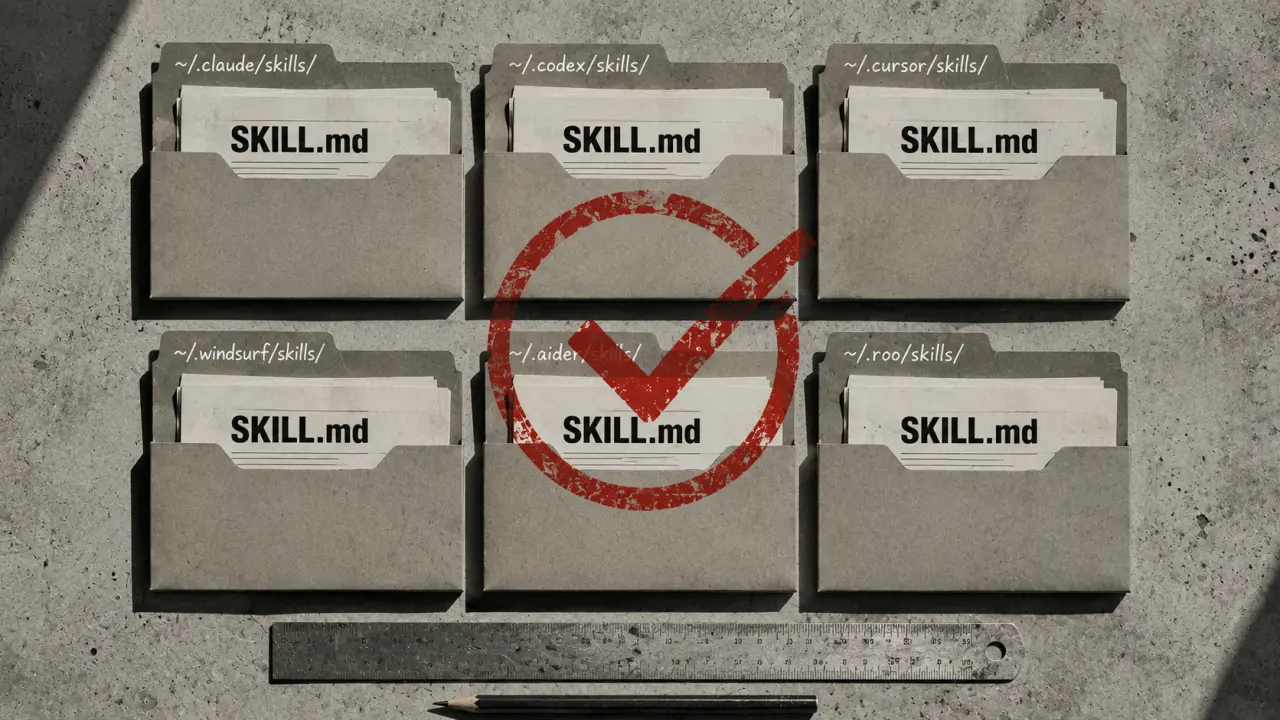
Sharing SKILL.md skills across AI agents is a powerful way to streamline your workflow and maximize productivity without rewriting code for each platform. Whether you're using Claude Code, OpenClaw, Codex CLI, Cursor, or Gemini CLI, the SKILL.md format is designed to be universally compatible. This means you can create a skill once and deploy it seamlessly across multiple agents, saving time and reducing errors.What is SKILL.md?
SKILL.md is a standardized format for defining AI skills that can be understood and executed by various AI agents. These skills typically reside in a folder containing a SKILL.md file along with any supporting code or configuration. Because the format and structure are consistent across different platforms, it allows for easy portability and sharing.Why Share Skills Across Agents?
Sharing skills has several benefits. First, it promotes code reuse and consistency in how AI agents perform tasks. Second, teams often use different agents depending on project requirements or personal preference; sharing skills ensures everyone has access to the same capabilities. Third, maintaining a single skill version across agents simplifies updates and bug fixes.How to Copy Skills Between Agents
The simplest way to share a skill is to copy its folder from one agent’s directory to another. Since all agents use the same SKILL.md format, no modification is needed. Here’s a step-by-step example for copying a skill from Claude Code to OpenClaw.1. Open your terminal. 2. Locate the skill folder inside the agent’s directory, typically under `~/.claude/skills/` or `~/.openclaw/skills/`. 3. Use the `cp -r` command to copy the entire skill folder.
Example command:
`cp -r ~/.claude/skills/code-reviewer ~/.openclaw/skills/`
This copies the `code-reviewer` skill from Claude Code to OpenClaw’s skills directory. You can then launch OpenClaw and use the skill immediately.
Using Symlinks to Share Skills
For developers working across agents frequently, copying skills manually can become tedious. Instead, you can create symbolic links (symlinks) to share a single skill directory across multiple agents. This ensures that updates to the skill automatically reflect in all agents.Steps to create a symlink:
1. Identify the primary skill directory (e.g., `~/.claude/skills/code-reviewer`). 2. Navigate to the target agent’s skills directory (e.g., `~/.openclaw/skills/`). 3. Create a symlink using the `ln -s` command:
`ln -s ~/.claude/skills/code-reviewer ~/.openclaw/skills/code-reviewer`
Now both Claude Code and OpenClaw point to the same skill folder. Any changes you make to the skill will be accessible by both agents immediately.
Setting Up a Shared Git Repository for Team Collaboration
For teams, managing skills via git repositories is highly effective. By storing SKILL.md skills in a central git repo, team members can clone or pull the latest updates and sync skills across different agents.Here’s a simple workflow:
1. Create a git repository to hold your skills. 2. Organize each skill as a separate folder within the repo. 3. Team members clone the repo locally. 4. Use symlinks or copy commands to link skills to their respective agent directories.
Example:
```bash git clone https://github.com/yourteam/ai-skills.git ~/ai-skills ln -s ~/ai-skills/code-reviewer ~/.claude/skills/code-reviewer ln -s ~/ai-skills/code-reviewer ~/.openclaw/skills/code-reviewer ```
With this setup, updating skills is as simple as pushing changes to the repository and pulling them on other machines.
Practical Tips for Managing Shared SKILL.md Skills
1. Naming Consistency: Use clear, descriptive skill folder names to avoid confusion when sharing across agents. 2. Version Control: Tag skill versions in your git repo to track changes and roll back if needed. 3. Testing: Always test skills in each agent to confirm compatibility, even though the format is standard. 4. Documentation: Include README files or comments within SKILL.md to explain skill functionality and usage. 5. Backup: Regularly back up your shared skills repo to prevent data loss.Real-World Use Cases
Use Case 1: Multi-Agent Development Team
A software team uses Claude Code for prototyping and OpenClaw for deployment. By sharing SKILL.md skills via a git repo, developers can collaborate on skill improvements and ensure consistent functionality across environments.Use Case 2: Freelancers Using Multiple Agents
A freelancer switches between Codex CLI and Gemini CLI depending on client needs. By copying or symlinking SKILL.md skills, they maintain a single skill codebase and avoid redundant work.Use Case 3: Educational Settings
In a classroom, students experiment with skills on different AI agents. Sharing a central skill repository allows instructors to distribute assignments easily and standardize the learning experience.Summary
Sharing SKILL.md skills across AI agents is straightforward thanks to the standardized format. Whether you copy skill folders, create symlinks, or manage them through a git repository, the key is maintaining a consistent and organized workflow. This approach saves time, reduces errors, and fosters collaboration across teams and tools. Start sharing your SKILL.md skills today and unlock the full potential of multi-agent AI workflows.Frequently Asked Questions
Is the content on this page free to use? Yes — all resources on PromptSpace are completely free. Try our free AI image generator or browse 4,000+ AI prompts at no cost.How do I get started with AI tools? Start with a clear goal and specific prompts. The more detail you provide — audience, format, tone, constraints — the better the AI output.
Can I use AI outputs commercially? On paid tiers of major platforms, yes. Always verify the specific tool's terms of service for your use case.
Where can I find more AI resources? PromptSpace has 4,000+ free AI prompts and 150+ free tools — browse the library or try the AI image generator.