FLUX.1 by Black Forest Labs has redefined photorealistic AI image generation. Its architecture, trained specifically on high-resolution photography, produces landscape images with extraordinary detail — individual blades of grass, realistic cloud formations, accurate atmospheric perspective. This collection at https://www.promptspace.in/images?category=landscape offers 75 tested prompts optimised for both FLUX Schnell (fast, free) and FLUX Dev (highest quality).
Using FLUX for landscapes: access FLUX Schnell free via PromptSpace's AI Image Generator at https://www.promptspace.in/tools/ai-image-generator. For FLUX Dev, use the fal.ai API or Replicate. FLUX prompts work differently from Midjourney — they're more like descriptive sentences than comma-separated tags. Write naturally, as if describing a photograph to a professional photographer.
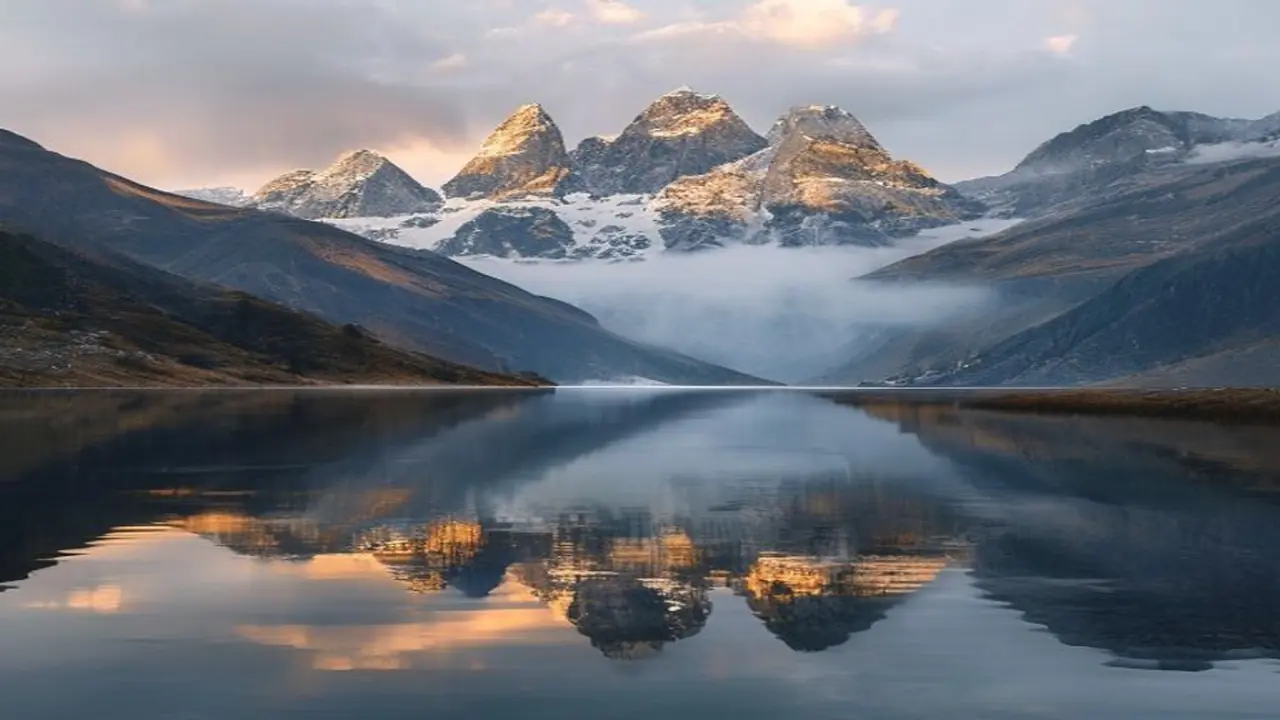
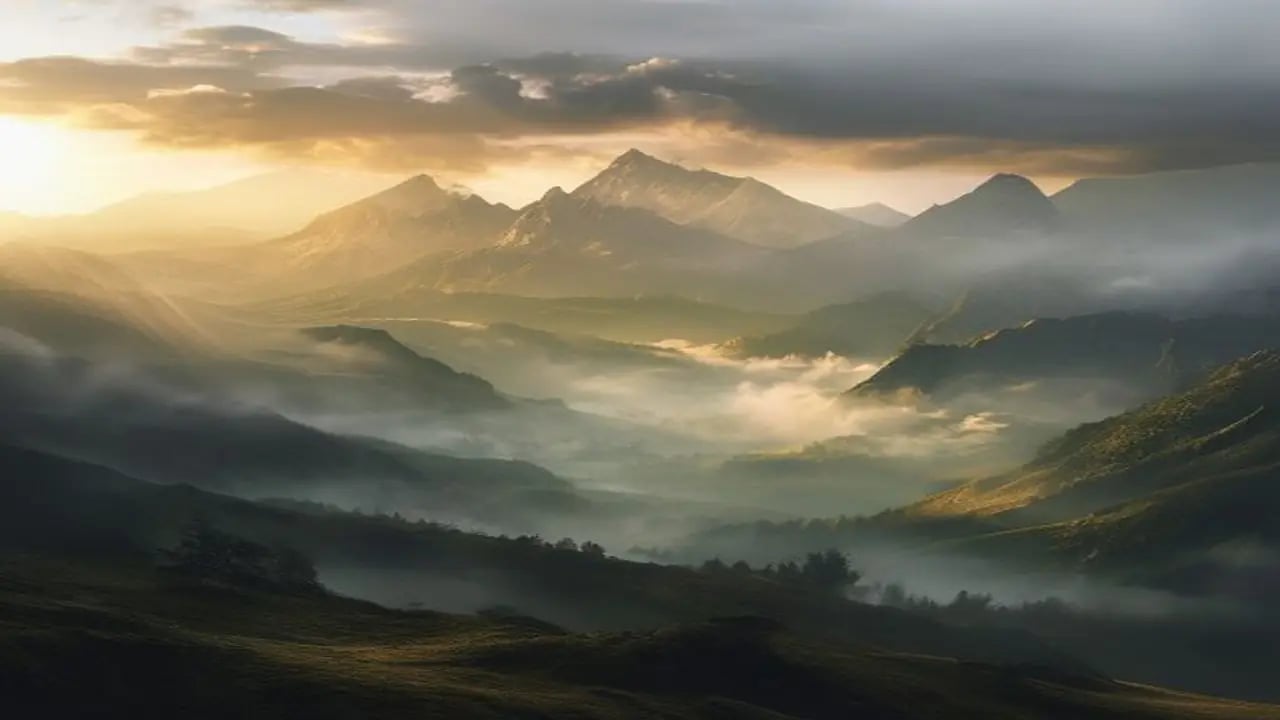
FLUX's major advantage for landscapes is accurate atmospheric perspective. In a scene with mountains behind a foggy valley, FLUX correctly renders the atmospheric haze that makes distant objects appear lighter and less saturated — exactly as a real camera would capture it. This physical accuracy makes FLUX landscapes distinctly believable compared to Midjourney and SD outputs.
Prompt 1 — Mountain sunrise: Aerial drone photograph looking down at a serpentine mountain road cutting through a dense pine forest, golden sunrise light breaking through morning mist, dramatic light rays through the trees, valley fog below, high altitude, Rocky Mountains aesthetic, shot on DJI Mavic 3 Pro with gradient ND filter, extremely detailed pine textures, photographic realism. What it produces: a cinematic aerial landscape with exceptional depth.
Prompt 2 — Ocean cliff: A dramatic coastal cliff at sunset, ocean waves crashing against rocks below with sea spray catching the last golden light, dramatic orange and pink sky reflecting on the wet rocks, coastal wildflowers in the foreground, long exposure effect showing silky water motion, landscape photography at Cliffs of Moher in Ireland, ultra-detailed rock texture, photorealistic. Tip: name a specific famous location for very accurate geographic rendering.
Prompt 3 — Desert dunes: Minimalist desert landscape at dawn, perfectly formed sand dunes with sharp ridgelines casting deep geometric shadows, no footprints, absolute stillness, Sahara desert colour palette of warm ochre and burnt sienna, tiny crescent moon still visible in pale blue sky, ultra-wide 17mm lens perspective, shot on Phase One medium format camera, hyperrealistic.
Prompt 4 — Rainforest waterfall: Photograph inside a tropical rainforest, sunbeams cutting through dense green canopy 30 meters above, 15-meter waterfall in the centre with long exposure silky water effect, rich emerald ferns and mosses on rocks, high humidity visible as atmospheric haze, Amazon jungle, shot on Sony A1 with 24mm f/2.8, ultra-detailed foliage, photojournalism quality.
Prompt 5 — Northern lights: Timelapse-style photograph of the aurora borealis over a frozen lake in Finland, vivid green and purple light ribbons reflected perfectly in the mirror-smooth ice, silhouettes of sparse birch trees on the horizon, single log cabin with warm window light in the background, Milky Way visible through the auroral display, night landscape photography at ISO 6400.
FLUX landscape prompt structure that consistently works: [Camera position + angle] + [Subject description] + [Lighting conditions] + [Weather/atmosphere] + [Location reference] + [Camera/lens specification] + [Quality descriptor]. Each element adds a layer of control. The camera specification ('Phase One medium format', 'Hasselblad H6D') signals to FLUX that you want maximum detail and tonal range.
Seasonal and lighting variations: the same landscape prompt produces dramatically different moods with lighting changes. 'golden hour' (warm, directional, long shadows), 'blue hour' (cool tones, ambient diffuse light), 'overcast diffuse' (even light, rich saturated colours, no harsh shadows), 'full moon night' (silver tones, long moonlight shadows). Try all four on your favourite prompt.
Aspect ratios for landscapes: wide panoramics at 16:9 or 2:1 for dramatic vistas. Square 1:1 for social media. Portrait 2:3 for dramatic vertical compositions (waterfalls, canyon walls, forest canopies). FLUX handles all aspect ratios well — unlike some models that add artefacts at non-standard ratios.
FLUX Schnell (free) vs FLUX Dev (paid): Schnell runs in 4 steps and produces excellent results for casual use. Dev runs in 25-50 steps and produces noticeably better fine detail, colour accuracy, and edge sharpness. For final print-quality landscape images, Dev is worth the cost. For quick iteration and drafts, Schnell is perfect. Both are accessible at https://www.promptspace.in/tools/ai-image-generator.
More landscape and nature prompts at https://www.promptspace.in. Read the FLUX model guide at https://www.promptspace.in/blog/flux-ai-image-generator-guide and explore landscape photography AI prompts at https://www.promptspace.in/blog/midjourney-landscape-prompts-guide.
What makes these FLUX prompts effective is their ability to combine detailed descriptions with specific artistic styles and lighting conditions, resulting in highly realistic and visually stunning landscapes. By carefully balancing elements like composition, color palette, and environmental features, these prompts guide the AI to generate images that feel immersive and true to life. The precision in language ensures that the AI understands exactly what kind of scene to create, from serene mountains to dynamic coastal vistas.
To customize these prompts for different results, consider adjusting the time of day, weather conditions, or focal points within the landscape. You can also experiment with varying the level of detail or introducing unique elements such as wildlife or human activity. Changing the artistic style or camera settings, like depth of field or lens type, can further personalize the output to match your creative vision.
A common mistake when using these prompts is being too vague or overly complex, which can confuse the AI and produce less coherent images. Avoid generic terms without context and refrain from stacking too many unrelated concepts in one prompt. Additionally, neglecting to specify key visual details such as lighting or perspective often leads to flat or unrealistic results.
For advanced variations, try combining multiple prompts to create hybrid landscapes or use negative prompts to exclude unwanted elements. You can also experiment with layering prompts to emphasize certain features, like focusing on foreground textures or atmospheric effects. Utilizing FLUX’s parameter controls to tweak style strength and image resolution can significantly enhance the final output.
Another powerful technique is to incorporate references to specific artists or photographic styles, which can steer the AI towards a particular aesthetic. Playing with color grading terms or cinematic lighting descriptions can add mood and depth to your landscapes. Additionally, using iterative refinement by generating multiple versions and selecting the best can help in achieving the desired photorealism.
Remember to keep your prompts clear and focused while allowing room for creative interpretation by the AI. Testing different combinations and noting which adjustments yield the best results will improve your prompt crafting skills over time. Patience and experimentation are key when working with FLUX to unlock its full potential in generating photorealistic landscapes.
Avoid relying solely on default prompt templates; instead, tailor them to suit the specific scene or atmosphere you want to create. Overloading prompts with too many adjectives or conflicting descriptors can dilute the image quality. Lastly, ensure your prompts maintain a logical flow to help the AI visualize the scene cohesively.
In summary, these FLUX prompts provide a strong foundation for creating breathtaking photorealistic landscapes, but the real magic happens when you experiment and iterate. Don’t hesitate to tweak, combine, or simplify prompts to discover unique and compelling results. With practice, you’ll develop a deeper understanding of how to communicate your vision effectively to the AI, making each generated image a masterpiece.