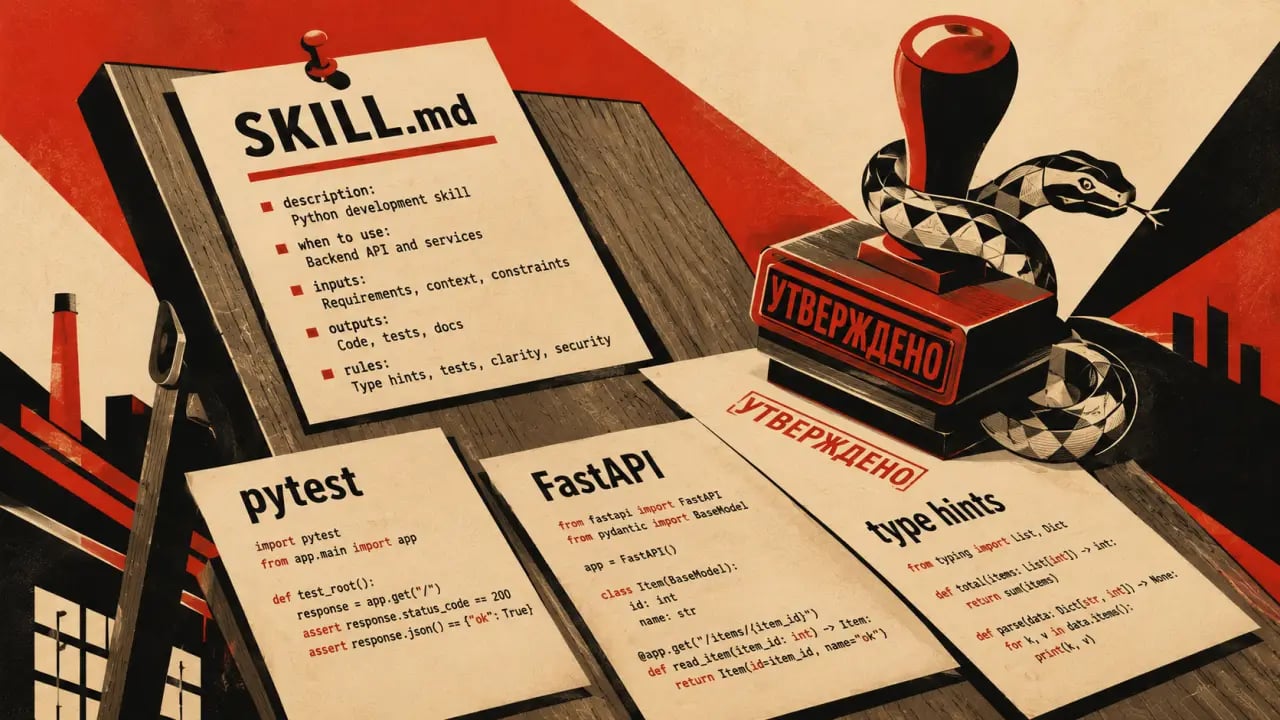
Claude Code already knows Python well. Skills make it better at *your* Python — your frameworks, your testing patterns, your code style. By tailoring Claude Code with specific skills, you ensure the AI generates code that seamlessly fits into your existing projects, reducing cleanup time and boosting productivity.
Why Python developers need skills
Without a skill, Claude Code writes generic Python. It might use unittest when you use pytest. It might skip type hints when your codebase requires them. It might generate Django patterns when you're using FastAPI. These mismatches can cause extra effort to realign the generated code with your standards and slow down development. A skill that says "use pytest with fixtures, always add type hints, we use FastAPI with Pydantic v2" produces code that fits your project without cleanup. This consistency means less debugging, fewer style corrections, and quicker integration of AI-generated code into your workflow.Testing skills for Python
Testing is a fundamental part of any robust Python project. Claude Code skills can enforce your testing framework preferences, whether that’s pytest, unittest, or others. For example, if your team relies heavily on pytest fixtures and parameterized tests, a skill can guide Claude Code to generate tests that use those features correctly. A practical example: Suppose you want a skill that generates pytest tests with fixtures for a FastAPI service. Your skill can specify to always import pytest, use fixtures for database setup, and include type hints for test functions. This results in tests that fit your CI pipeline expectations without manual tweaks.Steps to create a testing skill for pytest
1. Define your preferred testing framework and style (e.g., pytest with fixtures). 2. Specify coding standards like type hints and naming conventions. 3. Include examples of typical test cases you use. 4. Set rules for imports and test organization. 5. Train Claude Code with this skill so it understands your testing patterns.Framework-specific skills: FastAPI and Django
Python’s ecosystem is rich with frameworks, and developers often specialize in one or two. Claude Code skills can encapsulate your project’s framework conventions, ensuring generated code aligns with your architecture and dependencies. For FastAPI projects, a skill might enforce use of Pydantic v2 models, async endpoints, and dependency injection patterns. It can generate route handlers with proper response models and error handling, matching your code style perfectly. In Django projects, a skill can ensure that generated code uses class-based views, follows your settings for middleware, or respects your custom user model. It can even generate consistent migrations or admin configurations.Real-world use case: FastAPI skill in action
Imagine you are building a microservice with FastAPI and want all endpoints to include OAuth2 token validation and detailed OpenAPI documentation. A Claude Code skill can encode these patterns so every generated endpoint includes the necessary decorators, security schemes, and docstrings automatically.Data pipeline skills
Many Python developers work with data pipelines using tools like Apache Airflow, Prefect, or simple custom scripts. Skills can enforce your project’s preferred libraries, pipeline design patterns, and error handling approaches. For example, if you use Prefect for orchestration, a skill can generate flow definitions with proper task decorators, retries, and logging according to your standards. This ensures generated pipeline code is production-ready and consistent across your team.Tip: Include configuration snippets
When creating data pipeline skills, include snippets of your configuration files or typical task functions. This helps Claude Code understand the context and generate matching code.Documentation and clean code generation
Good documentation and clean code are critical for maintainability. Claude Code skills can enforce consistent docstring styles (e.g., Google, NumPy, or reStructuredText), include type annotations, and follow your naming conventions. For instance, a skill might require that every function includes a docstring with parameters and return types listed explicitly, along with examples if applicable. It can also ensure that variable names use snake_case, functions are separated by two blank lines, and imports are ordered alphabetically.Practical example: Docstring skill
Create a skill that instructs Claude Code to always generate docstrings in Google style. Provide examples of your preferred docstring format, and Claude Code will replicate this style in generated code, making reviews and onboarding easier.Tips for leveraging Claude Code skills effectively
1. Start small: Begin with skills for your most-used frameworks or testing patterns. 2. Iterate: Refine skills based on generated output quality and developer feedback. 3. Share skills: Document and share your skill definitions within your team for consistency. 4. Combine skills: Use multiple skills together to cover different aspects—testing, documentation, framework conventions.Conclusion
Claude Code skills transform an already capable AI into a precision tool tailored to your Python development needs. By encoding your project’s testing frameworks, code style, frameworks, and documentation standards into skills, you save time, reduce errors, and maintain consistency. Whether you are working on FastAPI microservices, Django apps, or complex data pipelines, building and maintaining relevant Claude Code skills is a best practice to get the most out of AI-assisted coding.Frequently Asked Questions
Are these prompts free? Yes — all PromptSpace prompts are free to copy and use. Browse our ChatGPT Prompts library for hundreds more.Do these work on the free tier? Most work on free tiers. Complex prompts may perform better on paid versions (ChatGPT Plus, Claude Pro) with larger context windows.
How do I get better AI results? Be specific: include your role, desired format, target audience, and any constraints. More context always improves output.
Can I modify these prompts for my use case? Absolutely — treat every prompt as a starting template. Customize the role, topic, tone, and format to match your needs.