#AI Voiceover for YouTube Videos Free: 40+ Languages, Hindi Support, No Watermarks (2026)
Faceless YouTube channels are the loudest quiet story on the internet right now. Since 2023, Hindi and regional-language faceless channels have been growing 3–5x faster than English ones, and creators from Lucknow, Chennai, Dhaka, and Karachi are outrunning US-based competitors on the same topics — finance breakdowns, mythology explainers, cricket highlights, tech reviews. The bottleneck for most of them isn’t ideas. It isn’t editing either. It’s voice. Hiring a voice artist for daily uploads bleeds money fast. That is exactly why AI voiceover for YouTube videos free has become the search phrase creators type at 2 AM before their next upload.
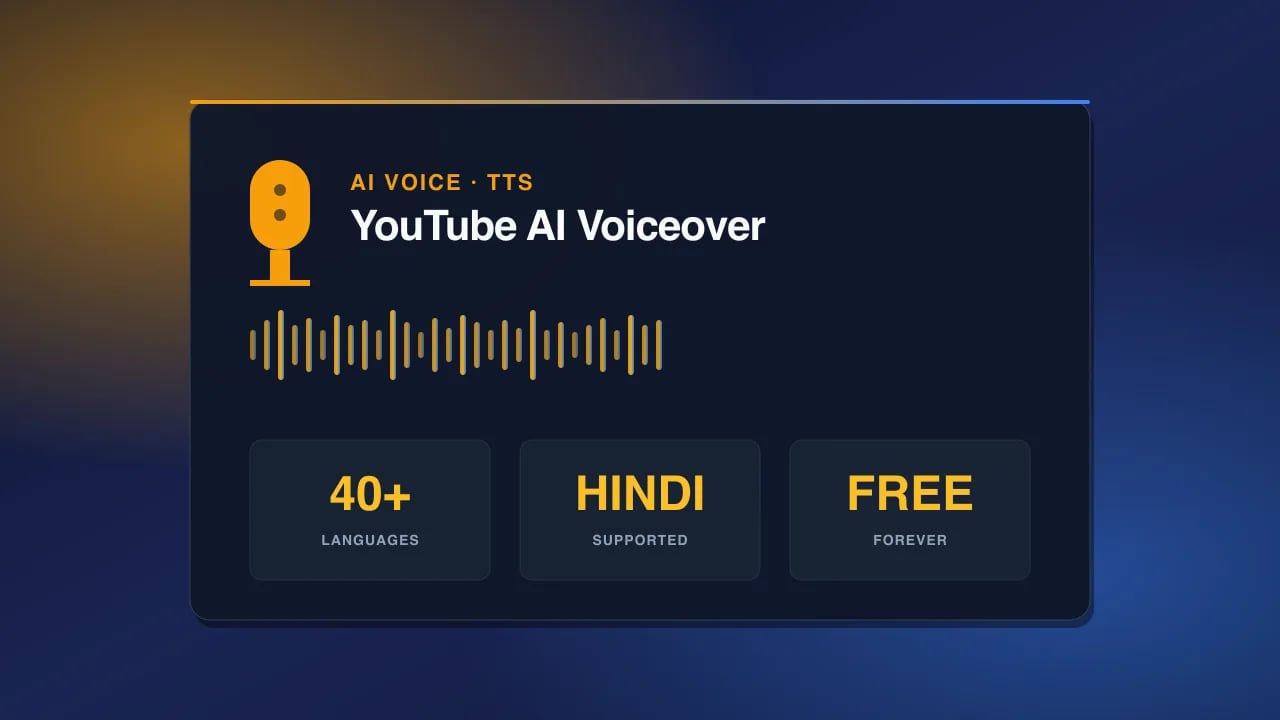
TL;DR — You can produce clean, monetization-safe YouTube voiceovers in Hindi, English, Bengali, Tamil, Telugu, Spanish, Japanese and 40+ more languages using free AI voice engines: Kokoro TTS, Qwen3 TTS, Cloudflare MeloTTS, and Web Speech. No watermarks, no credit card, WAV/MP3 downloads. Pick your voice by niche, label AI content in YouTube Studio, and publish.
#Why AI voiceover works for YouTube
YouTube runs on repetition. The channels that scale post three to seven times a week, sometimes daily on Shorts. A human voice actor cannot keep up with that pace at a price that makes sense for a creator earning between $1,000 and $50,000 a month — which is the honest range for mid-size faceless channels once the YouTube Partner Program bar is cleared (1,000 subscribers plus 4,000 watch hours, or 10 million Shorts views in 90 days).
AI voice fixes four problems in one shot. First, consistency: every video sounds like the same channel, even when you’re producing on holiday or through a fever. Second, multi-language: the same script becomes an English, Hindi, and Spanish version in the time it takes to make coffee. Third, batch production: 20 Shorts scripts, 20 clean audio files, one afternoon. Fourth, ad-safe tone: no coughing, no lip smack, no background traffic — YouTube’s automated ad review is far friendlier to clean, mastered audio.
Ask yourself this: if you could publish four times a week without paying a voice artist $200 per script, would your channel look different in twelve months? Most creators already know the answer.
#Which AI voice engines support YouTube-ready audio
Not every free TTS service is safe to put on a monetized channel. Some inject audio watermarks. Some ban commercial use in the license. Some just sound obviously robotic. These four are the ones that actually work for YouTube in 2026.
Kokoro TTS — the workhorse for English channels
Kokoro is an 82M-parameter open TTS model with 28 US and UK voices. It downloads audio as clean WAV files, offers speed control, and — the part that matters most — is released under the Apache 2.0 license. That means commercial use, redistribution, and monetization are explicitly allowed. For English-only faceless channels doing finance, tech, motivation, or documentary content, Kokoro is the default choice. Voices like Fable, Adam, Onyx, and Puck sit somewhere between an audiobook narrator and a Netflix documentary voice.
Qwen3 TTS — 20 personality voices, 11 languages
Alibaba’s Qwen3 TTS ships with 20 named personality voices across 11 languages including English, Chinese, Japanese, Korean, Spanish, French, Portuguese, and Russian. The voices are more expressive than Kokoro — Ryan sounds like a hype narrator, Cherry sounds like a female podcast host, Ethan lands in the “calm explainer” zone. It’s the best free option when you need a voice that carries emotion, especially for reaction-style content or storytelling channels.
Cloudflare MeloTTS — fast, six languages, edge-deployed
MeloTTS running on Cloudflare Workers AI supports six languages (English, Spanish, French, Chinese, Japanese, Korean) and responds in under a second. It’s the right pick when you’re batching 30 Shorts scripts and don’t want to wait around. The underlying MeloTTS model is MIT licensed, which is one of the most permissive open-source licenses in existence — commercial use is fully allowed.
Web Speech API — 40+ languages including every major Indian language
This is the quiet superpower for Indian creators. Web Speech runs on the system voices installed on the user’s device and browser — Chrome, Edge, and Safari collectively ship voices for Hindi, Bengali, Tamil, Telugu, Marathi, Gujarati, Kannada, Malayalam, Punjabi, Urdu, plus 30+ non-Indian languages. Quality varies by device (macOS voices tend to be the cleanest), but for regional-language YouTube it is often the only free option that speaks your language at all.
You can try all four engines side by side inside our
free AI Voice Generator — same script, four engines, pick whichever fits your channel’s tone.
#Hindi and Indian language support
This is where most global “top AI voice” lists fall apart. They rank ElevenLabs and Murf, both of which either lock Hindi behind paid plans or produce a Hindi accent that Indian audiences immediately clock as fake. Here is what actually works.
Lekha (Web Speech, macOS/iOS) — The Lekha voice, shipped with Apple devices, is the cleanest free Hindi female voice available anywhere. It handles Devanagari script natively, pronounces most Hindi words correctly, and has believable natural cadence. For Hindi finance, mythology, and stock market channels — three of the fastest-growing niches on Indian YouTube, serving an audience of 200M+ Hindi-speaking YouTube users — Lekha is the default.
Google Chrome Hindi voice (Web Speech, all platforms) — Available on any Chrome install without extra downloads. Slightly more robotic than Lekha but works on Windows, Android, and Linux, so it covers creators who don’t use Apple hardware.
Regional languages — Web Speech supports Bengali (bn-IN and bn-BD), Tamil (ta-IN), Telugu (te-IN), Marathi (mr-IN), Gujarati (gu-IN), Kannada (kn-IN), Malayalam (ml-IN), and Punjabi (pa-IN). Voice quality is language-dependent — Tamil and Bengali are the strongest, Marathi and Gujarati are usable but plain. For Urdu channels serving the Pakistani and North Indian Muslim diaspora, ur-PK is available on most Chrome installs.
What about accent switching? The Web Speech API lets you set language codes on a per-sentence basis. That means you can write a Hinglish script — English tech terms wrapped in Hindi grammar — and switch voices mid-sentence. Set `lang=en-IN` on “iPhone 17 Pro” and `lang=hi-IN` on the surrounding Hindi. The result sounds far closer to how Indian creators actually speak on camera.
#Step-by-step: create your first YouTube voiceover
1.
Write your script clean. Punctuation drives pauses. Commas are short breaths, full stops are longer beats, em dashes create dramatic pauses. Read your draft out loud once before generating — if you stumble on a sentence, the AI voice will stumble too.
2.
Pick your engine by language. English → Kokoro TTS. Hindi/regional → Web Speech (Lekha for premium quality, Google Hindi for fallback). Multi-language mixed → Qwen3 TTS. Fast batch of 20+ files → Cloudflare MeloTTS.
3.
Choose a voice matched to your niche. More on this in the niche section below.
4.
Set speed. YouTube long-form: 0.95x–1.0x. Shorts: 1.1x–1.15x. Kids content: 0.9x. Documentary: 0.85x–0.95x.
5.
Generate and download as WAV. WAV keeps you at 16-bit or 24-bit depth with no compression artifacts. MP3 is fine for Shorts but WAV is safer for long-form.
6.
Import into your video editor. CapCut, DaVinci Resolve, iMovie, Adobe Premiere Pro, Final Cut, and even YouTube Studio’s built-in audio track editor all accept WAV and MP3.
7.
Master lightly. In your editor, add a -3 dB limiter and a light compressor. Target -14 LUFS integrated loudness — this is the level YouTube normalizes to.
8.
Label your video correctly. In YouTube Studio, when uploading, check the box under “Altered content” that says the video contains realistic altered or synthetic media. Since March 2024, YouTube requires this disclosure but does not disqualify AI-voiced content from monetization.
#Video editors that accept AI voiceover audio files
CapCut (free, mobile + desktop) — The most popular editor among faceless creators globally. Drag-and-drop your WAV file onto the audio track. CapCut has an auto-captions feature that transcribes your AI voice into subtitles, which is essential for the 85% of viewers who watch Shorts on mute.
DaVinci Resolve (free, desktop) — For creators moving toward premium long-form. Handles 24-bit WAV without any downsampling, has proper compression tools, and its Fairlight audio module rivals paid DAWs.
iMovie (free, macOS/iOS) — The path of least resistance if you’re on Apple hardware. Drop the file in, done. Good for Shorts and simple tutorials.
Adobe Premiere Pro (paid, but relevant) — Industry standard. If you already pay for it, you already know the workflow.
YouTube Studio audio library — You can add background music from YouTube’s free library directly during upload. Layer this under your AI voiceover WAV inside your editor before export for the cleanest workflow.
Pair your voiceover with matching visuals from our
free AI Image Generator or generate B-roll with the
free AI Video Generator.
#Voice styles by YouTube niche
Voice matching is the single biggest amateur mistake. A hype narrator on a documentary channel kills retention in the first ten seconds. Match voice to niche, not to what you personally enjoy.
Educational and explainer channels — Kokoro Fable (UK female, warm) or Kokoro Adam (US male, clear). These voices carry authority without shouting. Think Kurzgesagt, Veritasium, MrWhoseTheBoss for tone.
Documentary and long-form storytelling — Kokoro Onyx (US male, deep) or Kokoro George (UK male, authoritative). Slow the speed to 0.9x for that BBC-narrator gravity.
Faceless motivation and hustle content — Qwen3 Ryan (energetic male) is built for this. Push the speed to 1.05x and layer cinematic music underneath. This is the sound of the 10M-view motivation Shorts you scroll past every day.
Hindi finance, stock market, and mythology channels — Lekha via Web Speech, at 0.95x speed. This is the fastest-growing niche on Indian YouTube in 2025 and 2026, and Lekha’s cadence sits perfectly for the tone.
Tech reviews and news recap — Kokoro Puck (US male, neutral, crisp). Non-emotional, factual, easy to layer product cutaways over.
Kids and educational animation — Qwen3 Cherry or Kokoro Nicole. Higher pitch, slower pace (0.9x), more warmth.
Horror, mystery, and true crime — Kokoro Onyx at 0.85x with a slight low-pass filter applied in your editor. This is the Bailey Sarian / Rotten Mango zone.
For thumbnail visuals that match your voice choice, our
YouTube thumbnail prompts collection has hundreds of tested prompts organized by niche.
#YouTube monetization and AI voice — is it allowed?
Short answer: yes. Long answer requires two clarifications.
One, since March 2024, YouTube requires creators to disclose “meaningfully altered or synthetic content” during upload. This includes AI-generated voiceovers where a real person’s voice is impersonated, and also fully synthetic voices that could be mistaken for a real speaker. The disclosure is a single checkbox in YouTube Studio. Checking it does not affect monetization, does not shadowban your video, and does not reduce reach. It just adds a small label under your video.
Two, YouTube specifically updated the YouTube Partner Program terms in early 2024 to allow AI-generated content as long as it provides original value. Pure text-to-speech reading of Wikipedia articles gets demonetized under the “mass-produced, repetitive content” policy. Original scripts read by AI voice do not. The line is originality of the script and information, not the origin of the voice.
What is not allowed: cloning a real celebrity’s voice without permission, using AI voice to impersonate a public figure, or generating content that violates the standard community guidelines. Regular AI voice on original scripts? Fully monetizable.
#Copyright and commercial safety of each voice model
This is where creators get burned. Free does not automatically mean commercial-safe. Read the license before you build a channel around a specific voice.
Kokoro TTS — Apache 2.0. Full commercial use allowed, including monetized YouTube, sponsorships, and reselling derivative audio products. Attribution is not required but appreciated. This is the safest license on the list.
Qwen3 TTS — Alibaba open license (Qwen license). Commercial use is permitted with attribution and standard restrictions (you can’t use it for anything violating international law or Chinese law). For 99% of YouTubers this is fully safe. Read the license once if you’re running a large operation.
Cloudflare MeloTTS — MIT license (underlying MeloTTS model by MyShell). MIT is the second-most permissive license after public domain. Commercial use fully allowed, attribution encouraged but not required.
Web Speech API — legal grey zone. The voices are shipped with the user’s operating system (Apple, Microsoft, Google). Apple’s and Microsoft’s system voice licenses technically prohibit “redistribution” of the synthesized audio. In practice, no one has ever been sued over a YouTube video using a system voice, and the enforcement pattern for individual creators is nonexistent. Our honest guidance: use Web Speech for personal creative work, hobby channels, and small monetized channels. If you’re scaling to enterprise level or building a voice-based product, switch to Kokoro, Qwen3, or MeloTTS where the license is explicit.
#Common mistakes creators make with AI voiceover
Pacing too fast. New creators crank the speed to 1.2x thinking it sounds professional. It sounds panicked. Long-form should sit at 0.95x–1.0x. Only Shorts benefit from 1.1x+.
No punctuation for pauses. AI voices breathe where commas and periods sit. A script with no commas produces a monotone wall of speech. Add commas even where a human speaker might not need one.
Mixing voices randomly across a channel. Pick one primary voice per channel and stick with it. This is the same reason radio stations use consistent voice talent. Viewers recognize your channel by sound.
Ignoring native pronunciation. If your script says “Bengaluru” but you’re using a US English voice, it will say “Ben-guh-loo-roo.” Rewrite phonetically (“Beng-a-loo-roo”) or switch to an en-IN voice for that segment.
Skipping the loudness master. Uncompressed AI voice sits at around -18 LUFS, quieter than most YouTube videos. Viewers will crank their volume, get blasted by the next video’s ad, and click away. Master to -14 LUFS.
Not disclosing AI content. Skipping the “altered content” checkbox in YouTube Studio doesn’t immediately hurt your video, but if YouTube’s systems detect AI voice and you haven’t disclosed, your channel gets a strike on the trust score. Just check the box.
#Frequently asked questions
Is AI voiceover for YouTube videos free actually free, or is there a hidden catch? Kokoro, Qwen3, MeloTTS, and Web Speech are all genuinely free — no credit card, no watermark, no character limit on our tool. The catch is quality varies by engine and language. Pick the right one for your language.
Can I use AI voice on a monetized YouTube channel? Yes. YouTube Partner Program terms explicitly allow AI-generated voice as long as your scripts are original and you disclose synthetic content during upload.
Does YouTube penalize videos with AI voice? No. Videos with disclosed AI voice rank the same as human-voiced videos in the algorithm. What YouTube penalizes is mass-produced, low-effort content — regardless of whether the voice is AI or human.
Which AI voice sounds most human for Hindi? Lekha via Web Speech on macOS/iOS is the closest to a natural Hindi female voice available for free. Google Chrome’s Hindi voice is a solid second on Windows and Android.
Can I clone my own voice for YouTube? Free voice cloning of your own voice exists in tools like Coqui XTTS and some open Hugging Face models, but quality is inconsistent and the tools change frequently. For most creators, picking a good pre-made voice and using it consistently outperforms self-cloning.
How long can my script be? Our free AI Voice Generator has no hard character limit. Kokoro handles scripts up to about 5,000 characters per generation cleanly. For 10-minute long-form videos, generate in 2–3 chunks and stitch in your editor.
Can I use these AI voices for YouTube Shorts? Yes, and Shorts are actually the ideal use case. YouTube Shorts hit 2 billion+ monthly logged-in users in 2024, and faceless AI-voiced Shorts are one of the fastest-scaling formats.
What about CPM — do AI-voiced channels earn less? No. Average YouTube CPM is $2–$10 depending on niche (finance and tech are highest, entertainment and gaming lower). The voice origin doesn’t affect CPM. Content niche and audience demographics do.
Can I use AI voice for a podcast that I also upload to YouTube? Yes for the YouTube side. For Spotify and Apple Podcasts, both platforms allow AI-generated audio as of 2024. Attribution and disclosure norms are still evolving on podcast platforms — safer to mention it in your show notes.
Do I need to buy a microphone if I use AI voice? No. That is the entire point of a faceless channel — no camera, no microphone, no on-camera skill required. Your only equipment is a laptop and an internet connection.
Which language will grow fastest on YouTube in 2026? Hindi, Bengali, and Spanish are the three fastest-growing content languages globally on YouTube right now. Indian regional languages collectively are outpacing every other market including the US.
Can I sell AI-voiced content on Udemy or Skillshare? Kokoro (Apache 2.0), Qwen3 (Alibaba license, attribution required), and MeloTTS (MIT) all allow commercial resale. Web Speech is a grey zone — safer to switch to one of the first three for paid courses.
#Start recording without recording
Faceless YouTube in 2026 is the closest thing to a fair fight the creator economy has ever had. Cameras don’t matter. Face doesn’t matter. Accent doesn’t matter. What matters is the script, the voice, and the consistency. Free AI voice engines removed the last real cost from that equation.
Open our
free AI Voice Generator, paste your script, pick Kokoro for English or Lekha for Hindi, and download the WAV. Drag it into CapCut. Upload to YouTube Studio. Check the altered-content box. Publish. That’s the whole workflow, start to finish.
For more creator playbooks — script templates, thumbnail systems, niche selection guides — read the rest of the
PromptSpace blog. The next video is closer than you think.