Why Adobe Firefly Changes Everything About Commercial AI Art
Every other AI image generator carries the same uncomfortable question: "Can I actually use this commercially without getting sued?"
With Midjourney, DALL-E, and Stable Diffusion, the answer ranges from "probably" to "it's complicated" to "good luck in court." These models were trained on billions of images scraped from the internet — copyrighted photographs, licensed illustrations, watermarked stock photos — without explicit permission from creators.
Adobe Firefly eliminates that question entirely. It's the only major AI image generator trained exclusively on Adobe Stock, openly licensed content, and public domain material. Every training image was either licensed, contributor-consented, or legally free to use. This isn't just a marketing claim — it's the architectural foundation of the entire model.
And as of 2026, Firefly has evolved far beyond its cautious beginnings. The Firefly Image Model 4 produces photorealistic outputs that rival Midjourney v7, with the added advantage of deep integration into Photoshop, Illustrator, InDesign, and Premiere Pro — the tools professionals already use daily.
This guide covers everything: how Firefly works, why it's commercially safe, the full feature set across Adobe apps, pricing (including the generative credits system), 25 ready-to-use prompts, and honest comparisons against every major competitor.
The Commercial Safety Advantage: Why This Actually Matters
Training Data Transparency
Adobe Firefly's training dataset consists exclusively of:
- Adobe Stock images — hundreds of millions of contributor-uploaded, licensed photographs and illustrations
- Openly licensed content — Creative Commons and similar permissive licenses
- Public domain works — copyright-expired content free for any use
Adobe Stock contributors opted into having their work used for AI training, with a compensation program that distributes revenue back to creators whose content helped train the model. This isn't retroactive permission-seeking — it was built into the contributor agreement from the start.
IP Indemnification
Adobe provides full intellectual property indemnification for content generated with Firefly through paid Creative Cloud plans. This means:
- If someone claims your Firefly-generated image infringes their copyright, Adobe's legal team defends you
- Adobe covers legal costs and any resulting damages
- This applies to commercial use — ads, products, client work, everything
No other AI image generator offers this level of legal protection. Midjourney's terms give you a license to use outputs but zero protection if those outputs happen to resemble someone's copyrighted work. DALL-E's terms are similar. Only Adobe puts their money where their mouth is.
Content Credentials (Digital Provenance)
Every image generated by Firefly automatically includes Content Credentials — tamper-evident metadata powered by the C2PA standard that records:
- That the image was AI-generated
- Which tool created it (Adobe Firefly)
- When it was created
- Any subsequent edits made in Adobe apps
This isn't just ethical transparency — it's increasingly becoming a legal requirement. The EU AI Act, for instance, mandates disclosure of AI-generated content. Firefly handles this automatically, future-proofing your workflow against evolving regulations.
Firefly's Complete Feature Set (2026)
Text-to-Image (Firefly Image Model 4)
The flagship feature. Describe what you want in natural language, and Firefly generates it. The Image Model 4 represents a massive leap over earlier versions:
- Photorealism — skin textures, lighting physics, material properties now rival dedicated photography AI
- Prompt adherence — complex multi-element prompts are interpreted accurately, including spatial relationships
- Text rendering — legible text in images (signs, labels, packaging) finally works reliably
- Style range — from hyperrealistic to illustrated, painterly to 3D-rendered
- Output resolution — up to 2048×2048 natively, with AI upscaling to 4K+
Generative Fill
Select any region of an existing image and replace it with AI-generated content guided by a text prompt. Use cases:
- Remove unwanted objects (people, signs, debris) and fill naturally
- Add elements (place a product on a table, add clouds to a sky)
- Change materials or textures (make a wooden table marble, change fabric patterns)
- Swap backgrounds while preserving subject lighting
Generative Expand (Outpainting)
Extend your image beyond its original borders in any direction. Firefly analyzes the existing content and generates seamless continuations — maintaining perspective, lighting, and style. Perfect for:
- Converting portrait-orientation photos to landscape for web banners
- Adding breathing room around tightly-cropped subjects
- Creating ultra-wide panoramic compositions from standard photos
Text Effects
Apply AI-generated textures, materials, and styles to text characters. Type any word and describe the visual treatment — "made of flowing lava," "carved from ice," "overgrown with moss and flowers." The results are production-ready for logos, titles, and social media graphics.
Style Reference
Upload a reference image and Firefly will match its visual style — color palette, lighting mood, artistic technique, texture quality — while generating entirely new content from your text prompt. This is invaluable for:
- Maintaining brand visual consistency across campaigns
- Generating variations that match an approved art direction
- Creating series of images with unified aesthetic
Structure Reference
Upload an image and Firefly uses its spatial composition — depth, layout, pose, shape — as a structural guide while applying completely different content and style. Think of it as a compositional template: the "where things go" is preserved, but the "what things are" changes entirely.
Generative Recolor (Illustrator)
Describe a color theme in natural language and Firefly recolors your vector artwork accordingly. Say "autumn sunset" and watch your illustration transform with warm oranges, deep reds, and golden yellows — all while preserving the vector structure for infinite scaling.
Integration Across Adobe Creative Cloud
| Application | Firefly Features | Use Case |
|---|---|---|
| Photoshop | Generative Fill, Generative Expand, Generate Image, Generate Similar, Generate Background | Photo editing, compositing, product photography, retouching |
| Illustrator | Generative Recolor, Text-to-Pattern, Text-to-Vector (beta), Mockup generation | Vector design, branding, pattern creation, color exploration |
| Adobe Express | Text-to-Image, Text Effects, Generative Fill, Remove Background, Templates | Social media content, quick designs, marketing materials |
| InDesign | Generate Image (in layout), Text-to-Image for placeholders, Smart reflow | Publishing, editorial layouts, placeholder-to-final workflows |
| Premiere Pro | Generative Extend (video clips), Generate B-roll, AI-powered color matching | Video editing, footage extension, visual storytelling |
| Firefly Web App | All text-to-image features, Style Reference, Structure Reference, gallery | Ideation, standalone generation, exploration |
The integration philosophy is key: Firefly isn't a separate app you switch to — it's embedded directly into the tools where creative work already happens. Select an area in Photoshop, type a prompt, and the generation happens in-place on your canvas. No exporting, no importing, no context-switching.
Pricing & Generative Credits System (2026)
Adobe uses a generative credits system — each AI generation consumes a certain number of credits depending on the feature and output quality:
| Plan | Monthly Credits | Price | Best For |
|---|---|---|---|
| Free (Adobe ID) | 25 credits | $0/month | Testing, occasional use |
| Firefly Standard | 100 credits | $4.99/month | Light creators, hobbyists |
| Firefly Premium | 500 credits | $14.99/month | Regular creators, freelancers |
| Creative Cloud (Photography) | 500 credits included | $9.99/month | Photographers using Photoshop + Lightroom |
| Creative Cloud (All Apps) | 1,000 credits included | $59.99/month | Full creative professionals |
| Additional Credits | 100 credits pack | $4.99 one-time | Overflow needs |
Credit Consumption Rates
- Text-to-Image (standard) — 1 credit per generation (4 images)
- Text-to-Image (high quality) — 2 credits per generation
- Generative Fill (Photoshop) — 1 credit per fill operation
- Generative Expand — 1 credit per expansion
- Text Effects — 1 credit per generation
- Style/Structure Reference — 1 additional credit on top of base cost
- Generative Recolor — 1 credit per recolor set
Important: Unused credits do NOT roll over month-to-month. Use them or lose them. However, credits refresh on your billing date, so timing large projects around your refresh cycle maximizes value.
IP Indemnification note: The legal protection only applies to paid plans. Free-tier generations are still commercially usable, but without Adobe's legal backing if disputes arise.
25 Copy-Paste Prompts for Adobe Firefly
These prompts are optimized for Firefly Image Model 4. Copy them directly into the Firefly web app or any integrated Adobe application. Each includes style guidance that Firefly interprets particularly well.
Product Photography (5 Prompts)
1. Luxury Skincare Flat Lay
Elegant flat lay of a premium skincare bottle with gold cap on white marble surface, surrounded by fresh eucalyptus leaves and water droplets, soft directional lighting from upper left, shallow depth of field, editorial beauty photography style, 4K resolution
2. Tech Product Hero Shot
Sleek wireless earbuds case floating at a slight angle against a gradient dark blue to black background, dramatic rim lighting highlighting the metallic finish, subtle reflection below, product photography with cinematic lighting, ultra-sharp detail
3. Food Product on Lifestyle Background
Artisan coffee bag with kraft paper texture placed on a rustic wooden table, morning sunlight streaming through a window creating warm shadows, fresh coffee beans scattered nearby, a ceramic mug with steam rising, cozy café atmosphere, food photography style
4. Fashion Accessory Detail Shot
Close-up of a luxury leather watch strap with visible texture grain, wrapped around a polished silver watch face showing 10:10, placed on dark slate stone, single spotlight from above creating dramatic shadows, macro product photography
5. Beverage Can Mockup Environment
Colorful sparkling water can with condensation droplets on the surface, sitting on melting ice cubes, splashes of water frozen in mid-air around it, bright citrus fruits in background, vibrant summer lighting, commercial beverage photography
Portrait & People (5 Prompts)
6. Professional Corporate Headshot
Professional headshot of a confident businessperson in a navy blazer, neutral gray background with subtle gradient, soft butterfly lighting, slight smile, sharp focus on eyes, corporate photography style, clean and minimal composition
7. Creative Artist Portrait
Environmental portrait of a painter in their studio, surrounded by colorful canvases and art supplies, natural window light creating dramatic chiaroscuro, paint smudges on their hands and apron, shallow depth of field focused on subject's expression, documentary photography style
8. Lifestyle Fitness Shot
Athletic person mid-movement doing yoga on a rooftop at golden hour, city skyline silhouetted in background, warm orange and purple sky, dynamic pose captured with slight motion blur on flowing hair, activewear editorial photography
9. Diverse Team Collaboration
Small diverse team of four professionals collaborating around a modern standing desk with laptops and notebooks, bright open-plan office with plants, natural daylight from floor-to-ceiling windows, candid moment of engaged discussion, authentic corporate lifestyle photography
10. Editorial Fashion Portrait
High-fashion editorial portrait, model wearing an oversized structured coat in emerald green, geometric architectural background in concrete gray, dramatic side lighting creating strong shadows, minimal composition, Vogue editorial style photography
Landscapes & Environments (5 Prompts)
11. Dramatic Mountain Sunrise
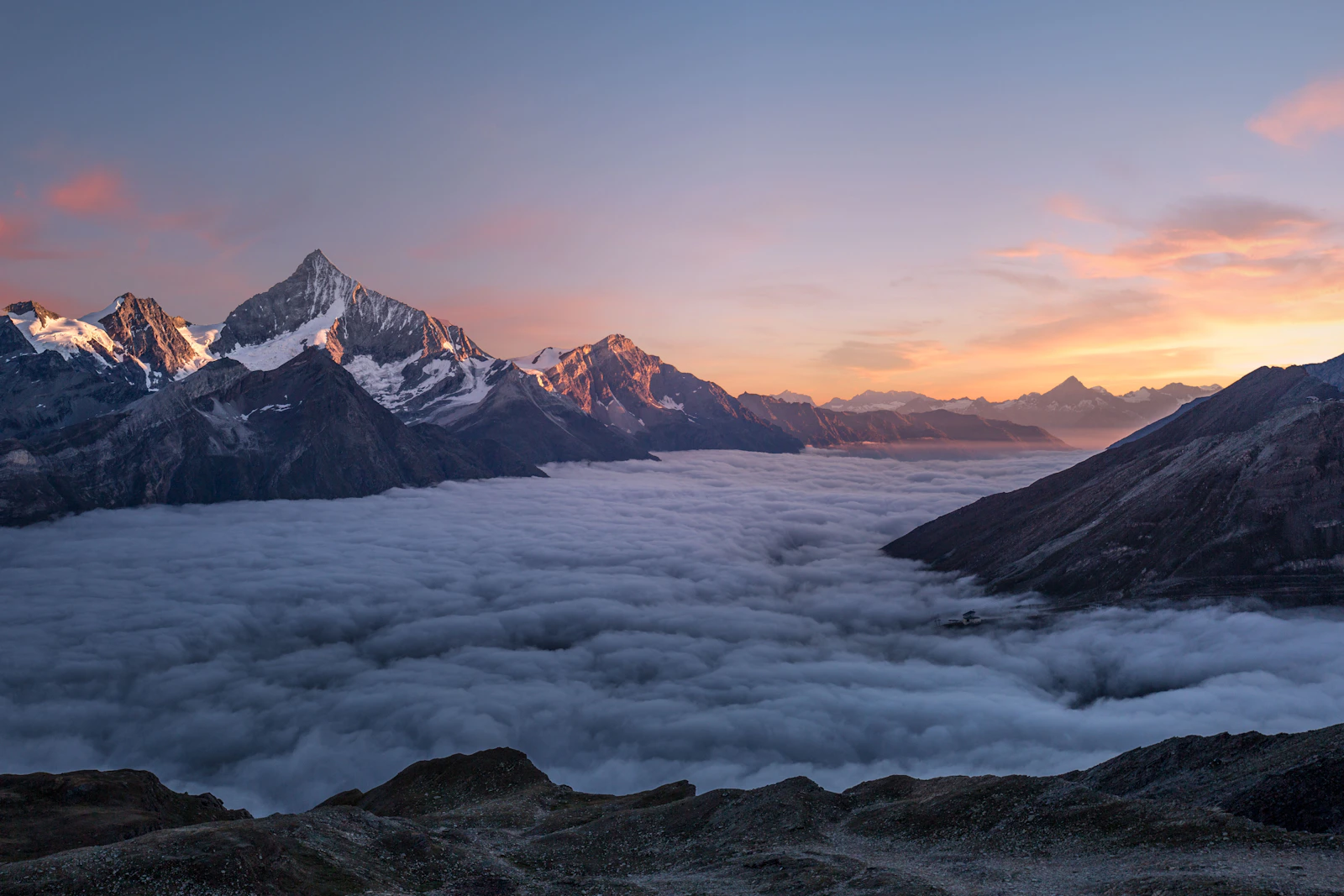
Breathtaking mountain landscape at sunrise, jagged snow-capped peaks emerging above a sea of clouds, first golden light painting the summits warm orange against a deep blue sky, alpine lake reflecting the scene in foreground, ultra-wide composition, landscape photography by Marc Adamus style
12. Urban Architecture at Blue Hour
Modern glass skyscraper reflecting the blue hour sky, geometric lines and reflections, street level perspective looking up, warm interior lights visible through windows contrasting with cool blue exterior, long exposure light trails from cars below, architectural photography
13. Tropical Beach Paradise
Pristine tropical beach with crystal-clear turquoise water, white sand, single palm tree leaning over the shore casting a long shadow, scattered seashells in foreground, puffy white clouds in bright blue sky, travel photography with vibrant saturated colors
14. Misty Forest Path
Enchanting forest path disappearing into morning mist, tall ancient trees with moss-covered trunks forming a natural tunnel, rays of sunlight breaking through the canopy creating volumetric light beams, fallen autumn leaves on the ground, mystical atmosphere, fine art nature photography
15. Desert Night Sky
Vast desert landscape under a spectacular Milky Way sky, red sandstone rock formations silhouetted against millions of stars, subtle purple and blue tones in the sky, perfectly still reflection in a small desert pool in foreground, astrophotography with long exposure
Abstract & Artistic (5 Prompts)
16. Flowing Liquid Metal
Abstract composition of flowing liquid mercury forming organic sculptural shapes, iridescent rainbow reflections on the metallic surface, pure black background, dramatic studio lighting creating sharp highlights and deep shadows, 3D render style with hyperrealistic material properties
17. Geometric Gradient Art
Abstract geometric composition with overlapping translucent shapes — circles, triangles, and hexagons — in a gradient from deep coral to soft lavender, subtle grain texture overlay, clean minimalist design, inspired by Swiss graphic design and Bauhaus principles
18. Organic Macro Texture
Extreme macro photograph of a soap bubble surface showing swirling iridescent colors — greens, purples, magentas, golds — abstract psychedelic patterns formed by thin-film interference, pure black background, scientific photography aesthetic
19. Paper Cut Art Style
Layered paper cut art depicting an underwater ocean scene, multiple layers of colored paper creating depth — dark navy background through turquoise midground to white foreground, fish and coral silhouettes, dramatic shadows between layers, craft photography with soft directional lighting
20. Neon Light Painting
Abstract neon light trails forming fluid calligraphic strokes in electric blue and hot pink against a pure black background, long exposure photography effect, light streaks with varying thickness and intensity, ethereal glow and subtle lens flare
Text Effects & Typography (5 Prompts)
21. Fire & Ember Text
The word "IGNITE" made of burning embers and glowing charcoal, each letter cracking with orange-red molten lava visible beneath a dark charred surface, floating sparks and smoke wisps rising from each character, dark background, cinematic fire photography
22. Frozen Ice Typography
The word "ARCTIC" carved from crystalline ice, transparent blue-white material with visible internal fractures and air bubbles, frost particles floating around the letters, cold blue studio lighting, frozen condensation on surfaces, product photography style
23. Floral Growth Letters
The word "BLOOM" formed by growing flowers and vines, each letter constructed from intertwining green stems with pink roses, white daisies, and purple lavender blossoming outward, soft natural lighting, botanical illustration meets photography, white background
24. Metallic Chrome Text
The word "FUTURE" in bold sans-serif font made of polished liquid chrome, perfectly reflective surface showing a distorted studio environment, slight mercury-like fluidity at the edges of each letter, gradient studio background from dark gray to light, 3D typography render
25. Ocean Wave Typography
The word "FLOW" where each letter is made of crashing ocean water, dynamic splash and spray forming the character shapes, deep blue water with white foam details, underwater bubbles visible within the transparent water letters, captured at high shutter speed, dark teal backgroundAdobe Firefly vs Midjourney vs DALL-E vs FLUX: Honest Comparison
| Feature | Adobe Firefly | Midjourney v7 | DALL-E 4 | FLUX 1.1 Pro |
|---|---|---|---|---|
| Image Quality | ★★★★☆ (excellent, slightly less artistic flair) | ★★★★★ (best artistic quality) | ★★★★☆ (strong, especially photorealism) | ★★★★☆ (very strong open-source) |
| Commercial Safety | ★★★★★ (fully licensed training data + IP indemnification) | ★★★☆☆ (license granted but no legal protection) | ★★★★☆ (OpenAI license, no indemnification) | ★★★☆☆ (open model, user assumes risk) |
| Prompt Accuracy | ★★★★☆ (very good with Model 4) | ★★★★☆ (excellent but sometimes "creative") | ★★★★★ (best prompt following) | ★★★★☆ (strong adherence) |
| Text in Images | ★★★★☆ (reliable) | ★★★☆☆ (improved but inconsistent) | ★★★★★ (industry-leading) | ★★★★☆ (good) |
| Integration | ★★★★★ (native in all Adobe apps) | ★★☆☆☆ (Discord/web only) | ★★★★☆ (ChatGPT, API, Microsoft apps) | ★★★☆☆ (API, third-party UIs) |
| Speed | ★★★★☆ (5-15 seconds) | ★★★☆☆ (30-60 seconds for quality) | ★★★★★ (near-instant) | ★★★★☆ (fast via API) |
| Editing Capabilities | ★★★★★ (Generative Fill, Expand, full Photoshop) | ★★☆☆☆ (vary region, pan, zoom — limited) | ★★★★☆ (inpainting, editing via ChatGPT) | ★★★☆☆ (inpainting via ComfyUI) |
| Pricing Value | ★★★☆☆ (expensive if standalone, great if already on CC) | ★★★☆☆ ($10-60/month) | ★★★★☆ (included with ChatGPT Plus at $20/mo) | ★★★★★ (open-source, pay only for compute) |
| Content Policy | Strict — no violence, adult, or controversial content | Moderate — more artistic freedom | Strict — similar to Firefly | Open — model itself unrestricted |
When to Choose Firefly
- Commercial projects where legal safety is non-negotiable (client work, advertising, published media)
- Adobe workflow users who want AI embedded in their existing tools without context-switching
- Brands requiring Content Credentials for transparency compliance
- Teams needing IP indemnification — agencies, enterprises, publishers
- Photo editing tasks — Generative Fill in Photoshop remains the best-in-class inpainting tool
When to Choose Alternatives
- Maximum artistic quality → Midjourney (still the aesthetic king for illustrations and concept art)
- Best prompt following + text rendering → DALL-E 4 (superior instruction-following)
- Budget-conscious / open-source → FLUX (free model, pay only for GPU time)
- Unrestricted content → FLUX or self-hosted Stable Diffusion (no content policy)
- Bulk generation at scale → API-based solutions (DALL-E API, FLUX API, or Stable Diffusion)
For a deeper dive into how Midjourney, DALL-E, and Stable Diffusion compare head-to-head, read our comprehensive comparison guide.
Pro Tips for Getting the Best Results from Firefly
1. Structure Your Prompts Like a Creative Brief
Firefly responds best to prompts structured as: Subject → Environment → Lighting → Style → Technical Details. Instead of rambling descriptions, think of each generation as a mini creative brief.
Weak: "A cool picture of a cat"
Strong: "Orange tabby cat sitting on a windowsill, afternoon golden hour light streaming in, shallow depth of field, cozy home interior background, editorial pet photography, warm color palette"
2. Use the Style Reference Feature Strategically
Upload a mood board image or a previous approved asset as your style reference. This ensures brand consistency across multiple generations without having to describe your visual style in words every time. Create a library of reference images for each brand or project you work on.
3. Leverage Negative Terms
Firefly supports exclusions. If you're getting unwanted elements, explicitly tell it what NOT to include: "professional headshot, neutral background, no text, no logos, no watermarks, no busy patterns."
4. Iterate with Generative Fill Rather Than Re-generating
If a generation is 80% right, don't start over. Open it in Photoshop, select the problematic area, and use Generative Fill to fix just that region. This preserves what works while correcting what doesn't — much faster than rolling the dice on a completely new generation.
5. Combine Structure + Style References
The most powerful workflow: use Structure Reference to maintain a specific composition (like a product placement angle) while using Style Reference to maintain visual aesthetic. This gives you consistent results that match both your layout needs and brand guidelines simultaneously.
6. Maximize Your Credit Budget
- Use standard quality for exploration and ideation, switch to high quality only for final outputs
- Batch your generations around your credit refresh date
- Use Generative Fill for refinements instead of generating entirely new images
- Consider the Creative Cloud All Apps plan if you use more than 2 Adobe tools — the included 1,000 credits make standalone Firefly plans redundant
7. Exploit Photoshop's AI-Powered Selection Tools
Before using Generative Fill, use Photoshop's AI selection tools (Select Subject, Select Sky, Select Background) to create precise masks. Better selections = better fills. The AI understands context from the mask boundary, so a clean selection dramatically improves output quality.
8. Use Content Type Settings Intentionally
Firefly offers content type toggles: Photo vs Art. This isn't just a filter — it fundamentally changes how the model interprets your prompt. "Mountain landscape" with Photo selected gives you National Geographic realism. The same prompt with Art selected gives you painterly interpretation. Always set this deliberately.
Firefly for Different Professionals
Photographers
Generative Expand is your new best friend. Shot too tight? Expand the frame. Distracting object? Generative Fill it out. Need a different sky? Select and replace. Firefly doesn't replace photography — it eliminates the costly reshoots.
Graphic Designers
Text Effects and Generative Recolor in Illustrator save hours of manual work. Create multiple color variations of a logo in seconds. Generate unique textures for typography. Produce mockup environments for presentations without sourcing stock photos.
Marketing Teams
Adobe Express + Firefly is the fastest path from idea to social media post. Generate hero images, create variations for A/B testing, adapt a single concept across multiple aspect ratios for different platforms — all with commercial safety guaranteed.
E-commerce & Product Teams
Generate lifestyle environments for product photography without studio time. Place products in contextual scenes. Create seasonal variations (summer beach → winter cozy) of the same product shot. The IP indemnification means these go straight to your store with zero legal risk.
Video Editors
Premiere Pro's Generative Extend lets you stretch short clips by a few seconds — perfect for matching edit timing. Generate B-roll that matches your footage's visual style. These features are early-stage but already time-savers for tight deadlines.
The Limitations: What Firefly Still Can't Do
Being honest about Firefly's weaknesses is important for setting realistic expectations:
- Artistic ceiling — Midjourney still produces more "wow" factor for concept art, illustrations, and creative imagery. Firefly optimizes for commercial safety over artistic boundary-pushing.
- Content restrictions — No violence, no adult content, no controversial political imagery, limited depictions of real people. This is by design for commercial safety, but it restricts creative freedom.
- Credit consumption adds up — Heavy users can burn through credits quickly, especially when iterating. The per-generation cost is higher than competitors offering unlimited generations at flat rates.
- Consistency across generations — Creating the same character or scene repeatedly remains difficult (no persistent character feature yet). Midjourney's --cref and DALL-E's memory handle this better.
- Complex multi-subject scenes — Prompts with many interacting elements can still confuse the model. Keep compositions focused for best results.
Getting Started: Your First 30 Minutes with Firefly
- Sign up at firefly.adobe.com (free Adobe ID gives you 25 credits)
- Generate your first image — paste any prompt from this guide
- Experiment with settings — toggle Photo vs Art, try different aspect ratios
- Upload a Style Reference — see how it transforms your output
- Try Generative Fill — upload a photo, select a region, type what you want there
- Explore Text Effects — type your name, describe a material ("made of chocolate")
- Decide on a plan — if you're already on Creative Cloud, you already have credits. If not, the $4.99 Standard plan lets you explore properly
The Bottom Line
Adobe Firefly isn't trying to be the most creative AI image generator — that crown still belongs to Midjourney. It isn't trying to be the most accessible — DALL-E in ChatGPT wins there. And it isn't trying to be the cheapest — open-source FLUX takes that easily.
What Firefly IS: the only commercially bulletproof AI image generator that integrates directly into professional creative workflows. For anyone doing client work, advertising, publishing, or any commercial application where a copyright lawsuit could be catastrophic, Firefly is the only tool that lets you sleep at night.
The IP indemnification alone is worth the price of admission. Combined with the seamless Photoshop/Illustrator/Express integration, Content Credentials for regulatory compliance, and increasingly competitive image quality — Firefly has earned its place as an essential tool in the professional creative stack.
If you want to generate images for free without any restrictions or credits, explore our guide to unlimited free AI image generation methods — it covers every trick from Google's Imagen to local Stable Diffusion to free-tier platforms.
The commercial AI image generation landscape is clear: Use Midjourney for maximum artistry. Use DALL-E for maximum convenience. Use FLUX for maximum freedom. Use Adobe Firefly for maximum safety. The smart creative professional has all four in their toolkit — and knows exactly when to reach for each one.
Frequently Asked Questions
Is the content on this page free to use? Yes — all resources on PromptSpace are completely free. Try our free AI image generator or browse 4,000+ AI prompts at no cost.How do I get started with AI tools? Start with a clear goal and specific prompts. The more detail you provide — audience, format, tone, constraints — the better the AI output.
Can I use AI outputs commercially? On paid tiers of major platforms, yes. Always verify the specific tool's terms of service for your use case.
Where can I find more AI resources? PromptSpace has 4,000+ free AI prompts and 150+ free tools — browse the library or try the AI image generator. Firefly's clean training provenance looks especially valuable in the context of the July 2026 Meta Muse Image rollout, where public Instagram accounts were opted in by default to have their photos used as AI training material. See our Meta Muse Image opt-out guide for the settings audit that goes with it.