How to Scrape Any Website for Free in 2026 (No Code, No Signup)
For years, scraping a webpage meant either writing Python with Beautiful Soup or paying for a SaaS that wanted your credit card before it would even let you paste a URL. Neither option made sense for the kind of small, one-off extraction most people actually need — checking what meta tags a competitor uses, pulling every link off a docs page, or grabbing the JSON-LD a site exposes. So I built a free web scraper that does exactly that, in your browser, with no signup. This post walks through what it does, how to use it, and where it breaks honestly.
Table of Contents
Why people actually scrape websites
Whenever I tell someone there's a free scraper at promptspace.in/tools/web-scraper, the first response is usually "okay, but why would I scrape a site?" Fair. Most people who'd benefit from this don't think of it as scraping. They think of it as "checking" or "auditing" or "just grabbing some info." Here are the four use cases I see most.
1. SEO and content audits
You want to know what title and meta description a page is shipping to Google. You want to see every H1 and H2 a competitor uses on their hub page. You want to confirm your own site exposes JSON-LD correctly after a deploy. The scraper gives you all of that in one paste.
2. Content research
Researching a topic and want to grab every link a long article references without manually copy-pasting forty URLs? Scrape the page, export to CSV, sort by domain, done. Same for image galleries — get every image URL with its alt text in one shot.
3. Competitor monitoring
Quick weekly check on a competitor's pricing page, feature list, or homepage hero copy. The output is plain text, so a five-minute diff against last week's export tells you everything that changed.
4. Lead and contact enrichment
You've got a list of company URLs and you want their contact email, social links, and JSON-LD organization data. Scrape each URL, export to CSV, paste into your spreadsheet. No API, no key, no quota.
None of these need a paid scraping service or a Python script. They need one input field and a download button.
The 30-second walkthrough
The whole point of the tool is that there's nothing to learn. Three steps:
Step 1 — Paste the URL
Open promptspace.in/tools/web-scraper and paste the full URL of the page you want to extract from. Include the https:// — relative URLs and bare domains will fail.
Step 2 — Click Scrape
Hit the Scrape button. The tool fetches the page server-side (so the target site sees one request, not yours), parses the HTML, and runs it through extractors for the fields described below. This usually takes under a second. Slow target sites can stretch it to four or five.
Step 3 — Export the data
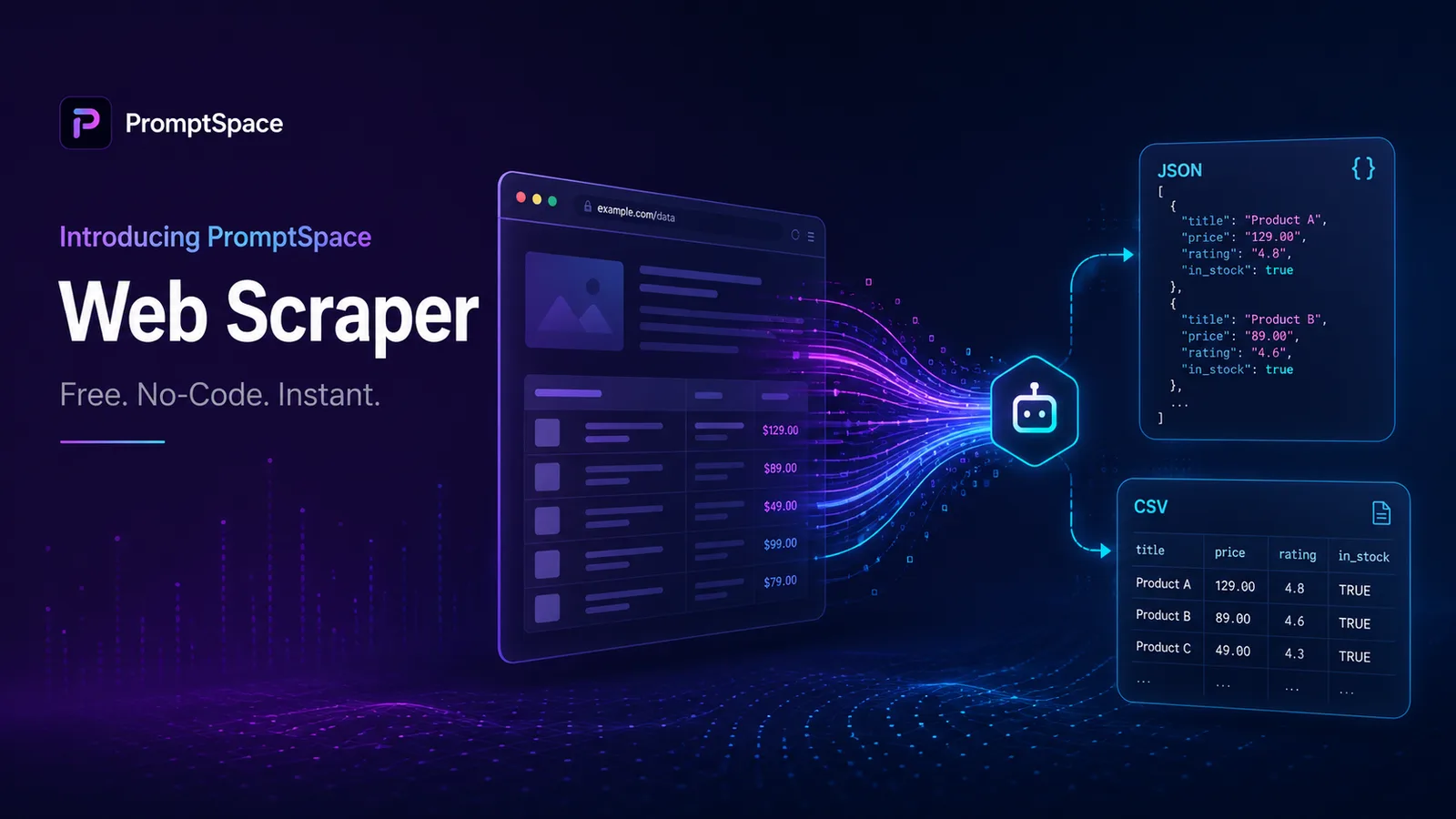
Pick your format — JSON, CSV, or Markdown — and click Download. The file saves to your machine immediately. No emails, no signup walls, nothing waiting in a queue.
That's it. The first scrape on any URL is free with no account. If you scrape the same URL repeatedly, results are cached so you're not hammering the target site.
What data you actually get back
One paste returns six different blocks of structured data. Here's what each one is and when you'd use it.
Page metadata
Page title, meta description, canonical URL, language, charset, viewport. This is the SEO baseline — what Google sees first. If you're auditing a competitor's title-tag strategy, this is usually all you need.
Open Graph and Twitter cards
The og:title, og:description, og:image, and Twitter equivalents. Useful for checking how a page renders when someone shares it on LinkedIn, Twitter, or in a Slack channel. Surprising number of "real" sites have broken or missing OG tags.
Heading hierarchy
Every H1 through H6 in source order. Pull this from a competitor's pillar page and you've got their entire content outline in twenty lines. Pull it from your own page and you can spot heading-order bugs (skipped H2s, duplicate H1s) faster than running a Lighthouse audit.
Every link on the page
Internal and external, with anchor text. Sorted, deduplicated. This is the killer feature for content research — twenty seconds of "scrape, export CSV, sort by domain" tells you every source a long article cites.
Every image with alt text
Image URL plus alt attribute. Run this against your own site to find images missing alt text (an accessibility and SEO problem). Run it against a competitor and you've got their entire visual asset library.
JSON-LD structured data
Any application/ld+json blocks the page exposes — Article, Product, Organization, FAQPage, HowTo, Recipe, all of it. This is where Google gets the rich-result data, and most sites either skip it entirely or ship it broken. The scraper just dumps it raw so you can see exactly what's there.
JSON, CSV, or Markdown — pick the right one
Three export formats, three different use cases.
JSON if you're going to use the data programmatically
You're feeding the output into another script, an LLM prompt, or a database. JSON preserves the full structure — nested headings, arrays of links, the whole JSON-LD blob. It's also the only format that round-trips cleanly: read it back, no parsing surprises.
CSV if you're going to look at it in a spreadsheet
Excel, Google Sheets, Numbers, anywhere with rows and columns. The exporter flattens nested fields into separate sheets per data type — one sheet for links, one for images, one for headings, one for metadata. Sort, filter, pivot, all the spreadsheet things.
Markdown if you're going to read it or paste it into docs
Quick visual scan, paste into Notion or Obsidian, share in a Slack thread. Markdown gives you human-readable headings with the data formatted as tables and lists. Lossy compared to JSON, but vastly easier to skim.
If you're not sure, start with JSON — you can always convert downstream, but you can't reconstruct what CSV or Markdown threw away.
What it handles vs where it struggles
Honest version: the scraper works on most public webpages and fails on a predictable set of sites. Knowing the failure modes upfront saves you ten minutes of wondering why something's empty.
What works well
- Static HTML pages — blogs, marketing sites, docs, news articles. These are the bread and butter.
- Server-rendered React/Next/Vue/Nuxt — anything that ships real HTML on the first response. Most modern marketing sites fall here.
- WordPress, Ghost, Substack, Medium — the entire CMS-driven web. Scrapes cleanly.
- E-commerce product pages — Shopify, BigCommerce, custom — most expose Product JSON-LD and the scraper grabs it intact.
Where it struggles
- Single-page apps that don't pre-render — pure CSR React/Vue with no SSR. The HTML the scraper sees is mostly empty
<div id="root">with no content. Increasingly rare in 2026 but still happens with internal tools and some old apps. - Sites behind aggressive bot protection — Cloudflare's "Verify you are human" challenge, Akamai Bot Manager, hCaptcha walls. The scraper isn't trying to defeat these and it shouldn't.
- Pages requiring login — anything behind auth. The scraper makes anonymous GET requests; if the page needs cookies, you get the logged-out view.
- Geofenced or rate-limited content — sites that block requests from cloud IPs or limit by geography. This shows up as 403s and timeouts.
If a scrape returns mostly empty fields, the answer is almost always one of the four above. Don't waste time retrying — switch tactics.
Is web scraping legal? (honest answer)
I'm not a lawyer, and you should talk to one if you're scraping at scale or for commercial use. But the general principles are clear enough that you can stay on the right side without reading hundreds of pages of case law.
Generally fine: scraping public webpages that don't require login, respecting robots.txt, not redistributing copyrighted content as your own, and not collecting personal data on identifiable individuals.
Generally not fine: bypassing technical access controls (logins, paywalls, captchas), scraping personal data without a lawful basis under GDPR/CCPA, ignoring a site's terms of service after they've explicitly told you to stop, or republishing scraped content as your own.
The recent hiQ v. LinkedIn and Meta v. Bright Data rulings in the US established that scraping public data is generally legal, but courts pay attention to whether you respected the site's clear signals. So: read robots.txt, don't hammer servers, and if a site tells you in writing to stop, stop.
For the kinds of small-scale, ad-hoc extraction this tool is built for — checking your own site, auditing a competitor's published page, pulling links off a public article — you're not in a legal gray zone. You're doing what every search engine does, just less of it.
FAQ
Is the web scraper really free with no signup?
Yes. The first scrape on any URL is free with no account, no email, no credit card. It's funded by the rest of PromptSpace — the prompt library, the AI tools, the blog. The scraper exists because I wanted one and didn't want to pay for it. It costs us less to share it than to gate it.
How does it compare to paid scrapers like Apify or Bright Data?
It doesn't. Those services are for industrial scraping — millions of pages, residential proxies, captcha solvers, scheduled crawls, the works. This tool is for the much more common case of "I just need to extract data from one URL right now." Different jobs, different tools.
Can I scrape an entire site, not just one page?
Not yet. The current tool is single-URL only. If you need to crawl a whole site, your options are: feed URLs one at a time (fine for ten or twenty pages), use the sitemap.xml to get the URL list and script the scraper through it, or move up to a tool like our scraper's eventual batch mode (planned, not shipped).
Will the scraper work on JavaScript-heavy sites?
It depends. Sites that server-render or use static-site-generation (Next.js with SSR/SSG, Nuxt, Astro, Gatsby, WordPress) work fine because the HTML the scraper sees already contains the content. Pure client-side React or Vue apps that render everything in the browser will return mostly empty results — there's no content in the initial HTML for the scraper to parse.
Are my scrape results private?
Yes. We don't store the URLs you scrape, the results aren't tied to your IP or any account, and we don't sell or share extraction data. The cache that speeds up repeat scrapes is keyed on the URL only, not on who requested it.
The bottom line
Scraping a webpage shouldn't require a Python environment, an API key, or a credit card. For ninety percent of what people actually want — what's on this page, in what structure, exported how I can use it — it should take thirty seconds. That's what this tool is. Try it on any URL and see if it gives you what you need. If it doesn't, tell me what's missing.
Web Scraper Comparison
| Tool | No-Code | Free | Privacy |
|---|---|---|---|
| PromptSpace | ✅ | ✅ | ✅ Browser |
| Octoparse | ✅ | ❌ $89/mo | ⚠️ Cloud |
| Python BS4 | ❌ | ✅ | ✅ Local |
| ParseHub | ✅ | ⚠️ 5 free | ⚠️ Cloud |
After scraping, process data with our CSV to JSON Converter. See also: Developer Prompts, Data Analyst Prompts.