AI Avatar Generator: Create the Perfect Profile Picture for Free
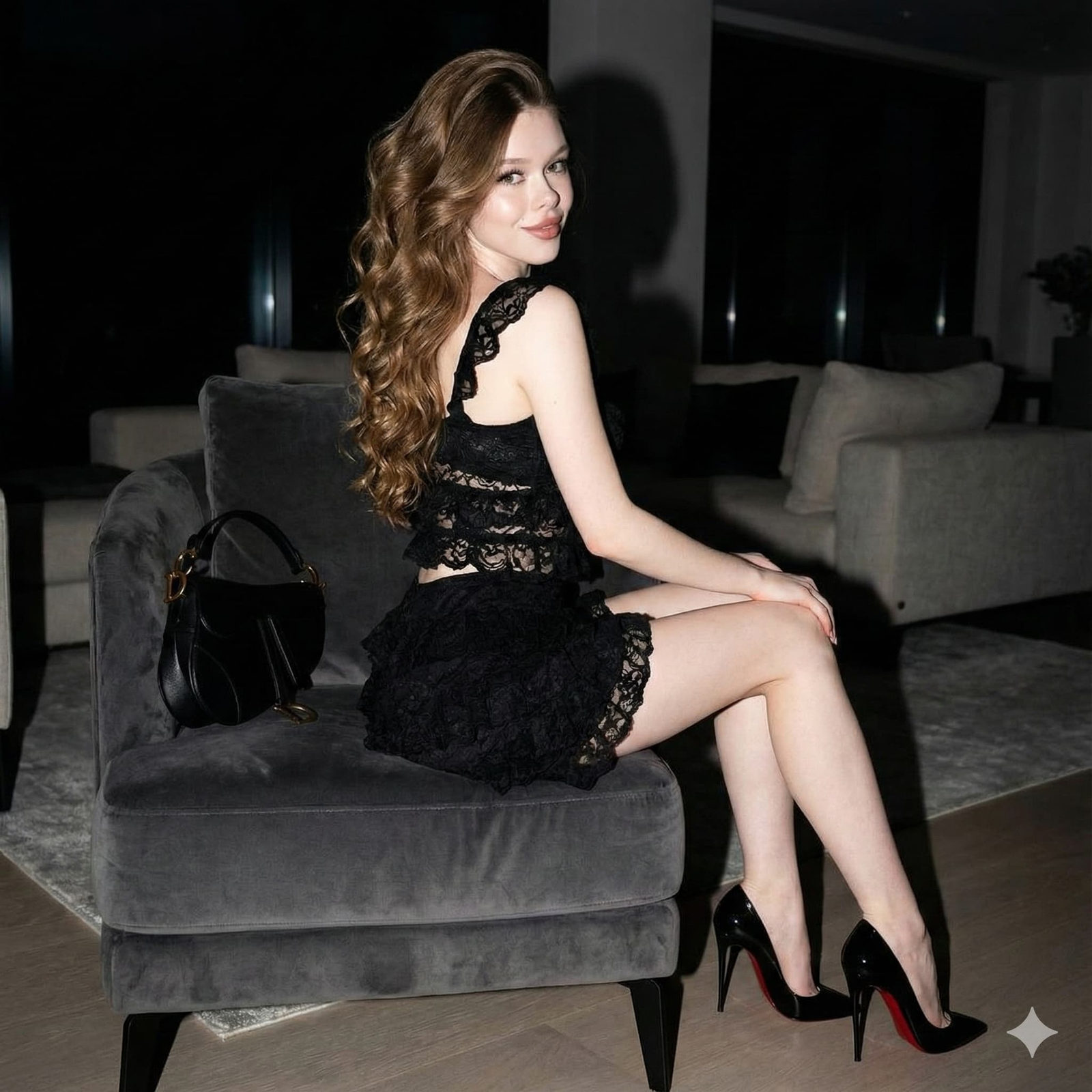
Looking for a free AI avatar generator to create a stunning profile picture? Whether you need a professional LinkedIn headshot, a fun cartoon avatar for Discord, an anime-style profile picture for social media, or a unique gaming avatar, AI tools can generate the perfect avatar in seconds — completely free. No more settling for generic profile pictures or paying photographers for headshots when you can create exactly what you envision with a simple text prompt.
In this comprehensive guide, we'll share over 25 carefully crafted prompts for every avatar style imaginable, from corporate-ready professional headshots to creative artistic avatars that make you stand out. We'll also cover the best free tools, optimal sizes for every platform, and tips for creating a consistent personal brand across all your profiles. Get started with PromptSpace's free AI Image Generator to create your perfect avatar right now.
Why Use an AI Avatar Generator?
Privacy and Safety
Using an AI avatar generator free of charge is one of the smartest privacy moves you can make online. Instead of sharing your real photo across dozens of platforms — where it can be scraped, misused, or used for facial recognition — an AI avatar lets you have a recognizable, consistent online identity without exposing your actual appearance. This is especially important on gaming platforms, forums, and social media where privacy matters.
Professional Quality Without Professional Cost
A professional headshot session typically costs $100-$500. With an AI avatar generator, you can create headshots that rival studio photography — proper lighting, professional backgrounds, flattering angles — all for free. Tools like PromptSpace's AI Image Generator produce results that are polished enough for LinkedIn, business cards, and company websites.
Express Your Creative Identity
Your profile picture is your digital first impression. An AI-generated avatar lets you express your personality in ways a regular photo can't — you can be an anime character, a pixel art hero, a cyberpunk warrior, or a watercolor painting. Your avatar becomes an extension of your creative identity rather than just a snapshot of your face.
Consistency Across Platforms
Having the same recognizable avatar across all your platforms builds your personal brand. With AI, you can generate variations of the same avatar concept — same style, same color scheme, slightly different sizes and crops — ensuring you're instantly recognizable whether someone finds you on Twitter, LinkedIn, GitHub, or Discord.
Best Free AI Avatar Generators in 2026
PromptSpace AI Image Generator
PromptSpace is excellent for generating avatar-quality images with no watermarks, no signup required, and completely free. It supports custom aspect ratios (use 1:1 for profile pictures) and produces high-resolution output. Use the prompt generator to craft the perfect avatar prompt, and browse the gallery for avatar inspiration.
ChatGPT (DALL-E 3)
ChatGPT's built-in image generation is great for avatars because you can have a conversation to refine your avatar iteratively. Start with a description, ask for modifications, and dial in exactly what you want. The free tier offers limited generations, but it's enough to create a great avatar.
Microsoft Designer (Free)
Microsoft's free AI image tool produces solid avatar-quality images and is available without a paid subscription. It's particularly good at photorealistic styles and can generate images in various aspect ratios.
Stable Diffusion (Free, Open Source)
For maximum control, Stable Diffusion running locally gives you unlimited free generations with precise control over every aspect of your avatar. With specialized models and LoRAs, you can create avatars in any style imaginable. Requires a GPU for local use, or use free cloud services.
Platform-Specific Size Guide
Social Media Avatar Sizes
- Instagram: 320 × 320 pixels (displays as circle, generates at 1:1 square)
- Twitter/X: 400 × 400 pixels (displays as circle)
- LinkedIn: 400 × 400 pixels (square, displayed as circle)
- Facebook: 170 × 170 pixels on desktop, 128 × 128 on mobile (upload at least 320 × 320)
- TikTok: 200 × 200 pixels minimum (upload at least 400 × 400)
- YouTube: 800 × 800 pixels recommended
- Discord: 128 × 128 minimum, 512 × 512 recommended
- Twitch: 256 × 256 minimum, 800 × 800 recommended
- Reddit: 256 × 256 pixels
- GitHub: 460 × 460 pixels recommended
Pro tip: Always generate your avatar at the highest resolution available (at least 1024 × 1024) and let each platform downscale it. This ensures maximum quality everywhere.
Remember: Circular Cropping
Most platforms display avatars as circles, which means the corners of your square image get cropped. Keep the most important elements (face, main design) centered and away from corners. Leave some padding around the edges of your design.
👔 Professional & Business Avatar Prompts
Prompt 1: Clean Professional Headshot
Copy this prompt:
"Professional business headshot portrait of a [gender, age range, ethnicity] professional, wearing a [navy blue suit/white blouse/smart casual], confident friendly smile, clean neutral gray gradient background, soft studio lighting with subtle rim light, shot at eye level, shoulders slightly angled, sharp focus on face, professional corporate photography style, suitable for LinkedIn profile, high resolution, square format 1:1"
Prompt 2: Creative Professional Headshot
Copy this prompt:
"Modern creative professional headshot of a [description], wearing smart casual clothing, slightly more relaxed pose with a genuine warm smile, clean minimalist background with subtle color (soft teal or warm beige), natural-looking studio lighting, approachable and creative vibe suitable for a tech startup or creative agency profile, professional photography quality, 1:1 square format, high resolution"
Prompt 3: Executive Portrait
Copy this prompt:
"Distinguished executive portrait of a [description], wearing a well-tailored dark suit with a subtle tie, confident authoritative expression, dark sophisticated background with subtle vignette, dramatic Rembrandt lighting highlighting the face, power pose with arms crossed, executive C-suite profile photo quality, magazine cover portrait feel, high resolution, 1:1 square"
Prompt 4: Friendly Approachable Avatar
Copy this prompt:
"Warm friendly professional portrait of a [description], natural smile that reaches the eyes, wearing a comfortable smart-casual outfit, softly blurred outdoor background suggesting a garden or park, warm golden hour natural lighting, approachable and trustworthy vibe, perfect for a personal brand or coaching business profile picture, high resolution, square format"
🎨 Cartoon & Illustration Avatar Prompts
Prompt 5: Modern Flat Design Avatar
Copy this prompt:
"Modern flat design avatar illustration of a [description: gender, hair color, notable features], clean vector art style, bold simple shapes, limited color palette of 4-5 harmonious colors, slightly stylized proportions (larger head, simplified features), friendly expression, solid color background that complements the character, suitable for a professional but creative profile picture, flat illustration style, square format"
Prompt 6: Disney/Pixar-Style Avatar
Copy this prompt:
"3D animated character avatar in Disney Pixar style of a [description: gender, age, hair, features], exaggerated expressive eyes, charming smile, stylized proportions with slightly larger head, wearing [outfit description], soft studio lighting, clean background with subtle gradient, the warmth and appeal of a Pixar character design, high quality 3D render, square format for profile picture"
Prompt 7: Watercolor Portrait Avatar
Copy this prompt:
"Beautiful watercolor illustration portrait avatar of a [description], loose artistic watercolor style with visible brush strokes and color bleeds, soft dreamy color palette, white space around the portrait, artistic and unique, the face is recognizable but rendered with artistic interpretation, splashes of color extending beyond the portrait edges, fine art quality, square format"
Prompt 8: Chibi/Cute Style Avatar
Copy this prompt:
"Adorable chibi-style character avatar, [description: hair color, eye color, notable features], super deformed proportions with very large head and small body, enormous expressive sparkly eyes, rosy cheeks, wearing [cute outfit], holding [a small prop related to your interest: coffee cup, book, game controller, etc.], clean white or pastel background, kawaii Japanese illustration style, charming and cute, square format"
🎌 Anime & Manga Avatar Prompts
Prompt 9: Classic Anime Portrait
Copy this prompt:
"Anime-style character portrait avatar, [description: hair color and style, eye color], detailed anime eyes with light reflections and depth, wearing [outfit description], dynamic hair with flowing strands, slight wind effect, cherry blossom petals in the background, soft lighting, vibrant colors, high quality anime illustration style, suitable for a social media profile picture, square format, clean detailed line art"
Prompt 10: Anime Action Pose Avatar
Copy this prompt:
"Dynamic anime character in an action pose, [description: hair, eyes, outfit], wielding [weapon or magical element], energy effects swirling around them in [color], determined confident expression, speed lines and particle effects suggesting motion, dark dramatic background with glowing accents, shonen anime art quality, powerful and cool, suitable for gaming or anime community profile picture, square format"
Prompt 11: Soft Anime Portrait (Aesthetic)
Copy this prompt:
"Soft aesthetic anime portrait, [description: gender, gentle features, long flowing hair], dreamy expression gazing slightly to the side, surrounded by soft flowers (roses, peonies) with floating petals, ethereal soft pastel color palette of lavender, pink, and soft blue, soft glowing light from behind, sparkle effects, beautiful shoujo manga style, romantic and elegant, high detail, square format for profile picture"
🎮 Gaming & Fantasy Avatar Prompts
Prompt 12: Fantasy RPG Character Avatar
Copy this prompt:
"Epic fantasy RPG character portrait avatar, a [race: elf/dwarf/human/orc] [class: warrior/mage/rogue/ranger], wearing detailed [armor type] with [color] accents, [weapon] visible, [facial features: scars, tattoos, eye patch, glowing eyes, etc.], dramatic fantasy lighting with magical ambient glow, detailed fantasy background suggesting a [dungeon/forest/castle/battlefield], Dungeons and Dragons character portrait quality, digital painting style, square format"
Prompt 13: Cyberpunk Character Avatar
Copy this prompt:
"Cyberpunk character portrait avatar, [description: mohawk, cybernetic implants, neon-lit eyes, chrome jaw], wearing a leather jacket with LED strips, neon city reflected in cyber-enhanced eyes, rain-slicked hair, holographic UI elements floating nearby, dark background with neon pink and cyan accents, Cyberpunk 2077 aesthetic, gritty and futuristic, digital art style, high detail, square format for gaming profile"
Prompt 14: Retro Pixel Art Avatar
Copy this prompt:
"Retro 16-bit pixel art character portrait avatar, [description simplified for pixel art: main hair color, distinctive feature], inspired by SNES-era RPG character portraits, limited but vibrant color palette, clean pixel work with anti-aliasing, expressive despite the pixel limitations, slight animation-ready pose, solid color background, nostalgic retro gaming aesthetic, cute and recognizable, 1:1 square format"
Prompt 15: Esports/Streamer Avatar
Copy this prompt:
"Bold esports-style mascot avatar, a stylized character with [description], wearing a gaming headset, confident competitive smirk, dynamic angle (slightly from below looking up), bold saturated colors with [team color: red, blue, green] dominant, energy effects and geometric shapes in the background, esports team logo style, aggressive and confident design, clean vector-inspired digital art, transparent background ready, square format"
🌟 Creative & Unique Avatar Prompts
Prompt 16: Geometric Low-Poly Avatar
Copy this prompt:
"Low-poly geometric portrait avatar, a human face constructed from triangular polygon facets, each facet a slightly different shade creating depth and form, modern abstract art style, limited color palette in [teal and gold / purple and silver / earth tones], clean geometric edges, the face is recognizable but abstracted, solid complementary color background, contemporary digital art, clean and modern, square format"
Prompt 17: Neon Glow Avatar
Copy this prompt:
"Neon glow portrait avatar on pure black background, [description of face/character] outlined and highlighted with glowing neon lines in [electric blue / hot pink / neon green], the neon light creates a dramatic rim-light effect on features, subtle color reflections on skin from the neon glow, dark and mysterious with vibrant accent colors, perfect for AMOLED displays, cyberpunk meets portrait art, high contrast, square format"
Prompt 18: Pop Art Avatar
Copy this prompt:
"Pop art style portrait avatar inspired by Roy Lichtenstein and Andy Warhol, [description] rendered with bold black outlines, Ben-Day dots pattern for shading, limited bold color palette of primary colors (red, blue, yellow) plus black, comic book halftone effect, slightly exaggerated facial features, speech bubble or thought bubble optional, graphic and bold, retro pop art aesthetic, square format"
Prompt 19: Stained Glass Avatar
Copy this prompt:
"Stained glass window style portrait avatar, [description] depicted as a beautiful stained glass artwork, bold black leading lines dividing colorful glass sections, rich jewel-tone colors (sapphire blue, ruby red, emerald green, amber gold) with light appearing to shine through, medieval art meets modern portrait, ornate decorative border, luminous and artistic, unique and eye-catching, square format"
Prompt 20: Minimalist Line Art Avatar
Copy this prompt:
"Ultra-minimalist single continuous line art portrait, a face drawn with one unbroken flowing black line on white background, capturing the essence of [features: hairstyle, glasses, beard, etc.] with absolute minimum strokes, elegant and sophisticated, the artistry of simplicity, clean white space, every line essential and meaningful, fine art quality minimalism, perfect for a clean professional creative profile, square format"
🐱 Fun & Themed Avatar Prompts
Prompt 21: Pet as Character Avatar
Copy this prompt:
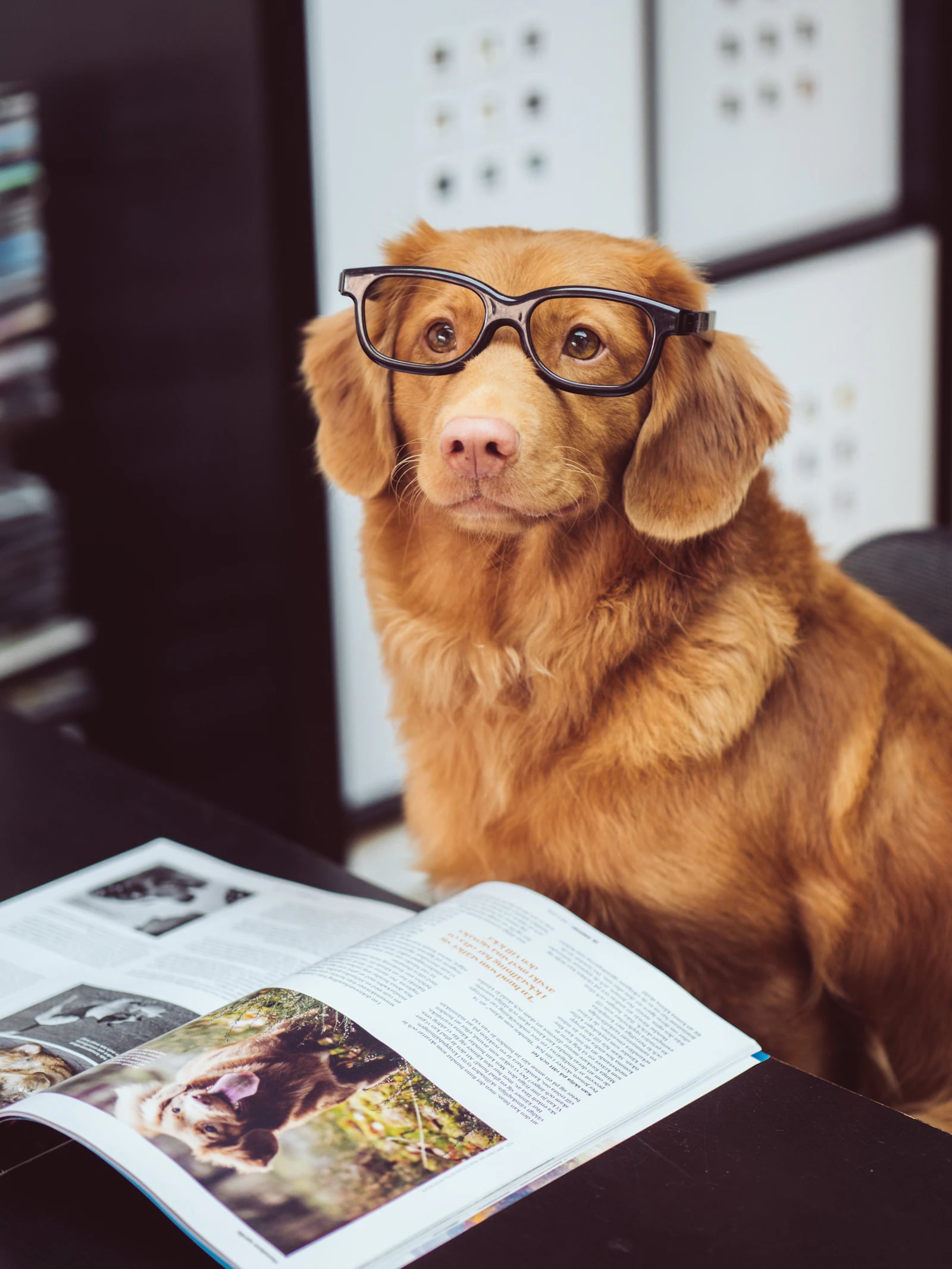
"Anthropomorphic [cat/dog/rabbit/etc.] character portrait wearing a [suit and tie / hoodie / armor / lab coat], realistic animal face and fur with human-like expression and posture, wearing round glasses and looking scholarly, detailed fur texture, warm studio portrait lighting, solid background, a dignified animal character portrait in the style of a Renaissance painting meets modern illustration, charming and sophisticated, square format"
Prompt 22: Space Explorer Avatar
Copy this prompt:
"Astronaut portrait avatar, [description] in a detailed space suit with reflective visor partially open showing the face, stars and a nebula reflected in the visor glass, Earth visible in the background, dramatic rim lighting from the sun, the wonder and courage of space exploration, NASA mission portrait meets sci-fi concept art, realistic with a sense of adventure, high detail, square format"
Prompt 23: Steampunk Portrait Avatar
Copy this prompt:
"Steampunk character portrait avatar, [description] wearing brass goggles pushed up on forehead, a Victorian-era outfit with mechanical accessories — gears as buttons, a small clockwork device on the lapel, copper and brass tones, background suggesting a workshop with visible machinery, warm sepia-toned lighting, the elegance of Victorian era meets industrial invention, digital painting quality, square format"
Prompt 24: Seasonal Nature Avatar
Copy this prompt:
"Nature-themed portrait avatar where [description of person/character] is surrounded and partially merged with [season: spring cherry blossoms / summer sunflowers / autumn maple leaves / winter snowflakes], elements of nature growing from or flowing around the portrait, a harmonious blend of human and natural elements, Art Nouveau inspired organic flowing lines, rich seasonal color palette, beautiful and unique, square format"
Prompt 25: Abstract Identity Avatar
Copy this prompt:
"Abstract artistic avatar representing the concept of [your profession or passion: music, coding, writing, design, cooking, etc.], not a literal portrait but an abstract composition of symbols, shapes, and colors associated with the field, for example: for music — flowing sound waves, notes, and instruments abstracted into a circular composition. Bold colors, modern graphic design aesthetic, unique and meaningful, instantly recognizable as [field]-related, square format"
Tips for the Perfect AI Avatar
Consistency Is Key for Personal Branding
Once you find an avatar style you love, use it everywhere. Generate variations for different platforms (different crops, minor color adjustments) but keep the core design consistent. Your avatar becomes your digital face — people should recognize it instantly across platforms.
Test at Small Sizes
Your avatar will often be displayed very small — 32×32 pixels in comment threads, 48×48 in chat lists. After generating your avatar, shrink it down and see if it's still recognizable and appealing. Simpler designs with bold colors tend to read better at tiny sizes. Avoid intricate details that disappear when scaled down.
Consider Dark Mode
Many platforms have dark mode. If your avatar has a white or very light background, it might look jarring against dark interfaces. Consider using a colored or dark background, or generating versions for both light and dark contexts.
Keep It Timeless
Avoid overly trendy styles that will look dated in a year. Classic art styles (watercolor, clean illustration, professional photography) age better than heavily filtered or meme-inspired styles. Your avatar should represent you well for years, not just this season.
Generate Multiple Options
Don't settle for the first generation. Create 10-20 variations by tweaking your prompt — different expressions, slightly different styles, various backgrounds — and pick the best one. Use PromptSpace's AI Image Generator to quickly iterate, and save your favorites. Browse the image gallery for additional inspiration from the community.
Advanced Avatar Creation Techniques
Creating Avatars from Photo Descriptions
While some tools let you upload photos directly, you can also achieve great likeness results by describing yourself in detail. Write down: your hair color, length, and style; eye color and shape; face shape (round, oval, angular); skin tone; any distinguishing features (freckles, dimples, glasses, facial hair); and typical clothing style. The more specific your description, the closer the AI will get to your actual appearance. Keep this description saved as a reusable template for generating avatar variations.
Building a Personal Avatar System
Create a cohesive set of avatars for different contexts by establishing a "character sheet" approach. Generate your base avatar in your preferred style, then create variations for different platforms and moods: a professional version for LinkedIn (suit, neutral background), a casual version for Twitter (relaxed pose, colorful background), a gaming version for Discord (stylized, action-oriented), and a creative version for Dribbble or Behance (artistic, unique). All share the same core design language but are adapted for each platform's culture and expectations.
Seasonal and Event-Based Avatar Updates
Keep your online presence fresh by creating seasonal avatar variations. Generate versions with holiday themes (Santa hat for Christmas, pumpkin for Halloween, flowers for spring), celebration themes (party hat for birthdays, trophy for achievements), or trending themes (matching current memes or cultural moments). Having a library of themed avatars ready to swap keeps your profile feeling alive and engaged without starting from scratch each time.
AI Avatar Animation
Take your static avatar to the next level by animating it. Use PromptSpace's AI Video Generator to create short animated versions of your avatar — a waving greeting, a nodding approval, or a speaking animation. Animated avatars work great as GIF profile pictures on platforms that support them (Discord, Slack), as intro animations for YouTube videos, or as animated stickers in messaging apps. This transforms a simple profile picture into a dynamic personal brand element.
Maintaining Style Across AI Tool Updates
AI tools update frequently, which can change how your prompt renders. To maintain consistency: always save your exact prompts with version notes ("Midjourney v6.1, March 2026"), keep copies of your generated images in original quality, and be prepared to adjust prompts when tools update. If a tool update changes your avatar's look, slight prompt tweaks usually bring it back in line. Consider generating extra variations during each session so you have backup options.
How to Create Matching Avatar Sets
For Couples or Friends
Generate matching avatars in the same style but with individual distinguishing features. Use the same prompt template and just change the character description for each person. Same background, same art style, same color palette — different characters.
For Teams and Organizations
Create a cohesive team look by establishing a template: same art style, same background color (your brand color), same lighting. Each team member gets their unique character but the visual consistency makes it clear you're part of the same group.
For Multi-Platform Use
Generate your avatar in a large square format (1024×1024 or larger), then create platform-specific crops. For platforms with circular display, ensure the key elements stay within the inscribed circle. For platforms with square display, you can use the full image. Create both light and dark background versions.
For Communities and Groups
Creating matching avatars for online communities, study groups, gaming clans, or friend groups is a fantastic use of AI avatar generators. Establish a shared visual language — perhaps everyone uses the same art style (anime, pixel art, or flat design) with the same background color (your team or group color), but each person has unique character features and accessories that reflect their personality. This creates instant visual cohesion in group chats, Discord servers, and social media while celebrating individual identity. Use PromptSpace's AI Image Generator to batch-generate a complete set using a consistent prompt template, only varying each person's distinctive features.
Avatar Trends and Styles in 2026
The Rise of AI Professional Headshots
One of the biggest trends in 2026 is using AI avatar generator free tools to create professional headshots that rival studio photography. With remote work being the norm, people need polished profile pictures for LinkedIn, company websites, email signatures, and virtual meeting profiles. AI headshots have reached a quality level where they're genuinely indistinguishable from real photos in most cases. The key is to use photorealistic prompts with professional lighting references and business-appropriate styling. Many professionals now use AI headshots as their primary professional image, saving hundreds of dollars on photographer fees.
Illustrated and Stylized Avatars for Personal Brands
Content creators, podcasters, YouTubers, and personal brand builders are increasingly choosing illustrated avatars over photographs. An illustrated avatar is more memorable, more shareable, and more flexible than a photograph. It can be animated, placed on merchandise, used as a logo, and adapted for different contexts without worrying about photo quality, aging, or different lighting conditions. The most popular styles for personal brand avatars in 2026 are: clean modern cartoon (like corporate illustrations), detailed anime-inspired, and bold graphic/pop art styles.
NFT-Ready and Web3 Avatars
While the NFT market has evolved since its peak, digital identity avatars remain important in Web3 communities. AI-generated avatars with distinct traits (hats, accessories, backgrounds, expressions) can be organized into collections. Whether for personal use in metaverse platforms or as digital collectibles, the procedural generation capabilities of AI — creating variations with consistent base design but different attributes — are perfectly suited for avatar collection creation.
AI Avatar Etiquette
As AI avatars become mainstream, some social norms have emerged. On professional platforms like LinkedIn, photorealistic AI headshots are widely accepted and common. On creative platforms, stylized avatars are embraced and even expected. On platforms where community identity matters (gaming, Discord, Reddit), unique creative avatars help you stand out and build recognition. The key social rule: be consistent. Changing your avatar too frequently confuses people who recognize you by your visual identity. Find a style you love and stick with it across platforms, updating it occasionally rather than constantly.
Frequently Asked Questions About AI Avatar Generators
Are AI-generated avatars free to use as profile pictures?
Yes! Avatars generated with free tools like PromptSpace's AI Image Generator are yours to use as profile pictures on any platform — social media, gaming, professional networks, messaging apps, everything. There are no watermarks, licensing fees, or restrictions for personal use. Even commercial use (using your AI avatar for your business branding) is generally permitted with most free AI tools.
Can people tell if my profile picture is AI-generated?
It depends on the style. Photorealistic AI headshots are becoming increasingly difficult to distinguish from real photos, though very close inspection might reveal subtle tells. However, for most avatar styles (cartoon, anime, artistic), the goal isn't to fool anyone — it's to have a great-looking, unique profile picture. Many people now openly and proudly use AI-generated avatars as their preferred online identity. The stigma around AI avatars has largely disappeared as they've become mainstream.
What's the best avatar style for LinkedIn?
For LinkedIn, stick to professional or business-appropriate styles: photorealistic AI headshots, clean illustrated portraits, or modern flat-design professional avatars. Avoid anime, gaming, or overly casual styles for LinkedIn specifically. Your best bet is a photorealistic prompt with studio lighting, professional attire, and a neutral background. Use the professional prompts from this guide (Prompts 1-4) as your starting point.
How do I make my AI avatar look like me?
For text-to-image tools, describe your features in detail: hair color, length, and style; eye color; facial hair; glasses; distinctive features; age range; body type; and skin tone. The more specific you are, the closer the result. For even better likeness, use tools that support image uploads — ChatGPT, Stable Diffusion with IP-Adapter, or specialized avatar apps — where you can upload a reference photo and the AI will generate a stylized version that maintains your likeness.
Can I use the same AI avatar for commercial purposes like a business logo?
Using an AI avatar as a business profile picture is fine with most tools. However, using it as a formal business logo has different considerations. Check the terms of service of the tool you used — most (including PromptSpace, Stable Diffusion, and Midjourney on paid plans) allow commercial use. The bigger question is whether an AI-generated image is distinctive enough for trademark purposes — consult a trademark attorney if you plan to trademark an AI avatar as your brand identity. For social profiles and casual business use, you're in the clear. Explore PromptSpace's AI Video Generator to even create animated versions of your avatar for video content.