Text-to-Image AI: The Definitive 2026 Comparison Guide
The text to image AI landscape has exploded in 2026, with more tools than ever competing to turn your words into stunning visuals. But with so many options — from free open-source solutions to premium subscription services — choosing the right tool for your needs can be overwhelming. Should you use Midjourney for its artistic quality? DALL-E 3 for its prompt adherence? Stable Diffusion for its flexibility? Flux for its speed?
In this comprehensive comparison, we test and evaluate every major text to image AI tool available in 2026. We'll compare them across quality, speed, pricing, features, and specific use cases, using identical test prompts to give you a fair comparison. Whether you're a digital artist, content creator, marketer, or just someone who wants to create cool images, this guide will help you find your perfect tool. And if you want to try generating images right now, PromptSpace's free AI Image Generator lets you start creating instantly — no signup needed.
The Text-to-Image AI Tools We're Comparing
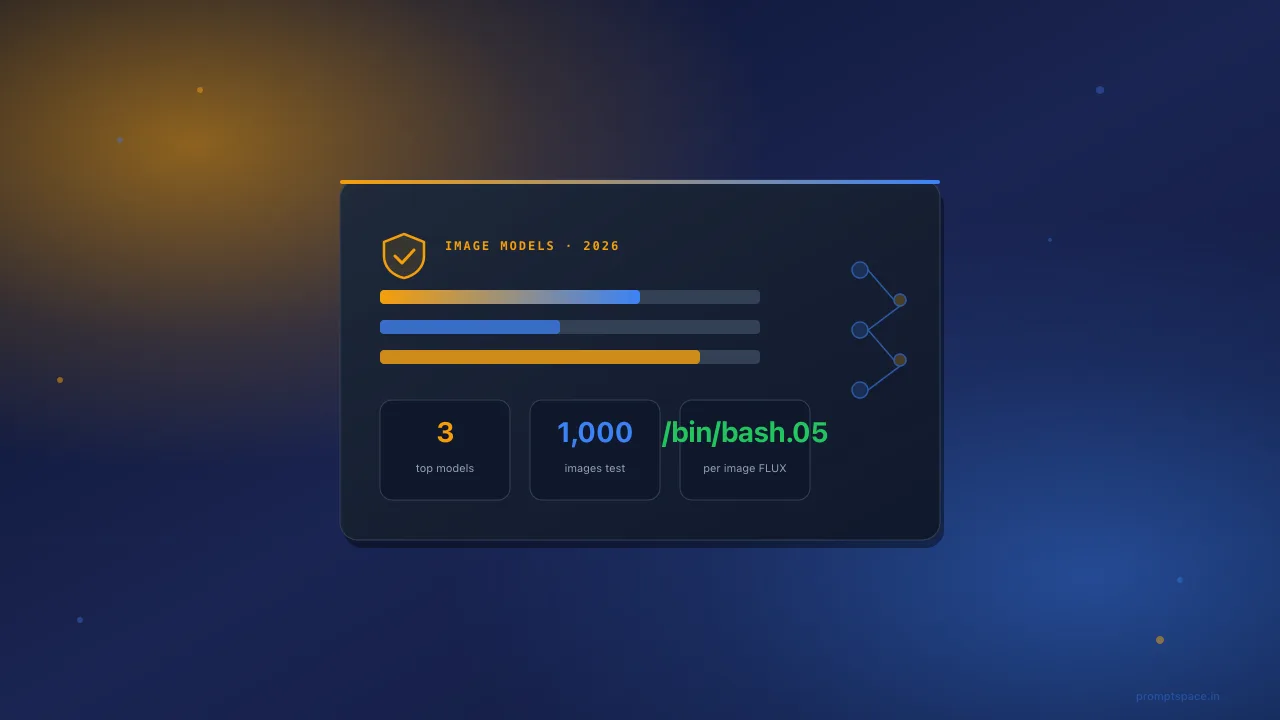
Here are the 12 major text to image AI tools we'll evaluate in this guide:
| Tool | Type | Price Range | Best For |
|---|---|---|---|
| Midjourney v6.1 | Cloud (Discord/Web) | $10-$60/mo | Artistic quality, aesthetics |
| DALL-E 3 | Cloud (ChatGPT/API) | Free-$20/mo | Prompt accuracy, text rendering |
| Stable Diffusion 3 | Open Source / Cloud | Free-$20/mo | Customization, control |
| Flux Pro 1.1 | Cloud / Open Source | Free-$0.04/img | Speed, quality balance |
| Ideogram 2.0 | Cloud | Free-$20/mo | Text in images, typography |
| Leonardo AI | Cloud | Free-$24/mo | Gaming art, characters |
| Adobe Firefly 3 | Cloud | Free-$10/mo | Commercial safety, integration |
| Google Imagen 3 | Cloud (Gemini) | Free-$20/mo | Photorealism, Google integration |
| Playground v3 | Cloud | Free-$15/mo | Mixed media, editing |
| PromptSpace | Cloud (Free) | Free | No-signup generation, prompt library |
| Bing Image Creator | Cloud (Free) | Free | Casual use, accessibility |
| Recraft v3 | Cloud | Free-$25/mo | Vector art, brand design |
Detailed Tool Reviews
1. Midjourney v6.1 — The Artistic Powerhouse
Midjourney remains the king of aesthetic quality in text to image AI. Its v6.1 model produces images with a distinct artistic sensibility — beautiful color palettes, dramatic lighting, and compositions that feel intentionally crafted rather than randomly generated.
Pricing:
- Basic: $10/month (~200 images)
- Standard: $30/month (~900 images)
- Pro: $60/month (unlimited relaxed, 30 fast hours)
- No free tier
Strengths:
- Best overall aesthetic quality — images look like art, not AI
- Excellent at portraits with natural, flattering lighting
- Superior color theory and composition
- Great at fantasy, editorial, and fine art styles
- Web interface and Discord integration
- Strong community and prompt sharing
Weaknesses:
- No free tier — must pay to try
- Less control over exact output compared to Stable Diffusion
- Text rendering still inconsistent
- Can struggle with very specific technical requests
- Closed-source — no local running or customization
Best for: Artists, designers, content creators who prioritize visual quality and are willing to pay for it. Marketing teams needing editorial-quality imagery.
2. DALL-E 3 (OpenAI) — The Prompt Whisperer
DALL-E 3, integrated into ChatGPT, excels at understanding exactly what you want. Its natural language understanding is unmatched — you can describe complex scenes with multiple subjects, specific arrangements, and precise details, and it delivers remarkably faithful results.
Pricing:
- Free tier: Limited generations through ChatGPT
- ChatGPT Plus: $20/month (more generous limits)
- API: ~$0.04-$0.08 per image
Strengths:
- Best prompt adherence — understands complex multi-element descriptions
- Excellent text rendering in images (signs, logos, labels)
- Conversational iteration through ChatGPT ("make it more blue," "remove the dog")
- Good at conceptual and abstract imagery
- Integrated editing capabilities (inpainting, outpainting)
Weaknesses:
- Aesthetic quality slightly below Midjourney
- Conservative content policy (refuses many prompts)
- Limited output resolution (1024×1024 standard)
- Generation speed varies during peak times
- Free tier is very limited
Best for: People who want precise control over what's in the image, text-heavy designs, iterative design conversations, and those already using ChatGPT.
3. Stable Diffusion 3 — The Freedom Machine
Stable Diffusion is the open-source champion of the text to image AI world. Run it locally on your GPU, use it in the cloud, train custom models, install extensions — the flexibility is unmatched. SD 3 brought significant quality improvements while maintaining the community-driven ecosystem.
Pricing:
- Local: Completely free (requires a GPU with 8GB+ VRAM)
- Cloud services: Free tiers available on multiple platforms
- Stability AI API: $0.01-$0.05 per image
Strengths:
- Completely free and open source
- Run locally with full privacy — no images sent to servers
- Thousands of community models, LoRAs, and extensions
- ControlNet for precise composition control
- Custom model training for specific styles or subjects
- Exact resolution control — generate at any size
- Negative prompts for precise exclusion of unwanted elements
Weaknesses:
- Steep learning curve for beginners
- Base model quality below Midjourney without fine-tuning
- Requires significant GPU for local use
- Can be overwhelming — too many options and settings
- Community models vary wildly in quality
Best for: Power users, developers, artists who want maximum control, privacy-conscious users, people with GPUs who want unlimited free generation.
4. Flux Pro 1.1 (Black Forest Labs) — The Rising Star
Flux burst onto the scene and quickly became one of the most exciting text to image AI tools. Created by former Stability AI researchers, Flux offers remarkable quality with excellent speed, and the open-source Flux Dev and Schnell models have built a strong community.
Pricing:
- Flux Schnell: Free, open source
- Flux Dev: Free for non-commercial use
- Flux Pro: ~$0.04 per image through API partners
Strengths:
- Excellent quality-to-speed ratio
- Strong at photorealism and natural scenes
- Good text rendering capabilities
- Open-source models available
- Growing community and ecosystem
- Fast generation times
Weaknesses:
- Smaller community than Stable Diffusion
- Fewer fine-tuned models and LoRAs available
- Pro model only available through API
- Still maturing — fewer advanced features than SD ecosystem
Best for: Users wanting high quality and speed, developers building AI image products, people wanting an open-source alternative to Midjourney.
5. Ideogram 2.0 — The Typography Champion
Ideogram has carved out a unique niche: it's the best text to image AI for rendering text within images. Logos, posters, social media graphics with text — Ideogram handles them better than any competitor.
Pricing:
- Free tier: 25 images/day
- Basic: $8/month
- Plus: $20/month
Strengths:
- Best-in-class text rendering — accurately places readable text in images
- Great for logos, posters, and typographic designs
- Generous free tier (25/day)
- Good overall image quality
- Simple, clean web interface
Weaknesses:
- Overall artistic quality below Midjourney
- Limited advanced features
- Smaller community
- Less flexibility than Stable Diffusion
Best for: Graphic designers needing text in images, social media content creators, logo and branding exploration, poster design.
6. Leonardo AI — The Gaming Artist
Leonardo AI has built a strong reputation for gaming art, character design, and stylized illustration. Its model training features and pre-built style models make it particularly accessible for specific creative niches.
Pricing:
- Free tier: 150 tokens/day
- Apprentice: $12/month
- Artisan: $24/month
Strengths:
- Excellent for gaming art and character design
- Pre-trained style models for specific aesthetics
- Custom model training on the platform
- Good free tier
- Canvas editor for image manipulation
- Real-time generation preview
Weaknesses:
- Can feel niche — not the best all-rounder
- Quality inconsistent across different styles
- Interface can be complex
Best for: Game developers, concept artists, character designers, fantasy and sci-fi illustration.
7. Adobe Firefly 3 — The Commercial Safe Choice
Adobe Firefly stands apart from other text to image AI tools with its focus on commercial safety. Trained exclusively on Adobe Stock and licensed content, it's the only major tool that guarantees IP indemnification — Adobe will defend you legally if a Firefly-generated image causes a copyright claim.
Pricing:
- Free tier: 25 generative credits/month
- Firefly Standard: $10/month (100 credits)
- Included with Creative Cloud subscriptions
Strengths:
- Commercially safe — trained on licensed content only
- IP indemnification from Adobe
- Integrated into Photoshop, Illustrator, and other Adobe tools
- Good at photorealistic commercial content
- Style reference feature for brand consistency
Weaknesses:
- Generally lower quality than Midjourney or Flux
- Conservative in what it generates
- Limited free tier
- Less creative and artistic than competitors
Best for: Professional commercial work, advertising agencies, enterprise teams needing legal safety, Adobe ecosystem users.
8. Google Imagen 3 — The Photorealist
Google's Imagen 3, available through Gemini, has become a surprisingly capable text to image AI tool. Its photorealistic capabilities rival the best, and integration with Google's ecosystem makes it convenient for many users.
Pricing:
- Free through Gemini (limited)
- Gemini Advanced: $20/month (Google One AI Premium)
Strengths:
- Excellent photorealism
- Good at following complex prompts
- Integrated with Google Workspace
- Improving rapidly with updates
Weaknesses:
- Conservative safety filters
- Limited artistic style range
- Can feel generic compared to Midjourney
- No standalone pricing — bundled with Gemini
Best for: Google ecosystem users, photorealistic content needs, casual generation.
9-12. Quick Reviews: Playground, PromptSpace, Bing, Recraft
Playground v3: Excellent for mixed media and image editing workflows. Free tier available with 100 daily images. Good for quick edits and variations. Best for designers who want editing alongside generation.
PromptSpace: The best truly free option — no signup required, no watermarks, unlimited generations. While it may not match Midjourney's peak quality, it's incredibly accessible and pairs with a massive prompt library and gallery for inspiration. Best for beginners and anyone who wants to start generating without friction.
Bing Image Creator: Free and powered by DALL-E 3 with Microsoft's modifications. Quality is good but generation is slow and features are minimal. Best for casual users who want free DALL-E quality without a ChatGPT subscription.
Recraft v3: Specializes in vector art and brand design elements. Excellent for creating logos, icons, and illustrations with a design-focused approach. Best for graphic designers and brand teams.
Head-to-Head Comparison Table
| Feature | Midjourney | DALL-E 3 | Stable Diffusion | Flux | Ideogram |
|---|---|---|---|---|---|
| Overall Quality | ⭐⭐⭐⭐⭐ | ⭐⭐⭐⭐ | ⭐⭐⭐⭐ | ⭐⭐⭐⭐½ | ⭐⭐⭐⭐ |
| Photorealism | ⭐⭐⭐⭐⭐ | ⭐⭐⭐⭐ | ⭐⭐⭐⭐ | ⭐⭐⭐⭐⭐ | ⭐⭐⭐½ |
| Artistic Style | ⭐⭐⭐⭐⭐ | ⭐⭐⭐⭐ | ⭐⭐⭐⭐⭐ | ⭐⭐⭐⭐ | ⭐⭐⭐½ |
| Text Rendering | ⭐⭐⭐ | ⭐⭐⭐⭐ | ⭐⭐⭐ | ⭐⭐⭐⭐ | ⭐⭐⭐⭐⭐ |
| Prompt Accuracy | ⭐⭐⭐⭐ | ⭐⭐⭐⭐⭐ | ⭐⭐⭐½ | ⭐⭐⭐⭐ | ⭐⭐⭐⭐ |
| Speed | ⭐⭐⭐⭐ | ⭐⭐⭐ | ⭐⭐⭐⭐ (local GPU) | ⭐⭐⭐⭐⭐ | ⭐⭐⭐⭐ |
| Free Tier | ❌ | Limited | ✅ Unlimited | ✅ (Schnell) | ✅ 25/day |
| Customization | ⭐⭐ | ⭐⭐ | ⭐⭐⭐⭐⭐ | ⭐⭐⭐⭐ | ⭐⭐ |
| Ease of Use | ⭐⭐⭐⭐ | ⭐⭐⭐⭐⭐ | ⭐⭐ | ⭐⭐⭐ | ⭐⭐⭐⭐⭐ |
| Commercial Use | ✅ (Paid plans) | ✅ | ✅ | ✅ (Pro) | ✅ (Paid plans) |
Test Prompts: Comparing Quality Across Tools
We used these identical prompts across all tools to evaluate their capabilities. Try them yourself with PromptSpace's AI Image Generator or your tool of choice:
Test Prompt 1: Photorealistic Portrait
"Professional studio portrait of a woman with curly auburn hair, wearing a cream sweater, soft natural lighting, shallow depth of field, warm color tones, shot on 85mm lens"
Winner: Midjourney — Most natural skin texture, best lighting, most "real" looking. Flux close second. DALL-E 3 good but slightly more "digital" feeling.
Test Prompt 2: Fantasy Landscape
"A magical floating island above the clouds at sunset, with waterfalls cascading off the edges, ancient ruins covered in vines, a dragon flying in the distance, epic fantasy concept art"
Winner: Midjourney — Best composition, most dramatic lighting, most painterly quality. Stable Diffusion (with right model) close second for raw detail.
Test Prompt 3: Text in Image
"A vintage neon sign reading 'OPEN 24 HOURS' in red and blue neon tubes, photographed at night with rain reflections on the street below"
Winner: Ideogram — Only tool that consistently rendered the text perfectly. DALL-E 3 second. Most others struggled with letter accuracy.
Test Prompt 4: Product Photography
"Professional product photography of a sleek black wireless earbuds case on a dark gradient background, dramatic side lighting, Apple-style minimalism, ultra-clean"
Winner: Tie (Midjourney/Flux) — Both produced stunning commercial-quality results. Adobe Firefly also strong here due to its commercial focus.
Test Prompt 5: Anime/Illustration
"Anime-style illustration of a girl sitting in a window seat of a train, rain on the glass, city passing by, soft warm interior light, melancholic beautiful atmosphere"
Winner: Stable Diffusion (with anime model) — Purpose-built anime models beat general tools. Midjourney second. Leonardo AI also strong for anime.
Test Prompt 6: Abstract Art
"Abstract fluid art, swirling colors of deep purple, electric blue, and molten gold, organic flowing shapes, metallic textures, modern art gallery quality"
Winner: Midjourney — Best color blending and artistic sensibility. DALL-E 3 surprisingly strong for abstract concepts.
Test Prompt 7: Architectural Visualization
"Modern minimalist house with floor-to-ceiling windows, surrounded by a Japanese zen garden, soft morning light, architectural photography, wide angle"
Winner: Flux Pro — Most realistic architectural rendering. Google Imagen 3 also excellent. Midjourney adds too much artistic flair for pure archviz.
Test Prompt 8: Hands Test (The Classic Challenge)
"Close-up photograph of two hands clasped together in prayer position, elderly person with wrinkled hands, warm lighting, sharp detail"
Winner: Flux Pro — Best hand anatomy. Midjourney v6.1 also improved significantly. DALL-E 3 still occasionally adds extra fingers. SD 3 improved but variable.
Which Text-to-Image AI Tool Should You Choose?
For Beginners: Start Free
If you're new to text to image AI, start with free tools to learn what's possible before committing money:
- PromptSpace — easiest starting point, no signup, browse the gallery for prompt inspiration
- Ideogram free tier — 25/day, great quality, simple interface
- Bing Image Creator — free, powered by DALL-E 3
For Professional Artists: Quality and Control
- Midjourney — if aesthetics and artistic quality are your priority
- Stable Diffusion — if you want maximum control, custom models, and ControlNet
- Flux — if you want open-source quality approaching Midjourney
For Marketers and Business: Commercial Safety
- Adobe Firefly — if IP indemnification matters (advertising, publishing)
- DALL-E 3 — if you need precise prompt following for specific marketing visuals
- Ideogram — if your marketing materials need text in images
For Developers: Build and Integrate
- Stable Diffusion — most flexible for integration, local deployment
- Flux — great open-source option with modern architecture
- DALL-E 3 API — easiest cloud API integration
Prompt Engineering Tips for Every Tool
No matter which text to image AI tool you choose, mastering prompt engineering will dramatically improve your results. Here are universal techniques that work across all platforms:
The Layered Prompt Structure
The most effective prompts follow a layered structure: Subject first, then medium/style, then details, then lighting, then mood/atmosphere, then quality keywords. For example, instead of writing "a beautiful landscape," write: "A misty mountain valley at dawn, watercolor painting style, layers of blue and purple mountains fading into fog, soft golden sunlight breaking through clouds from the east, peaceful and serene atmosphere, masterpiece quality, ultra-detailed." Each layer adds specificity that helps the AI understand exactly what you want.
Use Camera and Lens References for Realism
For photorealistic results, reference specific camera equipment in your prompts. "Shot on Canon EOS R5 with 85mm f/1.4 lens" tells the AI to produce shallow depth of field with creamy bokeh. "Shot on Sony A7IV with 24mm wide angle" suggests a broader scene with more in focus. "Fujifilm X-T5, film simulation" pushes toward that distinctive Fuji color science look. These references work because the AI has seen millions of photos tagged with camera metadata.
Negative Prompting (Where Supported)
Tools like Stable Diffusion and some others support negative prompts — telling the AI what to avoid. This is incredibly powerful for refining results. Common negative prompt terms include: "blurry, low quality, text, watermark, bad anatomy, extra fingers, deformed, ugly, oversaturated." Think of it as guard rails that prevent the most common generation failures.
Iteration Is Key
Never settle for the first generation. Professional AI artists typically generate 10-50 variations before selecting their final image. Use PromptSpace's prompt generator to quickly create variations of your base prompt, tweaking different elements each time. Small changes — swapping "warm lighting" for "dramatic rim lighting" or "photorealistic" for "oil painting" — can produce dramatically different results from the same core subject description.
Style Reference Images
Many tools now support uploading a reference image that guides the generation style. Midjourney's --sref parameter, Stable Diffusion's IP-Adapter, and DALL-E 3's image-based conversations let you show the AI an example of the style you want rather than describing it in words. This is especially useful for capturing specific aesthetics that are hard to describe verbally.
Aspect Ratio Matters
Different aspect ratios suit different subjects. Use 1:1 (square) for profile pictures and social media posts. Use 16:9 for landscapes and desktop wallpapers. Use 9:16 for phone wallpapers and Instagram stories. Use 2:3 or 3:4 for portraits. Most tools let you specify the aspect ratio directly, and choosing the right one dramatically improves composition.
Common Mistakes to Avoid
Over-Prompting
Cramming too many concepts into one prompt often produces confused, incoherent results. "A dragon fighting a robot on top of a skyscraper during a thunderstorm while a UFO abducts a cow and a rainbow appears over mountains with cherry blossoms" gives the AI too many competing focal points. Focus on one main subject and let supporting elements enhance rather than compete.
Ignoring Tool-Specific Strengths
Each tool has its strengths and weaknesses. Using Midjourney for technical diagrams or Ideogram for painterly landscapes means you're fighting against each tool's natural inclination. Match your tool to your task: Midjourney for art, DALL-E for precision, Ideogram for text, Stable Diffusion for control.
Not Specifying Style Clearly
Prompts without a clear style reference ("a cat") produce generic results. Always specify: is it a photograph? An oil painting? A cartoon? Anime? Watercolor? The style directive is often the single most impactful word in your prompt. Browse PromptSpace's image gallery to see how different style keywords transform the same subject.
Expecting Perfection on First Try
Even expert prompt engineers don't get perfect results on their first generation. The workflow is always: generate → evaluate → refine → generate again. Treat each generation as data that tells you what to adjust in the next prompt. This iterative approach consistently produces better results than trying to write the "perfect" prompt in one attempt.
The Future of Text-to-Image AI (Late 2026 and Beyond)
Trends to Watch
- Video integration: Text-to-image tools expanding into text-to-video (see PromptSpace's AI Video Generator)
- Real-time generation: Sub-second image generation for interactive applications
- 3D output: Text-to-3D models becoming practical for game development and AR/VR
- Better consistency: Character consistency across multiple images improving rapidly
- Editing precision: Text-based editing of existing images (change just the background, swap an object)
- Multimodal: Combining text, image, audio, and video generation in unified tools
Building a Text-to-Image Workflow
For Content Creators
If you're creating content for blogs, social media, or YouTube, here's an efficient text to image AI workflow: Start with PromptSpace or Ideogram (free) for quick ideation and testing concepts. Once you know what works, upgrade to Midjourney for final production-quality images. Use ChatGPT for conversational refinement when a prompt isn't producing what you need. Keep a prompt library organized by content category so you can quickly generate consistent visuals for each type of post. Batch-generate images for the week in one session to save time on context-switching.
For eCommerce and Marketing
Product marketing teams benefit from a multi-tool approach: use PromptSpace for rapid prototyping and concept exploration, Midjourney or Flux for hero product images, Ideogram for social media graphics with text overlays, and Adobe Firefly when legal safety is paramount (advertising campaigns, published materials). Always generate more variations than you need — having a library of approved visuals saves time when campaigns need quick turnarounds.
For Digital Artists
Professional digital artists use AI as a powerful brainstorming and reference tool. The workflow: generate concept explorations rapidly using Stable Diffusion or Midjourney, use ControlNet to maintain your composition while exploring different styles, use img2img to refine AI-generated bases with your own artistic direction, and use inpainting to fix specific areas. Many professional illustrators now use AI-generated images as detailed reference material or rough compositions that they then paint over with their own artistic style in Photoshop or Procreate.
For Developers Building AI-Powered Products
If you're building a product that includes image generation, prioritize: Stable Diffusion or Flux for self-hosted solutions (maximum control, no per-image costs at scale), DALL-E API for the simplest cloud integration, or Stability AI's API for a balance of quality and cost. Consider latency requirements — Flux is fastest for real-time applications, while higher-quality models like Midjourney trade speed for aesthetics. Always implement content moderation on outputs, cache common generation requests, and provide users with prompt guidance to improve their experience.
Cost Optimization Strategies
If you're generating images regularly, costs can add up. Here are proven strategies to optimize your spending across text to image AI tools:
- Start free, upgrade for finals: Use free tools like PromptSpace for concept exploration and only use paid tools for final production images
- Batch your generations: Instead of generating one image at a time throughout the month, batch all your image needs into one or two focused sessions to maximize your monthly credits
- Use the right tool for the job: Don't use expensive Midjourney credits for simple social media graphics that Ideogram (free tier) handles perfectly well
- Save and reuse prompts: Build a tested prompt library so you never waste credits on experimental prompts during production time
- Upscale from lower-res: Generate at standard resolution and use free AI upscalers rather than paying premium for native high-resolution generation
- Consider open source: If you generate more than 200 images per month, the one-time cost of a GPU for local Stable Diffusion or Flux pays for itself within 2-3 months compared to subscription tools
Quality Control Checklist
Before using any AI-generated image in production, run through this checklist to ensure quality:
- Anatomy check: Count fingers, check hand poses, verify facial proportions and symmetry
- Text accuracy: If the image contains text, verify every letter is correct and readable
- Artifact scan: Look for common AI artifacts — blurred areas, inconsistent textures, floating objects, impossible geometry
- Brand consistency: Does this image match your visual brand guidelines in color, style, and mood?
- Resolution verification: Is the image large enough for its intended use? Check dimensions and DPI for print
- Content appropriateness: Does the image contain anything unintended, culturally insensitive, or off-brand?
Frequently Asked Questions About Text-to-Image AI
What is the best free text-to-image AI tool in 2026?
For the best combination of quality and accessibility, PromptSpace's AI Image Generator offers unlimited free generation with no signup. For the best free quality specifically, Stable Diffusion (running locally or on free cloud services) gives you unlimited generations at competitive quality. Ideogram's free tier (25/day) is also excellent. Bing Image Creator offers free DALL-E 3 quality. If you have a GPU, Flux Schnell (open source) provides remarkable quality completely free. The "best" depends on your specific needs and technical comfort level.
Can I use AI-generated images commercially?
Yes, with most tools. Midjourney (paid plans), DALL-E 3, Stable Diffusion, Flux Pro, and PromptSpace all allow commercial use of generated images. Adobe Firefly goes further by offering legal IP indemnification. Always check the specific terms of service for the tool you're using. For the safest commercial use, Adobe Firefly (trained on licensed content) or Stable Diffusion (open source, you run it) provide the most legal certainty.
Which text-to-image AI is best for realistic photos?
In 2026, Flux Pro 1.1 and Midjourney v6.1 lead in photorealism, with Google Imagen 3 close behind. Flux excels at natural scenes and accurate human anatomy (especially hands). Midjourney produces more "editorially beautiful" photorealistic images — they look like they were taken by a professional photographer with perfect lighting. For raw accuracy, Flux edges ahead. For beauty, Midjourney wins. DALL-E 3 and Stable Diffusion (with photorealistic models) also produce excellent photorealistic results.
How do text-to-image AI tools actually work?
Text-to-image AI tools use a process called "diffusion." They start with random noise (like TV static) and gradually refine it into an image, guided by your text prompt. A text encoder converts your prompt into a mathematical representation that the model understands. The diffusion model then iteratively removes noise from the random starting image, with each step moving it closer to matching your text description. The result is a completely new image that didn't exist before, generated pixel by pixel from your words. Different tools use different architectures (U-Net, DiT, etc.) but the core principle is the same.
Why do different AI tools produce such different results from the same prompt?
Each text to image AI tool uses different training data, different model architectures, different post-processing, and different aesthetic preferences baked into their training. Midjourney's training emphasizes artistic beauty, so it produces more aesthetically pleasing but sometimes less literal results. DALL-E 3 emphasizes prompt following, so it generates more accurate but sometimes less artistic images. Stable Diffusion's open nature means there are hundreds of models with different strengths. Think of it like asking different artists to paint the same scene — each brings their own interpretation, style, and strengths to the work.
As of July 2026, Meta shipped Muse Image with a default-opt-in training model that auto-enrolls every public Instagram account. If you use any of the tools in this comparison, our Meta Muse Image opt-out guide walks through the three separate settings needed to stop it.