Stable Diffusion Prompts: The Ultimate Guide for 2026
Mastering Stable Diffusion prompts is the single most important skill for creating stunning AI art with the world's most powerful open-source image generation model. Whether you're using SDXL, SD 3, or the latest community fine-tunes, the quality of your output depends almost entirely on how well you craft your prompts. In this ultimate guide, we've compiled everything you need — from foundational prompt structure to advanced techniques like prompt weighting and negative prompts — along with 30+ ready-to-use prompts across every popular art category.
Stable Diffusion's open-source nature means you have more control than any other AI image tool. Unlike closed platforms, you can run it locally, choose your own models, adjust CFG scale, pick samplers, and use advanced features like ControlNet and LoRA models. This guide will help you harness all of that power. For quick AI image generation without the technical setup, try PromptSpace's free AI Image Generator or browse our prompt gallery for inspiration.
Understanding Stable Diffusion Prompt Structure
The Anatomy of a Perfect Prompt
A well-structured Stable Diffusion prompt follows a specific hierarchy that the model understands best. Here's the optimal structure:
Formula: [Subject] + [Medium/Style] + [Art Style/Artist Reference] + [Details/Descriptors] + [Lighting] + [Color Palette] + [Composition] + [Quality Boosters]
Example following this formula:
"A majestic wolf standing on a snow-covered mountain peak, digital painting, in the style of Greg Rutkowski, intricate fur details, dramatic volumetric lighting, cool blue and silver color palette, wide-angle cinematic composition, masterpiece, best quality, ultra-detailed, 8K"
Quality Boosters (Add These to Every Prompt)
These terms consistently improve output quality in Stable Diffusion:
- masterpiece — signals the model to produce its highest quality
- best quality — similar effect, can stack with masterpiece
- ultra-detailed — increases fine detail rendering
- 8K, 4K — pushes for high-resolution detail treatment
- highly detailed — another detail-boosting term
- sharp focus — reduces softness in the output
- photorealistic — for realistic outputs specifically
- professional — adds a polished, commercial feel
Understanding Prompt Weights
Stable Diffusion supports prompt weighting using parentheses. This is one of the most powerful features for fine-tuning your results:
- (word) — increases weight by 1.1x
- ((word)) — increases weight by 1.21x (1.1 × 1.1)
- (((word))) — increases weight by 1.33x
- (word:1.5) — sets explicit weight of 1.5x
- (word:0.7) — reduces weight to 0.7x
Use this to emphasize important elements: "(dramatic sunset:1.4), mountains, (lone figure:1.2), epic landscape" gives more weight to the sunset and figure while keeping mountains at normal emphasis.
Negative Prompts: The Secret Weapon
What Are Negative Prompts?
Negative prompts tell Stable Diffusion what to AVOID in the generated image. They're just as important as your main prompt and can dramatically improve image quality by preventing common artifacts and unwanted elements.
Universal Negative Prompt (Use This as a Base)
"worst quality, low quality, normal quality, lowres, blurry, text, watermark, logo, banner, extra digits, cropped, jpeg artifacts, signature, username, error, sketch, duplicate, ugly, monochrome, horror, geometry, mutation, disgusting, bad anatomy, bad hands, missing fingers, extra fingers, deformed, disfigured, poorly drawn face, extra limbs, bad proportions, malformed limbs"
Negative Prompt for Photorealistic Images
"cartoon, anime, illustration, painting, drawing, art, sketch, cgi, 3d render, unrealistic, fake, oversaturated, overexposed, underexposed, bad lighting, plastic skin, waxy skin, unnatural colors, deformed, blurry, bad anatomy, bad hands, text, watermark, low quality"
Negative Prompt for Anime/Illustration
"photo, photorealistic, realistic, 3d, 3d render, bad anatomy, bad hands, text, error, missing fingers, extra digit, fewer digits, cropped, worst quality, low quality, normal quality, jpeg artifacts, signature, watermark, blurry, poorly drawn hands, poorly drawn face, mutation, deformed, ugly, extra limbs"
Essential Settings Explained
CFG Scale (Classifier-Free Guidance)
CFG scale controls how strictly Stable Diffusion follows your prompt. Here's how to set it:
- 1-4: Very creative, loose interpretation. The AI takes more liberties.
- 5-7: Sweet spot for most prompts. Good balance of creativity and adherence.
- 7-9: Closely follows the prompt. Good for specific scenes.
- 10-15: Very literal interpretation. Can become oversaturated or artifact-heavy.
- 15+: Usually too high. Colors become garish, details become noisy.
Recommendation: Start at 7 and adjust. For photorealistic images, try 5-7. For stylized art, try 7-10.
Samplers: Which One to Use
Samplers determine how the AI processes the noise into an image. Here are the most popular:
- Euler a: Fast, good quality, slightly more creative variance. Great all-rounder.
- DPM++ 2M Karras: Excellent quality with good prompt adherence. Popular default choice.
- DPM++ SDE Karras: Produces more detailed, slightly more artistic results. Slightly slower.
- DDIM: Deterministic, good for img2img and consistent results.
- UniPC: Fast convergence, good for low step counts.
Recommendation: Use DPM++ 2M Karras at 25-30 steps for general use. Use DPM++ SDE Karras at 30-40 steps for maximum quality.
Steps (Sampling Steps)
More steps generally mean more detail but take longer. Here's the guide:
- 10-15 steps: Quick previews, rough results
- 20-25 steps: Good quality for most purposes
- 25-35 steps: High quality, recommended for final outputs
- 40-50 steps: Diminishing returns, but can help with complex scenes
- 50+ steps: Rarely needed, marginal improvement for significant time cost
🎭 Portrait & Character Prompts
Prompt 1: Photorealistic Female Portrait
Copy this prompt:
"Professional studio portrait photography of a young woman with flowing auburn hair, piercing green eyes, soft freckles, natural makeup, wearing a cream cashmere sweater, shot with Canon EOS R5 85mm f/1.4 lens, soft studio lighting with rim light, shallow depth of field, creamy bokeh background, magazine cover quality, masterpiece, best quality, ultra-detailed, photorealistic, RAW photo"
Negative: cartoon, painting, illustration, bad anatomy, bad hands, deformed, ugly, blurry, low quality
Prompt 2: Fantasy Character Portrait
Copy this prompt:
"Epic fantasy warrior elf queen portrait, pointed ears, silver crown with blue gemstones, flowing white-blonde hair with intricate braids, piercing ice-blue eyes, wearing ornate silver armor with elvish engravings, ethereal forest background with magical particles floating in the air, dramatic volumetric lighting, digital painting, fantasy concept art style, (Greg Rutkowski:1.2), (Artgerm:1.1), masterpiece, best quality, ultra-detailed"
Prompt 3: Cinematic Character Close-Up
Copy this prompt:
"Cinematic close-up portrait of a weathered sea captain, deep wrinkles telling a story, salt-and-pepper beard, intense dark eyes reflecting the ocean, wearing a worn leather coat with a high collar, rain droplets on face, stormy sea visible in soft background, (dramatic Rembrandt lighting:1.3), film grain, color graded like a Christopher Nolan film, masterpiece, best quality, photorealistic"
🏞️ Landscape & Nature Prompts
Prompt 4: Epic Fantasy Landscape
Copy this prompt:
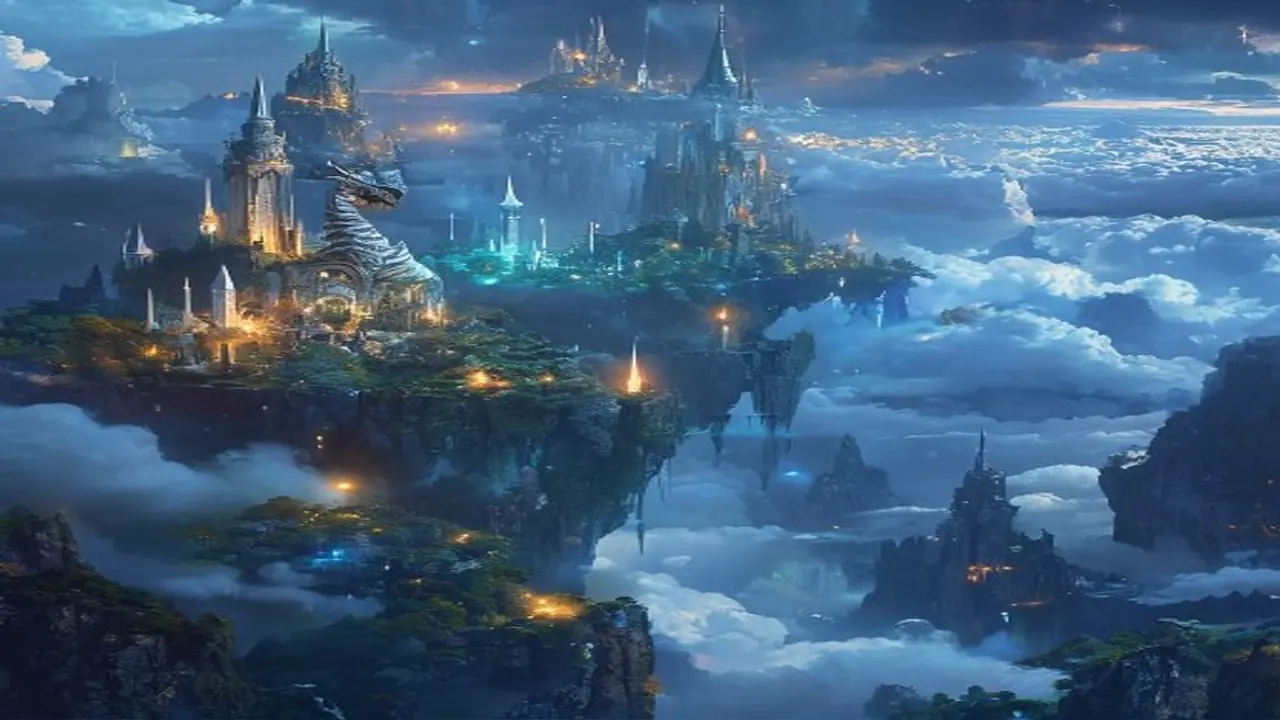
"Breathtaking fantasy landscape, massive floating islands connected by ancient stone bridges above a sea of clouds, waterfalls cascading from the floating landmasses into the void below, a golden sunset painting the sky in shades of orange and purple, tiny medieval villages visible on the island tops, volumetric god rays streaming through cloud gaps, epic scale, concept art style, (Ted Nasmith:1.1), matte painting, masterpiece, best quality, ultra-detailed, 8K"
Prompt 5: Photorealistic Nature Scene
Copy this prompt:
"Stunning autumn forest landscape photography, a serene lake reflecting the vibrant fall foliage in perfect mirror image, trees in brilliant orange, red, yellow, and remaining green, morning mist hovering over the water surface, a single wooden canoe at the shore, golden morning sunlight filtering through the trees, National Geographic award-winning photo, shot with Nikon Z9, (photorealistic:1.4), masterpiece, best quality, ultra-detailed"
Prompt 6: Alien World Landscape
Copy this prompt:
"Alien planet landscape, bioluminescent crystal formations growing from purple-tinted terrain, twin moons visible in a green-tinted sky, exotic flora with translucent leaves emitting soft light, a river of luminous liquid flowing through the valley, massive ringed gas giant planet rising on the horizon, sci-fi concept art, (Chris Foss:1.1), (Roger Dean:1.1), masterpiece, best quality, ultra-detailed, otherworldly color palette"
🏙️ Architecture & Urban Prompts
Prompt 7: Cyberpunk City
Copy this prompt:
"Cyberpunk megacity at night, towering skyscrapers covered in holographic advertisements and neon signs in Japanese and English, flying vehicles between buildings, dense urban environment with multiple vertical layers, rain-slicked streets reflecting the neon lights, steam rising from vents, a lone figure with an umbrella on a bridge overlooking the city, (Blade Runner:1.2), (Syd Mead:1.1), cinematic composition, masterpiece, best quality, ultra-detailed"
Prompt 8: Ancient Temple Ruins
Copy this prompt:
"Ancient overgrown temple ruins in a dense jungle, massive stone pillars covered in vines and moss, intricate carvings of forgotten gods on the walls, shafts of sunlight breaking through the collapsed ceiling illuminating floating dust particles, a stone altar in the center with mysterious glowing runes, Indiana Jones meets Tomb Raider aesthetic, atmospheric fog, (concept art:1.2), masterpiece, best quality, ultra-detailed, volumetric lighting"
Prompt 9: Futuristic Solarpunk City
Copy this prompt:
"Solarpunk utopian cityscape, organic architecture seamlessly integrated with lush vegetation, buildings covered in vertical gardens and solar panels shaped like leaves, clean waterways with small boats, citizens walking on garden bridges, colorful markets at street level, blue sky with fluffy clouds, optimistic warm lighting, a vision of a sustainable green future, (Studio Ghibli:1.1), concept art, masterpiece, best quality, ultra-detailed"
🎨 Artistic & Stylized Prompts
Prompt 10: Oil Painting Masterpiece
Copy this prompt:
"Beautiful oil painting of a sunlit Tuscan countryside, rolling golden hills with cypress trees, a rustic stone villa with terracotta roof in the middle ground, lavender fields in the foreground, warm afternoon light casting long shadows, impressionist brushwork with visible thick oil paint texture, rich warm color palette, (Claude Monet:0.8), (John Singer Sargent:1.1), museum-quality fine art, masterpiece, best quality"
Prompt 11: Watercolor Illustration
Copy this prompt:
"Delicate watercolor illustration of a cozy English cottage garden in spring, blooming roses climbing up a stone wall, a wooden gate partially open, a tabby cat sitting on the garden path, soft watercolor washes with visible paper texture, gentle color bleeding at edges, pastel color palette of pinks, greens, and lavenders, botanical illustration quality, (Beatrix Potter:1.1), masterpiece, best quality, intricate details"
Prompt 12: Art Nouveau Poster
Copy this prompt:
"Art Nouveau poster design of a woman surrounded by flowing organic floral patterns, (Alphonse Mucha:1.3) style, elaborate decorative border with intertwining vines and flowers, muted earthy color palette with gold accents, elegant flowing hair merging with the botanical elements, ornate circular halo frame behind the figure, vintage poster print aesthetic, masterpiece, best quality, ultra-detailed, symmetric composition"
🚀 Sci-Fi & Futuristic Prompts
Prompt 13: Space Opera Scene
Copy this prompt:
"Epic space opera battle scene, massive capital ships exchanging laser fire in orbit above a lush green planet, explosions and debris floating in zero gravity, smaller fighter craft weaving between the giant vessels, a huge space station visible in the background, dramatic lighting from the nearby sun and from weapons fire, (Star Wars meets Mass Effect:1.1), cinematic wide shot, sci-fi concept art, masterpiece, best quality, ultra-detailed"
Prompt 14: Mech/Robot Design
Copy this prompt:
"Highly detailed giant mech robot standing in a destroyed urban landscape, (Gundam:0.8) inspired design, sleek angular white and blue armor plating with battle damage and scorch marks, glowing orange reactor core visible in the chest, one hand holding a massive energy sword, dramatic low angle shot making the mech look towering, dust and debris in the air, sunset light behind creating a dramatic silhouette rim light, concept art, masterpiece, best quality, ultra-detailed"
Prompt 15: Retro Sci-Fi Illustration
Copy this prompt:
"1950s retro sci-fi book cover illustration, a sleek chrome rocket ship landing on a mysterious alien planet with strange geometric structures, an astronaut in a classic bubble helmet space suit stepping onto the surface, two alien suns in the sky casting unusual dual shadows, vintage pulp sci-fi art style, (Chris Foss:1.2), bold saturated colors, optimistic space age aesthetic, masterpiece, best quality, retro futurism"
🌸 Anime & Manga Prompts
Prompt 16: Anime Character Illustration
Copy this prompt:
"Beautiful anime girl in a school uniform standing under a cherry blossom tree, petals falling around her, holding a letter behind her back, blushing expression, wind blowing her long dark hair and skirt, warm spring sunlight, highly detailed anime eyes with light reflections, soft pastel color palette, (Makoto Shinkai:1.2) lighting quality, anime key visual, masterpiece, best quality, ultra-detailed, anime style"
Best model: Use an anime-focused model like Anything V5, CounterfeitXL, or AnimagineXL for best results.
Prompt 17: Anime Battle Scene
Copy this prompt:
"Dynamic anime battle scene, a samurai warrior mid-slash with a glowing katana, energy burst emanating from the blade in swirling blue and white patterns, flowing traditional Japanese clothing in dramatic motion, intense determined facial expression, cherry blossoms mixed into the energy effects, dark dramatic background with speed lines, (Demon Slayer:0.8) art quality, anime key frame, masterpiece, best quality, ultra-detailed, dynamic pose"
Prompt 18: Cozy Anime Scene
Copy this prompt:
"Cozy anime interior scene, a girl sitting at a window seat reading a book in a warm room, rain falling outside the large window, a cup of hot tea with visible steam on the windowsill, a fluffy cat curled up on her lap, bookshelves and warm lighting from a desk lamp, rainy evening city visible through the window, warm orange interior vs cool blue exterior color contrast, slice of life anime aesthetic, (Makoto Shinkai:1.1), masterpiece, best quality"
🏰 Fantasy & Medieval Prompts
Prompt 19: Dragon Scene
Copy this prompt:
"Massive ancient dragon perched on a mountain peak overlooking a medieval kingdom, enormous leathery wings spread wide catching the wind, scales glistening in deep red and black with gold underbelly, smoke and embers drifting from slightly open jaws, intelligent ancient eyes surveying the lands below, tiny castle visible in the valley for scale, dramatic storm clouds gathering, (Todd Lockwood:1.2), fantasy concept art, masterpiece, best quality, ultra-detailed, epic scale"
Prompt 20: Medieval Tavern Interior
Copy this prompt:
"Cozy medieval fantasy tavern interior, warm fireplace casting dancing shadows on wooden walls, adventurers and travelers gathered at rough wooden tables sharing stories, a bard playing a lute in the corner, tankards of ale and plates of food on tables, detailed RPG environment, candles and lanterns providing warm lighting, a mysterious hooded figure sitting alone in a dark corner, (Dungeons and Dragons:0.8) art style, concept art, masterpiece, best quality, atmospheric"
📷 Photorealistic & Photography Prompts
Prompt 21: Street Photography
Copy this prompt:
"Stunning street photography in Tokyo at night, a narrow alley lit by warm lanterns and neon signs, an elderly ramen chef visible through a small shop window, steam rising from the kitchen, wet cobblestones reflecting the warm lights, a vintage bicycle parked against the wall, intimate atmosphere, shot on Leica M11 with 35mm Summilux lens, film grain, slight vignette, (photorealistic:1.4), masterpiece, best quality, moody atmospheric"
Prompt 22: Wildlife Photography
Copy this prompt:
"Award-winning wildlife photography of a snow leopard mid-leap between rocky mountain outcrops, powerful muscles visible beneath thick spotted fur, intense focused eyes on prey, snow particles suspended in air from the leap, dramatic mountain backdrop with storm clouds, golden hour light illuminating the leopard against a dark background, shot with Canon 600mm telephoto lens, (National Geographic:1.2), photorealistic, masterpiece, best quality, razor-sharp focus"
Prompt 23: Product Photography
Copy this prompt:
"Professional product photography of a luxury mechanical watch on a dark slate surface, dramatic side lighting creating highlights on the polished steel case, intricate watch face details visible through sapphire crystal, subtle reflections and shadows, water droplets on the surface suggesting durability, dark moody background with subtle gradient, commercial advertising quality, shot with Phase One 100mm macro, (photorealistic:1.4), masterpiece, best quality, ultra-detailed"
🎭 Mixed Style & Creative Prompts
Prompt 24: Surrealist Composition
Copy this prompt:
"Surrealist digital painting, a giant whale swimming through clouds above a desert landscape, tiny hot air balloons floating around it, staircases leading to nowhere emerging from sand dunes, melting clocks hanging from dead trees, the whale is translucent showing a galaxy inside its body, dreamlike atmosphere, (Salvador Dali:0.9), (Rene Magritte:0.8), impossible architecture, surreal art, masterpiece, best quality, ultra-detailed, imaginative"
Prompt 25: Steampunk Invention
Copy this prompt:
"Detailed steampunk mechanical invention, an ornate clockwork automaton bird made of brass, copper, and glass, intricate visible gears and mechanisms inside a partially transparent body, steam piston wings mid-flap, perched on a stack of old leather-bound books in a Victorian inventor's workshop, warm gaslight illumination, incredibly detailed mechanical parts, (steampunk:1.3), concept art, masterpiece, best quality, ultra-detailed, warm color palette"
Prompt 26: Pixel Art Scene
Copy this prompt:
"16-bit pixel art of a mystical forest glade at twilight, small pixel art character with a glowing staff standing at the entrance, fireflies represented as bright pixels floating among the trees, a crystal-clear pixel art stream reflecting the purple and pink sunset sky, retro RPG game aesthetic, (SNES era:1.2), detailed pixel art environment, masterpiece, best quality, nostalgic gaming art"
Advanced Stable Diffusion Techniques
ControlNet for Precise Composition
ControlNet is a game-changing extension that gives you precise control over composition, pose, and structure. Use it with:
- Canny edge detection — maintain the structure/edges of a reference image
- OpenPose — specify exact character poses using stick figure references
- Depth map — control the depth/spatial layout of your scene
- Line art — use a sketch as a guide for the AI to paint over
Combine ControlNet with the prompts in this guide for results that match your exact vision.
LoRA Models for Specific Styles
LoRA (Low-Rank Adaptation) models are small add-on models that teach Stable Diffusion specific styles, characters, or concepts. Popular LoRAs include:
- Detail enhancers — add extra detail and texture to any output
- Style LoRAs — replicate specific art styles (Studio Ghibli, Disney, comic book, etc.)
- Concept LoRAs — add specific visual concepts (neon lights, liquid metal, etc.)
- Character LoRAs — maintain consistent character appearance across generations
Find LoRAs on CivitAI, and use them by adding their trigger words to your prompt. Explore curated prompts and styles at PromptSpace's generator.
img2img for Refinement
Use img2img (image-to-image) to refine and improve your generations. The workflow: generate an initial image with txt2img using a prompt from this guide, then feed the result back into img2img with the same or modified prompt at a denoising strength of 0.3-0.5. This preserves the overall composition while adding new details and fixing issues.
Inpainting for Fixing Details
Got a great image but one area isn't right? Use inpainting to regenerate specific parts of the image while keeping the rest untouched. Common uses: fixing hands and fingers, improving faces, changing backgrounds, adding or removing objects. Mask only the area you want to change and use a detailed prompt for just that element.
Upscaling for Maximum Quality
After generating your base image, upscale it for maximum quality. The best workflow: generate at the model's native resolution (512×512 for SD 1.5, 1024×1024 for SDXL), then use the built-in hires fix or an external upscaler like 4x-UltraSharp or Real-ESRGAN. This produces images at 2048×2048 or higher with incredible detail.
Model Selection Guide for Stable Diffusion
Best Models by Category (2026)
Choosing the right model is just as important as writing the right prompt. Here's a curated guide to the best Stable Diffusion models for each use case:
Photorealistic Photography:
- Juggernaut XL — Currently the gold standard for photorealism. Produces stunning human portraits, landscapes, and product photography.
- RealVisXL — Excellent for realistic scenes with natural lighting. Great skin textures and fabric rendering.
- epiCRealism — Strong at cinematic photorealism with dramatic lighting.
Anime and Illustration:
- AnimagineXL 3.1 — The premier SDXL anime model. Beautiful character art with Ghibli-quality backgrounds.
- CounterfeitXL — Detailed anime with a slightly more realistic edge. Great for semi-realistic anime style.
- Anything v5 — SD 1.5 classic. Still produces beautiful anime art with a massive LoRA ecosystem.
Artistic and Stylized:
- DreamShaper XL — Versatile model that excels at fantasy, concept art, and artistic interpretations.
- SDXL Base + Refiner — The official model is a strong all-rounder for artistic work.
- Stable Diffusion 3 — The latest official model with improved prompt following and detail.
Understanding Model Versions
The Stable Diffusion ecosystem has multiple model architectures:
- SD 1.5 models: The classic. Requires less VRAM (4-6GB), massive ecosystem of fine-tunes and LoRAs, generates at 512×512 native.
- SDXL models: The current mainstream. Requires 8-12GB VRAM, much higher quality, generates at 1024×1024 native, growing ecosystem.
- SD 3 models: The newest generation. Best prompt following, improved text rendering, requires 12GB+ VRAM, ecosystem still developing.
For most users in 2026, SDXL models offer the best balance of quality, speed, and ecosystem support. Use PromptSpace's AI Image Generator if you don't have the hardware for local generation.
Where to Find Models
The best sources for Stable Diffusion models in 2026:
- CivitAI — The largest model repository with reviews, example images, and community ratings
- Hugging Face — The official model hub, great for base models and research models
- PromptSpace gallery — Browse our gallery to see which models produce results you like, with prompt details included
Stable Diffusion Prompt Tips for Better Results
Front-Load Important Elements
Stable Diffusion pays more attention to words at the beginning of your prompt. Put your most important elements first: the subject, then the style, then supporting details. "A dragon" at the beginning will be more prominent than "a dragon" buried after a long description of the background.
Use Specific Art References
Instead of vague terms like "beautiful art," reference specific artists or art styles. "In the style of Greg Rutkowski" or "Alphonse Mucha art nouveau style" gives the model a clear target. Combine 2-3 artist references with different weights for unique blended styles.
Test Seeds for Consistency
When you find a good composition but want to try different styles or details, lock the seed number and only change the style-related parts of your prompt. This keeps the same basic composition while experimenting with different aesthetics.
Use BREAK for Complex Scenes
The BREAK keyword separates concepts in your prompt, preventing the model from blending them incorrectly. For example: "A red rose on a table BREAK a blue sky visible through a window" ensures the colors don't bleed between concepts. This is especially useful for scenes with multiple distinct elements.
Build a Personal Prompt Library
Save your best prompts in an organized library. Over time, you'll build a collection of proven prompts that consistently produce great results. Start with the prompts in this guide and modify them to suit your style. PromptSpace's image gallery is a great resource for discovering new prompts from the community.
Frequently Asked Questions About Stable Diffusion Prompts
What's the maximum prompt length for Stable Diffusion?
The standard CLIP text encoder used in Stable Diffusion has a token limit of 77 tokens (roughly 50-60 words). However, most modern UIs (Automatic1111, ComfyUI) support prompt extension that breaks longer prompts into multiple 77-token chunks. For best results, keep your core prompt under 77 tokens and put the most important elements first. SDXL has a larger prompt capacity thanks to its dual text encoder setup and can effectively use longer prompts.
Do I need to use the same prompts for SDXL as for SD 1.5?
The basic prompt structure works for both, but SDXL responds better to natural language descriptions and doesn't require as many quality boosters (it's already higher quality). SD 1.5 benefits more from tags like "masterpiece, best quality, ultra-detailed." SDXL also understands more complex compositions and can handle longer, more descriptive prompts. The prompts in this guide work well with both, but you may find you can simplify them for SDXL while getting better results.
Why do my Stable Diffusion images have bad hands and fingers?
Hands are notoriously difficult for AI image generators because they have complex, variable geometry. To improve hands: always include "bad hands, bad fingers, extra fingers, missing fingers, deformed hands" in your negative prompt. Use a lower CFG scale (5-7). If using SDXL, hands are significantly improved over SD 1.5. For critical hand accuracy, use ControlNet with an OpenPose hand reference or use inpainting to fix hands after generation. Some LoRA models specifically improve hand generation.
What's the best Stable Diffusion model for beginners in 2026?
For beginners, we recommend starting with SDXL base — it produces the highest quality results with the simplest prompts and is the most forgiving of prompt structure. If you have a powerful GPU (12GB+ VRAM), use SDXL directly. For lower-end hardware (4-8GB VRAM), SD 1.5 with the DreamShaper or Realistic Vision model is a great starting point. For anime and illustration, try AnimagineXL (SDXL-based) or Anything V5 (SD 1.5-based). You can always try prompts from this guide using PromptSpace's online AI Image Generator without any local setup.
How do I create consistent characters across multiple Stable Diffusion images?
Consistency is one of the biggest challenges in SD. The best approaches are: (1) Train a custom LoRA on your character using 15-30 reference images — this gives you the most consistent results. (2) Use a detailed character description that you copy into every prompt, including specific features like "green eyes, red shoulder-length hair, scar on left cheek." (3) Use the same seed number with similar compositions. (4) Use ControlNet with reference images to maintain pose and composition consistency. (5) Use the IP-Adapter extension which can use a reference image to guide character appearance without training a full LoRA.