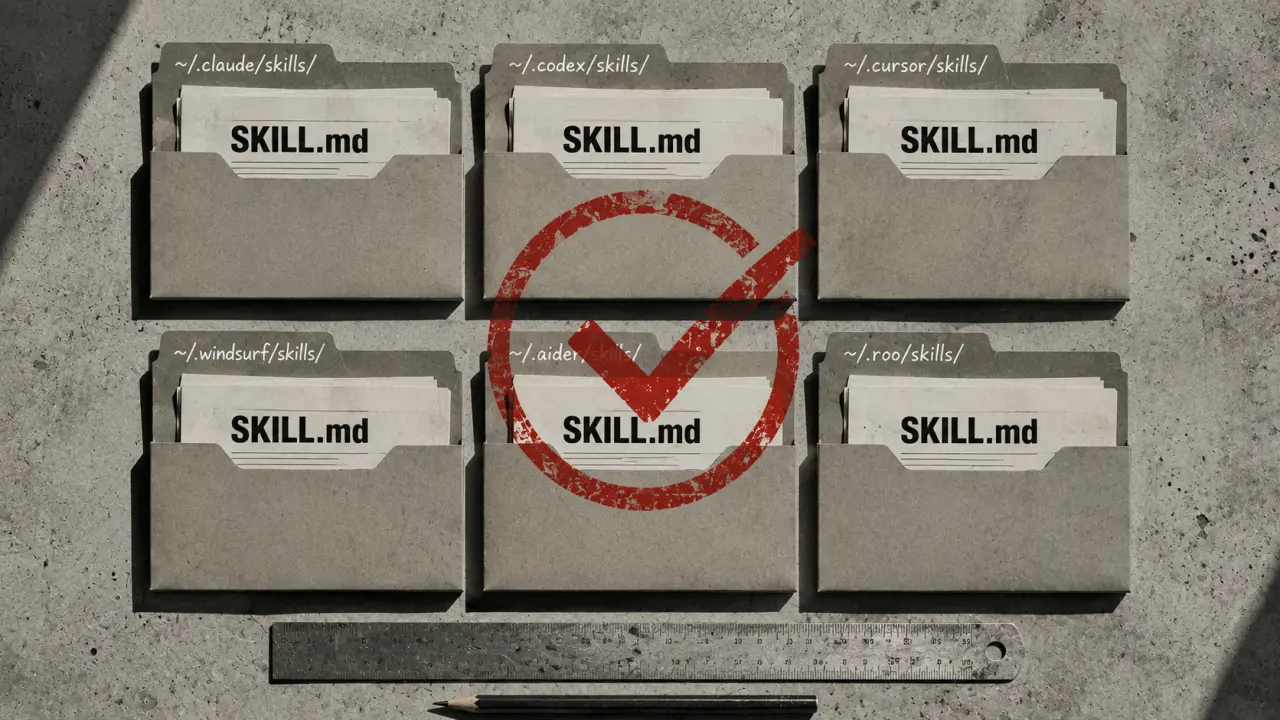
SKILL.md is revolutionizing the way AI coding agents learn and interact with new capabilities, serving as a universal language that any agent can understand and implement. Originating from Anthropic's Claude Code, this open file format has rapidly become a standard across the AI development landscape in 2026, enabling seamless portability and interoperability of skills across multiple platforms.
What is SKILL.md?
At its core, SKILL.md is a markdown file supplemented with YAML frontmatter that defines a set of instructions or capabilities an AI coding agent can learn. Think of it as a recipe book for AI assistants — it tells them exactly how to perform specific tasks, understand new commands, or integrate with external tools. Because it's written in markdown, it's both human-readable and machine-parsable, making it accessible to developers and AI agents alike.Why SKILL.md Matters in 2026
The AI coding agent ecosystem has exploded in recent years, with dozens of platforms competing and collaborating. Before SKILL.md, each agent had its own proprietary method of extending functionality, leading to fragmentation and duplicated effort. SKILL.md solves this by providing a universal format. This means you write a skill once, and it works across Claude Code, OpenClaw, Codex CLI, and many others without rewriting.Which Agents Support SKILL.md?
As of 2026, here are the leading AI coding agents supporting SKILL.md, along with their compatibility details:1. Claude Code (Anthropic) — Full support with personal and project skill paths. 2. OpenClaw (Peter Steinberger) — Full support, similar skill directories. 3. Codex CLI (OpenAI) — Full support including configuration via openai.yaml. 4. Cursor (Cursor Inc) — Partial support, limited to project-level skills. 5. Gemini CLI (Google) — Full support with standard skill paths.
Each agent uses a slightly different default directory structure for storing skills, but the SKILL.md format remains consistent.
Setting Up SKILL.md Skills on Your Agent
To get started with SKILL.md, follow these general steps which apply to most agents:1. Locate your agent's skill directory. For example, Claude Code uses `~/.claude/skills/` for personal skills and `.claude/skills/` for project-specific skills. 2. Download or create your SKILL.md file. You can browse ready-to-install skills at agensi.io/skills. 3. Place the SKILL.md file in the appropriate directory. For project-specific skills, drop it inside your project's skill folder. 4. Restart or reload your AI agent. This ensures the agent recognizes the new skills. 5. Test the skill. Try invoking the new capability to verify it's working.
For example, to add a Python debugging skill to OpenClaw, download the skill file to `~/.openclaw/skills/python-debugging/SKILL.md` and restart the OpenClaw CLI.
Practical Example: Adding a Git Automation Skill
Suppose you want your AI agent to automate Git operations like branching, committing, and pushing code. Instead of teaching your agent from scratch, you can leverage an existing SKILL.md file:1. Visit agensi.io/skills and search for "git automation." 2. Download the SKILL.md file. 3. Place it in your agent's personal skills folder. 4. Restart the agent. 5. Now, prompt your agent with commands like "Create a new branch called feature-X" or "Commit all changes with message ‘Update README.’" The agent will execute these based on the skill logic.
This example demonstrates how SKILL.md empowers developers to extend AI capabilities without coding new integrations.
Tips for Creating Your Own SKILL.md Files
If you want to create custom skills for your projects or organization, keep these best practices in mind:1. Be Clear and Concise: Since SKILL.md is parsed by AI agents, clear instructions reduce ambiguity. 2. Use Examples: Provide usage examples inside the markdown to help both humans and AIs understand expected behavior. 3. Test Across Agents: Because SKILL.md is cross-compatible, test your skills on multiple agents to ensure consistent behavior. 4. Version Control: Keep your skills in version control repositories to manage updates and collaboration. 5. Modular Skills: Break down complex capabilities into smaller, reusable skills to promote maintainability.
By following these tips, you can contribute to the growing ecosystem of shared skills.
Real-World Use Cases
1. Enterprise Dev Teams
Large software teams use SKILL.md to standardize AI coding assistants across their development environments. For example, a company might create custom SKILL.md files that encode their internal code review guidelines, automated testing procedures, or deployment scripts. By distributing these skills across agents used by their engineers, they ensure consistent quality and efficiency.2. Open Source Projects
Open source maintainers leverage SKILL.md to onboard contributors quickly. New developers can interact with AI agents equipped with project-specific skills that explain the project's architecture, coding conventions, and issue triaging processes. This reduces the learning curve and accelerates contribution.3. Individual Developers
Freelancers and solo developers use SKILL.md to tailor AI assistants to their workflow. For instance, a developer specializing in data science might create skills for automating data cleaning, visualization, or model training, making daily tasks faster and less error-prone.How Cross-Agent Compatibility Works
SKILL.md achieves cross-agent compatibility through adherence to a simple, standardized format:- YAML Frontmatter: Defines metadata like skill name, version, triggers, and parameters. - Markdown Body: Contains detailed instructions, examples, and usage notes.
Each AI agent implements a parser that reads this structure and maps it to its internal execution engine. Because the format is declarative and self-contained, no agent-specific modifications are necessary. This portability saves developers time and effort.
Future of SKILL.md and AI Coding Agents
Looking ahead, SKILL.md is poised to become even more integral to AI coding workflows. Expectations for 2026 and beyond include:- Automated Skill Discovery: Agents will suggest or auto-install relevant skills based on project context. - Skill Marketplaces: Platforms will emerge where developers can buy, sell, or share skills. - Enhanced Interactivity: Skills may support dynamic dialogues, adapting instructions based on user feedback. - Cross-Domain Applications: Beyond coding, SKILL.md could extend to design, documentation, and DevOps tasks.
These developments will further blur the lines between AI assistance and human expertise.
Summary
SKILL.md is the universal key unlocking AI coding agents' potential across platforms. Its open, simple format allows developers to teach AI agents new skills once and have them work everywhere — from Claude Code to Gemini CLI and beyond. Whether you’re a developer, team lead, or AI enthusiast, embracing SKILL.md equips you to harness the full power of AI-assisted coding in 2026 and beyond. Explore existing skills, try adding your own, and watch your AI agents become smarter with every skill you share.Frequently Asked Questions
What AI tools do developers use most in 2026? Claude Code, GitHub Copilot, and Cursor AI dominate developer workflows. See our Developer Prompts collection.Are AI coding tools worth it? Yes — developers consistently report 20–40% productivity gains on repetitive tasks. Most subscriptions pay for themselves within the first week.
Copilot vs Cursor — which is better? Cursor handles complex multi-file edits better. Copilot integrates into more editors. Most developers who try Cursor prefer it for complex projects.
Is AI-generated code production-ready? AI produces solid starting points, not final code. Always review, test, and refine AI-generated code before deploying to production. If you're running multiple agents and want to see how their SKILL.md / rules / AGENTS.md formats stack up, our Claude Code Skills vs Cursor Rules vs AGENTS.md comparison is the detailed follow-up to this list.