Why Everyone's Making Anime OCs with AI Now
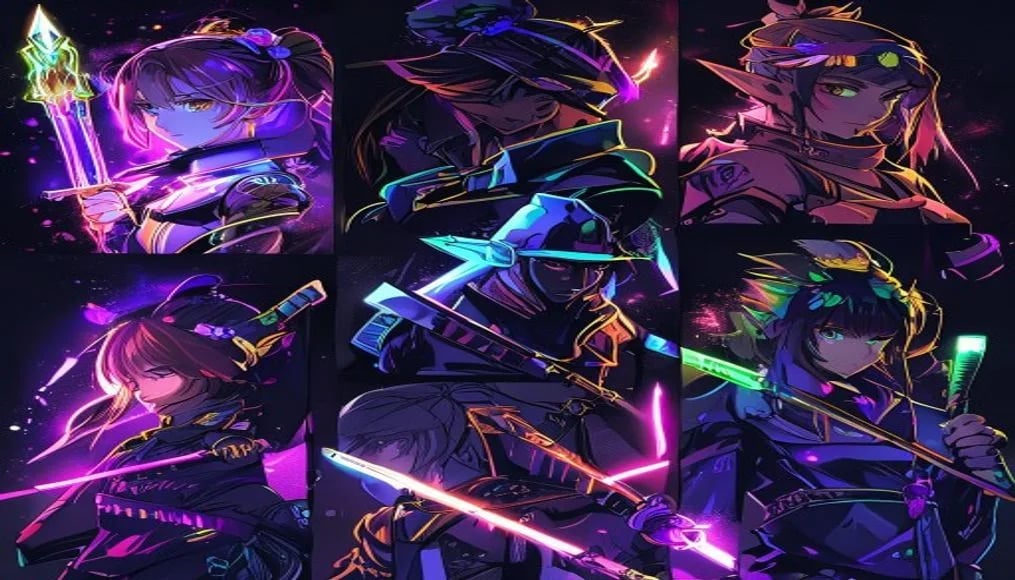
I've been messing around with AI image generators since mid-2023. Tried everything from photorealistic portraits to abstract art. But the thing I keep coming back to? Anime characters. Specifically, original characters â OCs that don't exist anywhere else.
And I'm not alone. If you look at the most popular tags on CivitAI, the top community models on PixAI, or what people actually generate on free tools â anime character creation dominates. It's not even close.
The reason is pretty obvious when you think about it. Anime as an art style has clear visual rules: big expressive eyes, defined color palettes, consistent proportions. That makes it perfect for AI generation. The models can learn the "grammar" of anime art more easily than, say, trying to replicate a specific oil painting technique. And for OC creators â writers, game designers, roleplayers, VTuber hopefuls â these tools solve a problem that used to cost hundreds of dollars in commissions.
I've tested basically every option out there over the past year. Some are incredible. Some are overhyped. Here's what actually works for creating original anime characters in 2026, ranked by how well they handle the specific challenge of character design (not just generic anime art).
The Best AI Anime Character Generators, Ranked
1. NovelAI â Best for Dedicated Character Work
NovelAI remains the gold standard for anime character generation and there's a specific reason: the team trained their image model (NAI Diffusion V4) almost exclusively on high-quality anime and manga artwork. While other tools are generalist models that happen to do anime, NovelAI is an anime model that happens to do other things.
What makes it exceptional for OC creation:
- Tag-based prompting â uses Danbooru-style tags that map directly to specific anime visual concepts. "1girl, long_hair, red_eyes, black_serafuku" gives you exactly what you'd expect.
- Character consistency tools â the VibeTransfer feature lets you feed reference images to maintain a character's look across multiple generations.
- Inpainting that actually works â need to change just the hair color or outfit? The inpainting respects anime anatomy instead of creating Frankenstein results.
- No content filter nonsense â you can create mature, complex character designs without the tool refusing because a shoulder is exposed.
The downside? It costs money. The Opus plan ($25/month) gives you enough generations to work with, but there's no free tier. For serious character creators, though, the quality-per-generation is unmatched.
NovelAI Image Generation Docs â
2. Stable Diffusion + Anime Checkpoints â Most Flexible, Free
If you're willing to run things locally (or use a cloud GPU), Stable Diffusion with community anime checkpoints gives you absolute control. This is what professional character designers use when they need full ownership and zero restrictions.
The ecosystem in 2026 is mature. Models like AnyLoRA, Animagine XL 4.0, and Pony Diffusion V7 produce results that rival hand-drawn illustration. Pair them with character-specific LoRAs and you can generate dozens of variations of your OC in different poses, outfits, and expressions.
Best anime checkpoints right now:
- Animagine XL 4.0 â clean line art, excellent at school/fantasy settings
- Pony Diffusion V7 â versatile, handles both cute and serious aesthetics
- MeinaMix V12 â soft coloring, great for slice-of-life character designs
- Hassaku XL â sharp, modern anime style similar to Ufotable productions
The learning curve is real â you need to understand samplers, CFG scale, LoRA weights, and negative prompts. But once you do, nothing else compares for raw capability.
Browse anime models on CivitAI â
3. PromptSpace AI Image Generator â Best Free, No-Setup Option
Full disclosure: this is our own tool. But I'm including it because it genuinely fills a gap. Not everyone wants to install ComfyUI or pay $25/month. Sometimes you just want to type a description and get a solid anime character back.
The PromptSpace AI Image Generator runs in your browser with zero setup. It handles anime-style prompts well, supports different aspect ratios (portrait works best for character art), and you can iterate quickly without worrying about credits or generation limits.
It won't match NovelAI's precision or Stable Diffusion's flexibility. But for brainstorming character concepts, getting reference images for a commission brief, or just having fun designing OCs â it's hard to beat free-and-instant.
Pair it with our prompt gallery to see what styles work best, then adapt those prompts for your character ideas.
4. PixAI â Best Community-Focused Option
PixAI built their entire platform around anime generation. The community aspect is what sets it apart â you can browse what other users created, see their exact prompts, and use community-trained models that specialize in specific anime sub-styles.
The free tier gives you daily credits (enough for 20-30 generations). The model selection is solid, with both their proprietary models and popular community checkpoints available. Character creation specifically benefits from their "character sheet" template that generates front/side/back views in one go.
Weaknesses: generation speed on free tier can be slow during peak hours, and the quality ceiling is lower than NovelAI or local SD. But the price (free) and community features make it worth keeping in your toolkit.
5. Midjourney --niji â Most Polished Output
Midjourney's --niji mode (now on V6) produces the most aesthetically polished anime art of any tool. The colors pop, the composition is always interesting, and it has this almost professional-illustration quality that makes every generation look like it could be a light novel cover.
So why isn't it ranked higher for character creation? Control. Midjourney's prompt interpretation is loose and artistic. It'll give you a beautiful anime girl, but getting her to look exactly like your OC â with that specific hair clip, those particular boots, that scar on her left cheek â requires fighting the model. The vary/remix tools help, but it's never as precise as tag-based systems.
Use it for: initial character concept art, color palette exploration, and "hero shots" of established characters.
Midjourney Niji Documentation â
6. Emerging Tools: Waifu Labs, Crypko, and AI Picasso
A few specialized tools deserve mention even though they're more limited:
- Waifu Labs â old-school but still fun for quick face generation. Good for visual novel developers who need many character portraits fast.
- Crypko â focused on anime face generation with granular control over features. Limited to busts/portraits but very precise.
- AI Picasso â mobile-focused, useful if you want to sketch a rough character on your phone and let AI clean it up into proper anime art.
None of these replace the top-tier options, but they each solve specific niche problems well.
How to Design an OC with AI: The Prompt Formula
Here's the thing most people get wrong: they describe their character like they're writing a novel. "A mysterious warrior from the northern kingdoms who carries the burden of a dark past" tells the AI absolutely nothing useful.
AI generators need visual information. Physical descriptors. Specific design elements. Here's the formula I use that works across every tool:
The Character Prompt Formula
[Shot type], [character count], [hair: color + style + length], [eyes: color + shape], [body type], [outfit: specific pieces with colors], [accessories], [pose/expression], [background/setting], [art style modifiers]
Let me break down why this order matters:
- Shot type first â "portrait," "full body," "upper body" tells the model what to frame. Without this, you'll get random crops.
- Character count â "1girl" or "1boy" prevents the model from generating multiple characters.
- Physical features early â hair and eyes define a character more than anything else in anime. Put them front and center.
- Outfit details â be specific. Not "school uniform" but "black blazer, white button-up shirt, red plaid skirt, knee-high socks."
- Style modifiers last â "masterpiece, best quality, sharp lines, cel shading" polishes the output.
This formula works in NovelAI (using tags), Stable Diffusion (in the positive prompt), and even in natural-language tools like Midjourney (just write it as a flowing description instead of comma-separated tags).
Example: Building a Character Step by Step
Say I want to create a fire mage character. Here's how the formula translates:
full body, 1girl, long wavy crimson hair, amber eyes, sharp features, athletic build, black cropped jacket with gold trim, dark red corset top, fitted black pants, thigh-high boots, fingerless gloves, fire magic circle floating beside her, confident smirk, standing pose, dark stone ruins background, anime illustration, detailed shading, warm color palette
That gives the AI everything it needs. No guessing. No vague concepts. Pure visual information.
10 Copy-Paste Prompts for Anime Character Archetypes
I use these as starting templates, then modify details for each specific OC. They're designed to work across most generators â adjust formatting for tag-based tools (add commas between descriptors) vs. natural-language tools (write as sentences).
1. The Brooding Swordsman
full body, 1boy, messy silver-white hair falling over one eye, narrow ice-blue eyes, tall lean muscular build, long black coat with torn edges, dark gray shirt underneath, worn leather belt with katana sheath, bandaged right arm, neutral serious expression, standing in rain, wet hair, dark forest path background, dramatic lighting from above, anime illustration, dark fantasy style, high detail
2. The Cheerful Academy Student
upper body, 1girl, shoulder-length pink hair with small side ponytail, bright green eyes, round cheerful face, white sailor uniform with blue collar and red ribbon, carrying school bag, peace sign with one hand, big open smile, cherry blossom petals floating, school gate background, soft pastel colors, anime style, clean line art, spring atmosphere
3. The Cyberpunk Hacker
portrait from chest up, 1girl, asymmetric bob haircut half-black half-neon-blue, cybernetic left eye glowing orange, sharp jawline, oversized black hoodie with circuitboard pattern, multiple ear piercings, holographic screens floating around her, focused intense expression, dark room lit by monitor glow, cyberpunk anime style, high contrast, neon accents on dark background
4. The Ancient Dragon in Human Form
full body, 1boy, very long straight black hair to waist, golden slit-pupil eyes, elegant angular features, tall imposing figure, traditional Chinese-style black and gold hanfu robes, dragon scale pattern on fabric edges, small curved horns partially hidden by hair, one hand raised with dark energy wisps, calm imperious expression, mountain temple at sunset background, fantasy anime illustration, ornate details, rich color palette
5. The Tired Detective
upper body, 1boy, short messy brown hair, dark circles under gray eyes, stubble on chin, rumpled beige trenchcoat over loosened tie and wrinkled white shirt, cigarette in corner of mouth, holding a case file folder, exhausted but determined expression, rainy city street at night with neon signs reflected in puddles, noir anime style, muted colors with selective warm lighting
6. The Forest Spirit
full body, 1girl, extremely long flowing seafoam green hair with flowers growing in it, large luminous pale gold eyes, pointed ears, ethereal translucent skin, dress made of layered leaves and white flower petals, barefoot with vines around ankles, deer antlers with hanging moss, gentle serene smile, ancient forest with sunbeams through canopy, Studio Ghibli inspired style, soft watercolor textures, magical atmosphere
7. The Mech Pilot
upper body, 1girl, short spiky red hair with undercut, determined violet eyes, athletic build, white and orange skin-tight pilot suit with geometric panel lines, neural interface ports on temples, sweat on forehead, gripping control sticks, cockpit interior with holographic HUD displays, intense focused expression, mecha anime style, sharp clean lines, dramatic foreshortening
8. The Vampire Aristocrat
portrait, 1boy, slicked-back platinum blonde hair, blood-red eyes with vertical pupils, pale porcelain skin, sharp handsome features, high-collar black Victorian coat with red silk lining, white cravat with ruby brooch, one gloved hand near chin, subtle fangs visible in slight smirk, gothic mansion interior with candlelight, dark elegant anime style, rich shadows, baroque ornamental details
9. The Street Fighter
full body, 1girl, long black hair in high ponytail, fierce dark brown eyes, muscular toned build with visible abs, red sports bra with black compression shorts, open white martial arts gi worn off shoulders and tied at waist, hand wraps on both fists, fighting stance with raised fists, confident aggressive grin, urban rooftop at golden hour, action anime style, dynamic pose, motion lines, strong contrast lighting
10. The Royal Strategist
upper body, 1boy, medium-length navy blue hair neatly combed back, sharp calculating amber eyes behind thin rectangular glasses, slender build, white military dress uniform with gold epaulettes and medals, high collar, holding a chess piece between two fingers, composed slight smile, war room with maps and candles background, political drama anime style, clean precise lines, cool blue-white color scheme
Feel free to mix and match elements from these prompts. Take the hair from one, the outfit concept from another, modify colors â that's how you develop unique characters instead of generating cookie-cutter archetypes.
For more anime prompt inspiration, check out our complete AI anime art prompts guide which covers style modifiers and composition techniques in depth.
Character Consistency: Making Your OC Look the Same Every Time
This is the number one frustration with AI character creation. You generate an amazing OC, love the design, and then... every subsequent generation looks like a different person. Different face shape. Hair slightly off. Eyes that changed shade.
Consistency is genuinely hard because these models generate images from scratch each time. But here are the methods that actually work in 2026:
Method 1: Lock Down Your Prompt (All Tools)
Write one "master prompt" for your character and never deviate from the physical description. Change the pose, outfit, and background â but keep hair, eye, and face descriptors identical word-for-word. Even small wording changes ("red hair" vs "crimson hair") can shift the output.
Save your master prompt somewhere. I keep a text file for each OC with their fixed descriptors at the top.
Method 2: Use a Seed + Same Settings (Stable Diffusion)
In Stable Diffusion, the combination of seed number + prompt + model + settings produces deterministic output. Find a generation you love, lock that seed, then make minimal changes to the prompt for variations. This won't give you identical faces in wildly different poses, but it keeps things in the same "neighborhood."
Method 3: Train a LoRA (Stable Diffusion â Advanced)
For serious OC work, training a LoRA on 10-20 images of your character (including the AI-generated ones you liked) creates a model that "knows" your character. After training, just triggering the LoRA in your prompt brings that specific character back reliably.
This takes some technical knowledge â you'll need Kohya_ss or similar training tools â but the results are the closest thing to "summoning" your specific character on demand.
Method 4: VibeTransfer / Image-to-Image (NovelAI, Most Tools)
Feed a reference image of your character to the model along with your prompt. Most tools have some version of this:
- NovelAI: VibeTransfer feature
- Stable Diffusion: img2img or IP-Adapter
- Midjourney: --cref (character reference) flag
The reference image anchors the output to your character's design, even when you change poses or outfits. This is probably the most accessible method for non-technical users.
Method 5: Generate Character Sheets
Create a multi-view reference sheet (front, side, back, expressions) in a single generation. Use prompts like:
character reference sheet, multiple views, front view, side view, back view, 1girl, [your character description], white background, full body turnaround, anime style, clean line art, consistent design across all views
This gives you a canonical reference that you (and the AI) can refer back to for future generations. It's the same approach professional character designers use â just AI-accelerated.
Common Mistakes That Ruin Anime Character Designs
After generating probably thousands of anime characters over the past two years, I've noticed the same problems coming up over and over. Here's what to watch for:
1. Overloading the Prompt
More detail isn't always better. If you specify 15 accessories, three patterns on the clothing, unusual hair that's also two-toned with streaks AND braids AND flowers â the model starts dropping things or mashing them together. Pick 2-3 standout design elements and let the rest be simple.
Good character design in anime (and in general) follows a principle: strong silhouette + 2-3 memorable features. Think about iconic anime characters â they're readable at a glance because they're not over-designed.
2. Ignoring Color Theory
AI will happily give you a character with rainbow hair, neon green eyes, a purple outfit, and a red background. The result looks like a visual migraine. Stick to a color scheme: 2-3 main colors plus a neutral. Specify this in your prompt explicitly.
3. Fighting the Model's Strengths
Every model has a "default zone" where it produces its best work. NovelAI excels at clean, modern anime illustration. Pony Diffusion does slightly more stylized, expressive work. Midjourney --niji leans painterly and dramatic.
If you want gritty, sketchy manga art and you're using a model trained on clean digital illustration â you're going to be frustrated. Pick the tool that naturally produces the style you want, rather than forcing one tool to do everything.
4. Neglecting Negative Prompts
In Stable Diffusion and NovelAI, negative prompts are half the equation. Without them, you'll get extra fingers, merged limbs, weird anatomy, and that melty AI artifact look. A solid negative prompt template:
worst quality, low quality, normal quality, lowres, bad anatomy, bad hands, extra fingers, fewer fingers, extra limbs, mutated hands, poorly drawn hands, poorly drawn face, mutation, deformed, ugly, blurry, watermark, text, signature, extra arms, fused fingers, poorly drawn eyes, improperly scaled
5. Generating Once and Stopping
Good character design is iterative. Your first generation won't be perfect. Generate 10-20 variations with small tweaks â adjust the hairstyle description, try different color words, change the pose. Cherry-pick the best elements from multiple outputs and refine your prompt based on what worked.
Think of AI generation like sketching. No artist draws one sketch and calls it done. You're sketching with words instead of pencil, but the iterative process is the same.
6. Forgetting Expression and Personality
A character who just stands there looking neutral is boring regardless of how cool their design is. Add personality through expression and pose. "Confident smirk," "looking away with melancholy expression," "mid-laugh with closed eyes" â these details make characters feel alive instead of like mannequins in cosplay.
Putting It All Together: Your OC Creation Workflow
Here's the workflow I actually use when designing a new character from scratch:
- Concept phase â brainstorm personality, role, and key visual motifs. Write 3-4 bullet points about who they are (this isn't for the AI â it's for you to make design decisions).
- Quick iterations â use a fast, free tool like PromptSpace's generator to rough out the basic concept. Try 5-10 variations with different color schemes and general vibes.
- Refinement â take what worked to a higher-quality tool (NovelAI or local SD). Write the detailed master prompt using the formula above. Generate 20+ variations.
- Consistency lock â pick your favorite output, create a character sheet, and establish the visual canon. Train a LoRA if you want long-term consistency.
- Variation generation â now generate your character in different outfits, poses, expressions, and scenarios using your master prompt or LoRA as the anchor.
The entire process takes maybe 2-3 hours for a well-defined character with multiple reference images. That's work that would have taken weeks of commission back-and-forth or hundreds of hours of drawing practice to do yourself.
For more anime art techniques and prompts, browse our updated anime AI art prompts collection with 200+ tested examples.
FAQ
What is the best free AI anime character generator?
For completely free with no setup, PromptSpace's AI Image Generator and PixAI's free tier are your best options. If you have a decent GPU and don't mind installation, Stable Diffusion with community anime checkpoints (like Animagine XL 4.0) gives you unlimited free generations with the highest quality ceiling. The tradeoff is always between convenience and control.
Can AI generate consistent anime characters across multiple images?
Yes, but it requires technique. The most reliable methods are: training a LoRA on your character (Stable Diffusion), using VibeTransfer (NovelAI), or the --cref flag (Midjourney). For simpler approaches, keeping your prompt wording identical for physical features and using the same seed number helps maintain consistency without advanced tools.
How do I make my AI anime character look unique instead of generic?
Specificity beats vagueness. Instead of "a cool anime girl," describe unusual feature combinations: an asymmetric haircut with a specific unusual color, heterochromatic eyes, a scar in an interesting location, culturally specific clothing mixed with fantasy elements. The best OCs combine familiar anime tropes in unexpected ways. Also, limit yourself to 2-3 standout design features rather than overloading every element.
Is it legal to use AI-generated anime characters commercially?
It depends on the tool. Midjourney, NovelAI, and Stable Diffusion (when run locally with open-source models) generally grant you commercial rights to your outputs. PixAI and free tools often have restrictions in their terms of service. Always check the specific platform's license. Note that copyright law around AI-generated images is still evolving â in the US, purely AI-generated images without sufficient human creative input may not be copyrightable, though your specific prompt engineering and curation choices can establish ownership claims.
What's the difference between using tags vs. natural language for anime character prompts?
Tag-based prompting (NovelAI, Stable Diffusion with Danbooru-trained models) uses short comma-separated descriptors: "1girl, red_eyes, long_hair, school_uniform." It's precise and predictable because the model was trained on labeled data with those exact tags. Natural language prompting (Midjourney, DALL-E) uses flowing descriptions: "a girl with red eyes and long hair wearing a school uniform." It's more intuitive but less precise â the model interprets your intent rather than matching exact visual concepts. For character design where precision matters, tag-based systems generally give you more control.