Effortless Seine Promenade — AI Image Prompt
Prompt
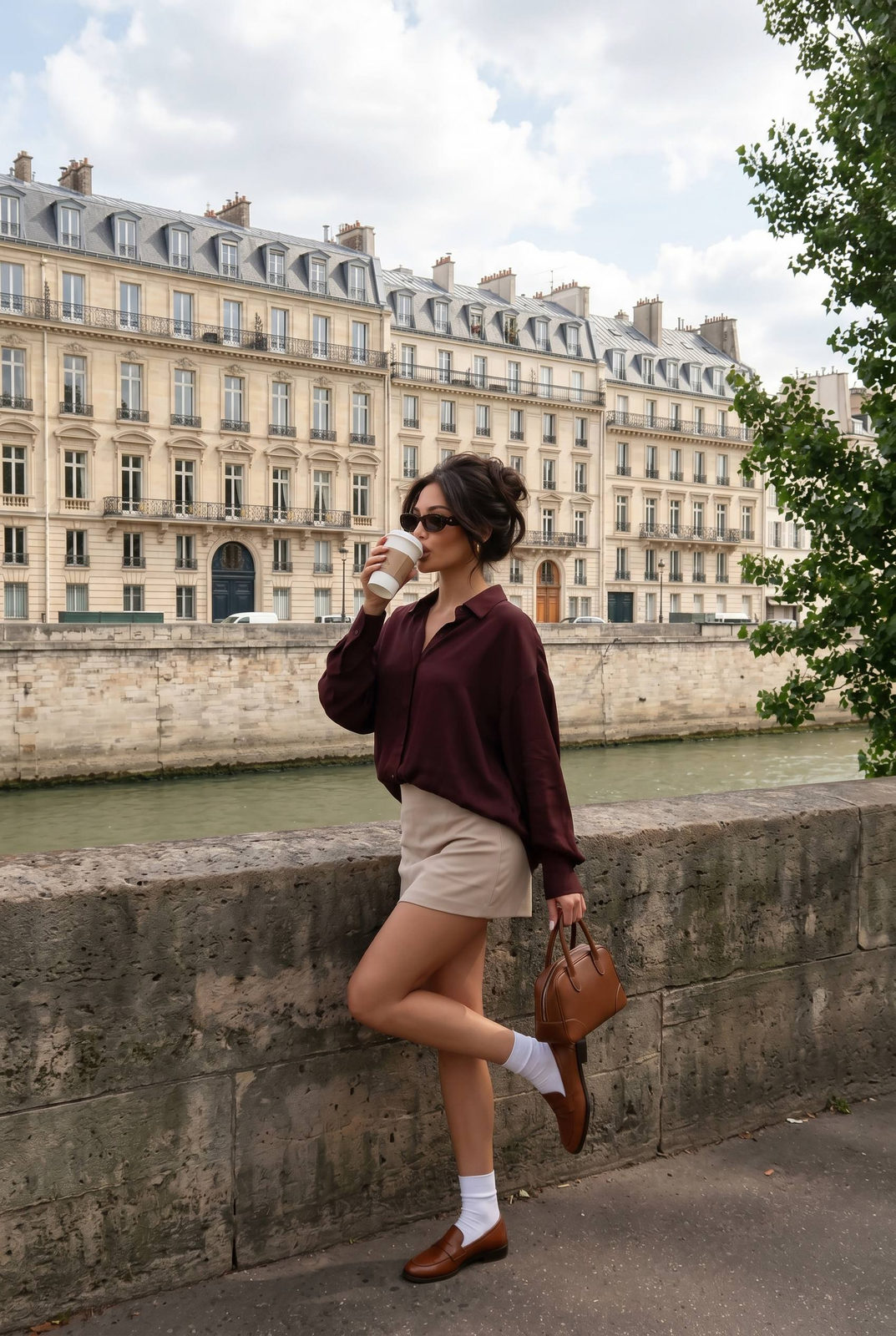
IMPORTANT: use reference two images. The second reference image defines pose, clothing and location composition. Scene: Paris riverside promenade beside the Seine. Stone embankment wall in foreground, historic Haussmann buildings across the river in background with ornate windows and grey mansard roofs. Green tree branches partially framing the right side of the image. Pose: the woman stands sideways leaning slightly against the stone wall. One leg is bent and lifted backward at the knee in a playful pose. She drinks from a white takeaway coffee cup with one hand while holding a structured brown leather handbag in the other. Camera angle: eye-level camera position with slight distance. Full-body vertical framing capturing the pose and architectural background. The subject stands centered against the river view. Lighting: natural bright daytime light with soft sunlight filtering through clouds. Gentle highlights on the buildings and soft shadows on the subject. Outfit (do not change): dark burgundy loose blouse with relaxed sleeves, light beige mini skirt, white socks, brown leather loafers, structured brown leather handbag. Hair: voluminous loose updo with soft strands framing the face. Accessories: dark sunglasses. Environment: classic Paris architecture across the river, stone embankment wall in foreground, trees with green leaves on the right side, water of the Seine visible behind the wall. Mood: effortless luxury lifestyle photography, casual Parisian fashion moment, natural candid street style. Style: lifestyle editorial photography, natural daylight, realistic skin texture, cinematic depth, high resolution, 4k image.
✦ Use this prompt for free
About “Effortless Seine Promenade”
This photorealistic, fashion, elegant AI image prompt was created by AdX and is available to copy and use for free on PromptSpace. At 239 words, this is a detailed prompt that gives AI models precise instructions for generating the exact image you envision. It falls under the realistic, fashion, photography categories.
How to Use This Prompt
- 1
Copy the prompt
Click the “Copy Prompt” button above to copy the full prompt text to your clipboard.
- 2
Open your AI image generator
Open FLUX, Midjourney and paste the prompt into the text field.
- 3
Generate your image
Hit generate. For best results, use the default settings first and see how the output looks.
- 4
Experiment with variations
Change details like colors, lighting, or composition to make it uniquely yours.
- 5
Want your own face in the image?
Upload a clear, well-lit front-facing photo of yourself directly inside your AI tool (look for Image Reference, Face Swap, or IP-Adapter options) — then paste this prompt alongside it to generate images with your own face.
Recommended Settings
Aspect Ratio
2:3 (Portrait)
Quality
High / HD
Best For
FLUX, Midjourney
Style
Photorealistic, Fashion, Elegant
Why This Prompt Works
The high word count gives the model rich context, reducing ambiguity and producing more consistent results. The photorealistic and fashion aesthetic signals are specific enough that the model can lock onto a distinct visual language. Explicit lighting direction (a leading signal in prompt engineering) significantly improves photo-realism and composition. Well-crafted prompts like this one combine subject precision, style vocabulary, and rendering hints — the three pillars of reliable AI image generation.
Best Model
FLUX is strongly recommended for this prompt. FLUX 1.1 Pro excels at photorealism and handles complex lighting instructions more accurately than older models.