Golden Hour Discovery — AI Image Prompt
Prompt
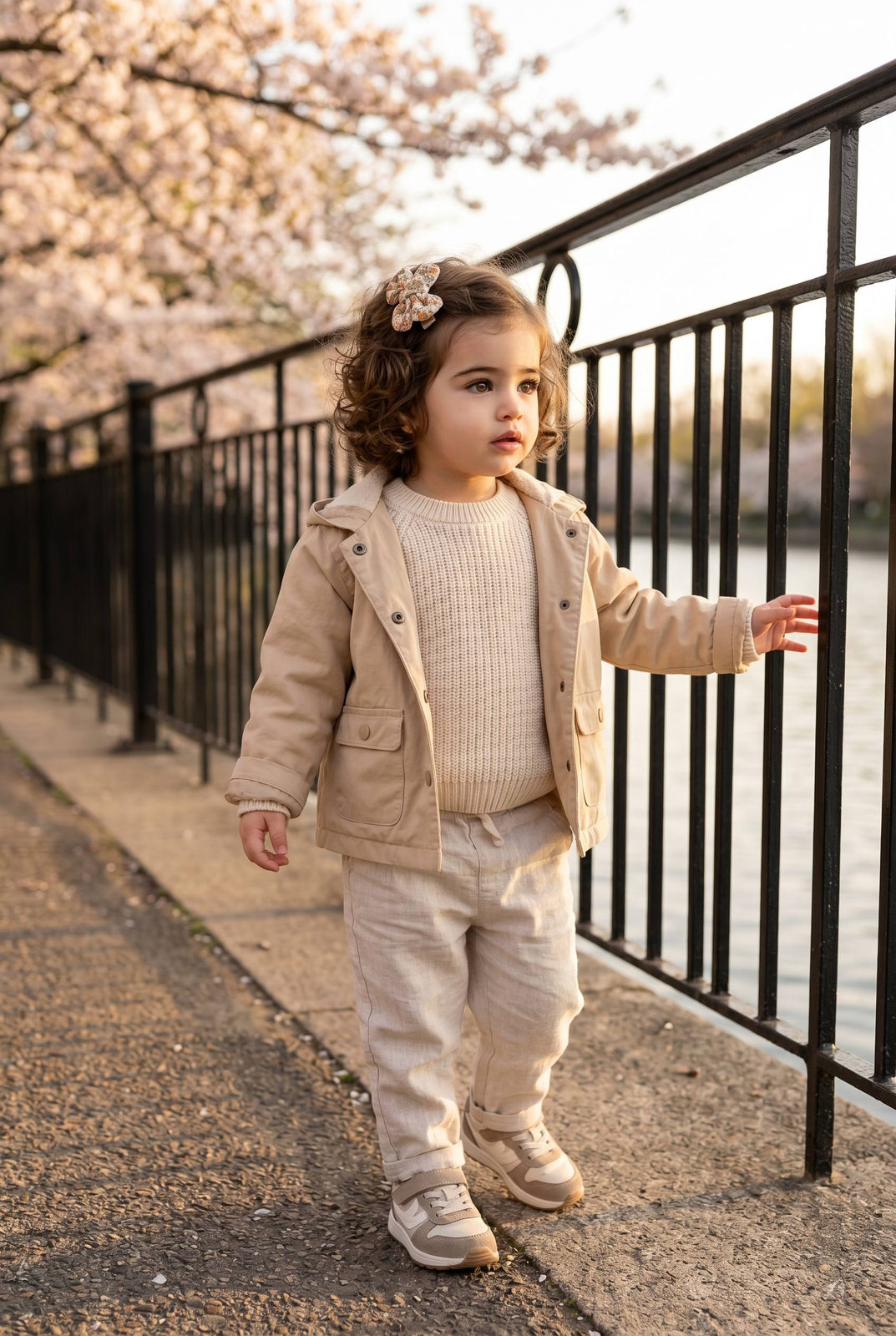
ultra realistic lifestyle portrait of a toddler standing on a riverside walkway during warm spring golden hour, vertical composition captured from child eye level using a natural 50mm lens perspective, medium full-body framing. The toddler stands near an ornate metal railing that runs along the edge of the walkway with water visible beyond it, creating depth and perspective lines leading into the background. The child stands upright with one arm slightly extended outward as if balancing or exploring the space while the other arm rests naturally by the side. The expression calm and curious with the gaze directed slightly away from the camera toward the scenery, capturing a natural candid moment. The toddler is wearing a light spring outfit consisting of a soft beige or pastel lightweight jacket with simple buttons and small front pockets. Underneath is a light cotton sweater or long sleeve shirt paired with comfortable cream or light neutral pants. Accessories minimal, possibly a soft lightweight knit hat or no hat at all depending on temperature. Footwear consists of small casual sneakers or soft spring boots suitable for walking. Background environment features a paved riverside walkway lined with decorative black metal railings, fresh green spring trees beginning to bloom and soft grass patches along the path. The water reflects the warm evening sunlight while young leaves and light blossoms appear on branches nearby. Lighting warm spring golden hour sunlight coming from the horizon creating soft highlights on the child’s face and clothing and gentle shadows along the pavement. Fresh natural spring color palette with greens and warm light tones, shallow depth of field, cinematic lifestyle photography aesthetic with realistic DSLR clarity.
✦ Use this prompt for free
About “Golden Hour Discovery”
This photorealistic, cinematic, portrait AI image prompt was created by AdX and is available to copy and use for free on PromptSpace. At 274 words, this is a detailed prompt that gives AI models precise instructions for generating the exact image you envision. It falls under the realistic, cinematic, photography categories.
How to Use This Prompt
- 1
Copy the prompt
Click the “Copy Prompt” button above to copy the full prompt text to your clipboard.
- 2
Open your AI image generator
Open FLUX, Midjourney and paste the prompt into the text field.
- 3
Generate your image
Hit generate. For best results, use the default settings first and see how the output looks.
- 4
Experiment with variations
Change details like colors, lighting, or composition to make it uniquely yours.
- 5
Want your own face in the image?
Upload a clear, well-lit front-facing photo of yourself directly inside your AI tool (look for Image Reference, Face Swap, or IP-Adapter options) — then paste this prompt alongside it to generate images with your own face.
Recommended Settings
Aspect Ratio
2:3 (Portrait)
Quality
High / HD
Best For
FLUX, Midjourney
Style
Photorealistic, Cinematic, Portrait
Why This Prompt Works
The high word count gives the model rich context, reducing ambiguity and producing more consistent results. The photorealistic and cinematic aesthetic signals are specific enough that the model can lock onto a distinct visual language. Explicit lighting direction (a leading signal in prompt engineering) significantly improves photo-realism and composition. Well-crafted prompts like this one combine subject precision, style vocabulary, and rendering hints — the three pillars of reliable AI image generation.
Best Model
FLUX is strongly recommended for this prompt. FLUX 1.1 Pro excels at photorealism and handles complex lighting instructions more accurately than older models.