Amber Nostalgia — AI Image Prompt
Prompt
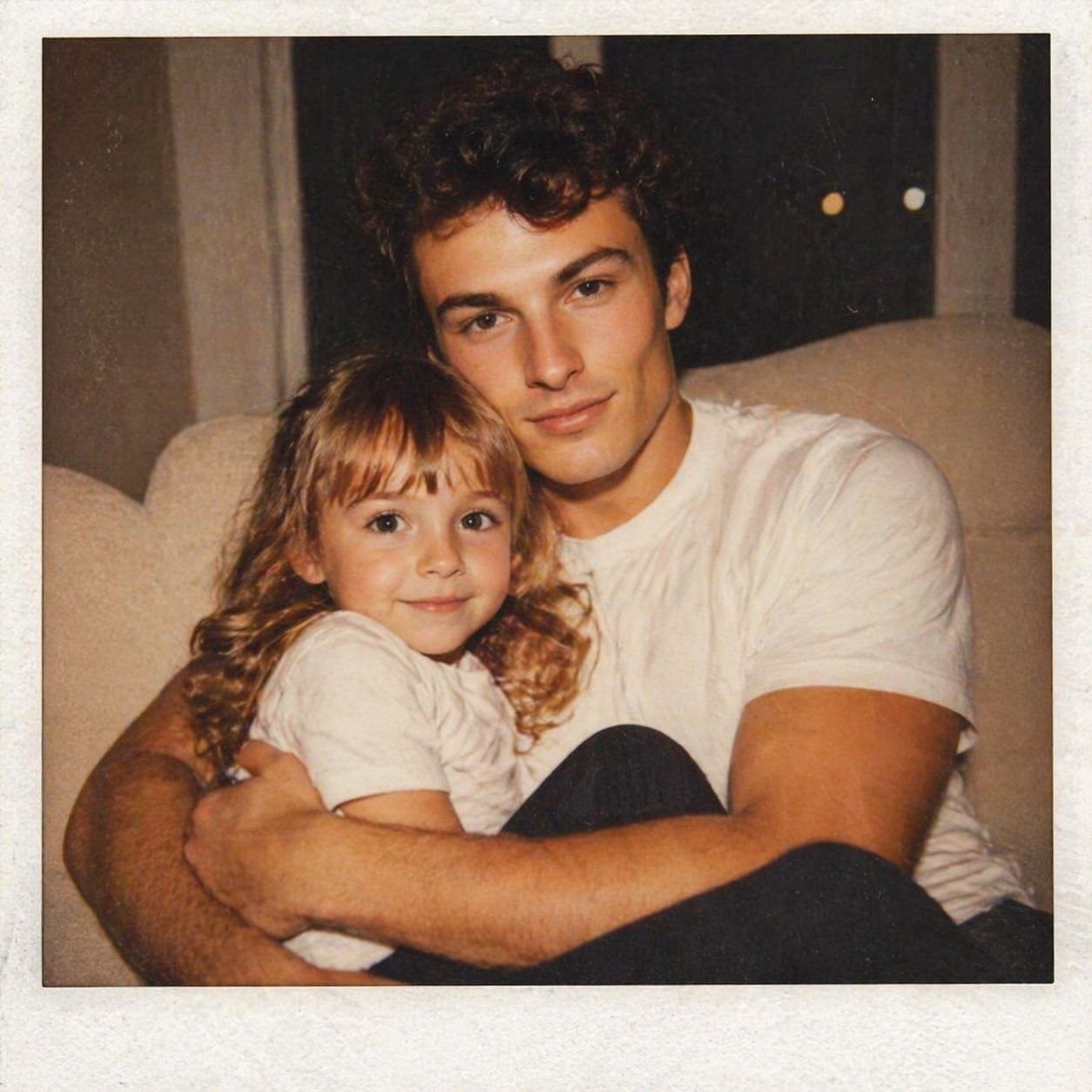
Используя референсные фотографии, перенести лица обоих персонажей без изменений. Preserve both faces exactly — структура лица должна полностью совпадать с референсом для обоих. Детские черты лица сохранить полностью идентичными референсу: форма лица, глаза, нос, губы — без любых изменений или “улучшений”. Не менять и не стилизовать лицо ребёнка. Полароид-фото, снятое на плёночную камеру Polaroid. Отец сидит, слегка откинувшись назад, девочка 7 лет сидит у него на руках, прижата к его груди. Отец обнимает её обеими руками, его голова наклонена к голове ребёнка, щека касается её головы. Взгляд отца направлен прямо в камеру — тёплый, счастливый, расслабленный, с лёгкой улыбкой. Девочка смотрит прямо в объектив с спокойным детским выражением. Оба выглядят расслабленными и в уютном семейном моменте. Одежда отца: белая базовая oversize футболка из плотного хлопка, чёрные широкие спортивные штаны из мягкого трикотажа. Атлетическое телосложение. Одежда ребёнка: белая базовая футболка и чёрные широкие спортивные штаны, как mini-me версия отца. Фон: диван или мягкое кресло, за спиной тёмное окно, вечер или ночь. Эстетика Polaroid: квадратный формат, широкая белая рамка снизу, крупное зерно плёнки, тёплый слегка выцветший цвет, лёгкая пересветка в светах, мягкая виньетка по углам. НЕ цифровое изображение, не резкое. Освещение: тёплый мягкий свет около 3500K, приглушённый ambient. Экспозиция -0.3. Избегать искажений, лишних пальцев, слияния пальцев, деформированных лиц. Лицо ребёнка строго идентично референсу — без изменений. Без сглаживания кожи и “идеализации”.
✦ Use this prompt for free
About “Amber Nostalgia”
This photorealistic AI image prompt was created by AdX and is available to copy and use for free on PromptSpace. At 219 words, this is a detailed prompt that gives AI models precise instructions for generating the exact image you envision. It falls under the photography, realistic categories.
How to Use This Prompt
- 1
Copy the prompt
Click the “Copy Prompt” button above to copy the full prompt text to your clipboard.
- 2
Open your AI image generator
Open FLUX, Midjourney and paste the prompt into the text field.
- 3
Generate your image
Hit generate. For best results, use the default settings first and see how the output looks.
- 4
Experiment with variations
Change details like colors, lighting, or composition to make it uniquely yours.
- 5
Want your own face in the image?
Upload a clear, well-lit front-facing photo of yourself directly inside your AI tool (look for Image Reference, Face Swap, or IP-Adapter options) — then paste this prompt alongside it to generate images with your own face.
Recommended Settings
Aspect Ratio
1:1 or 2:3 (Default)
Quality
High / HD
Best For
FLUX, Midjourney
Style
Photorealistic
Why This Prompt Works
The high word count gives the model rich context, reducing ambiguity and producing more consistent results. The photorealistic aesthetic signals are specific enough that the model can lock onto a distinct visual language. Well-crafted prompts like this one combine subject precision, style vocabulary, and rendering hints — the three pillars of reliable AI image generation.
Best Model
FLUX is strongly recommended for this prompt. FLUX 1.1 Pro excels at photorealism and handles complex lighting instructions more accurately than older models.