Architectural Floral Grace — AI Image Prompt
Prompt
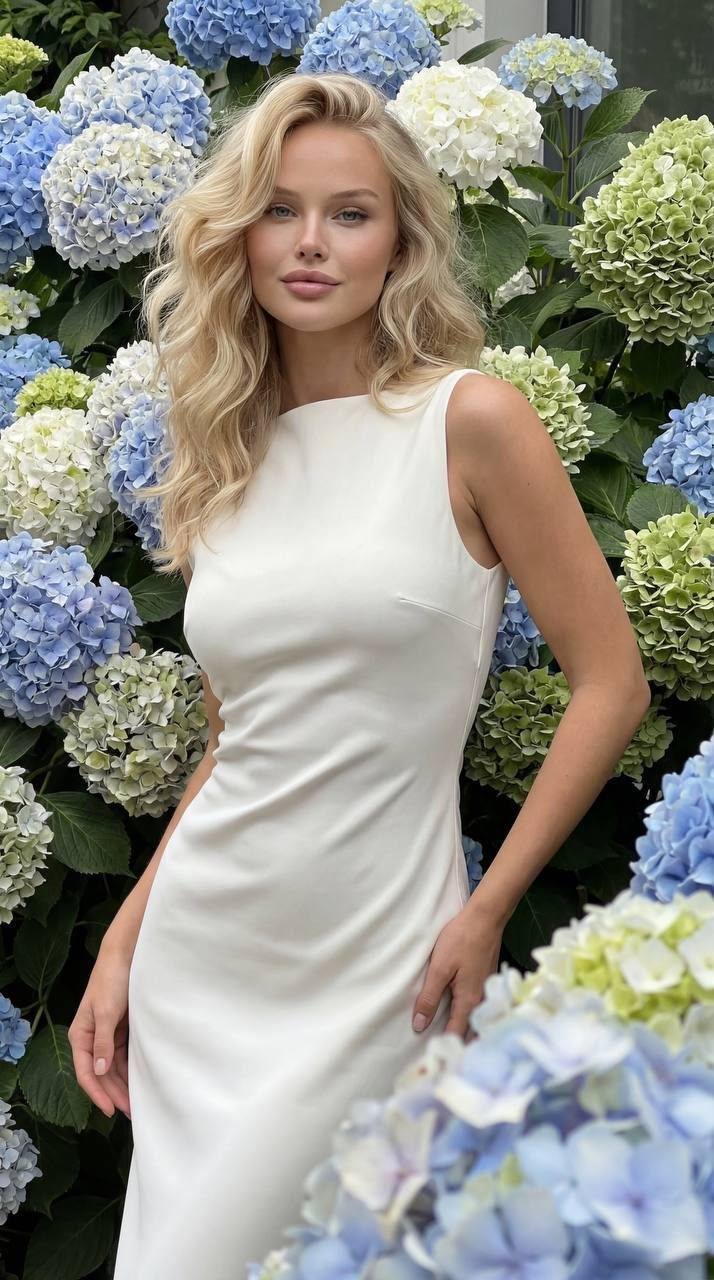
Use the face with the reference photo without changes. Keep identity, proportions, bone structure and 100% outlook. Ultra-realistic fashion photography in the style of luxury editorial. The model stands among giant flowers (the type is determined automatically: roses, peonies, hydrangeas or others), the flowers are much larger than the model, create depth and the effect of immersion. Image: Ultra-modern dress with a clear architectural silhouette, strict minimalism, without drapes, without ruffles and decor. Straight or slightly sculptural cut, clean lines, catwalk aesthetics. Fabric: premium matte silk or structured couture fabric, smooth surface. Colour: universal neutral (ivory / milk / warm beige / taupe), slightly muted. Hair: voluminous, loose, soft natural waves. Pose: Elegant, refined, soft body bend, one line of the body is slightly displaced, hands are arranged naturally and neatly, creating a feeling of lightness and control. Facial expression: Light barely noticeable smile, calm confident look into the camera, without excessive emotionality, in the style of fashion editorial. Shooting from a light lower angle. Light: soft natural daytime, diffused, delicate shadows and highlights. Composition: vertical 9:16, layers of depth - flowers in the foreground are slightly blurred, the model is sharp. Depth of field: natural, soft blur. Colour: harmonised with flowers, soft, expensive. Shot on a smartphone, ultra-realistic, without filters and CGI.
✦ Use this prompt for free
About “Architectural Floral Grace”
This photorealistic, fashion, elegant AI image prompt was created by AdX and is available to copy and use for free on PromptSpace. At 213 words, this is a detailed prompt that gives AI models precise instructions for generating the exact image you envision. It falls under the realistic, fashion, photography categories.
How to Use This Prompt
- 1
Copy the prompt
Click the “Copy Prompt” button above to copy the full prompt text to your clipboard.
- 2
Open your AI image generator
Open FLUX, Midjourney and paste the prompt into the text field.
- 3
Generate your image
Hit generate. For best results, use the default settings first and see how the output looks.
- 4
Experiment with variations
Change details like colors, lighting, or composition to make it uniquely yours.
- 5
Want your own face in the image?
Upload a clear, well-lit front-facing photo of yourself directly inside your AI tool (look for Image Reference, Face Swap, or IP-Adapter options) — then paste this prompt alongside it to generate images with your own face.
Recommended Settings
Aspect Ratio
2:3 (Portrait)
Quality
High / HD
Best For
FLUX, Midjourney
Style
Photorealistic, Fashion, Elegant
Why This Prompt Works
The high word count gives the model rich context, reducing ambiguity and producing more consistent results. The photorealistic and fashion aesthetic signals are specific enough that the model can lock onto a distinct visual language. Well-crafted prompts like this one combine subject precision, style vocabulary, and rendering hints — the three pillars of reliable AI image generation.
Best Model
FLUX is strongly recommended for this prompt. FLUX 1.1 Pro excels at photorealism and handles complex lighting instructions more accurately than older models.