Emerald Gloss Authority — AI Image Prompt
Prompt
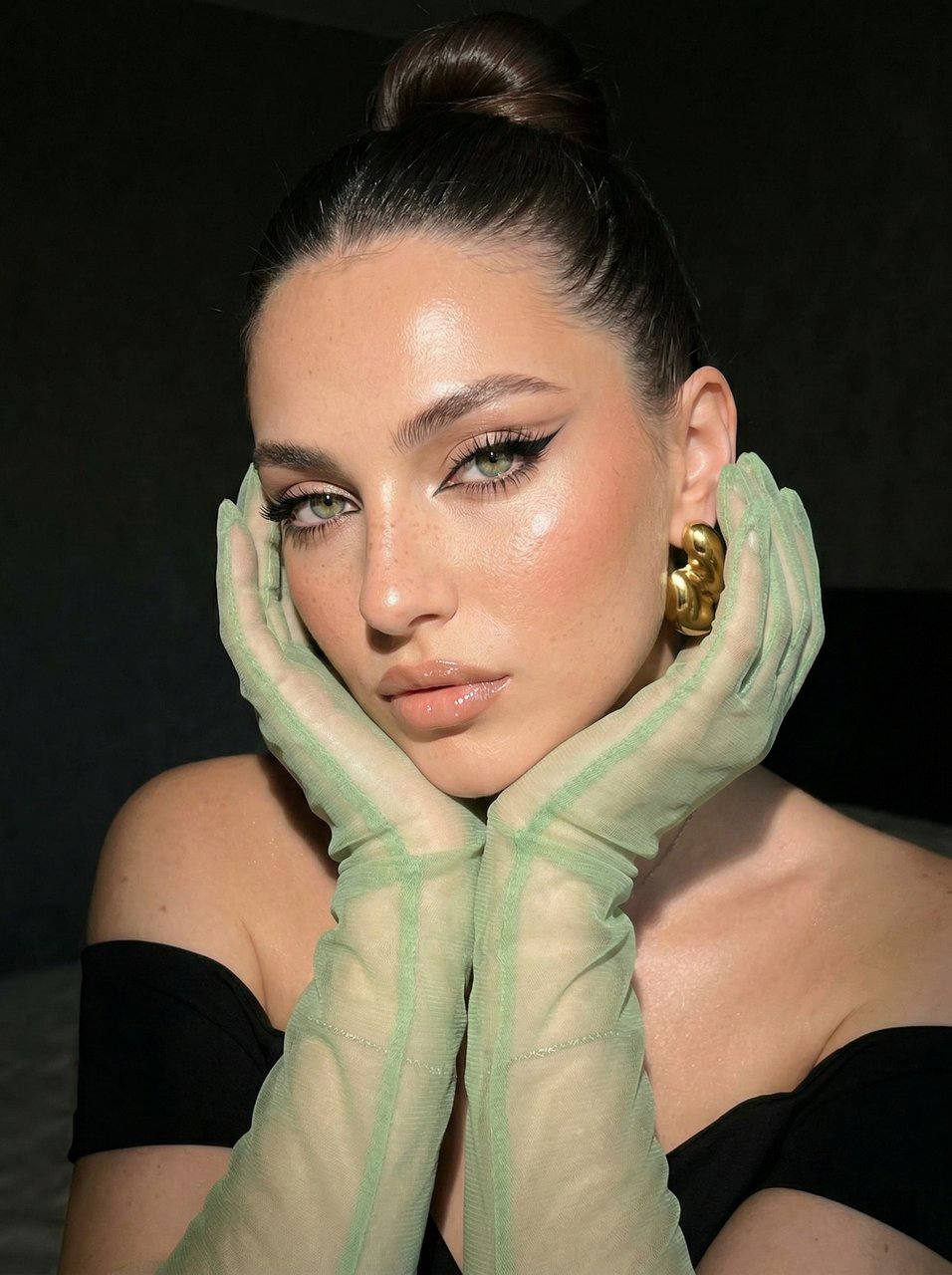
На этой фотографии представлен крупный план девушки с ярким макияжем и элегантной прической, выполненный в стиле гламурного портрета. Внешность и макияж • Глаза: Акцент в макияже сделан на глаза с помощью длинных графичных черных стрелок, вытянутых к вискам, что создает эффект «кошачьего взгляда». Ресницы густо накрашены и разделены. • Лицо: Кожа имеет сияющий финиш с выраженным использованием хайлайтера на скулах, лбу и переносице. На щеках заметны персиково-розовые румяна. • Губы: Губы накрашены нюдовым блеском с влажным эффектом, подчеркивающим их объем. • Прическа: Волосы аккуратно собраны в высокий гладкий пучок на макушке. Наряд и аксессуары • Одежда: Девушка одета в чёрное платье из качественного материала, с открытыми плечами. • Перчатки: Образ дополняют длинные полупрозрачные перчатки светло-зелёного цвета, закрывающие руки до плеч. • Украшения: В ухе видна массивная золотистая серьга в. Композиция и освещение • Поза: Модель позирует, слегка наклонив голову и опираясь на руки, что создает интимную и выразительную композицию. • Освещение: Используется направленный жесткий свет, который подчеркивает текстуру макияжа, блеск кожи и создает глубокие тени на заднем плане. • Фон: Задний план темный и нечеткий, что позволяет полностью сфокусировать внимание на модели.
✦ Use this prompt for free
About “Emerald Gloss Authority”
This fashion, portrait, elegant AI image prompt was created by AdX and is available to copy and use for free on PromptSpace. At 182 words, this is a detailed prompt that gives AI models precise instructions for generating the exact image you envision. It falls under the portrait, fashion, elegant categories.
How to Use This Prompt
- 1
Copy the prompt
Click the “Copy Prompt” button above to copy the full prompt text to your clipboard.
- 2
Open your AI image generator
Open Midjourney, DALL-E, Stable Diffusion, FLUX, or any compatible tool and paste the prompt into the text field.
- 3
Generate your image
Hit generate. For best results, use the default settings first and see how the output looks.
- 4
Experiment with variations
Change details like colors, lighting, or composition to make it uniquely yours.
- 5
Want your own face in the image?
Upload a clear, well-lit front-facing photo of yourself directly inside your AI tool (look for Image Reference, Face Swap, or IP-Adapter options) — then paste this prompt alongside it to generate images with your own face.
Recommended Settings
Aspect Ratio
2:3 (Portrait)
Quality
High / HD
Best For
Midjourney, DALL-E 3, FLUX
Style
Fashion, Portrait, Elegant
Why This Prompt Works
The high word count gives the model rich context, reducing ambiguity and producing more consistent results. The fashion and portrait aesthetic signals are specific enough that the model can lock onto a distinct visual language. Well-crafted prompts like this one combine subject precision, style vocabulary, and rendering hints — the three pillars of reliable AI image generation.
Best Model
FLUX 1.1 Pro or Midjourney v6 are the safest choices. Both handle complex prompts with high fidelity. Test with --ar 1:1 first, then adjust aspect ratio to taste.