Creamy Velvet Elegance — AI Image Prompt
Prompt
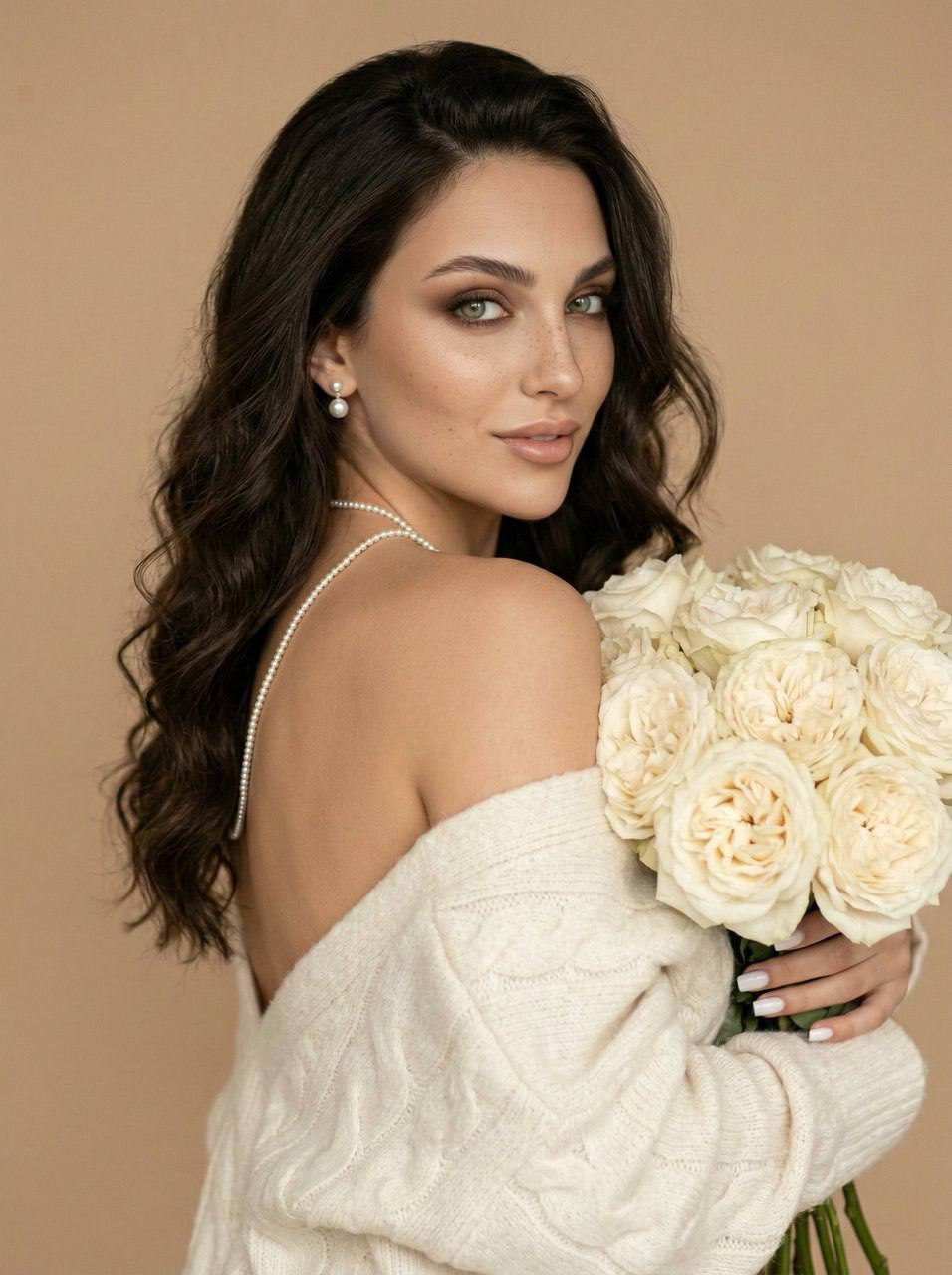
Without changing the appearance of the woman from the photo, she appears in an elegant pose, slightly turned with her back and face to the viewer, creating the effect of an intriguing look over her shoulder. The deep rich color of her thick wavy hair contrasts with the soft cream shade of the oversized soft sweater, which elegantly falls off one shoulder, revealing the bare smooth skin of her back with a warm natural glow. The woman's face is illuminated by soft, diffused light from the right side of the frame, making the skin velvety and emphasizing graceful features, including neatly shaped eyebrows, light makeup with smoky shadows and neatly lined eyes, long eyelashes, as well as the natural shine of full lips with a slight smile. She holds a bouquet of many large soft cream peony roses with a dense, multi-layered texture of petals, whose stems are barely visible at the bottom, and the color of the bouquet harmoniously echoes the shade of the sweater. A thin necklace of small pearls hangs around her neck, which smoothly descends along the back, creating a delicate visual accent combined with elegant pearl earrings, white pearl earrings. The background is solid, a warm beige tone, which emphasizes the softness and femininity of the composition, creating an atmosphere of an intimate, balanced and airy aesthetic, filled with soft light and soft shadows. The overall color scheme of the image is imbued with calmness and sophistication, and the play of light and shadow emphasizes the volume and texture of both clothes and flowers, creating depth and a picturesque feeling of a frame, as if taken from an artistic cinematic scene. photorealistic image, high texture detail, high quality, 8K resolution.
✦ Use this prompt for free
About “Creamy Velvet Elegance”
This photorealistic, cinematic, fashion AI image prompt was created by AdX and is available to copy and use for free on PromptSpace. At 285 words, this is a detailed prompt that gives AI models precise instructions for generating the exact image you envision. It falls under the realistic, cinematic, portrait categories.
How to Use This Prompt
- 1
Copy the prompt
Click the “Copy Prompt” button above to copy the full prompt text to your clipboard.
- 2
Open your AI image generator
Open FLUX, Midjourney and paste the prompt into the text field.
- 3
Generate your image
Hit generate. For best results, use the default settings first and see how the output looks.
- 4
Experiment with variations
Change details like colors, lighting, or composition to make it uniquely yours.
- 5
Want your own face in the image?
Upload a clear, well-lit front-facing photo of yourself directly inside your AI tool (look for Image Reference, Face Swap, or IP-Adapter options) — then paste this prompt alongside it to generate images with your own face.
Recommended Settings
Aspect Ratio
2:3 (Portrait)
Quality
High / HD
Best For
FLUX, Midjourney
Style
Photorealistic, Cinematic, Fashion
Why This Prompt Works
The high word count gives the model rich context, reducing ambiguity and producing more consistent results. The photorealistic and cinematic aesthetic signals are specific enough that the model can lock onto a distinct visual language. The cinematic framing instruction tells the model to treat composition and depth-of-field as a film director would, not as a snapshot. Well-crafted prompts like this one combine subject precision, style vocabulary, and rendering hints — the three pillars of reliable AI image generation.
Best Model
FLUX is strongly recommended for this prompt. FLUX 1.1 Pro excels at photorealism and handles complex lighting instructions more accurately than older models.