Urban Zen Motion — AI Image Prompt
Prompt
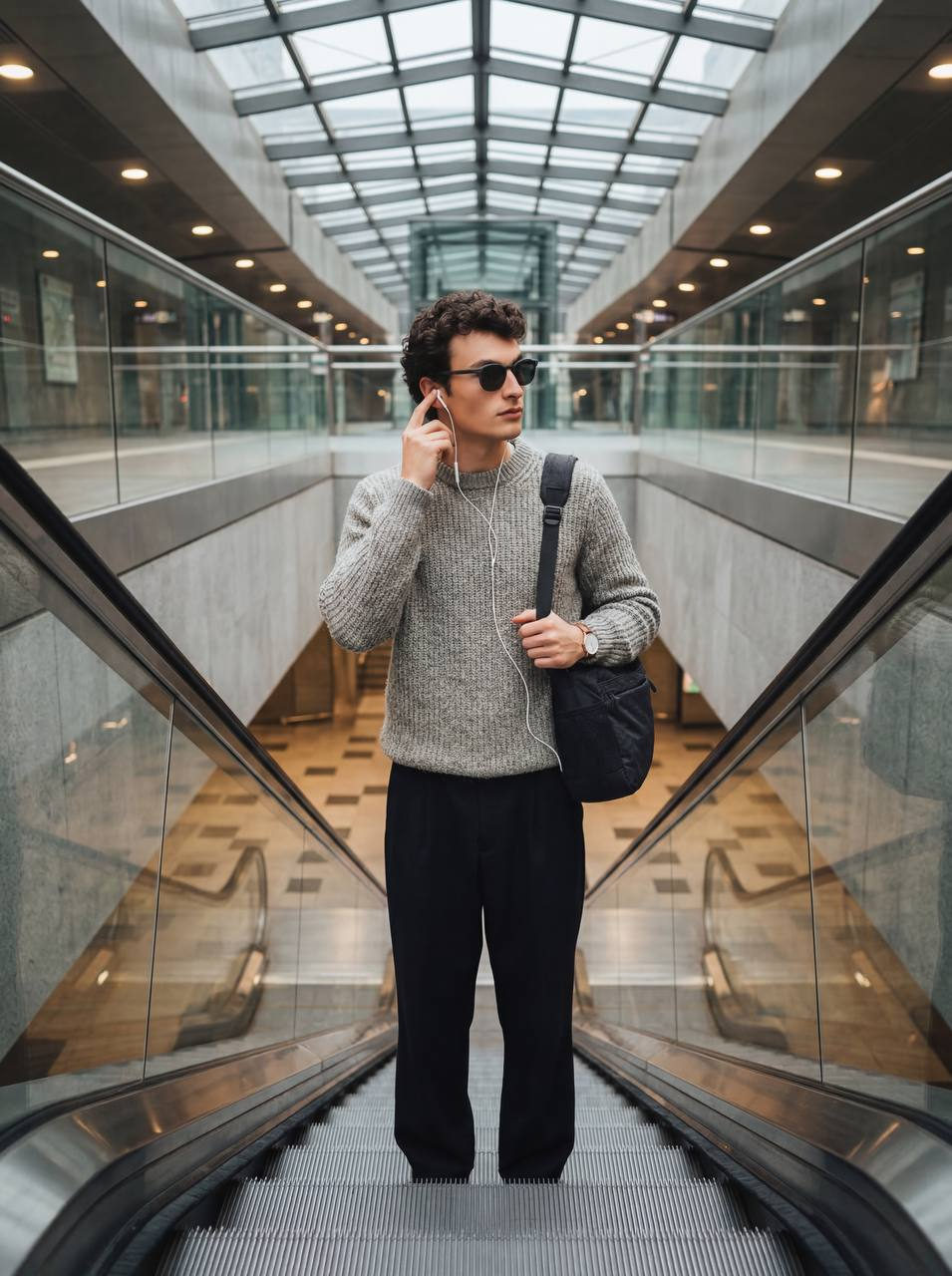
Hyperrealistic studio-quality photography, cinematic frame, professional photo shoot. Vertical format 9:16. Main subject: a man, medium shot (waist portrait), standing on a step of a moving escalator in a modern, minimalist subway. Pose: torso slightly turned to the left, head elegantly turned to the right. The right hand is casually raised, the fingertips touch the white Apple wired earpiece neatly located in the ear. The left arm is relaxed down along the body, emphasizing natural grace. He wears stylish, matte dark sunglasses that hide his eyes. On the left wrist is a minimalist but elegant wristwatch. A functional black heavy fabric bag hangs over his right shoulder. Clothing: a luxurious, soft light gray chunky knit sweater with a pronounced texture and loose, flowing black classic trousers, creating a contrast. Composition: the camera is located at the bottom of the escalator, creating a dynamic, slightly dramatic bottom-up shot (low viewing angle, worm's eye view). The man is perfectly centered between the transparent glass panels of the escalator, forming a strict symmetrical and balanced composition. Deep sharpness with a razor-sharp focus on the main subject, the background is slightly blurred for emphasis. Background: futuristic, crystal clear glass panels of the escalator, shiny chrome metal handrails, textured gray concrete subway walls and a partially visible glass roof letting in diffused light. Lighting: soft, diffused studio lighting harmoniously integrated into the muffled, warm atmosphere of the subway. Natural light from the built-in subway lamps and a light backlighting from the top of the escalator. Absence of harsh shadows and light highlights, uniform, natural lighting emphasizing volume and details. The general color palette is in muted, earthy, warm tones
✦ Use this prompt for free
About “Urban Zen Motion”
This photorealistic, cinematic, fashion AI image prompt was created by AdX and is available to copy and use for free on PromptSpace. At 274 words, this is a detailed prompt that gives AI models precise instructions for generating the exact image you envision. It falls under the realistic, cinematic, fashion categories.
How to Use This Prompt
- 1
Copy the prompt
Click the “Copy Prompt” button above to copy the full prompt text to your clipboard.
- 2
Open your AI image generator
Open FLUX, Midjourney and paste the prompt into the text field.
- 3
Generate your image
Hit generate. For best results, use the default settings first and see how the output looks.
- 4
Experiment with variations
Change details like colors, lighting, or composition to make it uniquely yours.
- 5
Want your own face in the image?
Upload a clear, well-lit front-facing photo of yourself directly inside your AI tool (look for Image Reference, Face Swap, or IP-Adapter options) — then paste this prompt alongside it to generate images with your own face.
Recommended Settings
Aspect Ratio
2:3 (Portrait)
Quality
High / HD
Best For
FLUX, Midjourney
Style
Photorealistic, Cinematic, Fashion
Why This Prompt Works
The high word count gives the model rich context, reducing ambiguity and producing more consistent results. The photorealistic and cinematic aesthetic signals are specific enough that the model can lock onto a distinct visual language. Explicit lighting direction (a leading signal in prompt engineering) significantly improves photo-realism and composition. Well-crafted prompts like this one combine subject precision, style vocabulary, and rendering hints — the three pillars of reliable AI image generation.
Best Model
FLUX is strongly recommended for this prompt. FLUX 1.1 Pro excels at photorealism and handles complex lighting instructions more accurately than older models.