Verdant Creative Solitude — AI Image Prompt
Prompt
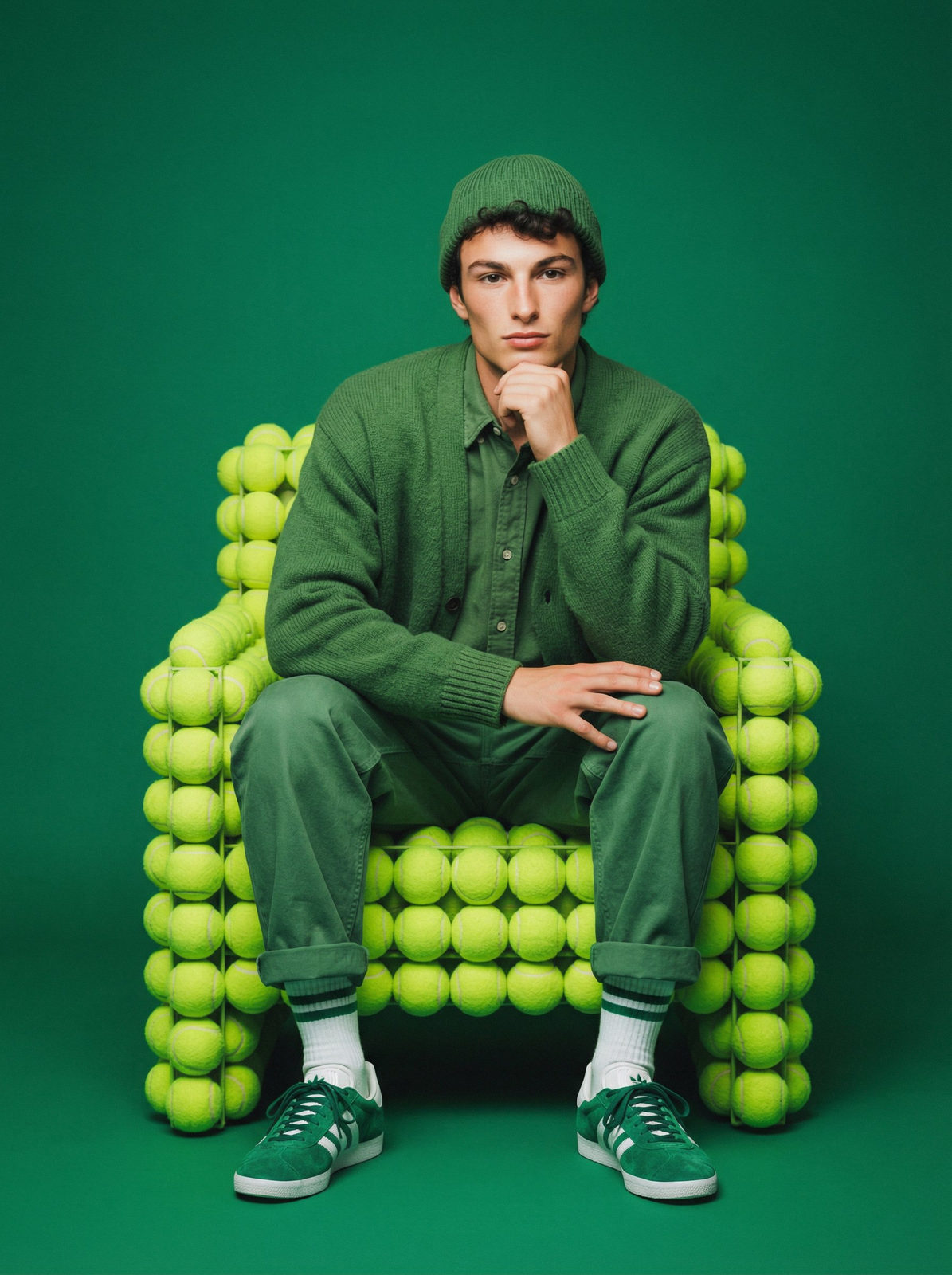
Create a studio photograph accurately reproducing the appearance of the person from my selfie. Strictly preserve the natural appearance, natural facial asymmetry 1:1, original face structure, facial expression, large expressive eyes, smooth young skin without age-related texture and wrinkles 1:1, as in the source photo. Without morphing, averaging, face swap or retouching. The person sits in a relaxed pose on a chair made of bright green tennis balls: one hand under the chin, the other on the knee, legs crossed, feet on the floor. Clothing: green knitted hat, voluminous green cardigan over a buttoned green shirt, green loose trousers with rolled-up cuffs, green sneakers with white stripes, white socks with green stripes. Background: solid, rich green, harmonizing with clothes and chair. Lighting: uniform studio, with soft fill light, minimal shadows. Emphasizes the texture of clothing and tennis balls. Single color scheme with the background. Color correction: saturated green shades, high contrast, light vintage filter with green enhancement. Camera: full-frame DSLR (Canon EOS R5 or Nikon Z7), lens 85mm f/1.4. Negative prompt: Face alteration, natural facial asymmetry alteration, face morphing, face averaging, face swap, retouching, plastic skin, CGI, 3D render, cartoonish, over-sharpening, wide-angle, perspective distortion, loss of likeness, harsh studio light, dirty colors, digital artifacts, cheekbone enhancement, extra limbs.
✦ Use this prompt for free
About “Verdant Creative Solitude”
This photorealistic, portrait AI image prompt was created by AdX and is available to copy and use for free on PromptSpace. At 208 words, this is a detailed prompt that gives AI models precise instructions for generating the exact image you envision. It falls under the realistic, photography, portrait categories.
How to Use This Prompt
- 1
Copy the prompt
Click the “Copy Prompt” button above to copy the full prompt text to your clipboard.
- 2
Open your AI image generator
Open FLUX, Midjourney and paste the prompt into the text field.
- 3
Generate your image
Hit generate. For best results, use the default settings first and see how the output looks.
- 4
Experiment with variations
Change details like colors, lighting, or composition to make it uniquely yours.
- 5
Want your own face in the image?
Upload a clear, well-lit front-facing photo of yourself directly inside your AI tool (look for Image Reference, Face Swap, or IP-Adapter options) — then paste this prompt alongside it to generate images with your own face.
Recommended Settings
Aspect Ratio
2:3 (Portrait)
Quality
High / HD
Best For
FLUX, Midjourney
Style
Photorealistic, Portrait
Why This Prompt Works
The high word count gives the model rich context, reducing ambiguity and producing more consistent results. The photorealistic and portrait aesthetic signals are specific enough that the model can lock onto a distinct visual language. Explicit lighting direction (a leading signal in prompt engineering) significantly improves photo-realism and composition. Well-crafted prompts like this one combine subject precision, style vocabulary, and rendering hints — the three pillars of reliable AI image generation.
Best Model
FLUX is strongly recommended for this prompt. FLUX 1.1 Pro excels at photorealism and handles complex lighting instructions more accurately than older models.