Pink Tulip Studio — AI Image Prompt
Prompt
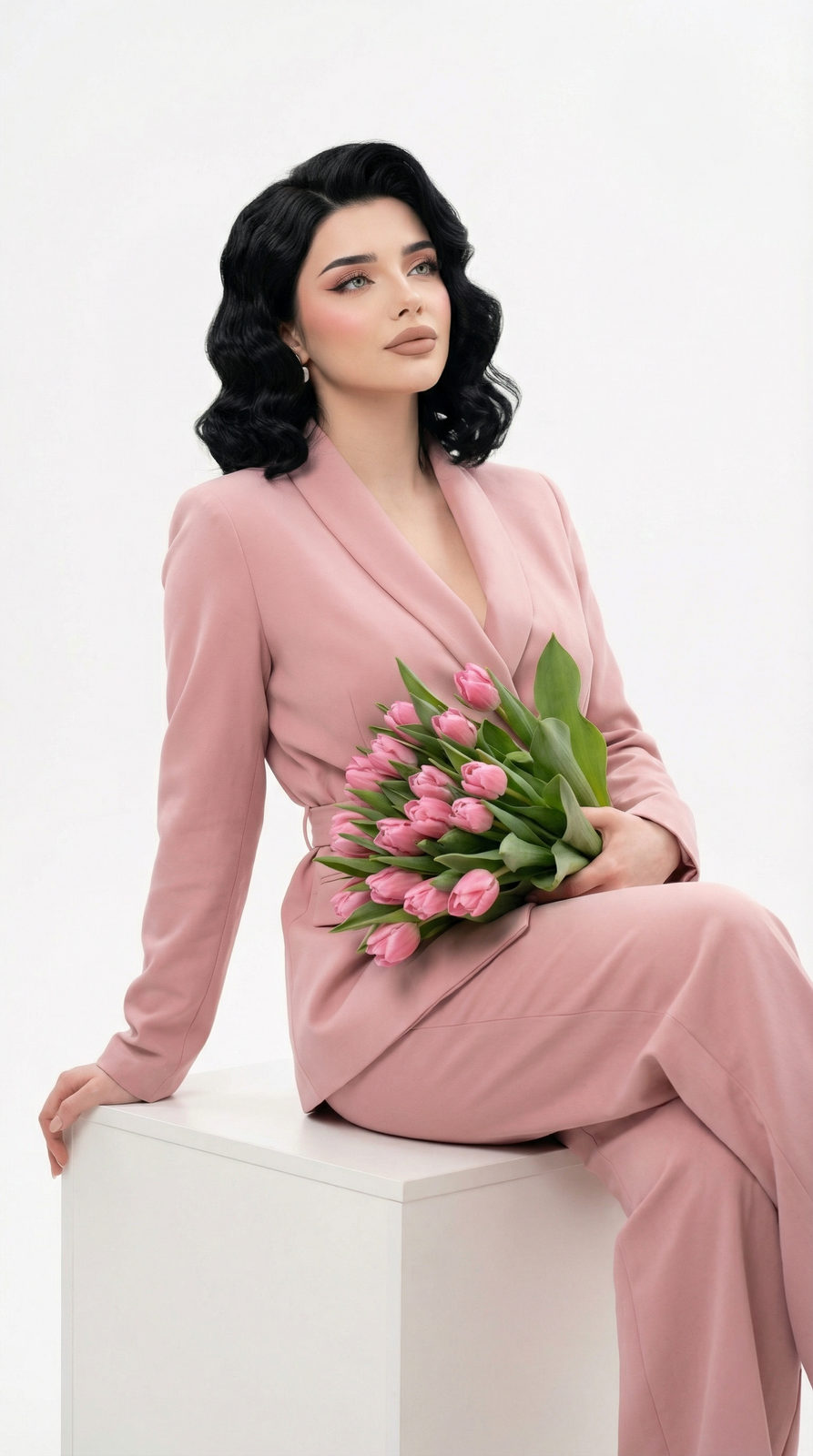
A soft, romantic studio portrait of a young woman holding a lush bouquet of fresh pink tulips close to her face, partially obscuring her lower jaw and lips. She has luminous skin, delicate features, and her dark hair is styled in loose waves cascading over one shoulder. Her eyes gaze directly into the camera with a gentle, serene expression. She wears a light pastel pink silk blouse that harmonizes with the tulip petals. The studio setup features a seamless pale blush-pink backdrop with a large octagonal softbox positioned at 30 degrees camera-right as the key light, producing soft, wrapping illumination with minimal shadows. A secondary fill reflector camera-left lifts the shadow side to a 2:1 ratio. Shot on a medium format camera with a 110mm f/2.5 lens at wide open aperture, delivering razor-sharp focus on the eyes with a gentle fall-off across the tulip petals and hair. Color palette is cohesive monochromatic pink — from the flowers to the wardrobe to the background — creating a dreamy, feminine editorial aesthetic. White balance set to 5200K for accurate skin reproduction. The overall mood is delicate, elegant, and spring-inspired with fashion-magazine-quality retouching and soft-focus bloom.
✦ Use this prompt for free
About “Pink Tulip Studio”
This photorealistic, portrait AI image prompt was created by AdX and is available to copy and use for free on PromptSpace. At 193 words, this is a detailed prompt that gives AI models precise instructions for generating the exact image you envision. It falls under the realistic, portrait, studio categories.
How to Use This Prompt
- 1
Copy the prompt
Click the “Copy Prompt” button above to copy the full prompt text to your clipboard.
- 2
Open your AI image generator
Open FLUX, Midjourney and paste the prompt into the text field.
- 3
Generate your image
Hit generate. For best results, use the default settings first and see how the output looks.
- 4
Experiment with variations
Change details like colors, lighting, or composition to make it uniquely yours.
- 5
Want your own face in the image?
Upload a clear, well-lit front-facing photo of yourself directly inside your AI tool (look for Image Reference, Face Swap, or IP-Adapter options) — then paste this prompt alongside it to generate images with your own face.
Recommended Settings
Aspect Ratio
2:3 (Portrait)
Quality
High / HD
Best For
FLUX, Midjourney
Style
Photorealistic, Portrait
Why This Prompt Works
The high word count gives the model rich context, reducing ambiguity and producing more consistent results. The photorealistic and portrait aesthetic signals are specific enough that the model can lock onto a distinct visual language. Well-crafted prompts like this one combine subject precision, style vocabulary, and rendering hints — the three pillars of reliable AI image generation.
Best Model
FLUX is strongly recommended for this prompt. FLUX 1.1 Pro excels at photorealism and handles complex lighting instructions more accurately than older models.