Minimalist Studio Grace — AI Image Prompt
Prompt
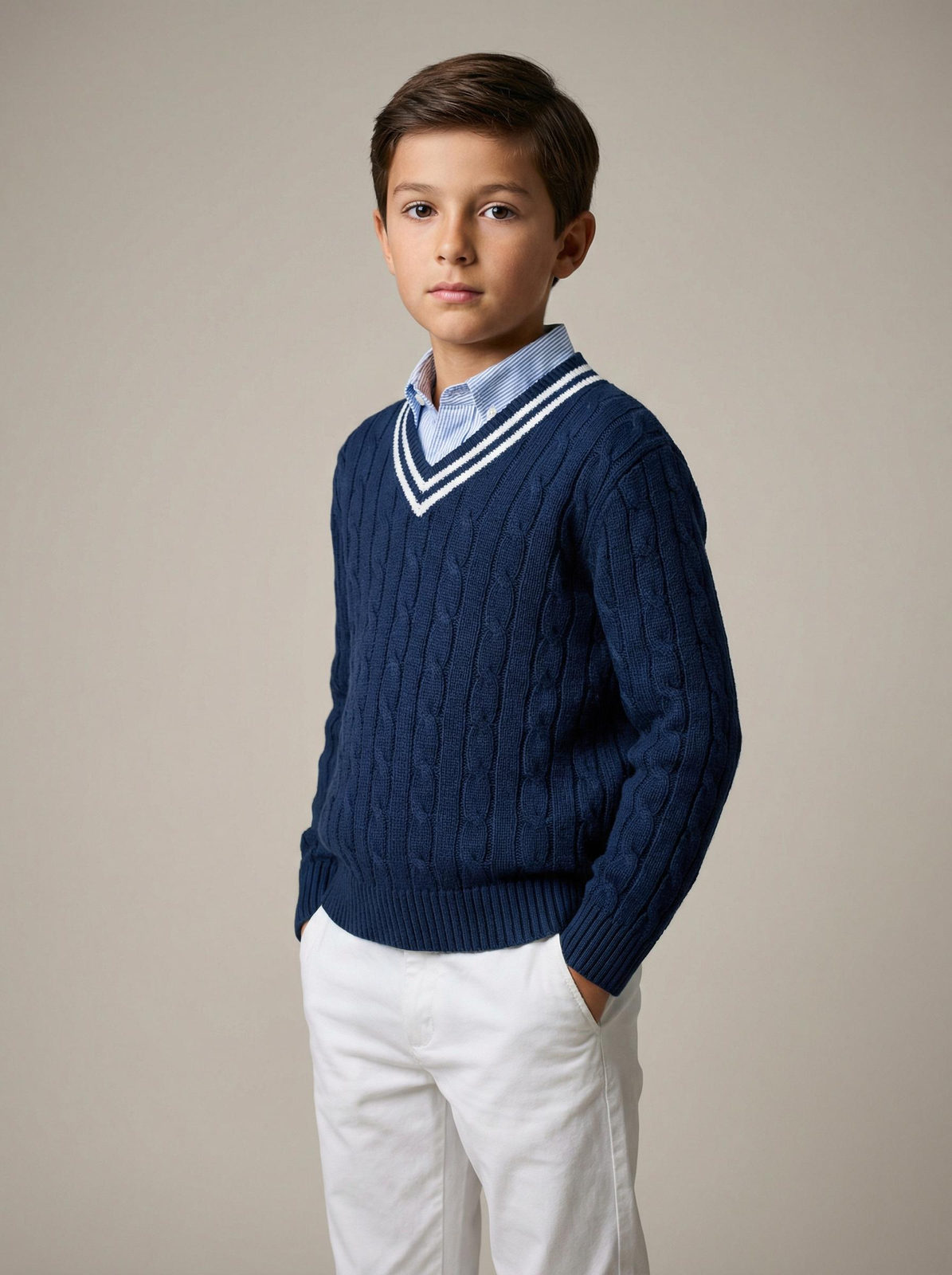
The boy stands in a studio against a neutral background, his body slightly turned to the side, his hands in his pockets, and his gaze directed at the camera. The medium shot is from mid-thigh to the top of his head, shot at eye level. The composition is centered, with the figure slightly shifted to the right, forming a soft diagonal. He is wearing a dark blue knit sweater with a V-neck and a textured cable pattern, with double white stripes running along the neckline, cuffs, and hem. He is wearing a light blue shirt with thin vertical white and blue stripes and a classic collar. He is wearing straight-leg white trousers made of dense cotton fabric with a matte finish. The location is a light beige-gray studio background without texture or additional objects; the space is clean and uniform. The lighting is soft studio lighting, with the main light positioned in front and slightly to the side of the camera, creating an even contouring of the face and highlighting the texture of the sweater. The shadows are soft and smooth, the contrast is moderate, the light is distributed evenly without harsh highlights, and the background is slightly lower lit, creating a soft silhouette. Shot with an 85mm portrait lens, moderately shallow depth of field with sharp focus on the eyes and upper body, slightly softer lower body, and a smoothly blurred background. Highly detailed skin and knit textures. Studio children's fashion photography, highly detailed, photorealistic. clean soft studio mood, light neutral beige background tones, balanced warm color temperature, moderate saturation, soft directional key light, low to moderate contrast, smooth shadow transitions, natural skin tone rendering, crisp knit texture detail, minimal grain, commercial catalog color grading.
✦ Use this prompt for free
About “Minimalist Studio Grace”
This photorealistic, fashion, portrait AI image prompt was created by AdX and is available to copy and use for free on PromptSpace. At 286 words, this is a detailed prompt that gives AI models precise instructions for generating the exact image you envision. It falls under the realistic, fashion, portrait categories.
How to Use This Prompt
- 1
Copy the prompt
Click the “Copy Prompt” button above to copy the full prompt text to your clipboard.
- 2
Open your AI image generator
Open FLUX, Midjourney and paste the prompt into the text field.
- 3
Generate your image
Hit generate. For best results, use the default settings first and see how the output looks.
- 4
Experiment with variations
Change details like colors, lighting, or composition to make it uniquely yours.
- 5
Want your own face in the image?
Upload a clear, well-lit front-facing photo of yourself directly inside your AI tool (look for Image Reference, Face Swap, or IP-Adapter options) — then paste this prompt alongside it to generate images with your own face.
Recommended Settings
Aspect Ratio
2:3 (Portrait)
Quality
High / HD
Best For
FLUX, Midjourney
Style
Photorealistic, Fashion, Portrait
Why This Prompt Works
The high word count gives the model rich context, reducing ambiguity and producing more consistent results. The photorealistic and fashion aesthetic signals are specific enough that the model can lock onto a distinct visual language. Explicit lighting direction (a leading signal in prompt engineering) significantly improves photo-realism and composition. Well-crafted prompts like this one combine subject precision, style vocabulary, and rendering hints — the three pillars of reliable AI image generation.
Best Model
FLUX is strongly recommended for this prompt. FLUX 1.1 Pro excels at photorealism and handles complex lighting instructions more accurately than older models.