Vivid Studio Play — AI Image Prompt
Prompt
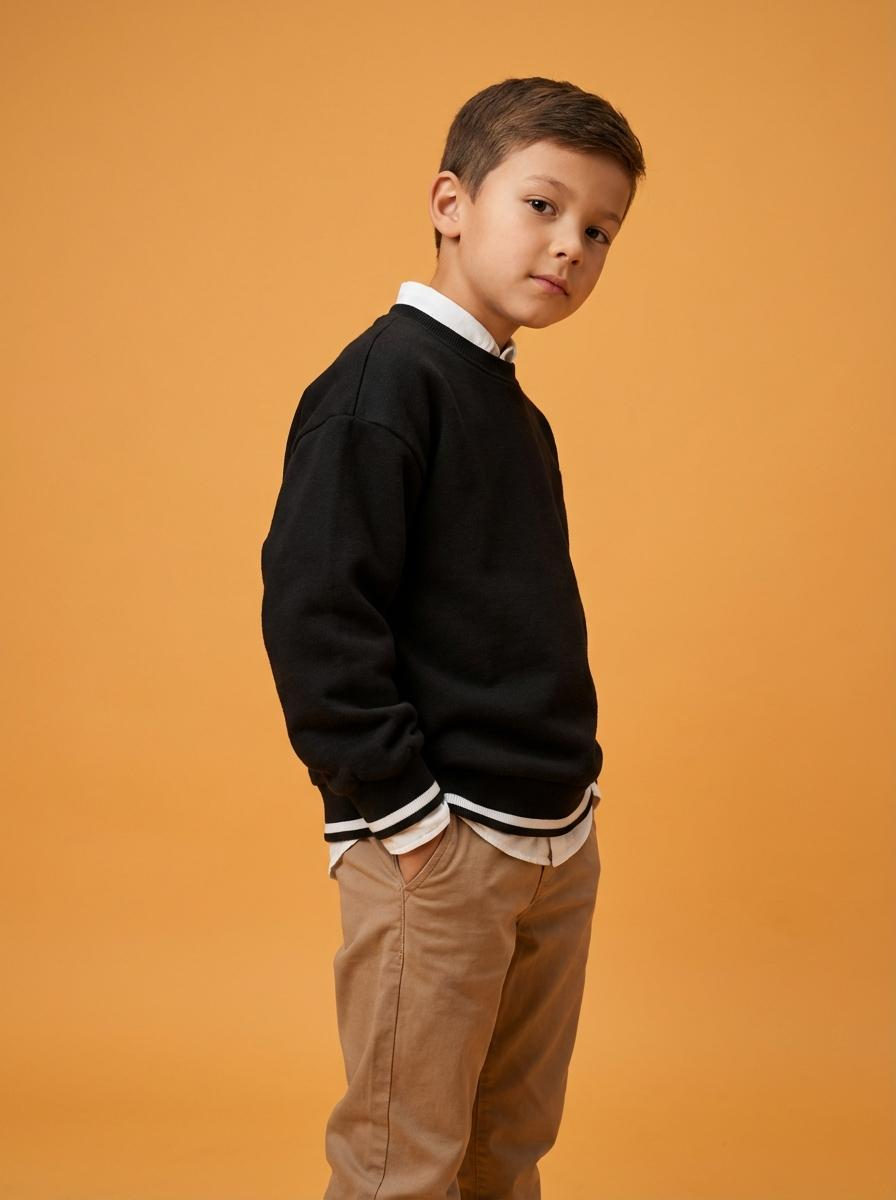
The boy poses in a studio against a plain orange background, his body turned three-quarters to the camera, his hands in his pockets. His head is slightly tilted to the side, looking directly at the lens. The photo is hip-high, the angle is at eye level, the composition is shifted to the right, and the background is completely clear, free of any additional objects. He is wearing a black sweatshirt made of thick knit fabric with a matte finish and elastic cuffs with a contrasting stripe along the hem. Underneath, he wears a white shirt with a classic collar and long sleeves, the hem and cuffs slightly protruding, and straight-leg trousers made of smooth, light brown fabric with soft folds. The location is a minimalist studio with a smooth, plain orange background, devoid of texture or embellishment. The space is completely clear, focusing on the contrast between the clothing and the background. The lighting is soft studio style, with the main light positioned frontally and slightly above eye level. The light evenly illuminates the face and clothing, the shadows are soft and smooth, the contrast is moderate, the highlights on the skin and fabric are controlled, without blown highlights, and the background is evenly lit. Shot with a 50mm portrait lens. The depth of field is large, with sharp focus on the face and clothing. The background is completely sharp and clean. Skin and fabric texture are highly detailed. Kids fashion studio portrait photography, highly detailed, photorealistic. Bright playful studio mood, warm color temperature, dominant orange and warm brown tones, moderate saturation, medium contrast with soft shadow transitions, even soft frontal lighting, gentle highlight roll-off, natural warm skin tone rendering, clean crisp texture with minimal grain, vivid contemporary studio color grading.
✦ Use this prompt for free
About “Vivid Studio Play”
This photorealistic, fashion, portrait AI image prompt was created by AdX and is available to copy and use for free on PromptSpace. At 291 words, this is a detailed prompt that gives AI models precise instructions for generating the exact image you envision. It falls under the realistic, fashion, portrait categories.
How to Use This Prompt
- 1
Copy the prompt
Click the “Copy Prompt” button above to copy the full prompt text to your clipboard.
- 2
Open your AI image generator
Open FLUX, Midjourney and paste the prompt into the text field.
- 3
Generate your image
Hit generate. For best results, use the default settings first and see how the output looks.
- 4
Experiment with variations
Change details like colors, lighting, or composition to make it uniquely yours.
- 5
Want your own face in the image?
Upload a clear, well-lit front-facing photo of yourself directly inside your AI tool (look for Image Reference, Face Swap, or IP-Adapter options) — then paste this prompt alongside it to generate images with your own face.
Recommended Settings
Aspect Ratio
2:3 (Portrait)
Quality
High / HD
Best For
FLUX, Midjourney
Style
Photorealistic, Fashion, Portrait
Why This Prompt Works
The high word count gives the model rich context, reducing ambiguity and producing more consistent results. The photorealistic and fashion aesthetic signals are specific enough that the model can lock onto a distinct visual language. Explicit lighting direction (a leading signal in prompt engineering) significantly improves photo-realism and composition. Well-crafted prompts like this one combine subject precision, style vocabulary, and rendering hints — the three pillars of reliable AI image generation.
Best Model
FLUX is strongly recommended for this prompt. FLUX 1.1 Pro excels at photorealism and handles complex lighting instructions more accurately than older models.