Blush Petal Serenity — AI Image Prompt
Prompt
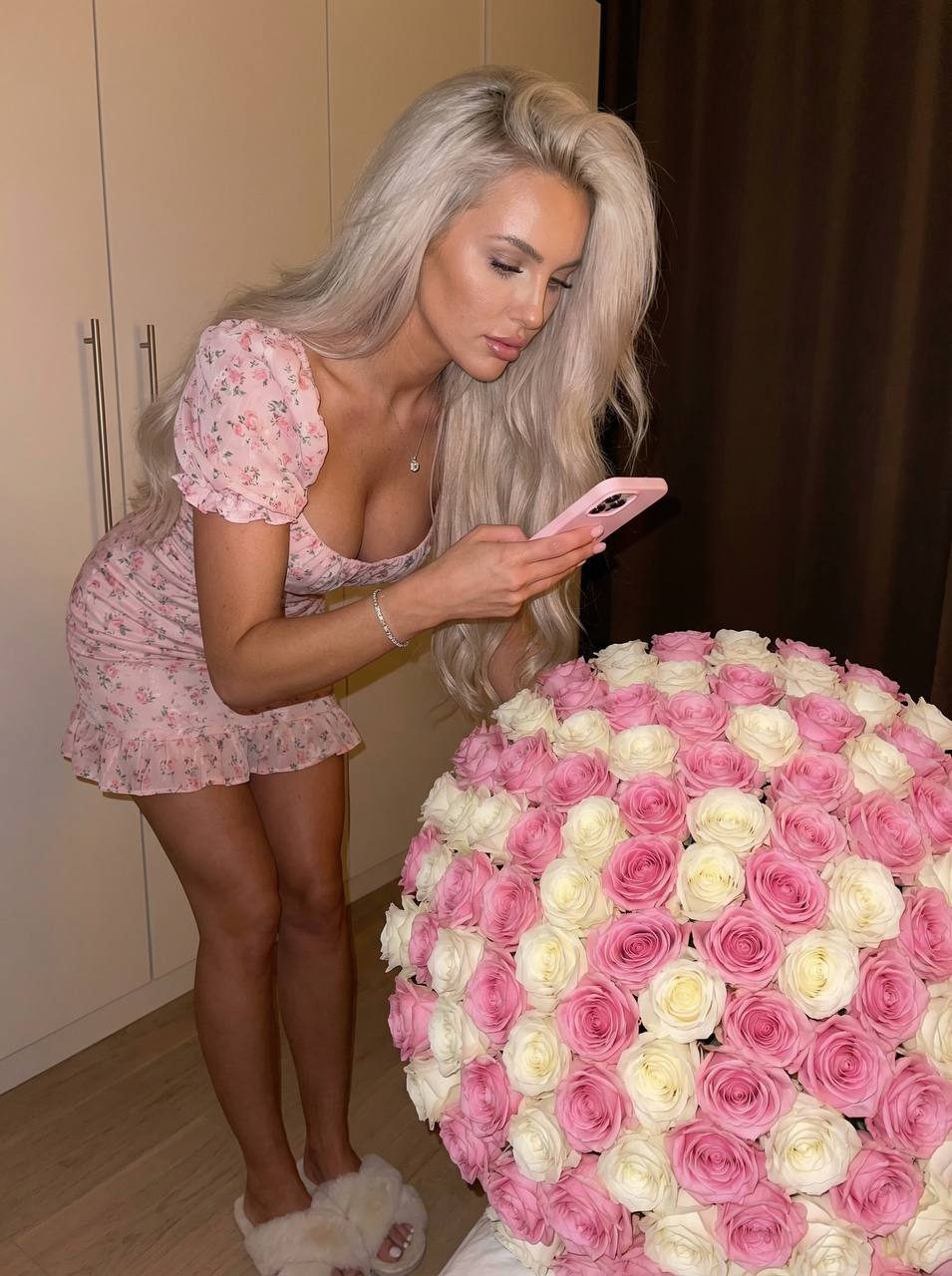
Description of the scene: A young woman in a cozy, bright home setting, standing in front of a very large bouquet of roses consisting of alternating rows of soft pink and white flowers. She is holding a pink phone and taking a picture of the bouquet. The lighting is warm and soft, creating an intimate and calm atmosphere. Character: A girl with long, lush, and voluminous hair falling freely over her shoulders. She is wearing a very short, pale pink floral-print dress, figure-hugging, with puffed sleeves and ruffles at the hem. On her feet are soft milky fluffy slippers. On her wrist is a silver bracelet, and on her neck is a thin chain with a small pendant. Her pose is natural and slightly leaning forward, her gaze focused on the phone screen. Objects and details: A very large round bouquet of roses with alternating rows of pink and white flowers, the buds fresh and lush, arranged very close to each other. The leaves are dark green, creating a contrast with the delicate shades of the flowers. Background: Neutral, with the doors of a light-colored closet and a darkened part of the room, so as not to distract attention from the main object of the scene. Atmosphere and mood: Warm, gentle, and romantic setting, emphasizing the beauty of the moment and the grace of a girl with flowers. The focus is on emotions and aesthetics. Color palette: Pastel pink and white shades of flowers, pale pink dress, natural dark brown hair, light background. Technical parameters: High-quality photograph, with soft natural or imitation soft artificial lighting, shallow depth of field, highlighting the figure and flowers against the background. Raw 3:4 Mobile phone shoot Photo with hard flash
✦ Use this prompt for free
About “Blush Petal Serenity”
This photorealistic, portrait, elegant AI image prompt was created by AdX and is available to copy and use for free on PromptSpace. At 286 words, this is a detailed prompt that gives AI models precise instructions for generating the exact image you envision. It falls under the realistic, photography, portrait categories.
How to Use This Prompt
- 1
Copy the prompt
Click the “Copy Prompt” button above to copy the full prompt text to your clipboard.
- 2
Open your AI image generator
Open FLUX, Midjourney and paste the prompt into the text field.
- 3
Generate your image
Hit generate. For best results, use the default settings first and see how the output looks.
- 4
Experiment with variations
Change details like colors, lighting, or composition to make it uniquely yours.
- 5
Want your own face in the image?
Upload a clear, well-lit front-facing photo of yourself directly inside your AI tool (look for Image Reference, Face Swap, or IP-Adapter options) — then paste this prompt alongside it to generate images with your own face.
Recommended Settings
Aspect Ratio
2:3 (Portrait)
Quality
High / HD
Best For
FLUX, Midjourney
Style
Photorealistic, Portrait, Elegant
Why This Prompt Works
The high word count gives the model rich context, reducing ambiguity and producing more consistent results. The photorealistic and portrait aesthetic signals are specific enough that the model can lock onto a distinct visual language. Explicit lighting direction (a leading signal in prompt engineering) significantly improves photo-realism and composition. Well-crafted prompts like this one combine subject precision, style vocabulary, and rendering hints — the three pillars of reliable AI image generation.
Best Model
FLUX is strongly recommended for this prompt. FLUX 1.1 Pro excels at photorealism and handles complex lighting instructions more accurately than older models.