Graphite Authority — AI Image Prompt
Prompt
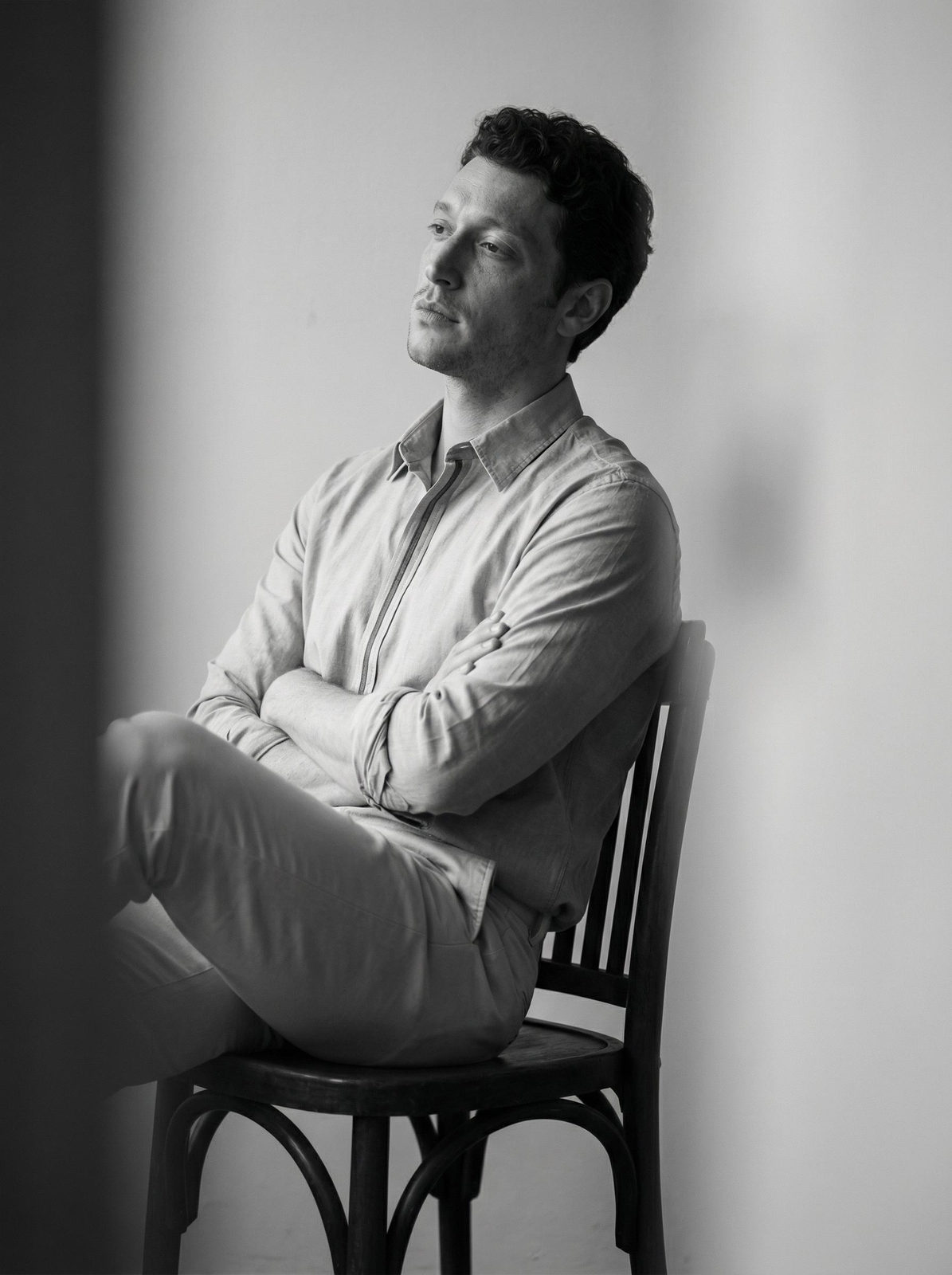
A man sits on a dark brown wooden chair, his body turned to the left, his arms crossed over his chest, and one leg slightly forward. His head is slightly tilted back and to the side, his gaze directed to the left, out of frame. The frame is vertical, a medium shot from hips to head, with an eye-level angle. The composition is shifted to the right, with blurred dark gray and light gray foregrounds on the left and right sides, creating the effect of shooting through the subject. The image is black and white with a distinct grayscale—from deep graphite black to soft light gray and white. The contrast is medium, with enhanced shadow detailing on the cheekbones, chin, and in the folds of his shirt. He is wearing a light gray shirt with a thin vertical stripe of a darker gray, a cotton fabric with a matte finish. He is wearing light gray pants with a soft crease along the hip line. The background is a light gray wall without texture. Soft side lighting falls from the left, creating volume on the face and hands. The shadows are deep but not washed out, and the contrast is controlled. Shot with an 85mm lens, the depth of field is shallow, the face is in sharp focus, and the foreground is blurred, creating a cinematic depth of field. Moody monochrome portrait, graphite and silver tonal range, medium contrast black and white, soft side lighting, deep controlled shadows, matte fabric texture, cinematic framing through foreground blur, sharp facial detail, clean minimalist background, classic editorial black and white gradation.
✦ Use this prompt for free
About “Graphite Authority”
This photorealistic, cinematic, portrait AI image prompt was created by AdX and is available to copy and use for free on PromptSpace. At 267 words, this is a detailed prompt that gives AI models precise instructions for generating the exact image you envision. It falls under the realistic, cinematic, portrait categories.
How to Use This Prompt
- 1
Copy the prompt
Click the “Copy Prompt” button above to copy the full prompt text to your clipboard.
- 2
Open your AI image generator
Open FLUX, Midjourney and paste the prompt into the text field.
- 3
Generate your image
Hit generate. For best results, use the default settings first and see how the output looks.
- 4
Experiment with variations
Change details like colors, lighting, or composition to make it uniquely yours.
- 5
Want your own face in the image?
Upload a clear, well-lit front-facing photo of yourself directly inside your AI tool (look for Image Reference, Face Swap, or IP-Adapter options) — then paste this prompt alongside it to generate images with your own face.
Recommended Settings
Aspect Ratio
2:3 (Portrait)
Quality
High / HD
Best For
FLUX, Midjourney
Style
Photorealistic, Cinematic, Portrait
Why This Prompt Works
The high word count gives the model rich context, reducing ambiguity and producing more consistent results. The photorealistic and cinematic aesthetic signals are specific enough that the model can lock onto a distinct visual language. Explicit lighting direction (a leading signal in prompt engineering) significantly improves photo-realism and composition. Well-crafted prompts like this one combine subject precision, style vocabulary, and rendering hints — the three pillars of reliable AI image generation.
Best Model
FLUX is strongly recommended for this prompt. FLUX 1.1 Pro excels at photorealism and handles complex lighting instructions more accurately than older models.