Glistening Winter Evening — AI Image Prompt
Prompt
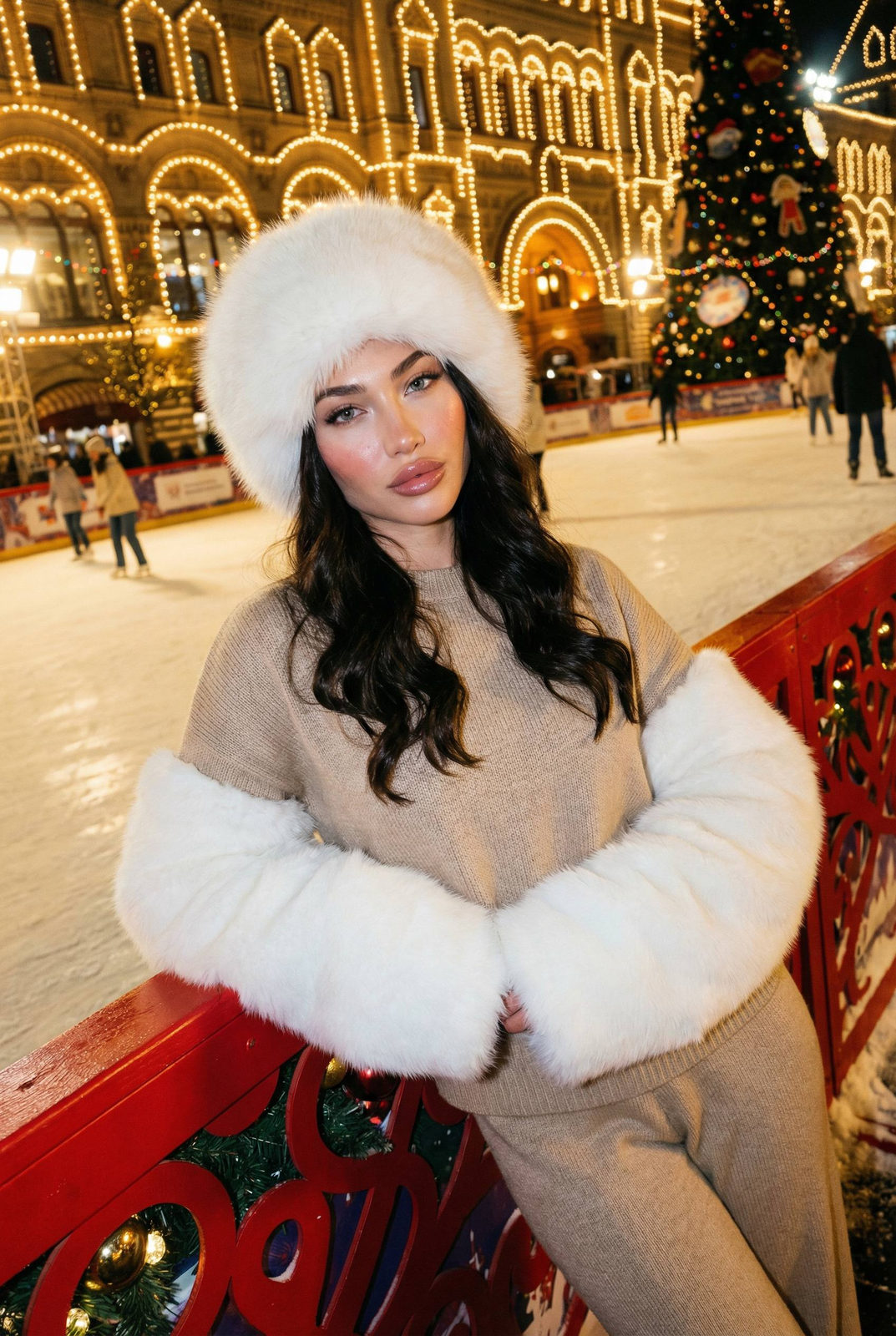
A spontaneous, ultra-realistic iPhone-style photo capturing a young woman leaning casually against a red decorative barrier at a bustling New Year's night scene in Moscow's GUM. Behind her, the iconic GUM arches and towers are aglow with thousands of warm festive lights, complemented by Christmas garlands and a decorated New Year tree. The softly blurred ice rink filled with skaters adds lively motion and depth. She wears a fluffy white fur hat framing her face and long wavy hair, dressed in a warm beige knit sweater featuring oversized white faux-fur sleeves and matching cozy winter trousers, hands hidden warmly inside the sleeves. Warm golden light from GUM softly illuminates her face, casting authentic shadows and subtle ambient blue reflections from the ice for natural contrast. Her head is turned slightly to the side, eyes looking past the camera with a relaxed, thoughtful expression. The knit fabric, fur textures, and snow surface exhibit high tactile detail, while the overall composition embraces a casually tilted, candid framing rich in cinematic, romantic winter atmosphere typical of genuine iPhone portraiture, soft sculpted face, rosy cheeks, glossy lips, clean defined brows. Neutral warm lighting with slight smartphone front camera flash, balanced shadows. Calm confident expression, direct eye contact with the camera. Shot on iPhone front camera. Reference to image. Added fine film grain, realistic skin pores, subtle glow. Pinterest clean-girl meets luxury desert vibe, lifestyle editorial photography, ultra-detailed, 8K quality.
✦ Use this prompt for free
About “Glistening Winter Evening”
This photorealistic, portrait, dark/moody AI image prompt was created by AdX and is available to copy and use for free on PromptSpace. At 235 words, this is a detailed prompt that gives AI models precise instructions for generating the exact image you envision. It falls under the realistic, photography, winter categories.
How to Use This Prompt
- 1
Copy the prompt
Click the “Copy Prompt” button above to copy the full prompt text to your clipboard.
- 2
Open your AI image generator
Open FLUX, Midjourney and paste the prompt into the text field.
- 3
Generate your image
Hit generate. For best results, use the default settings first and see how the output looks.
- 4
Experiment with variations
Change details like colors, lighting, or composition to make it uniquely yours.
- 5
Want your own face in the image?
Upload a clear, well-lit front-facing photo of yourself directly inside your AI tool (look for Image Reference, Face Swap, or IP-Adapter options) — then paste this prompt alongside it to generate images with your own face.
Recommended Settings
Aspect Ratio
2:3 (Portrait)
Quality
High / HD
Best For
FLUX, Midjourney
Style
Photorealistic, Portrait, Dark/Moody
Why This Prompt Works
The high word count gives the model rich context, reducing ambiguity and producing more consistent results. The photorealistic and portrait aesthetic signals are specific enough that the model can lock onto a distinct visual language. Explicit lighting direction (a leading signal in prompt engineering) significantly improves photo-realism and composition. Well-crafted prompts like this one combine subject precision, style vocabulary, and rendering hints — the three pillars of reliable AI image generation.
Best Model
FLUX is strongly recommended for this prompt. FLUX 1.1 Pro excels at photorealism and handles complex lighting instructions more accurately than older models.