Golden Meadow Triptych — AI Image Prompt
Prompt
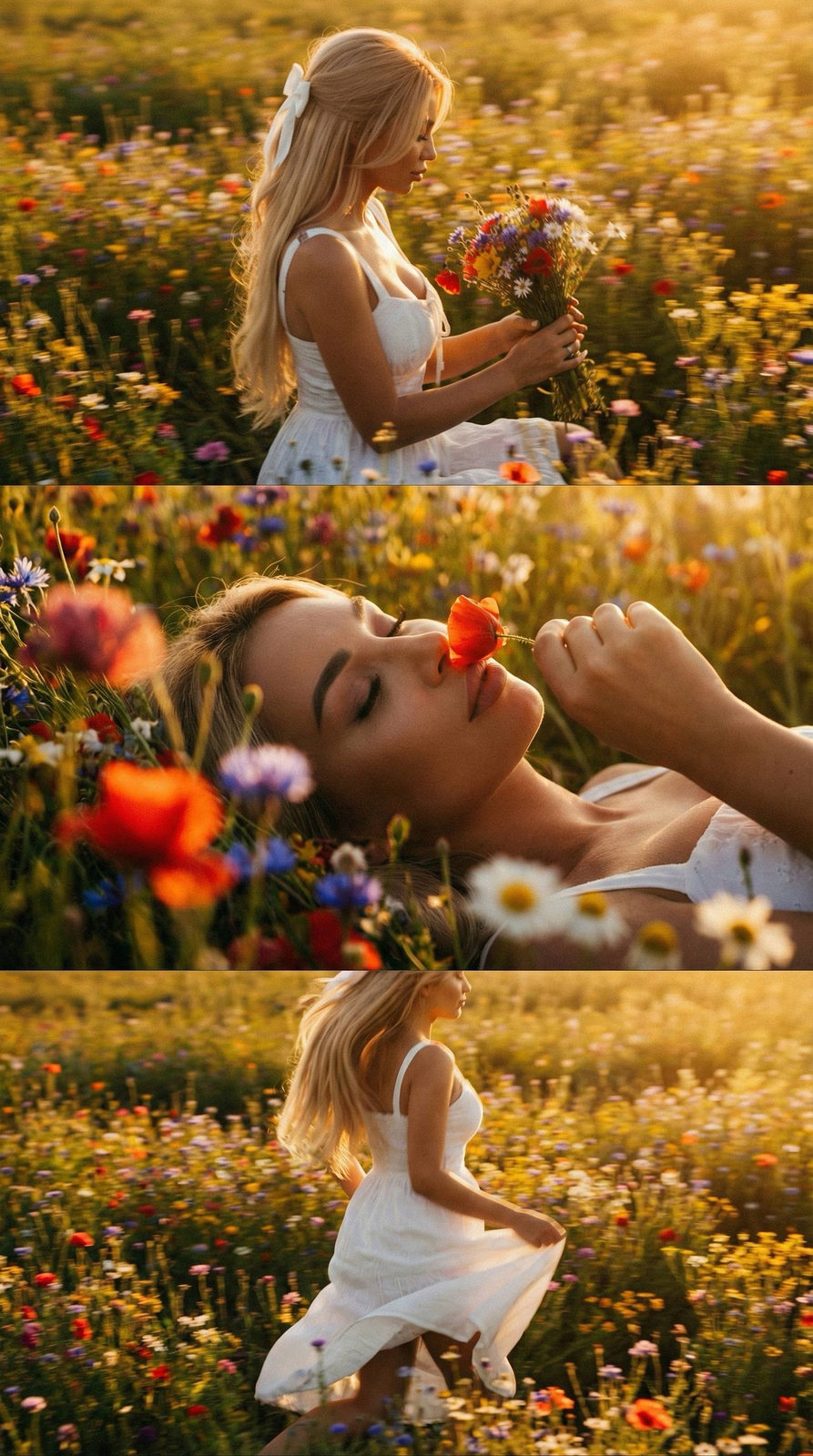
Не меняй черты лица вертикальный коллаж-триптих из трех горизонтальных кинематографических фрагментов: Верхняя панель: боком к камере девушка в белом сарафане на брительках сидит в поле ярких полевых цветов разных оттенков вокруг их очень много они насыщенные, держит в руке букет цветов полевых и смотрит на него, все в золотом цвете, теплый свет выделяет все вокруг, фото смазанное в движении Средняя панель: Загадочный снимок крупным планом, она лежит на спине с закрытыми глазами держа в руке красный цветок нюхая его, на котором большая часть лица видна на фоне цветов, на переднем плане цветы яркие красные голубые синие белые полевые не в фокусе, все залито золотым светом Нижняя часть снимка: она бежит боком от камеры по полю ярких насыщенных цветов полевых ярких волосы развиваются на ветру, фото смазанное в движении, она в том же белом сарафане на бнительках, руками приподнимает платье, все залито золотым светом Освещение - высококонтрастная, сдержанная светотень с теплым золотистым сиянием. Атмосфера - интимная на фоне поля ярких полевых цветов, благодаря крупнозернистой пленке и винтажной эстетике. Платье и Волосы везде одинаковые прямые блестящие объемные, собранные частично белой лентой бантом сзади, локонами поподает на лицо. Везде фото в золотой час и кинематографический эффект с добавлением зерна и в золотой дымке Формат 9:16
✦ Use this prompt for free
About “Golden Meadow Triptych”
This cinematic, portrait AI image prompt was created by AdX and is available to copy and use for free on PromptSpace. At 202 words, this is a detailed prompt that gives AI models precise instructions for generating the exact image you envision. It falls under the cinematic, portrait, vibrant colorful categories.
How to Use This Prompt
- 1
Copy the prompt
Click the “Copy Prompt” button above to copy the full prompt text to your clipboard.
- 2
Open your AI image generator
Open Midjourney, DALL-E, Stable Diffusion, FLUX, or any compatible tool and paste the prompt into the text field.
- 3
Generate your image
Hit generate. For best results, use the default settings first and see how the output looks.
- 4
Experiment with variations
Change details like colors, lighting, or composition to make it uniquely yours.
- 5
Want your own face in the image?
Upload a clear, well-lit front-facing photo of yourself directly inside your AI tool (look for Image Reference, Face Swap, or IP-Adapter options) — then paste this prompt alongside it to generate images with your own face.
Recommended Settings
Aspect Ratio
2:3 (Portrait)
Quality
High / HD
Best For
Midjourney, DALL-E 3, FLUX
Style
Cinematic, Portrait
Why This Prompt Works
The high word count gives the model rich context, reducing ambiguity and producing more consistent results. The cinematic and portrait aesthetic signals are specific enough that the model can lock onto a distinct visual language. The cinematic framing instruction tells the model to treat composition and depth-of-field as a film director would, not as a snapshot. Well-crafted prompts like this one combine subject precision, style vocabulary, and rendering hints — the three pillars of reliable AI image generation.
Best Model
FLUX 1.1 Pro or Midjourney v6 are the safest choices. Both handle complex prompts with high fidelity. Test with --ar 1:1 first, then adjust aspect ratio to taste.