Angel Pajamas — AI Image Prompt
Prompt
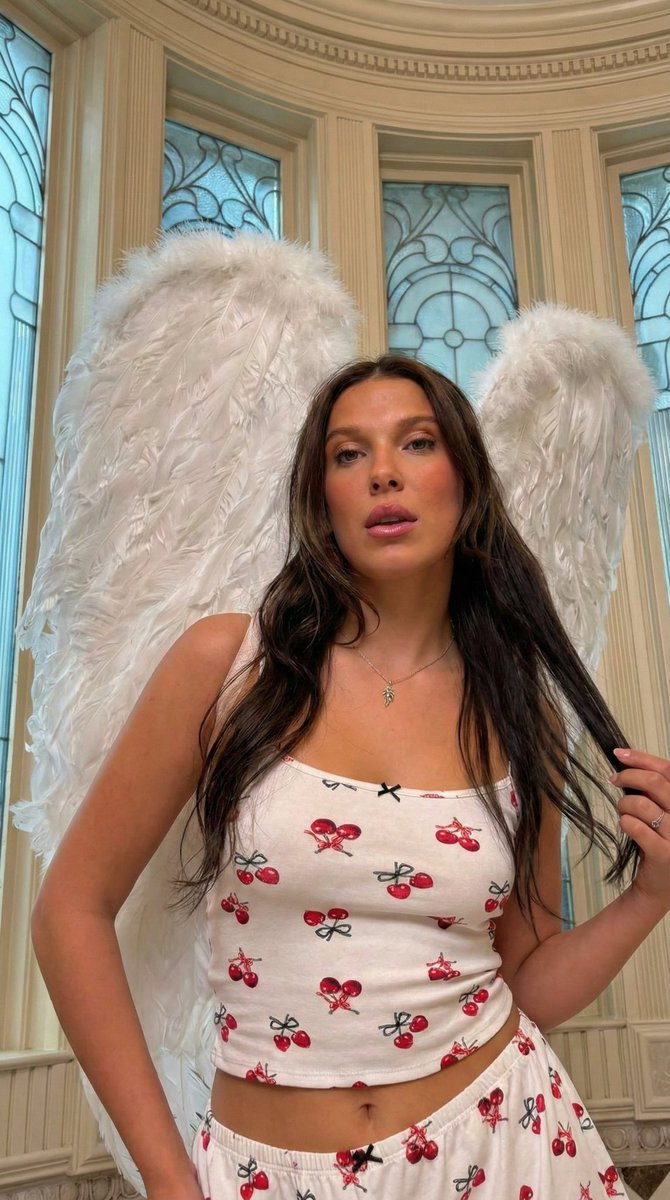
{ "camera_override_protocol": "Low-angle / Hip-Level tilt. The camera looks slightly upward at the subject to empower the figure while maintaining an intimate, invite-only perspective.", "volumetric_reconstruction": "The subject leans slightly into the frame, creating a sense of proximity. The large white wings arc dynamically behind, framing the head and shoulders. Lighting highlights the gloss on the lips and the texture of the hair.", "consistency_anchors": "Subject identity, long dark wavy hair, white pajama set with red cherry pattern (crop top and shorts), large white feathered angel wings, ornate architectural background with blue stained glass.", "framing_boundaries": "Vertical 9:16 aspect ratio. Medium Close-Up (MCU) capturing from the hips/waist to the top of the wings. Focus is sharp on the eyes and smile, with a soft fall-off towards the background.", "optical_physics": "Simulated 50mm f/1.8 lens. Soft bokeh on the architectural details in the background to separate the subject. Natural, flattering skin tones with a soft glow.", "final_technical_prompt": "A playful and sensual Medium Close-Up of a young woman with long dark hair, wearing a white cherry-print pajama set and large white angel wings. She is posing with a flirtatious expression, tilting her head slightly and touching her hair. The shot is taken from a low angle (hip level), looking up. Background is an elegant room with tall windows and blue light. High fidelity, photorealistic, 8k resolution." }
✦ Use this prompt for free
About “Angel Pajamas”
This photorealistic, cinematic, portrait AI image prompt was created by @Vishnudxe and is available to copy and use for free on PromptSpace. At 221 words, this is a detailed prompt that gives AI models precise instructions for generating the exact image you envision. It falls under the realistic, cinematic, portrait categories.
How to Use This Prompt
- 1
Copy the prompt
Click the “Copy Prompt” button above to copy the full prompt text to your clipboard.
- 2
Open your AI image generator
Open FLUX, Midjourney and paste the prompt into the text field.
- 3
Generate your image
Hit generate. For best results, use the default settings first and see how the output looks.
- 4
Experiment with variations
Change details like colors, lighting, or composition to make it uniquely yours.
- 5
Want your own face in the image?
Upload a clear, well-lit front-facing photo of yourself directly inside your AI tool (look for Image Reference, Face Swap, or IP-Adapter options) — then paste this prompt alongside it to generate images with your own face.
Recommended Settings
Aspect Ratio
2:3 (Portrait)
Quality
High / HD
Best For
FLUX, Midjourney
Style
Photorealistic, Cinematic, Portrait
Why This Prompt Works
The high word count gives the model rich context, reducing ambiguity and producing more consistent results. The photorealistic and cinematic aesthetic signals are specific enough that the model can lock onto a distinct visual language. Explicit lighting direction (a leading signal in prompt engineering) significantly improves photo-realism and composition. Well-crafted prompts like this one combine subject precision, style vocabulary, and rendering hints — the three pillars of reliable AI image generation.
Best Model
FLUX is strongly recommended for this prompt. FLUX 1.1 Pro excels at photorealism and handles complex lighting instructions more accurately than older models.