Winter Silence — AI Image Prompt
Prompt
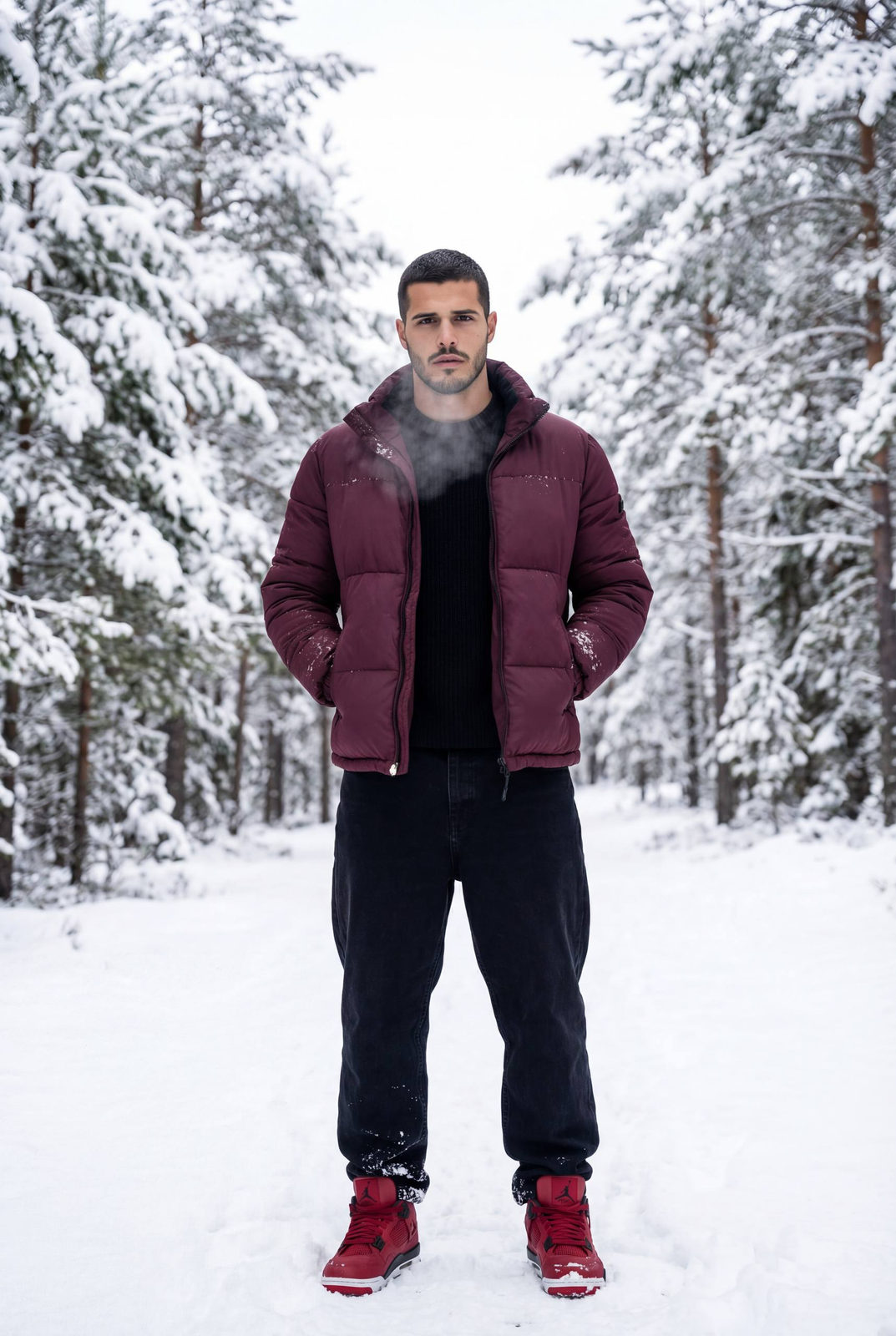
Adult man standing in a snowy pine forest, tall fir trees covered in fresh snow around him. He wears a deep burgundy puffer jacket, black knit sweater underneath, wide black baggy jeans, and red Air Jordan sneakers standing out against the white snow. He stands still, hands casually in jacket pockets, shoulders slightly raised against the cold. Calm, serious expression, breath visible in the cold air. Natural winter daylight, overcast sky creating soft diffused light. High contrast between white snow and dark clothing. Cinematic winter atmosphere, realistic textures, visible snow on jacket and boots. Editorial fashion photography, clean framing, full body shot, no posing exaggeration. Moody, masculine, quiet confidence. Adult man walking slowly through a snowy forest path between tall fir trees. Burgundy puffer jacket slightly open, black sweater visible, wide black baggy jeans moving naturally with each step, red Air Jordan sneakers leaving footprints in the snow. One hand adjusting the jacket collar, the other relaxed by his side. Head slightly lowered, focused forward, introspective mood. Handheld photography feel, natural movement, soft winter light, muted colors. Snow falling lightly. High-fashion winter editorial, lifestyle realism, no blur, no artificial effects. Mid-distance shot, dynamic but calm composition. Modern masculine winter aesthetic.
✦ Use this prompt for free
About “Winter Silence”
This photorealistic, cinematic, fashion AI image prompt was created by AdX and is available to copy and use for free on PromptSpace. At 200 words, this is a detailed prompt that gives AI models precise instructions for generating the exact image you envision. It falls under the realistic, cinematic, fashion categories.
How to Use This Prompt
- 1
Copy the prompt
Click the “Copy Prompt” button above to copy the full prompt text to your clipboard.
- 2
Open your AI image generator
Open FLUX, Midjourney and paste the prompt into the text field.
- 3
Generate your image
Hit generate. For best results, use the default settings first and see how the output looks.
- 4
Experiment with variations
Change details like colors, lighting, or composition to make it uniquely yours.
- 5
Want your own face in the image?
Upload a clear, well-lit front-facing photo of yourself directly inside your AI tool (look for Image Reference, Face Swap, or IP-Adapter options) — then paste this prompt alongside it to generate images with your own face.
Recommended Settings
Aspect Ratio
2:3 (Portrait)
Quality
High / HD
Best For
FLUX, Midjourney
Style
Photorealistic, Cinematic, Fashion
Why This Prompt Works
The high word count gives the model rich context, reducing ambiguity and producing more consistent results. The photorealistic and cinematic aesthetic signals are specific enough that the model can lock onto a distinct visual language. The cinematic framing instruction tells the model to treat composition and depth-of-field as a film director would, not as a snapshot. Well-crafted prompts like this one combine subject precision, style vocabulary, and rendering hints — the three pillars of reliable AI image generation.
Best Model
FLUX is strongly recommended for this prompt. FLUX 1.1 Pro excels at photorealism and handles complex lighting instructions more accurately than older models.