Glossy Pastel Grace — AI Image Prompt
Prompt
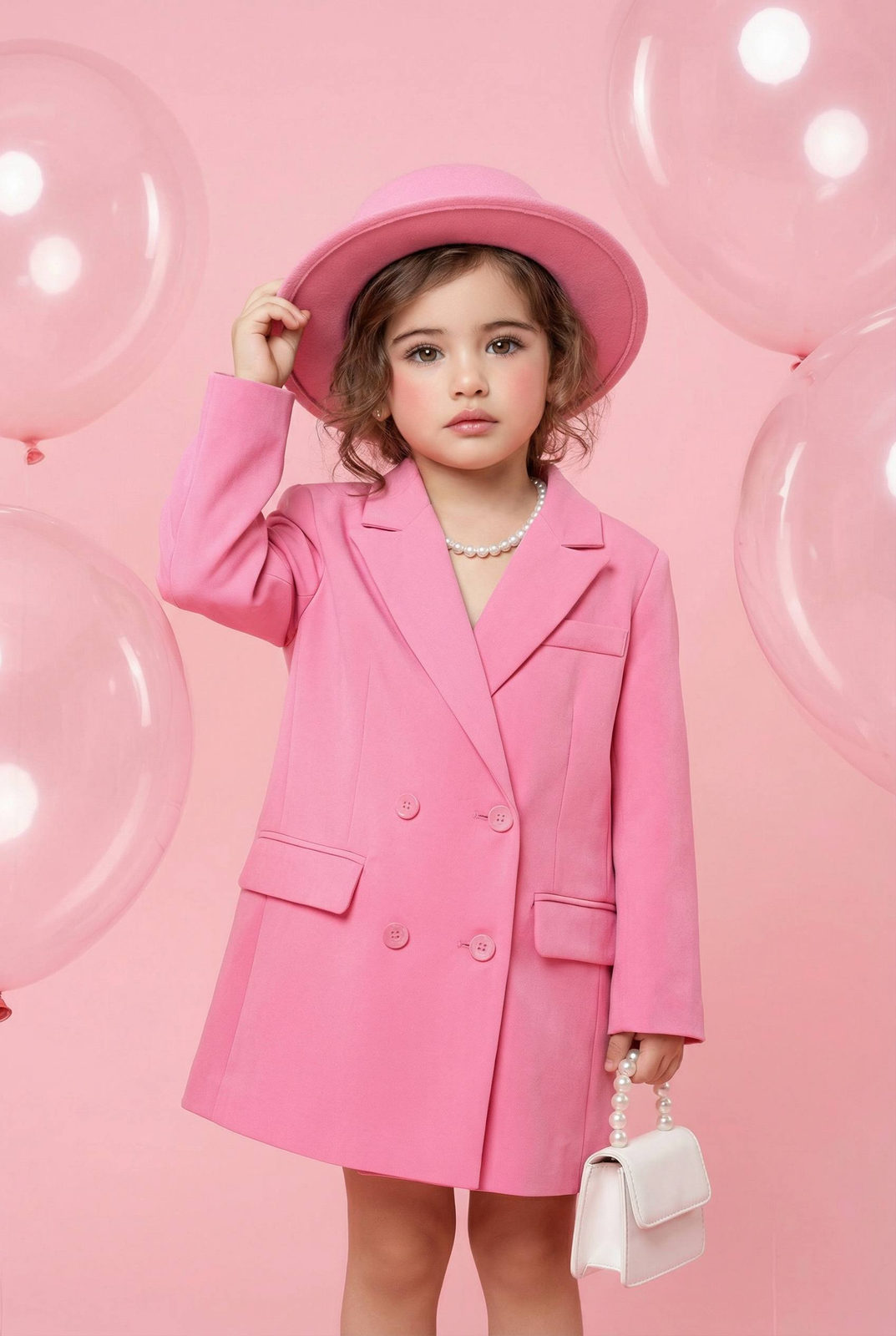
Using the provided image as the main reference. Studio fashion portrait, mid-length crop (waist to knees). Location: soft pastel pink studio background with large transparent balloons floating around the scene. Clean, minimal, glossy atmosphere. Studio setup with a dreamy, fashion-editorial feel. Background smooth and evenly lit, no visible seams, no props beyond balloons. Pose & body language: the child stands confidently with a slight shift of weight to one leg. One hand gently touching the brim of the hat, the other holding a small handbag. Pose playful yet composed, like a mini fashion editorial moment. Calm, direct gaze toward the camera. Outfit: bright pink oversized double-breasted blazer worn as a dress, tailored but slightly loose for a fashion-forward silhouette. Matching pink structured hat with a clean brim. The look is monochrome, bold, and editorial, inspired by high-fashion kidswear styling. Accessories: small white mini handbag with pearl handle, held delicately. Short pearl necklace around the neck, adding a classic contrast to the bold pink outfit. Hair: soft hair styled naturally with light waves and loose strands framing the face. Hair partially tucked under the hat for an effortless look. Makeup: natural child-friendly makeup look. Fresh skin, subtle rosy cheeks, soft lip tone, clean brows. No heavy cosmetics, maintaining a gentle and polished appearance. Lighting: soft studio lighting, evenly diffused. No harsh shadows. Light wraps gently around the subject, creating a clean, glossy finish. Mood & aesthetic: Pinterest kids fashion, mini couture vibe, playful elegance. Editorial, stylish, confident but age-appropriate. Soft glamour without exaggeration
✦ Use this prompt for free
About “Glossy Pastel Grace”
This photorealistic, fashion, portrait AI image prompt was created by AdX and is available to copy and use for free on PromptSpace. At 252 words, this is a detailed prompt that gives AI models precise instructions for generating the exact image you envision. It falls under the fashion, portrait, studio categories.
How to Use This Prompt
- 1
Copy the prompt
Click the “Copy Prompt” button above to copy the full prompt text to your clipboard.
- 2
Open your AI image generator
Open FLUX, Midjourney and paste the prompt into the text field.
- 3
Generate your image
Hit generate. For best results, use the default settings first and see how the output looks.
- 4
Experiment with variations
Change details like colors, lighting, or composition to make it uniquely yours.
- 5
Want your own face in the image?
Upload a clear, well-lit front-facing photo of yourself directly inside your AI tool (look for Image Reference, Face Swap, or IP-Adapter options) — then paste this prompt alongside it to generate images with your own face.
Recommended Settings
Aspect Ratio
2:3 (Portrait)
Quality
High / HD
Best For
FLUX, Midjourney
Style
Photorealistic, Fashion, Portrait
Why This Prompt Works
The high word count gives the model rich context, reducing ambiguity and producing more consistent results. The photorealistic and fashion aesthetic signals are specific enough that the model can lock onto a distinct visual language. Explicit lighting direction (a leading signal in prompt engineering) significantly improves photo-realism and composition. Well-crafted prompts like this one combine subject precision, style vocabulary, and rendering hints — the three pillars of reliable AI image generation.
Best Model
FLUX is strongly recommended for this prompt. FLUX 1.1 Pro excels at photorealism and handles complex lighting instructions more accurately than older models.