Elegant Woman — AI Image Prompt
Prompt
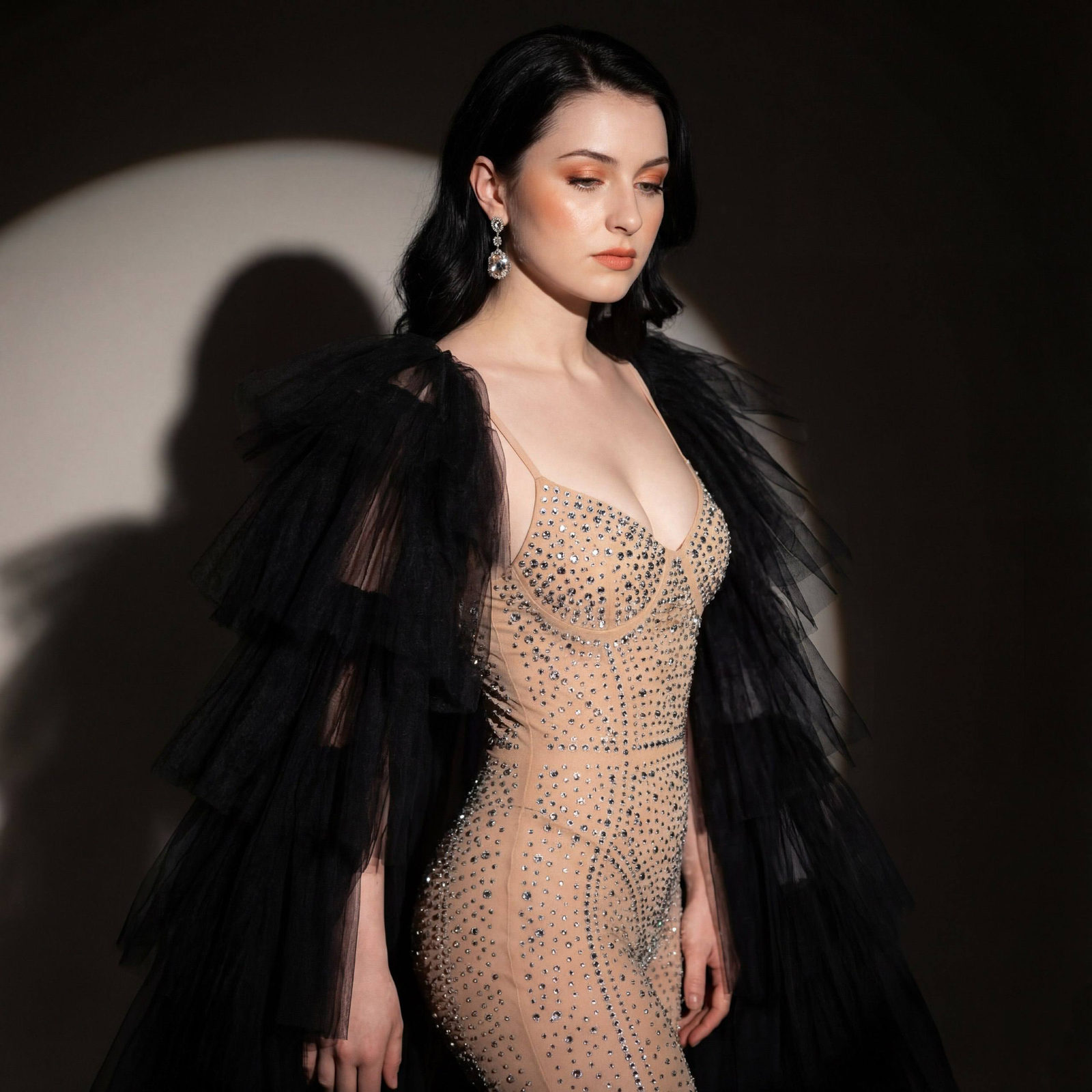
Without changing the appearance of the woman from the photo, the scene is filled with a luxurious theatrical atmosphere, creating a sense of glamour and sophistication. The woman stands at a half-turn to the camera, looking down with a light thoughtfulness, giving her pose a sensual and intriguing depth. Her body is draped in a black fluffy and airy cape with many layers of soft tulle, which contrasts intensely with her fair skin, giving the composition drama and volume. She is wearing a form-fitting nude bodysuit adorned with many sparkling stones and rhinestones that reflect light and create a shimmering pattern from the neckline downwards, emphasizing the curves of her figure. The fabric of the bodysuit seems to dissolve on the skin, creating an effect of an almost transparent shell, adding an elegant boldness to the image. Graceful thin straps slide over the shoulders. Soft light falls from the left, emphasizing chiseled cheekbones, graceful lines of the neck, and peach-toned makeup with an emphasis on expressive eyes and lips. Impressive earrings with large stones catch the light. The background lighting creates a clear soft circle of light on a dark surface, leaving a shadow from the woman's figure, which gives depth and volume to the frame, enhancing the cinematic effect. The overall mood is filled with elegant drama, a play of light and shadow, photorealistic image, high textural detail, high quality, 4K resolution.
✦ Use this prompt for free
About “Elegant Woman”
This photorealistic, cinematic, fashion AI image prompt was created by AdX and is available to copy and use for free on PromptSpace. At 233 words, this is a detailed prompt that gives AI models precise instructions for generating the exact image you envision. It falls under the realistic, cinematic, portrait categories.
How to Use This Prompt
- 1
Copy the prompt
Click the “Copy Prompt” button above to copy the full prompt text to your clipboard.
- 2
Open your AI image generator
Open FLUX, Midjourney and paste the prompt into the text field.
- 3
Generate your image
Hit generate. For best results, use the default settings first and see how the output looks.
- 4
Experiment with variations
Change details like colors, lighting, or composition to make it uniquely yours.
- 5
Want your own face in the image?
Upload a clear, well-lit front-facing photo of yourself directly inside your AI tool (look for Image Reference, Face Swap, or IP-Adapter options) — then paste this prompt alongside it to generate images with your own face.
Recommended Settings
Aspect Ratio
2:3 (Portrait)
Quality
High / HD
Best For
FLUX, Midjourney
Style
Photorealistic, Cinematic, Fashion
Why This Prompt Works
The high word count gives the model rich context, reducing ambiguity and producing more consistent results. The photorealistic and cinematic aesthetic signals are specific enough that the model can lock onto a distinct visual language. Explicit lighting direction (a leading signal in prompt engineering) significantly improves photo-realism and composition. Well-crafted prompts like this one combine subject precision, style vocabulary, and rendering hints — the three pillars of reliable AI image generation.
Best Model
FLUX is strongly recommended for this prompt. FLUX 1.1 Pro excels at photorealism and handles complex lighting instructions more accurately than older models.