Summer Patio — AI Image Prompt
Prompt
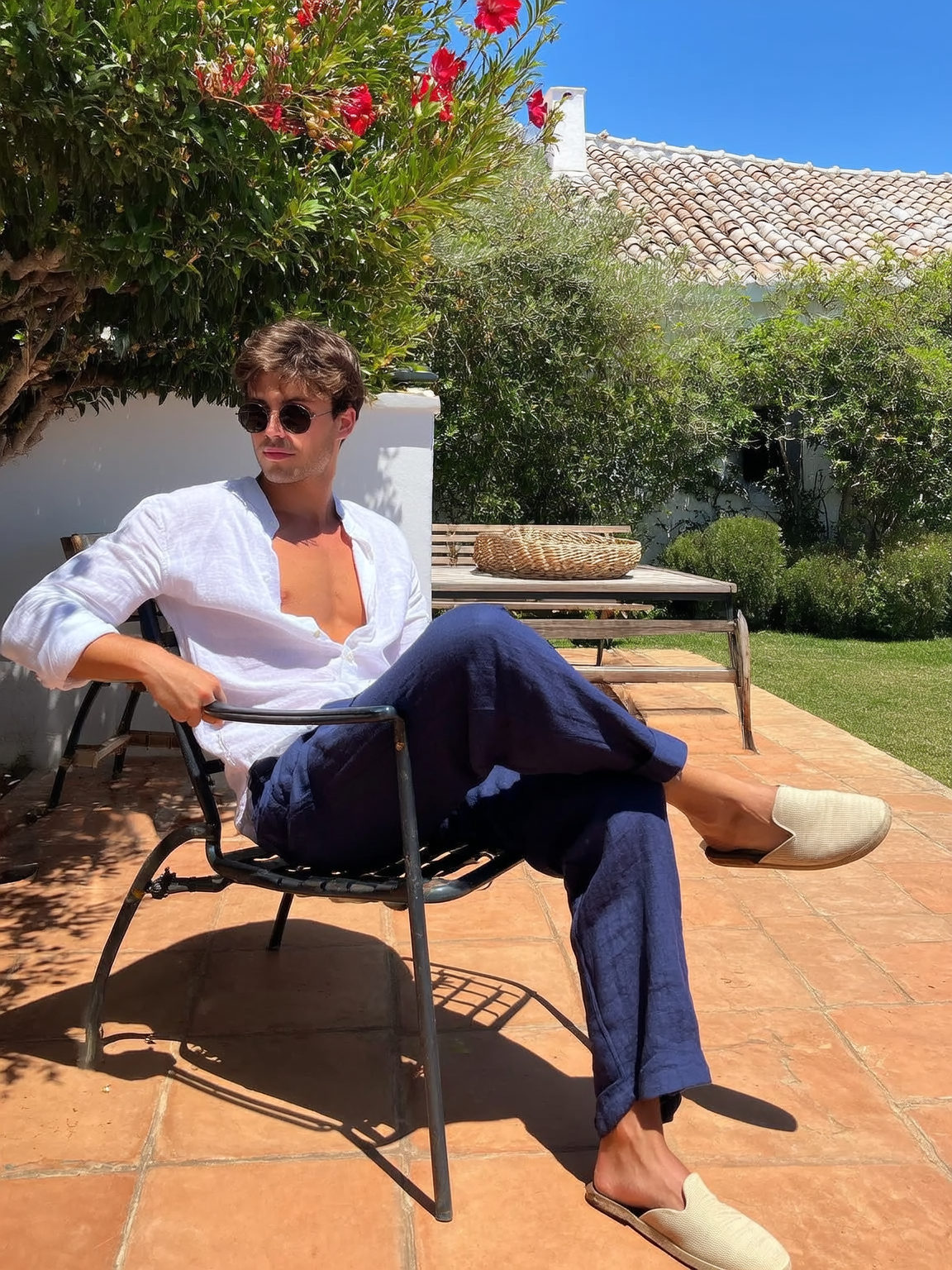
A young man with short brown hair and light Mediterranean tan sits casually on a black metal patio chair, legs crossed, one arm resting on the armrest. He's dressed in a partially unbuttoned white linen shirt and slightly wrinkled navy-blue linen pants, beige slip-on espadrilles completing his laid-back summer look. Round black sunglasses with dark lenses shield his eyes, as his calm, neutral expression gazes slightly left. The setting is a sunlit terracotta-tiled patio layered with sharp shadows from overhead foliage. Behind him, a white wall meets a wooden bench and narrow table topped with a woven basket. Dense Mediterranean greenery surrounds the scene: red hibiscus blossoms, broad palm leaves, and well-trimmed trees stretch against the backdrop of a white tiled-roof house and clear blue sky. Bright midday sunlight creates vivid highlights on his shirt and crisp reflections on sunglasses while casting precise shadows beneath the chair and his silhouette. The camera, positioned at eye level and angled slightly left, captures this moment in true-to-life, unfiltered color and texture, reflecting realistic skin tones warmed by the sun. This natural, spontaneous summer snapshot conveys calmness and ease in a Mediterranean garden, retaining all the imperfections and honesty of an iPhone 13 daytime capture without post-processing or cinematic effects.
✦ Use this prompt for free
About “Summer Patio”
This photorealistic AI image prompt was created by AdX and is available to copy and use for free on PromptSpace. At 207 words, this is a detailed prompt that gives AI models precise instructions for generating the exact image you envision. It falls under the realistic, photography, day categories.
How to Use This Prompt
- 1
Copy the prompt
Click the “Copy Prompt” button above to copy the full prompt text to your clipboard.
- 2
Open your AI image generator
Open FLUX, Midjourney and paste the prompt into the text field.
- 3
Generate your image
Hit generate. For best results, use the default settings first and see how the output looks.
- 4
Experiment with variations
Change details like colors, lighting, or composition to make it uniquely yours.
- 5
Want your own face in the image?
Upload a clear, well-lit front-facing photo of yourself directly inside your AI tool (look for Image Reference, Face Swap, or IP-Adapter options) — then paste this prompt alongside it to generate images with your own face.
Recommended Settings
Aspect Ratio
1:1 or 2:3 (Default)
Quality
High / HD
Best For
FLUX, Midjourney
Style
Photorealistic
Why This Prompt Works
The high word count gives the model rich context, reducing ambiguity and producing more consistent results. The photorealistic aesthetic signals are specific enough that the model can lock onto a distinct visual language. The cinematic framing instruction tells the model to treat composition and depth-of-field as a film director would, not as a snapshot. Well-crafted prompts like this one combine subject precision, style vocabulary, and rendering hints — the three pillars of reliable AI image generation.
Best Model
FLUX is strongly recommended for this prompt. FLUX 1.1 Pro excels at photorealism and handles complex lighting instructions more accurately than older models.