Golden Hour Stroll — AI Image Prompt
Prompt
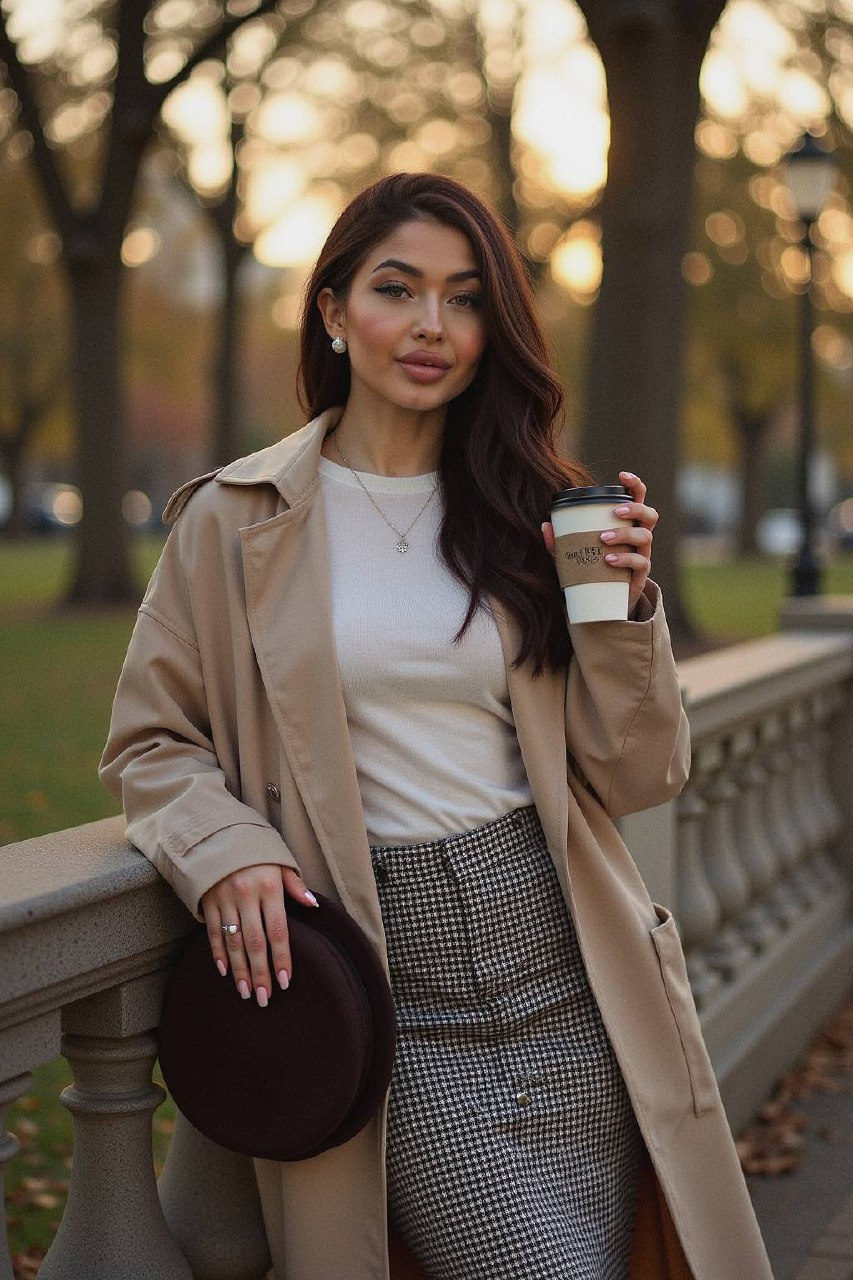
Cinematic portrait of a woman leaning against an ornate stone fence in a tree-lined park. She holds a takeaway coffee cup in one hand, the other gently adjusting a dark brown beret. Outfit: houndstooth wool skirt, tucked-in ivory knit, vintage trench coat draped over shoulders. Jewelry: subtle pearl studs. Golden hour sun rays highlight her hair, leaves falling softly in background. --ar 2:3 --q 2 --v 6 --style raw
✦ Use this prompt for free
About “Golden Hour Stroll”
This AI image prompt was created by AdX and is available to copy and use for free on PromptSpace. At 69 words, this is a detailed prompt that gives AI models precise instructions for generating the exact image you envision. It falls under the product poster, minimalist, modern categories.
How to Use This Prompt
- 1
Copy the prompt
Click the “Copy Prompt” button above to copy the full prompt text to your clipboard.
- 2
Open your AI image generator
Open Midjourney and paste the prompt into the text field.
- 3
Generate your image
Hit generate. For best results, use the default settings first and see how the output looks.
- 4
Experiment with variations
Change details like colors, lighting, or composition to make it uniquely yours.
- 5
Want your own face in the image?
Upload a clear, well-lit front-facing photo of yourself directly inside your AI tool (look for Image Reference, Face Swap, or IP-Adapter options) — then paste this prompt alongside it to generate images with your own face.
Recommended Settings
Aspect Ratio
1:1 or 2:3 (Default)
Quality
High / HD
Best For
Midjourney
Style
As described in prompt
Why This Prompt Works
The high word count gives the model rich context, reducing ambiguity and producing more consistent results. The cinematic framing instruction tells the model to treat composition and depth-of-field as a film director would, not as a snapshot. Well-crafted prompts like this one combine subject precision, style vocabulary, and rendering hints — the three pillars of reliable AI image generation.
Best Model
Midjourney is strongly recommended for this prompt. Midjourney v6 handles the stylized aesthetic especially well. Try --ar 2:3 and --style raw for the most faithful output.