Winter Resolve — AI Image Prompt
Prompt
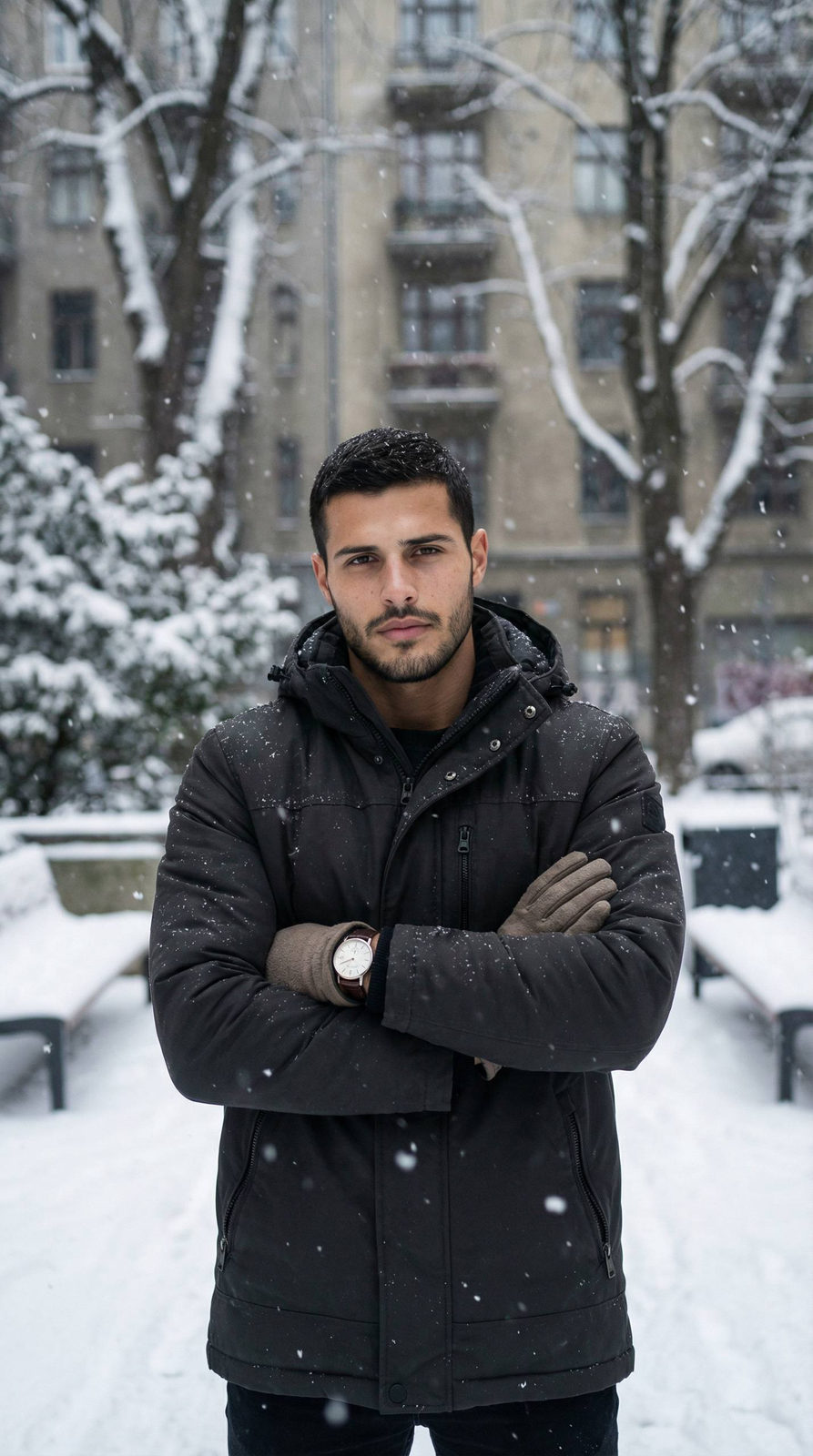
A cinematic winter portrait of a man standing outdoors during active snowfall, centered in the frame. Snow-covered trees with heavy branches fill the background, creating a dense, textured winter atmosphere. A muted urban building facade is partially visible behind the trees, softly blurred. Pose & body language: The man stands facing the camera with arms crossed over his chest. Posture relaxed but grounded, shoulders slightly forward against the cold. Expression calm, confident, introspective — no smile, no tension, steady eye contact. Hands tucked into gloves, emphasizing warmth and practicality. Dark insulated winter jacket with a structured silhouette, matte fabric texture, visible seams and zipper details. Neutral-toned gloves, practical and worn-in. Minimal accessories: a classic wristwatch visible at the cuff. No emphasis on hairstyle or hair details. Fresh snow falling mid-air, individual snowflakes visible. Snow-covered ground and benches partially buried in snow. Winter city courtyard or quiet residential area. Natural overcast daylight, soft and diffused. No harsh shadows, even exposure across face and clothing. Cool color temperature with subtle contrast between dark clothing and white snow. Quiet strength, winter calm, emotional restraint. Authentic lifestyle portrait with cinematic realism. Natural, unposed feeling — as if captured mid-moment. Camera: Medium portrait shot, chest-up framing. 50–85mm lens look, shallow depth of field separating subject from snowy background. Ultra-realistic, high-detail winter photography.
✦ Use this prompt for free
About “Winter Resolve”
This cinematic, fashion, dark/moody AI image prompt was created by AdX and is available to copy and use for free on PromptSpace. At 217 words, this is a detailed prompt that gives AI models precise instructions for generating the exact image you envision. It falls under the fashion, editorial, cinematic categories.
How to Use This Prompt
- 1
Copy the prompt
Click the “Copy Prompt” button above to copy the full prompt text to your clipboard.
- 2
Open your AI image generator
Open FLUX, Midjourney and paste the prompt into the text field.
- 3
Generate your image
Hit generate. For best results, use the default settings first and see how the output looks.
- 4
Experiment with variations
Change details like colors, lighting, or composition to make it uniquely yours.
- 5
Want your own face in the image?
Upload a clear, well-lit front-facing photo of yourself directly inside your AI tool (look for Image Reference, Face Swap, or IP-Adapter options) — then paste this prompt alongside it to generate images with your own face.
Recommended Settings
Aspect Ratio
2:3 (Portrait)
Quality
High / HD
Best For
FLUX, Midjourney
Style
Cinematic, Fashion, Dark/Moody
Why This Prompt Works
The high word count gives the model rich context, reducing ambiguity and producing more consistent results. The cinematic and fashion aesthetic signals are specific enough that the model can lock onto a distinct visual language. The cinematic framing instruction tells the model to treat composition and depth-of-field as a film director would, not as a snapshot. Well-crafted prompts like this one combine subject precision, style vocabulary, and rendering hints — the three pillars of reliable AI image generation.
Best Model
FLUX is strongly recommended for this prompt. FLUX 1.1 Pro excels at photorealism and handles complex lighting instructions more accurately than older models.