Студийная классика — AI Image Prompt
Prompt
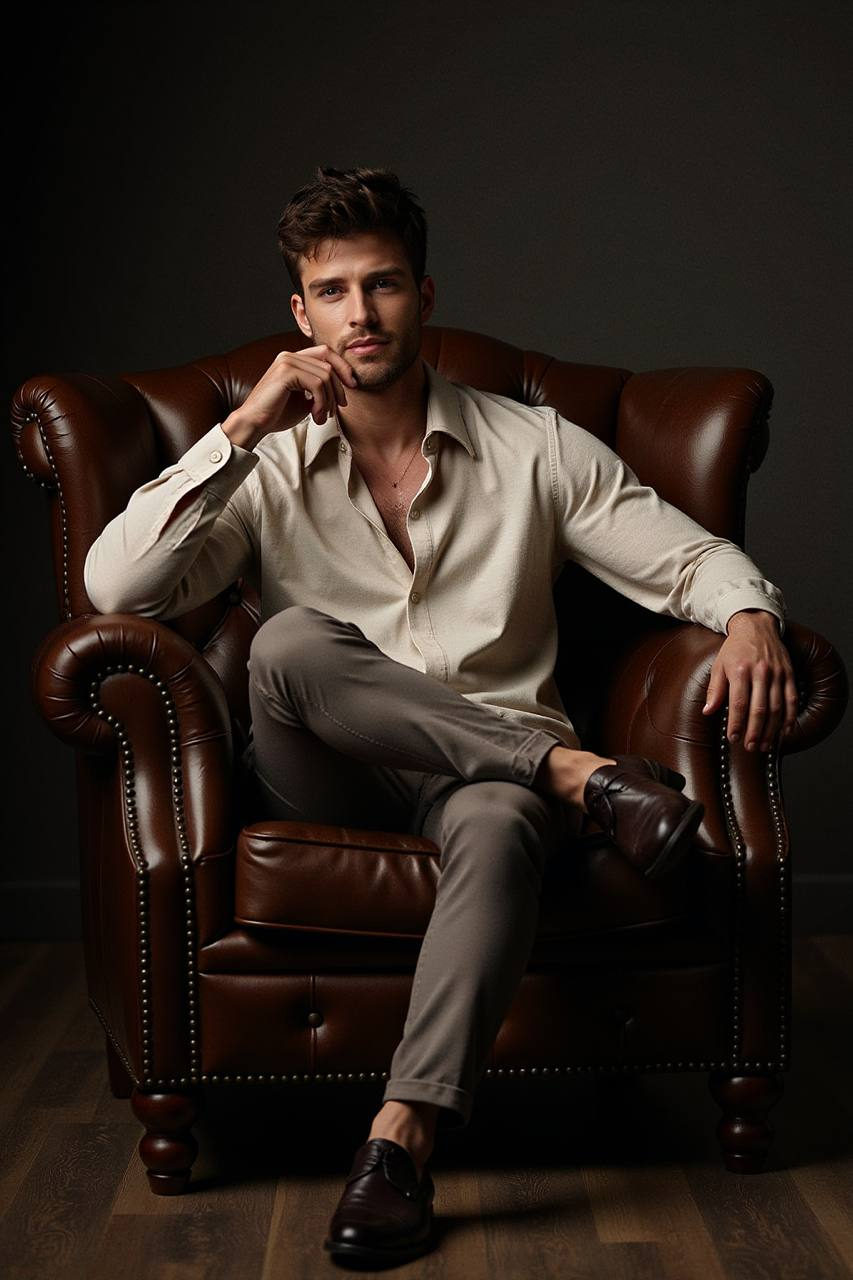
The image is a medium shot of a young man seated centrally in a large dark leather Chesterfield armchair, occupying 60% of the horizontal and 50% of the vertical space. The chair features deep button tufting, rolled arms, and a polished dark brown leather surface. The young man is positioned with a relaxed yet poised posture, torso slightly rotated left, right arm on the right armrest, elbow bent, and hand gripping it loosely. His left arm supports his chin, fingers gently curled, with the right leg crossed over the left knee. He wears an untucked long-sleeved off-white button-up shirt with a subtle sheen, open collar, and fitted cuffs, paired with muted taupe trousers made from a matte fabric. His shoes are dark leather with a polished finish. The lighting is warm and directional from the left, creating high contrast and a chiaroscuro effect, illuminating the left side of his face and torso. The background is a very dark charcoal wall, with a matte dark wood floor. The camera is at eye level, capturing the upper three-quarters of the figure, with a moderately shallow depth of field and minimal post-processing, enhancing warm tones and maintaining texture detail.
✦ Use this prompt for free
About “Студийная классика”
This cinematic, fashion, dark/moody AI image prompt was created by AdX and is available to copy and use for free on PromptSpace. At 196 words, this is a detailed prompt that gives AI models precise instructions for generating the exact image you envision. It falls under the fashion, editorial, cinematic categories.
How to Use This Prompt
- 1
Copy the prompt
Click the “Copy Prompt” button above to copy the full prompt text to your clipboard.
- 2
Open your AI image generator
Open Midjourney, DALL-E, Stable Diffusion, FLUX, or any compatible tool and paste the prompt into the text field.
- 3
Generate your image
Hit generate. For best results, use the default settings first and see how the output looks.
- 4
Experiment with variations
Change details like colors, lighting, or composition to make it uniquely yours.
- 5
Want your own face in the image?
Upload a clear, well-lit front-facing photo of yourself directly inside your AI tool (look for Image Reference, Face Swap, or IP-Adapter options) — then paste this prompt alongside it to generate images with your own face.
Recommended Settings
Aspect Ratio
2:3 (Portrait)
Quality
High / HD
Best For
Midjourney, DALL-E 3, FLUX
Style
Cinematic, Fashion, Dark/Moody
Why This Prompt Works
The high word count gives the model rich context, reducing ambiguity and producing more consistent results. The cinematic and fashion aesthetic signals are specific enough that the model can lock onto a distinct visual language. Explicit lighting direction (a leading signal in prompt engineering) significantly improves photo-realism and composition. Well-crafted prompts like this one combine subject precision, style vocabulary, and rendering hints — the three pillars of reliable AI image generation.
Best Model
FLUX 1.1 Pro or Midjourney v6 are the safest choices. Both handle complex prompts with high fidelity. Test with --ar 1:1 first, then adjust aspect ratio to taste.