Pop-Style — AI Image Prompt
Prompt
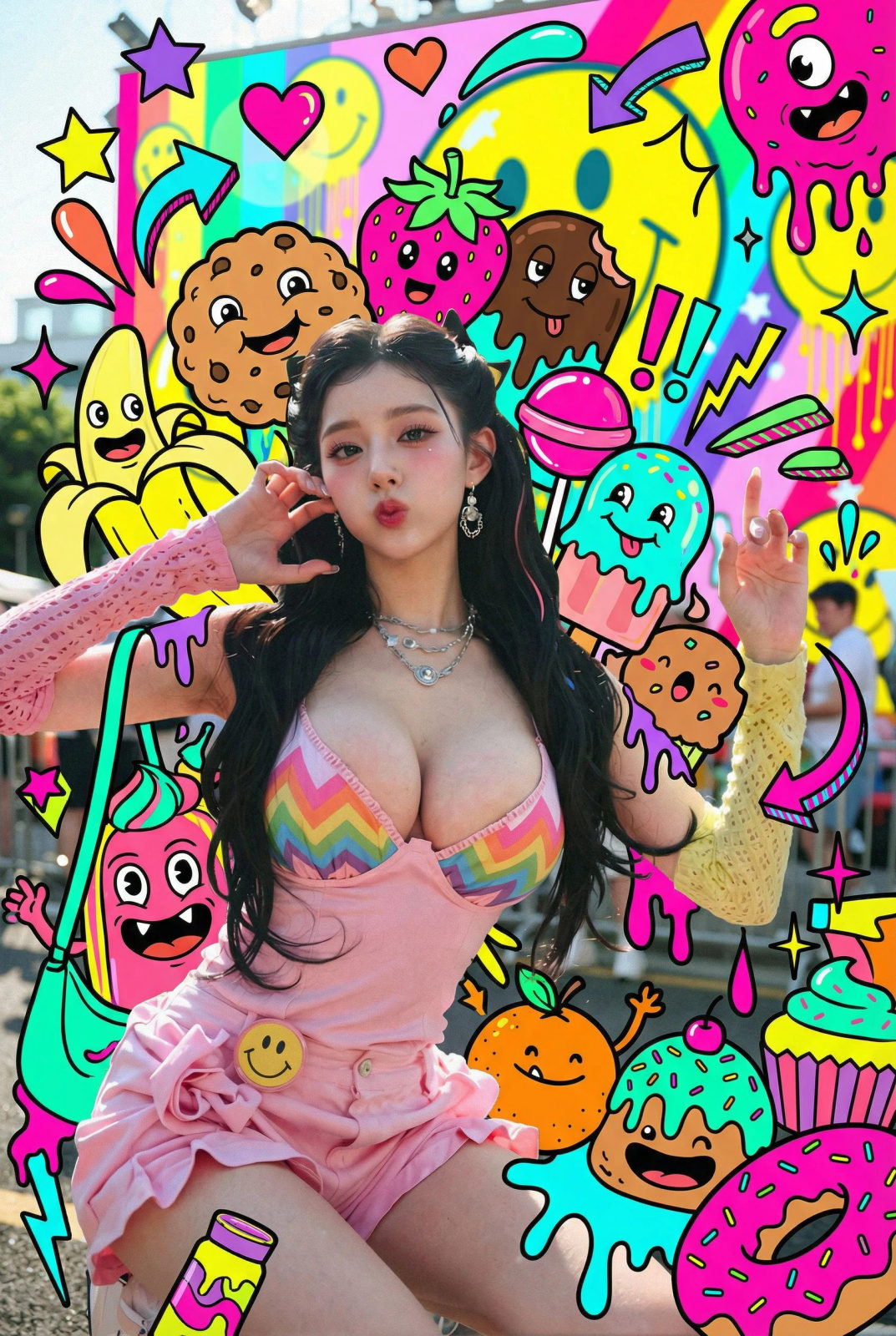
Use the uploaded photo. Do NOT alter the person’s real appearance — keep the person’s face, body, clothing, colors, and texture completely photorealistic. Do NOT change the background perspective. Do NOT turn the person into a drawing or illustration. Add a dense, overloaded layer of pop-style illustrated “sweets monsters” and graphic decorations ONLY around the person (and on top of their clothing if needed), but never on their skin or face. Illustrated elements: - many colorful cartoon monsters with thick black outlines, flat colors, and cute-but-ugly expressions - sweets-inspired monsters: bananas, cookies, strawberries, melting chocolate, lollipops, ice cream, oranges, cupcakes, donuts, candy pieces, soda bottles, etc. - additional graphic shapes: stars, hearts, arrows, drips, splashes, zigzag lines, exclamation marks, motion lines, sparkles, bubbles, comic-style text shapes (but no real text) Make the decoration very dense and “busy”: - fill the space behind the person with overlapping sweets monsters and shapes - add monsters peeking from behind the shoulders, around the bag, at the person’s feet, and near the head - allow some monsters and shapes to overlap the clothing and accessories (shirt, shorts, bag, shoes), but keep the skin of the face, arms, and legs photorealistic and visible - use multiple layers of illustrations in front of and behind the person to create depth - add glowing outlines, small white dots, and speed lines around the person to emphasize energy Color and style: - use a vivid, neon-like color palette (hot pink, yellow, cyan, lime, orange, purple, turquoise) - keep all illustrated elements flat and graphic with clean edges and bold outlines - ensure shadows and overlap suggest interaction with the real person (e.g., slight shadows on clothing where monsters touch) Overall goal: Create a highly decorated, maximalist pop-art scene where the real person stands in the middle, surrounded and wrapped by a chaotic crowd of playful sweets monsters and graphic doodles, while the person remains clearly photorealistic.
✦ Use this prompt for free
About “Pop-Style”
This AI image prompt was created by AdX and is available to copy and use for free on PromptSpace. At 318 words, this is a detailed prompt that gives AI models precise instructions for generating the exact image you envision. It falls under the vibrant colorful category.
How to Use This Prompt
- 1
Copy the prompt
Click the “Copy Prompt” button above to copy the full prompt text to your clipboard.
- 2
Open your AI image generator
Open FLUX, Midjourney and paste the prompt into the text field.
- 3
Generate your image
Hit generate. For best results, use the default settings first and see how the output looks.
- 4
Experiment with variations
Change details like colors, lighting, or composition to make it uniquely yours.
- 5
Want your own face in the image?
Upload a clear, well-lit front-facing photo of yourself directly inside your AI tool (look for Image Reference, Face Swap, or IP-Adapter options) — then paste this prompt alongside it to generate images with your own face.
Recommended Settings
Aspect Ratio
1:1 or 2:3 (Default)
Quality
High / HD
Best For
FLUX, Midjourney
Style
As described in prompt
Why This Prompt Works
The high word count gives the model rich context, reducing ambiguity and producing more consistent results. Well-crafted prompts like this one combine subject precision, style vocabulary, and rendering hints — the three pillars of reliable AI image generation.
Best Model
FLUX is strongly recommended for this prompt. FLUX 1.1 Pro excels at photorealism and handles complex lighting instructions more accurately than older models.