Winter Playful Glow — AI Image Prompt
Prompt
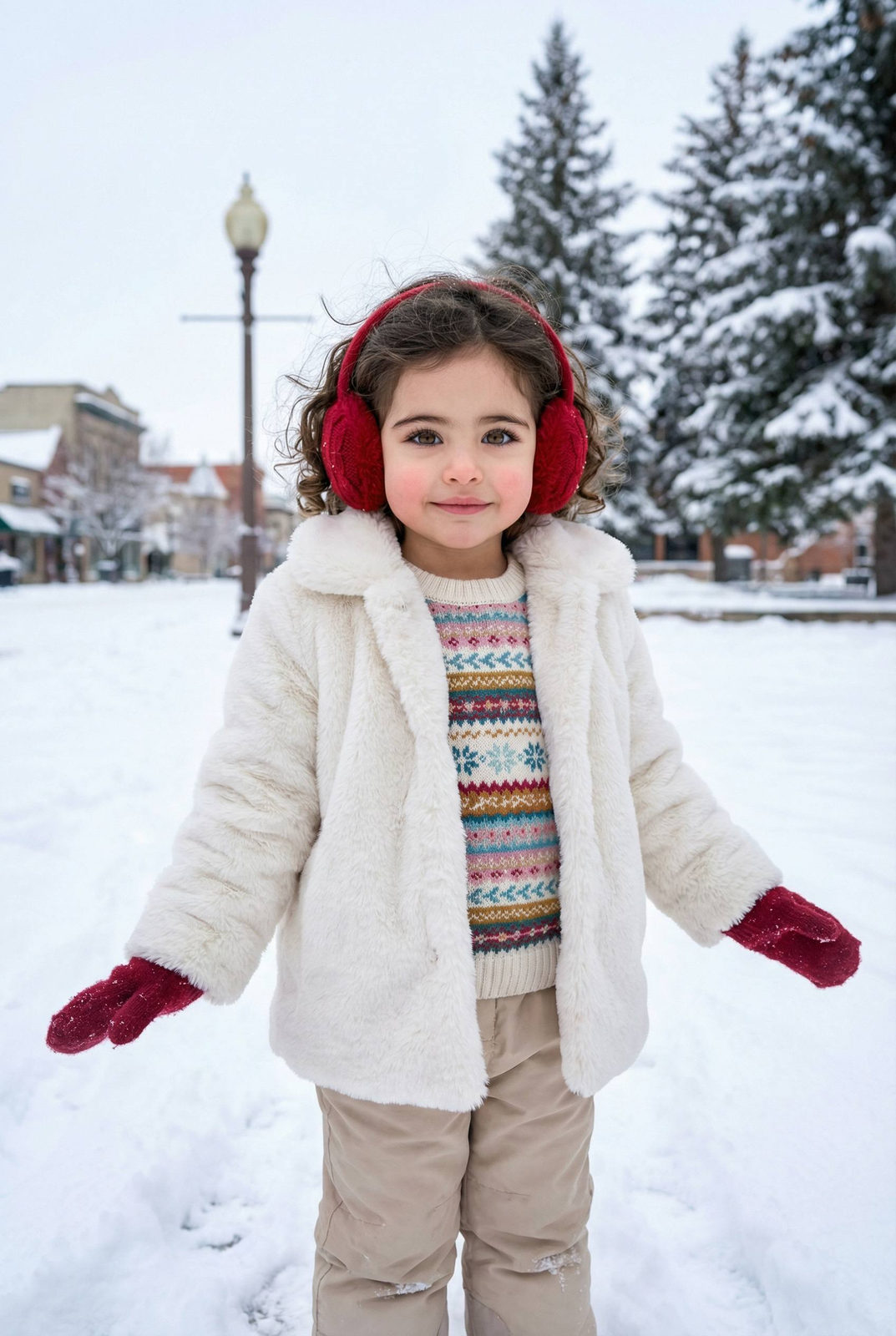
Reference image: uploaded photo. Recreate pose, facial structure, proportions, outfit, environment, lighting, and mood exactly. Preserve the child’s real facial features, age-appropriate appearance, natural skin texture, and genuine expression. No adult stylization, no makeup enhancement, no facial alteration. A realistic winter outdoor portrait of a young girl standing in fresh snow in a snowy park or town square. Tall evergreen trees covered with snow in the background, soft winter daylight, overcast sky creating even, diffused lighting. Pose & expression: the girl stands facing the camera with arms slightly extended outward, relaxed and playful posture. Gentle smile, bright eyes, natural childlike expression, warm and cheerful mood. Direct eye contact with the camera. Outfit: fluffy white faux-fur coat with long texture, colorful knitted sweater underneath with horizontal winter pattern, beige winter pants. Red knitted earmuffs covering both ears, red winter gloves. Outfit looks cozy, oversized, and practical for cold weather. Hair & details: hair, neatly styled and tucked behind earmuffs, natural flyaways visible. No retouching, realistic winter look. Environment & props: snow-covered ground with visible footprints, winter lamp post behind, subtle architectural elements in the background. Background slightly blurred but recognizable, giving depth without distraction. Lighting: soft natural daylight, cool winter tones balanced with warm skin tones. No harsh shadows, no artificial glow. Camera & framing: vertical portrait, medium shot. Eye-level angle. Natural depth of field, realistic photography style, true-to-life colors.
✦ Use this prompt for free
About “Winter Playful Glow”
This AI image prompt was created by AdX and is available to copy and use for free on PromptSpace. At 229 words, this is a detailed prompt that gives AI models precise instructions for generating the exact image you envision. It falls under the sasi category.
How to Use This Prompt
- 1
Copy the prompt
Click the “Copy Prompt” button above to copy the full prompt text to your clipboard.
- 2
Open your AI image generator
Open FLUX, Midjourney and paste the prompt into the text field.
- 3
Generate your image
Hit generate. For best results, use the default settings first and see how the output looks.
- 4
Experiment with variations
Change details like colors, lighting, or composition to make it uniquely yours.
- 5
Want your own face in the image?
Upload a clear, well-lit front-facing photo of yourself directly inside your AI tool (look for Image Reference, Face Swap, or IP-Adapter options) — then paste this prompt alongside it to generate images with your own face.
Recommended Settings
Aspect Ratio
1:1 or 2:3 (Default)
Quality
High / HD
Best For
FLUX, Midjourney
Style
As described in prompt
Why This Prompt Works
The high word count gives the model rich context, reducing ambiguity and producing more consistent results. Explicit lighting direction (a leading signal in prompt engineering) significantly improves photo-realism and composition. Well-crafted prompts like this one combine subject precision, style vocabulary, and rendering hints — the three pillars of reliable AI image generation.
Best Model
FLUX is strongly recommended for this prompt. FLUX 1.1 Pro excels at photorealism and handles complex lighting instructions more accurately than older models.