Snowy Window Calm — AI Image Prompt
Prompt
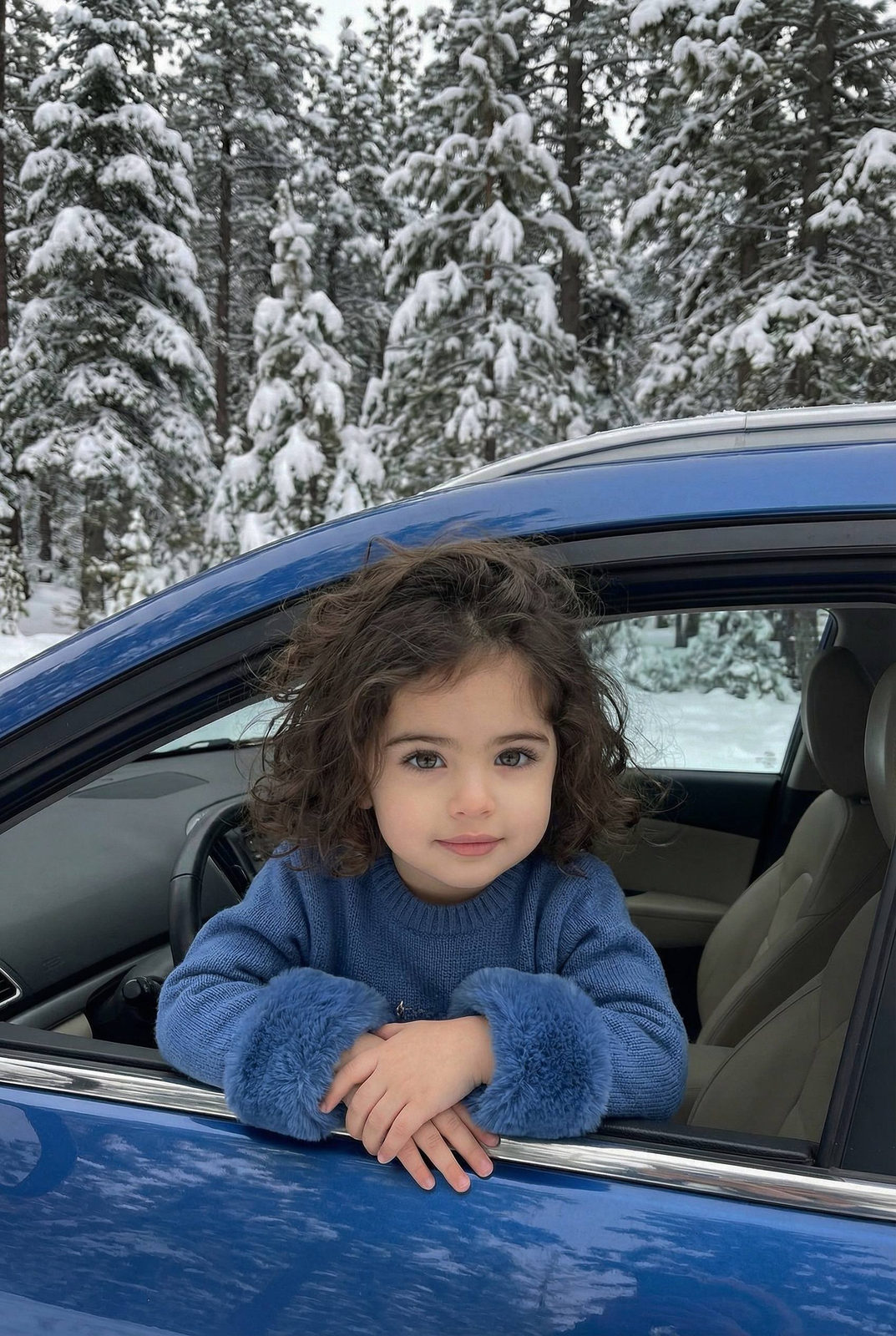
Reference image: uploaded photo. Recreate the pose, facial structure, age, proportions, clothing, environment, lighting, and mood exactly. Preserve the child’s real facial features and natural expression. No adult stylization, no makeup, no exaggeration of facial features, no beauty filters. A realistic winter outdoor portrait of a young girl sitting inside a blue car, leaning slightly out of the open side window. Snow-covered pine trees fill the background, creating a dense winter forest atmosphere. Cold, quiet, serene winter setting. Pose & expression: the girl rests her elbows on the car door frame, hands gently pressed together in front of her chest in a calm, prayer-like gesture. Soft, peaceful smile, relaxed face, warm and kind expression. Direct eye contact with the camera. Outfit & details: cozy blue winter sweater with fluffy blue faux-fur cuffs on the sleeves. Long hair worn loose, naturally flowing over shoulders, slightly tousled. No accessories besides clothing, no makeup, natural child appearance. Environment: blue car body clearly visible in the foreground, interior neutral and understated. Snow piled on tree branches in the background, winter forest setting with depth and realism. No urban distractions. Lighting: soft natural winter daylight, diffused and even. Cool tones in the environment balanced with natural warm skin tones. No harsh shadows, no artificial lighting. Camera & framing: horizontal or vertical portrait, medium close-up. Eye-level angle from outside the car window. Natural depth of field, background slightly softened but clearly recognizable. Photorealistic style.
✦ Use this prompt for free
About “Snowy Window Calm”
This portrait, elegant AI image prompt was created by AdX and is available to copy and use for free on PromptSpace. At 238 words, this is a detailed prompt that gives AI models precise instructions for generating the exact image you envision. It falls under the portrait, minimalist, elegant categories.
How to Use This Prompt
- 1
Copy the prompt
Click the “Copy Prompt” button above to copy the full prompt text to your clipboard.
- 2
Open your AI image generator
Open FLUX, Midjourney and paste the prompt into the text field.
- 3
Generate your image
Hit generate. For best results, use the default settings first and see how the output looks.
- 4
Experiment with variations
Change details like colors, lighting, or composition to make it uniquely yours.
- 5
Want your own face in the image?
Upload a clear, well-lit front-facing photo of yourself directly inside your AI tool (look for Image Reference, Face Swap, or IP-Adapter options) — then paste this prompt alongside it to generate images with your own face.
Recommended Settings
Aspect Ratio
2:3 (Portrait)
Quality
High / HD
Best For
FLUX, Midjourney
Style
Portrait, Elegant
Why This Prompt Works
The high word count gives the model rich context, reducing ambiguity and producing more consistent results. The portrait and elegant aesthetic signals are specific enough that the model can lock onto a distinct visual language. Explicit lighting direction (a leading signal in prompt engineering) significantly improves photo-realism and composition. Well-crafted prompts like this one combine subject precision, style vocabulary, and rendering hints — the three pillars of reliable AI image generation.
Best Model
FLUX is strongly recommended for this prompt. FLUX 1.1 Pro excels at photorealism and handles complex lighting instructions more accurately than older models.