Охра и ветер — AI Image Prompt
Prompt
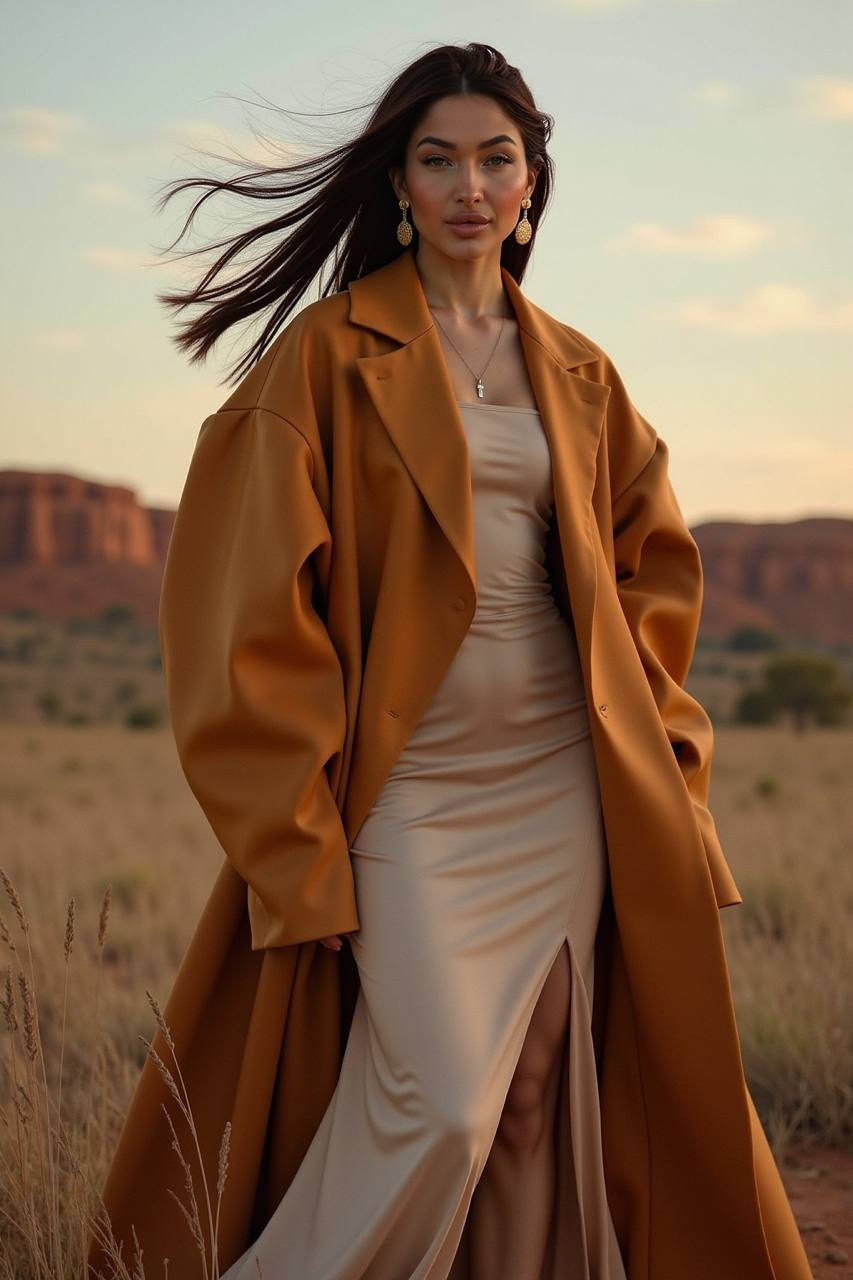
Full-body cinematic fashion portrait, woman standing in a windswept autumn field, wearing a massive ochre oversized coat draped over her shoulders like couture armor. Beneath — a flowing beige silk skirt with a high slit, fabric caught by the wind. Her expression: intense, eyes open, head slightly tilted upward, hair blown back dramatically. Accessories: bold golden statement earrings. Colors: ochre, beige, soft brick red in the horizon. Mood: dramatic runway shot in the wild.
✦ Use this prompt for free
About “Охра и ветер”
This artistic AI image prompt was created by AdX and is available to copy and use for free on PromptSpace. At 74 words, this is a detailed prompt that gives AI models precise instructions for generating the exact image you envision. It falls under the concept art, fantasy, vibrant colorful categories.
How to Use This Prompt
- 1
Copy the prompt
Click the “Copy Prompt” button above to copy the full prompt text to your clipboard.
- 2
Open your AI image generator
Open Midjourney, DALL-E, Stable Diffusion, FLUX, or any compatible tool and paste the prompt into the text field.
- 3
Generate your image
Hit generate. For best results, use the default settings first and see how the output looks.
- 4
Experiment with variations
Change details like colors, lighting, or composition to make it uniquely yours.
- 5
Want your own face in the image?
Upload a clear, well-lit front-facing photo of yourself directly inside your AI tool (look for Image Reference, Face Swap, or IP-Adapter options) — then paste this prompt alongside it to generate images with your own face.
Recommended Settings
Aspect Ratio
1:1 or 2:3 (Default)
Quality
High / HD
Best For
Midjourney, DALL-E 3, FLUX
Style
Artistic
Why This Prompt Works
The high word count gives the model rich context, reducing ambiguity and producing more consistent results. The artistic aesthetic signals are specific enough that the model can lock onto a distinct visual language. The cinematic framing instruction tells the model to treat composition and depth-of-field as a film director would, not as a snapshot. Well-crafted prompts like this one combine subject precision, style vocabulary, and rendering hints — the three pillars of reliable AI image generation.
Best Model
FLUX 1.1 Pro or Midjourney v6 are the safest choices. Both handle complex prompts with high fidelity. Test with --ar 1:1 first, then adjust aspect ratio to taste.