Winter Portrait — AI Image Prompt
Prompt
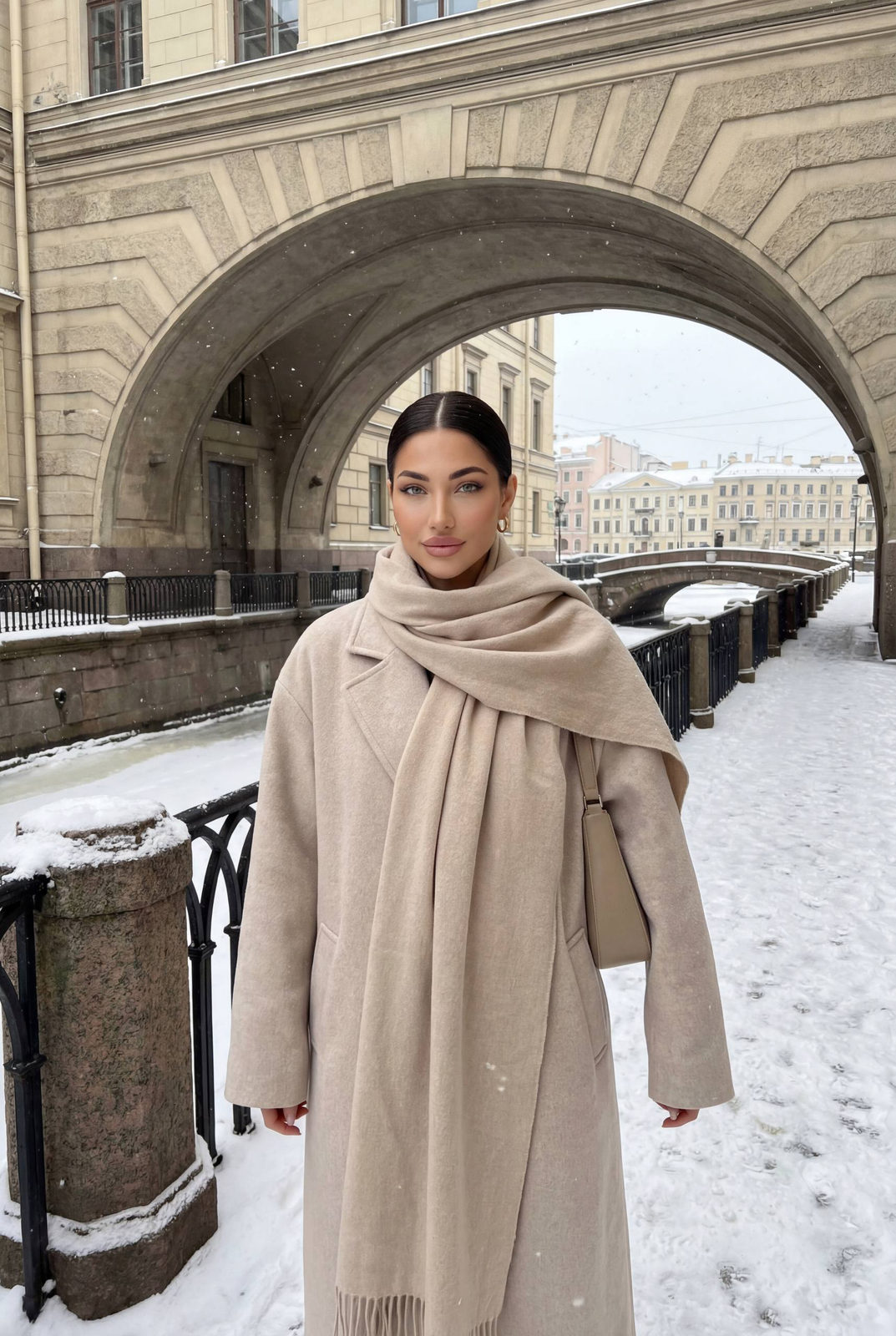
ultra-realistic winter street portrait, soft natural daylight under overcast sky, muted cold palette. A woman stands on a narrow snowy canal walkway beneath a massive historic stone arch bridge. Light snowfall in the air, fine snowflakes visible against dark architectural elements. She is standing front-facing, body slightly turned, shoulders relaxed, arms crossed close to the body as if keeping warm. Expression calm and subtly confident, a restrained half-smile, eyes looking directly at the camera. Hair is slicked back into a neat low bun, clean middle part, no loose strands. Makeup is minimal and elegant: natural skin texture, soft blush, neutral lips, defined brows, no heavy contouring. Outfit: an oversized long wool coat in warm light beige/cream tone, straight silhouette, dropped shoulders. A large matching beige cashmere scarf wrapped generously around the neck and shoulders, ends hanging down the front. Underneath hints of layered winter clothing but not visible. Accessories are minimal: small hoop earrings, neutral shoulder bag tucked under the arm. Environment: historic European canal with black wrought-iron railing covered in fresh snow, stone embankments, classic buildings stretching into the background, repeating arches and perspective lines creating depth. Snow lightly covers the ground and railings, water barely visible below. Camera is eye-level, vertical framing, medium full-body crop, natural depth of field with background softly fading but still recognizable. Mood: quiet winter elegance, old-city atmosphere, understated luxury, calm, timeless, cinematic but realistic, no posing exaggeration, candid street style in snowfall.
✦ Use this prompt for free
About “Winter Portrait”
This photorealistic, cinematic, portrait AI image prompt was created by AdX and is available to copy and use for free on PromptSpace. At 239 words, this is a detailed prompt that gives AI models precise instructions for generating the exact image you envision. It falls under the realistic, cinematic, portrait categories.
How to Use This Prompt
- 1
Copy the prompt
Click the “Copy Prompt” button above to copy the full prompt text to your clipboard.
- 2
Open your AI image generator
Open FLUX, Midjourney and paste the prompt into the text field.
- 3
Generate your image
Hit generate. For best results, use the default settings first and see how the output looks.
- 4
Experiment with variations
Change details like colors, lighting, or composition to make it uniquely yours.
- 5
Want your own face in the image?
Upload a clear, well-lit front-facing photo of yourself directly inside your AI tool (look for Image Reference, Face Swap, or IP-Adapter options) — then paste this prompt alongside it to generate images with your own face.
Recommended Settings
Aspect Ratio
2:3 (Portrait)
Quality
High / HD
Best For
FLUX, Midjourney
Style
Photorealistic, Cinematic, Portrait
Why This Prompt Works
The high word count gives the model rich context, reducing ambiguity and producing more consistent results. The photorealistic and cinematic aesthetic signals are specific enough that the model can lock onto a distinct visual language. The cinematic framing instruction tells the model to treat composition and depth-of-field as a film director would, not as a snapshot. Well-crafted prompts like this one combine subject precision, style vocabulary, and rendering hints — the three pillars of reliable AI image generation.
Best Model
FLUX is strongly recommended for this prompt. FLUX 1.1 Pro excels at photorealism and handles complex lighting instructions more accurately than older models.