Elegant Staircase — AI Image Prompt
Prompt
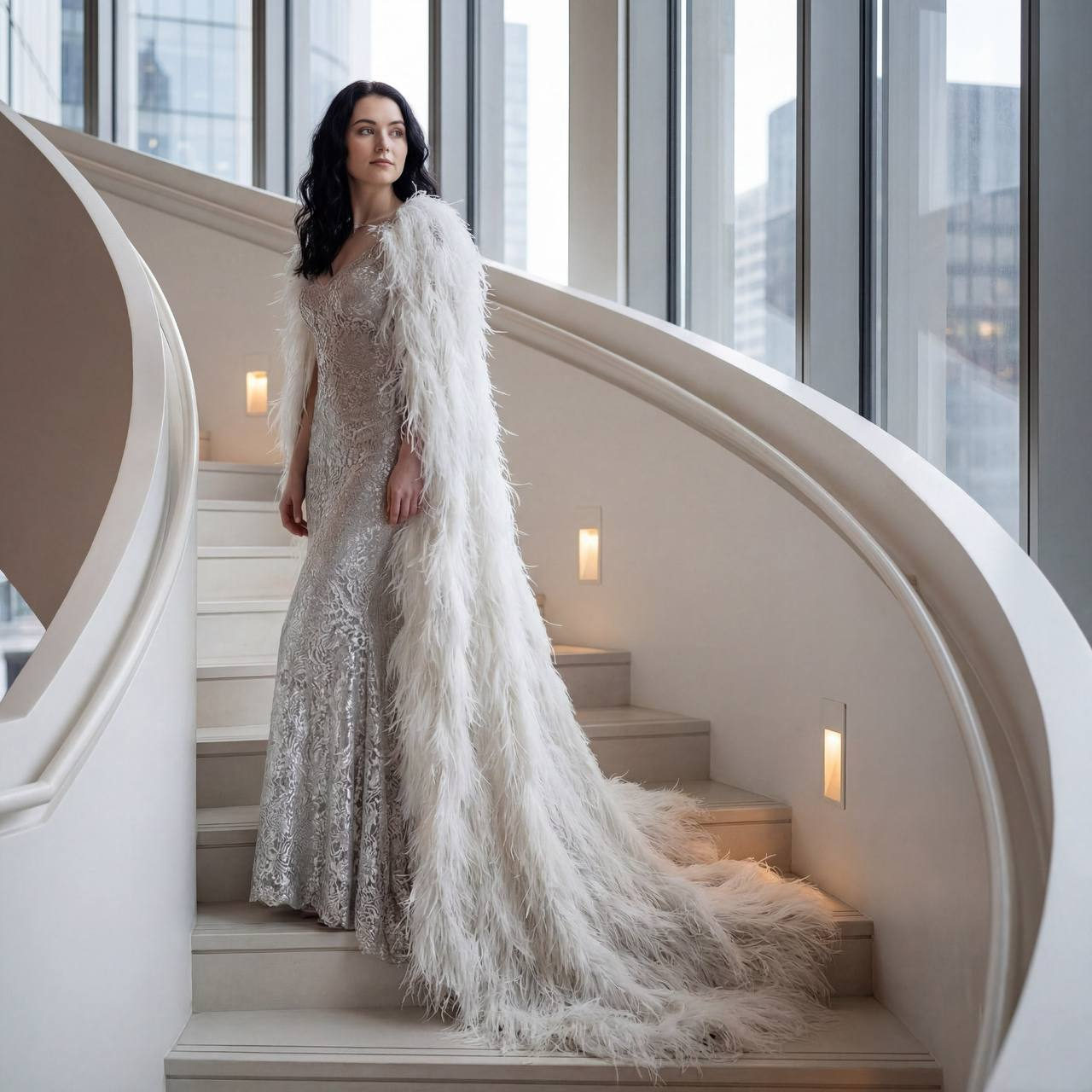
Without changing the appearance of the woman from the photo, she stands majestically on a smoothly curved white staircase, framed by modern architectural elements with soft natural light streaming through the windows. The woman is turned halfway in profile, looking away as if thoughtful yet confident, her facial expression strictly restrained but filled with inner calm. She wears a luxurious dress of shimmering silver fabrics with an exquisite openwork pattern that fits the body closely and plays with shades as the light changes. An incredibly impressive element of the look is a long, voluminous white cape completely covered in soft, airy feathers, forming a spectacular train that descends gently down the steps. The texture of the feathers appears silky and weightless, while the play of light creates delicate shadows highlighting the depth and volume. Surrounded by light walls and staircase railings that reflect and diffuse light, an atmospheric scene of elegance and lightness is created, complemented by the warm glow of built-in lamps on the staircase walls. The background hides city details outside the window, hinting at the landscape through the glass to enhance the feeling of privacy. The overall palette is neutral with emphasized silver and snow-white tones, creating a harmonious contrast with shadows, photorealistic image, high textural detail, high quality, 8K resolution.
✦ Use this prompt for free
About “Elegant Staircase”
This photorealistic, fashion, portrait AI image prompt was created by AdX and is available to copy and use for free on PromptSpace. At 214 words, this is a detailed prompt that gives AI models precise instructions for generating the exact image you envision. It falls under the realistic, elegant, modern categories.
How to Use This Prompt
- 1
Copy the prompt
Click the “Copy Prompt” button above to copy the full prompt text to your clipboard.
- 2
Open your AI image generator
Open FLUX, Midjourney and paste the prompt into the text field.
- 3
Generate your image
Hit generate. For best results, use the default settings first and see how the output looks.
- 4
Experiment with variations
Change details like colors, lighting, or composition to make it uniquely yours.
- 5
Want your own face in the image?
Upload a clear, well-lit front-facing photo of yourself directly inside your AI tool (look for Image Reference, Face Swap, or IP-Adapter options) — then paste this prompt alongside it to generate images with your own face.
Recommended Settings
Aspect Ratio
2:3 (Portrait)
Quality
High / HD
Best For
FLUX, Midjourney
Style
Photorealistic, Fashion, Portrait
Why This Prompt Works
The high word count gives the model rich context, reducing ambiguity and producing more consistent results. The photorealistic and fashion aesthetic signals are specific enough that the model can lock onto a distinct visual language. Explicit lighting direction (a leading signal in prompt engineering) significantly improves photo-realism and composition. Well-crafted prompts like this one combine subject precision, style vocabulary, and rendering hints — the three pillars of reliable AI image generation.
Best Model
FLUX is strongly recommended for this prompt. FLUX 1.1 Pro excels at photorealism and handles complex lighting instructions more accurately than older models.